Feeling uncertain about what to expect in your upcoming interview? We’ve got you covered! This blog highlights the most important Digital Editing interview questions and provides actionable advice to help you stand out as the ideal candidate. Let’s pave the way for your success.
Questions Asked in Digital Editing Interview
Q 1. What are your preferred digital editing software packages?
My preferred digital editing software packages are highly dependent on the project’s needs, but my core suite includes Adobe Premiere Pro for video editing, Adobe After Effects for motion graphics and compositing, and Adobe Audition for audio post-production. I’m also proficient in DaVinci Resolve, a powerful and versatile option that excels in color grading and offers a comprehensive workflow from ingest to mastering. For simpler projects or quick edits, I frequently use Final Cut Pro X due to its intuitive interface and speed. The choice often boils down to the specific requirements of a project – a large, complex project might benefit from DaVinci Resolve’s scalability, while a smaller, fast-turnaround project might call for the efficiency of Final Cut Pro X.
Q 2. Describe your experience with video editing workflows.
My video editing workflow generally follows a structured approach. It begins with meticulous project planning, including storyboarding, shot lists, and a clear understanding of the desired outcome. Then comes the ingest process – organizing and backing up all footage, ensuring appropriate naming conventions. Next, I rough cut the video, focusing on pacing and narrative flow. This is followed by a fine-cut, where I refine transitions, add effects, and ensure overall visual appeal. After that, I move to color correction and grading, followed by audio mixing and mastering. Finally, I export the video in the required formats and resolutions. For instance, on a recent documentary project, I utilized Premiere Pro’s multi-cam editing capabilities to efficiently manage footage from multiple cameras, and the project’s complex timeline was managed using nested sequences for clarity and organizational efficiency.
Q 3. Explain your approach to color correction and grading.
My approach to color correction and grading is holistic and aims for a natural, visually appealing result. I start with color correction, aiming to achieve a consistent color temperature and exposure across the entire video. This involves adjusting white balance, exposure, contrast, and shadows. I then move to color grading, which is more stylistic and involves using creative tools to enhance the mood and atmosphere. I consider the overall story, genre, and intended emotional impact to guide my color choices. I often use color wheels and scopes in DaVinci Resolve or Lumetri Color in Premiere Pro to precisely adjust color and ensure accurate representation. For example, for a dramatic scene, I might use deeper shadows and cooler tones to create a sense of mystery; for a comedic scene, brighter, warmer tones might be appropriate.
Q 4. How do you handle large video files efficiently?
Efficient handling of large video files involves a multi-pronged approach. Firstly, I use high-performance hardware with sufficient RAM, storage (preferably SSDs for faster read/write speeds), and a powerful CPU. Secondly, I utilize proxy workflows where lower-resolution proxies are used for editing, and higher-resolution files are used only for final rendering. This significantly reduces strain on the system. Thirdly, I employ lossless compression codecs like ProRes or DNxHD whenever possible, offering a balance between quality and file size. Finally, I regularly back up project files to an external hard drive or cloud storage, both for security and version control. This layered approach ensures efficient management of large video projects, without compromising on quality or workflow.
Q 5. What are your strategies for audio mixing and mastering?
My audio mixing and mastering strategies are built around clarity, balance, and a seamless sonic experience. I begin by cleaning up the audio, removing unwanted noise and hiss. Next, I focus on balancing the different audio sources, ensuring dialogue is clear and music complements the visuals. I then add effects judiciously, like reverb, delay, and equalization, to enhance the audio’s spatial characteristics and overall impact. Mastering involves the final polishing, optimizing the audio for different playback systems and ensuring consistency in loudness. I often utilize plugins within Audition or a dedicated mastering suite to achieve this. A recent project involved cleaning up heavily distorted dialogue from a vintage recording – careful application of noise reduction and spectral editing in Audition was crucial to restoring intelligibility.
Q 6. Describe your experience with motion graphics software.
My experience with motion graphics software, primarily Adobe After Effects, is extensive. I’m comfortable creating everything from simple lower thirds and animated text to complex visual effects and 3D animations. I understand keyframing, animation principles, and various compositing techniques. I frequently integrate motion graphics into video editing projects, enhancing their visual storytelling capabilities. For example, I recently created a series of animated explainer videos using After Effects, incorporating custom illustrations and subtle animations to clarify complex information in a visually engaging way. My skills also extend to using Cinema 4D for more advanced 3D work, which I integrate seamlessly into my After Effects workflows for detailed and impactful visuals.
Q 7. How do you ensure consistency in branding and style across multiple assets?
Maintaining consistent branding and style across multiple assets involves careful planning and the creation of a style guide. This document outlines specific elements like logo usage, color palettes, fonts, and overall visual tone. I ensure these guidelines are followed consistently across all projects – whether it’s video, graphics, or social media content. This is achieved through meticulous asset management, using templates and pre-set styles within my editing software. For instance, I might create master templates in Premiere Pro or After Effects that incorporate the correct brand colors, fonts, and logo, streamlining the production of multiple assets with consistent branding. This approach reduces errors, ensures a unified brand message, and strengthens the overall brand identity.
Q 8. What methods do you use for optimizing digital assets for web and mobile?
Optimizing digital assets for web and mobile involves a multi-faceted approach focused on balancing visual quality with file size. Smaller files lead to faster loading times, improved user experience, and reduced bandwidth consumption. My methods encompass several key strategies:
- Image Compression: I utilize lossy compression techniques (like JPEG for photographs and WebP for general use) to significantly reduce file size without drastically impacting visual quality. For images with sharp lines and text, lossless compression (PNG) is preferred. I often experiment with different compression levels to find the optimal balance.
- Image Resizing: I resize images to the exact dimensions needed for their intended use, avoiding unnecessarily large files. Using tools like Photoshop or online optimizers, I can precisely scale images while maintaining sharpness.
- Responsive Design: For web, I ensure images are delivered in appropriate sizes for different screen resolutions and devices. This utilizes responsive design techniques and often involves providing multiple image versions (e.g., using the
srcsetattribute in HTML). - Video Compression: Video optimization is crucial. I use appropriate codecs (like H.264 or H.265) and bitrates tailored to the target platform. Higher bitrates offer better quality but larger file sizes; I strive for the best compromise. I also often create multiple resolutions for different devices.
- Format Selection: Choosing the right file format is paramount. For example, using WebP for images can offer superior compression compared to JPEG or PNG, resulting in smaller files and faster loading times. Similarly, MP4 is a versatile and widely supported video format.
For example, I recently optimized a series of high-resolution product images for an e-commerce website. By using WebP and carefully selecting the appropriate compression levels, I reduced the overall file size by over 60% without noticeably impacting image quality, leading to a significant improvement in page load speed.
Q 9. Explain your process for troubleshooting technical issues during editing.
Troubleshooting during editing is a systematic process. My approach involves a combination of logical deduction, methodical testing, and leveraging available resources. Here’s my typical workflow:
- Identify the problem: I clearly define the issue. Is it a software glitch, a corrupted file, a hardware limitation, or something else?
- Reproduce the error: If possible, I attempt to reproduce the error consistently to understand its triggers. This helps isolate the problem.
- Check simple solutions: I start with the simplest fixes: restarting the software, checking cable connections, ensuring sufficient disk space, and verifying file integrity.
- Consult documentation and online resources: I refer to the software’s manual, online forums, and knowledge bases for troubleshooting tips and known issues related to the problem.
- Isolate the cause: I systematically test different aspects of the workflow to pinpoint the source of the problem. For instance, if there’s a problem with rendering, I might try different export settings or codecs.
- Seek expert help: If the problem remains unresolved, I consult colleagues or online communities for assistance, providing detailed information about the issue and steps already taken.
- Workaround or alternative: As a last resort, I might find a temporary workaround or explore alternative tools or techniques if the problem is unsolvable immediately.
For example, I once encountered a rendering error in After Effects. By systematically testing different project settings and plugins, I discovered that a recently installed third-party effect was causing the conflict. Disabling the plugin resolved the issue.
Q 10. How familiar are you with various video codecs and formats?
I’m very familiar with a wide range of video codecs and formats. My understanding encompasses their strengths, weaknesses, and suitability for various applications. Here are some key codecs and formats I regularly use:
- H.264 (AVC): A widely supported and efficient codec, ideal for balancing quality and file size. It’s a good choice for web distribution.
- H.265 (HEVC): Offers better compression than H.264, leading to smaller file sizes for the same quality. However, its broader adoption is still ongoing.
- VP9: A royalty-free codec developed by Google, known for its good compression efficiency. It’s commonly used in YouTube and other web platforms.
- AV1: A relatively new, royalty-free codec with even better compression than VP9 and H.265. It’s gaining traction but still has limited browser support.
- MP4: A popular container format compatible with most devices and software. It can house various codecs, including H.264 and H.265.
- MOV: Another container format, often associated with Apple products.
- MKV: A versatile container format known for its support for various audio and subtitle tracks.
The choice of codec and format depends heavily on the target platform, desired quality, and file size constraints. I choose codecs and formats based on the intended audience and platform compatibility.
Q 11. Describe your experience with subtitle creation and integration.
I have extensive experience creating and integrating subtitles. This involves understanding different subtitle formats, ensuring accuracy and timing, and integrating them seamlessly into the final video. My process includes:
- Transcription/Translation: I accurately transcribe the audio or translate the script into the target language. This requires meticulous attention to detail and sometimes involves using specialized transcription software.
- Subtitle Creation: I use subtitle creation software (like Subtitle Edit or Aegisub) to create the subtitle files. This involves accurately timing the subtitles to match the audio or video and ensuring readability.
- Format Selection: I choose the appropriate subtitle format (SRT, VTT, ASS, etc.) based on the target platform and player compatibility. SRT is a widely supported, simple format.
- Quality Control: Thorough review and quality control are crucial to ensure accuracy, timing, and readability. I pay attention to things like line breaks, character limits, and punctuation.
- Integration: I seamlessly integrate the subtitles into the video editing software (e.g., Premiere Pro, Final Cut Pro) or embed them directly into the video container.
For example, I recently created subtitles for a documentary film in three languages (English, Spanish, and French). I ensured each subtitle track was accurately timed and formatted correctly for optimal readability and viewing experience.
Q 12. How do you manage revisions and feedback effectively?
Managing revisions and feedback effectively is critical for successful projects. I utilize a combination of tools and strategies to streamline this process:
- Version Control: I maintain version history, keeping track of all revisions and changes. This allows easy rollback to previous versions if needed.
- Organized Feedback: I encourage clients to provide feedback in a structured manner, perhaps using a standardized form or checklist. This ensures clarity and avoids misunderstandings.
- Clear Communication: Open and proactive communication is vital. I regularly update clients on progress and promptly address any queries or concerns.
- Collaboration Tools: Using platforms like Google Docs, Dropbox, or collaborative editing software, I facilitate real-time feedback and revisions. This improves efficiency and transparency.
- Tracking Changes: I use tools to track changes made to the digital assets. This facilitates a clear audit trail and ensures that all feedback is implemented.
For instance, on a recent website redesign project, we used a version control system and a shared online document to track all changes and client feedback. This facilitated smooth revisions and ensured that the final product accurately reflected the client’s vision.
Q 13. What is your understanding of digital asset management systems?
Digital Asset Management (DAM) systems are crucial for organizing, storing, and retrieving digital assets efficiently. My understanding encompasses their importance in streamlining workflows and ensuring proper asset governance. Key aspects include:
- Centralized Storage: DAM systems provide a central repository for all digital assets, eliminating the need for scattered files and folders.
- Metadata Management: They allow for detailed metadata tagging, facilitating efficient searching and retrieval of assets.
- Access Control: DAM systems provide granular access control, ensuring only authorized users can view or modify specific assets.
- Version Control: Similar to individual file management, DAM systems typically offer version control, allowing easy tracking of changes and reversions.
- Workflow Automation: Some DAM systems automate aspects of the asset lifecycle, such as approval workflows or asset delivery.
I’ve worked with several DAM systems, such as Adobe Experience Manager and Canto, and understand the benefits of implementing a well-structured DAM system for managing large volumes of assets and ensuring their proper usage and archiving.
Q 14. Explain your experience with collaborative editing tools.
I have extensive experience with collaborative editing tools, recognizing their significance in modern digital workflows. My experience spans several platforms and applications:
- Google Docs/Sheets/Slides: These tools facilitate real-time collaboration on documents, spreadsheets, and presentations, enabling multiple users to work simultaneously.
- Adobe Creative Cloud applications (with collaborative features): Tools like Photoshop, Illustrator, and Premiere Pro offer features allowing multiple users to work on the same project concurrently, streamlining the feedback and revision process.
- Cloud-based video editing platforms: Platforms such as Frame.io and WeVideo facilitate shared project access, allowing remote collaboration on video projects.
- Version control systems (e.g., Git): For code-based projects (e.g., web development related to digital assets), Git is vital for collaboration and tracking changes.
Using collaborative tools significantly improves efficiency and communication in team-based projects. For example, in a recent video editing project, we used Frame.io to share the project files and allow the client to provide feedback directly within the editing software. This streamlined the review process and significantly reduced turnaround time.
Q 15. How do you ensure the accessibility of your digital content?
Ensuring accessibility in digital content is paramount for inclusivity. It means making my content usable and understandable by people with a wide range of disabilities, including visual, auditory, cognitive, and motor impairments. My approach involves several key strategies:
- Alternative Text for Images: I always add descriptive alt text to all images. For example, instead of just
alt="image", I’d usealt="A smiling woman holding a coffee cup in a bustling city street". This allows screen readers to convey the image’s meaning to visually impaired users. - Captions and Transcripts for Videos: Closed captions are essential for the hearing impaired, while transcripts provide a textual version of the audio for those who prefer to read or have difficulty understanding spoken content. I ensure accuracy and timing.
- Color Contrast: I carefully consider color contrast to ensure readability for users with low vision. Tools like WebAIM’s color contrast checker help achieve sufficient contrast between text and background.
- Keyboard Navigation: For interactive content, I confirm that all elements are navigable using only a keyboard, ensuring accessibility for users who cannot use a mouse.
- Structured Content: Using proper HTML semantics like headings (
<h1>to<h6>), lists (<ul>,<ol>), and paragraphs (<p>) makes content easier to understand by assistive technologies.
For example, in a recent project creating an educational video, I meticulously crafted accurate captions and a full transcript, ensuring the content was accessible to a wider audience, regardless of their hearing ability. Accessibility isn’t just a checkbox; it’s about creating a truly inclusive experience.
Career Expert Tips:
- Ace those interviews! Prepare effectively by reviewing the Top 50 Most Common Interview Questions on ResumeGemini.
- Navigate your job search with confidence! Explore a wide range of Career Tips on ResumeGemini. Learn about common challenges and recommendations to overcome them.
- Craft the perfect resume! Master the Art of Resume Writing with ResumeGemini’s guide. Showcase your unique qualifications and achievements effectively.
- Don’t miss out on holiday savings! Build your dream resume with ResumeGemini’s ATS optimized templates.
Q 16. What techniques do you use to enhance video quality?
Enhancing video quality is a multi-step process that involves careful attention to detail throughout the production and post-production phases. I use a combination of techniques:
- Proper Lighting and Recording: Good quality footage is the foundation. This involves using appropriate lighting to avoid shadows and overexposure, and choosing the right camera settings for the specific environment and subject.
- Color Correction and Grading: I use color correction tools to adjust brightness, contrast, and white balance, ensuring consistent color across the video. Color grading is used for creative stylistic choices to evoke a certain mood or atmosphere.
- Noise Reduction: Removing unwanted noise (grain, hum) significantly improves clarity. I utilize noise reduction software to minimize distractions.
- Sharpening and Detail Enhancement: Careful sharpening can enhance details without introducing artifacts. I avoid over-sharpening which can create a harsh, unnatural look.
- Stabilization: Smooth, steady footage is crucial. I use stabilization tools to correct shaky camera work, creating a professional look.
- High-Resolution Editing: I always edit in the highest resolution possible to maintain maximum quality throughout the process, downscaling only for final output.
For example, in a recent corporate video, I used advanced color grading to match the brand’s aesthetic and applied noise reduction to eliminate camera hum, resulting in a polished and professional final product.
Q 17. Describe your process for creating engaging social media content.
Creating engaging social media content involves understanding the platform’s audience and utilizing its unique features. My process is iterative and data-driven:
- Audience Research: I analyze the target audience’s demographics, interests, and online behavior to tailor the content accordingly. What are they already engaging with?
- Content Strategy: I plan a mix of content types, including short videos, images, stories, and text posts, to maintain variety and keep the audience engaged.
- Storytelling and Hooks: I focus on crafting compelling narratives and using attention-grabbing introductions to capture viewers’ interest immediately.
- Visual Appeal: High-quality visuals are crucial. I ensure strong composition, vibrant colors, and clear messaging within the limited screen space.
- Call to Action: Every post has a clear call to action—whether it’s liking, sharing, commenting, or visiting a website—to encourage audience interaction.
- Analytics Tracking: I monitor key metrics such as engagement rate, reach, and click-through rates to assess performance and iterate my approach.
For instance, when creating content for a fitness brand on Instagram, I leveraged visually appealing videos showcasing workout routines and used stories to interact directly with followers, asking questions and running polls to boost engagement. This data-driven approach allows for continuous improvement and better resonates with the target audience.
Q 18. How do you adapt your editing style to different target audiences?
Adapting editing style to different target audiences is vital for effective communication. I consider several factors:
- Age and Demographics: Younger audiences might respond better to fast-paced edits and trendy music, while older audiences may prefer a more measured pace and classic style.
- Cultural Context: Understanding the cultural background of the audience informs visual choices and messaging. Humor, for instance, needs to be culturally sensitive.
- Platform: The platform dictates the ideal video length, aspect ratio, and style. TikTok’s short-form videos require a very different approach than a YouTube tutorial.
- Tone and Style: The message and desired emotional response will influence the choice of editing techniques. A corporate video requires a professional, serious tone, while a travel vlog might embrace a more lighthearted and casual style.
For example, when editing a video for children, I use bright colors, simple transitions, and a fast pace to keep their attention. In contrast, a corporate video requires a more sophisticated aesthetic with a focus on clarity and professionalism.
Q 19. What are your strategies for optimizing video for different platforms?
Optimizing videos for different platforms is crucial for maximizing reach and engagement. This involves adapting the video’s technical specifications and content strategy:
- Resolution and Aspect Ratio: Each platform has its recommended resolution and aspect ratio (e.g., 16:9 for YouTube, 9:16 for Instagram). I export my videos in the appropriate format for each target platform.
- File Size: Larger files take longer to load and may not play smoothly on all devices. I compress videos efficiently to reduce their size without sacrificing quality.
- Length and Style: Platforms like TikTok reward short, attention-grabbing content, while YouTube allows for longer, more in-depth videos.
- Thumbnails: Compelling thumbnails are essential for attracting clicks. I create eye-catching thumbnails tailored to each platform’s visual style.
- Metadata and Tags: I use relevant keywords and tags in video descriptions and metadata to improve searchability and discoverability.
For instance, a video optimized for YouTube might be longer, have detailed descriptions, and use a 16:9 aspect ratio, while the same video, adapted for Instagram, would be shorter, utilize a vertical aspect ratio, and have a more visually impactful thumbnail.
Q 20. Explain your experience with creating interactive video content.
My experience with interactive video content involves leveraging features that allow viewers to actively participate in the narrative. This can include:
- Branched Narratives: Giving viewers choices that affect the storyline. This requires careful planning and scripting to accommodate various pathways.
- Interactive Elements: Incorporating clickable elements, quizzes, polls, and other interactive features throughout the video to encourage engagement and participation.
- 360° Video: Allowing viewers to explore the video environment from any angle, creating an immersive experience.
- Gamification: Integrating game mechanics like points, rewards, and leaderboards to motivate viewers and extend engagement.
For example, I recently developed an interactive safety training video using branching scenarios. Viewers encountered challenges and made decisions that influenced the outcome of the video, leading to a customized experience and improved knowledge retention. This is a powerful method of delivering information and encouraging active participation.
Q 21. How do you maintain version control throughout the editing process?
Maintaining version control is essential for collaborative projects and for allowing easy access to previous versions if needed. I use a combination of techniques:
- Project Naming Conventions: I use a clear and consistent naming system for all project files and folders (e.g., ProjectName_v01, ProjectName_v02_edits). This helps in organization.
- Cloud Storage and Version History: I leverage cloud storage services like Google Drive or Dropbox that offer version history, allowing me to revert to earlier versions if necessary.
- Non-Destructive Editing: I employ non-destructive editing techniques within my editing software, ensuring that original footage is untouched and that all changes are made through layers, adjustments, and effects that can be easily undone or modified.
- Regular Backups: I create regular backups of my project files to an external hard drive or cloud storage to safeguard against data loss.
- Version Control Software (Optional): For large, collaborative projects, dedicated version control systems like Git could be integrated to track changes more rigorously.
For instance, in a recent music video project, I saved different versions with descriptive names (e.g., ‘Rough Cut,’ ‘Color Corrected,’ ‘Final Cut’) in a cloud-based storage, enabling seamless collaboration with the director and easy access to different stages of the editing process. This ensures that we can always go back and examine previous edits if needed.
Q 22. How familiar are you with the principles of visual storytelling?
Visual storytelling in digital editing is all about crafting a narrative through images and video. It’s not just about assembling clips; it’s about guiding the viewer’s eye and emotions to convey a specific message. This involves understanding elements like composition, pacing, color grading, and sound design to create a cohesive and impactful story. Think of it like writing a screenplay, but with visuals instead of words. For example, a slow zoom on a character’s face can convey their internal struggle, while fast cuts and loud music might create a sense of urgency or danger. Mastering visual storytelling allows you to move beyond simply recording events and create truly engaging content.
Q 23. Describe your experience with creating animated graphics and titles.
I have extensive experience creating animated graphics and titles using various software like After Effects and Cinema 4D. I’ve worked on projects ranging from short promotional videos to complex title sequences for feature films. For example, I once created a stylized animated logo reveal for a tech startup, using particle effects and subtle camera movements to add dynamism. Another project involved designing a series of animated lower thirds for a news program, ensuring readability and consistency throughout the broadcast. My approach always considers the overall tone and style of the project, balancing creativity with functionality. I’m proficient in keyframing, motion tracking, and rotoscoping techniques, allowing me to achieve a wide range of stylistic choices.
Q 24. How do you use keyframing and animation techniques?
Keyframing is the foundation of animation. It involves setting specific points (keyframes) in time where you define the properties of an object, like position, scale, opacity, or color. The software then interpolates the values between these keyframes, creating the illusion of movement. For instance, to animate a ball bouncing, I’d set keyframes for its position at the peak of each bounce and at the point of impact with the ground. Beyond simple positional animation, I’m adept at using more sophisticated techniques like motion blur, easing functions (like ease-in and ease-out to create realistic acceleration and deceleration), and expressions (for creating complex automated animations within After Effects). Understanding how to effectively use keyframes and animation techniques is essential for creating smooth, believable, and visually appealing animations.
Q 25. How do you ensure the quality and accuracy of your work?
Quality and accuracy are paramount in my work. My process begins with thorough planning and pre-production, ensuring I understand the client’s needs and objectives completely. Throughout the editing process, I consistently review my work, comparing it to the original source material and checking for consistency in style, color, and audio levels. I use professional color grading tools to ensure accurate and consistent color across the entire project, and I frequently employ professional audio editing techniques for clarity and balance. Finally, a rigorous quality control check involves multiple reviews and tests across different platforms and devices before delivering the final assets. This multifaceted approach minimizes errors and maximizes the overall quality of the final product.
Q 26. What are your preferred methods for exporting final digital assets?
My preferred methods for exporting digital assets depend on the project requirements and target platform. For web videos, I typically export using H.264 encoding for its widespread compatibility and good balance between file size and quality. For broadcast, I follow specific guidelines provided by the broadcaster, often involving ProRes or DNxHD codecs to maintain the highest possible quality. For archival purposes, I maintain uncompressed master files in formats like ProRes 4444. I always pay close attention to resolution, frame rate, and bitrate to ensure compatibility and optimal viewing experience. Before exporting, I conduct thorough tests to ensure compatibility across different devices and players.
Q 27. Describe a time you had to solve a challenging editing problem.
In one project, we faced a significant challenge restoring damaged footage from a historical documentary. Parts of the film were severely scratched and degraded, resulting in significant visual artifacts and loss of detail. My solution involved a multi-step process. First, I carefully cleaned the footage using specialized software to remove dust and scratches. Next, I employed advanced inpainting techniques to intelligently reconstruct the missing portions of the image by extrapolating information from the surrounding areas. Finally, I used color correction tools to match the restored sections with the original footage seamlessly. This involved careful frame-by-frame work, taking hours to restore just a few seconds of footage. The meticulous approach and innovative application of repair techniques ensured the preservation of this valuable historical record while maintaining its integrity.
Q 28. What are your future goals in the field of digital editing?
My future goals center around continuing to refine my skills in advanced visual effects (VFX) and expanding my expertise in virtual production techniques. I’m particularly interested in exploring the possibilities offered by real-time rendering engines and immersive technologies like VR and AR. I also aim to contribute to the development of innovative storytelling techniques by blending traditional editing practices with emerging technologies. Ultimately, I want to push the creative boundaries of digital editing and contribute to projects that are both visually stunning and emotionally resonant.
Key Topics to Learn for Your Digital Editing Interview
- Image Editing Fundamentals: Understanding file formats (JPEG, PNG, TIFF, GIF), resolution, color spaces (RGB, CMYK), and non-destructive editing techniques. Practical application: Explain how you’d optimize an image for web versus print.
- Video Editing Principles: Familiarity with editing software (Premiere Pro, Final Cut Pro, DaVinci Resolve), cutting, transitions, color correction, audio mixing, and basic motion graphics. Practical application: Describe your workflow for creating a short promotional video.
- Software Proficiency: Demonstrate expertise in at least one major editing suite. Highlight your skills in key features like masking, keyframing, and compositing. Practical application: Explain a challenging project where you utilized advanced software features.
- Workflow and Organization: Discuss your approach to managing large projects, including file organization, version control, and collaboration techniques. Practical application: Explain how you would handle revisions and feedback from clients.
- Color Theory and Correction: Understanding color balance, white balance, and color grading techniques. Practical application: Explain how you’d correct color casts in a photograph or video.
- File Management and Archiving: Best practices for organizing and archiving digital assets to ensure efficient retrieval and prevent data loss. Practical application: Describe your system for naming and storing files in a large-scale project.
Next Steps
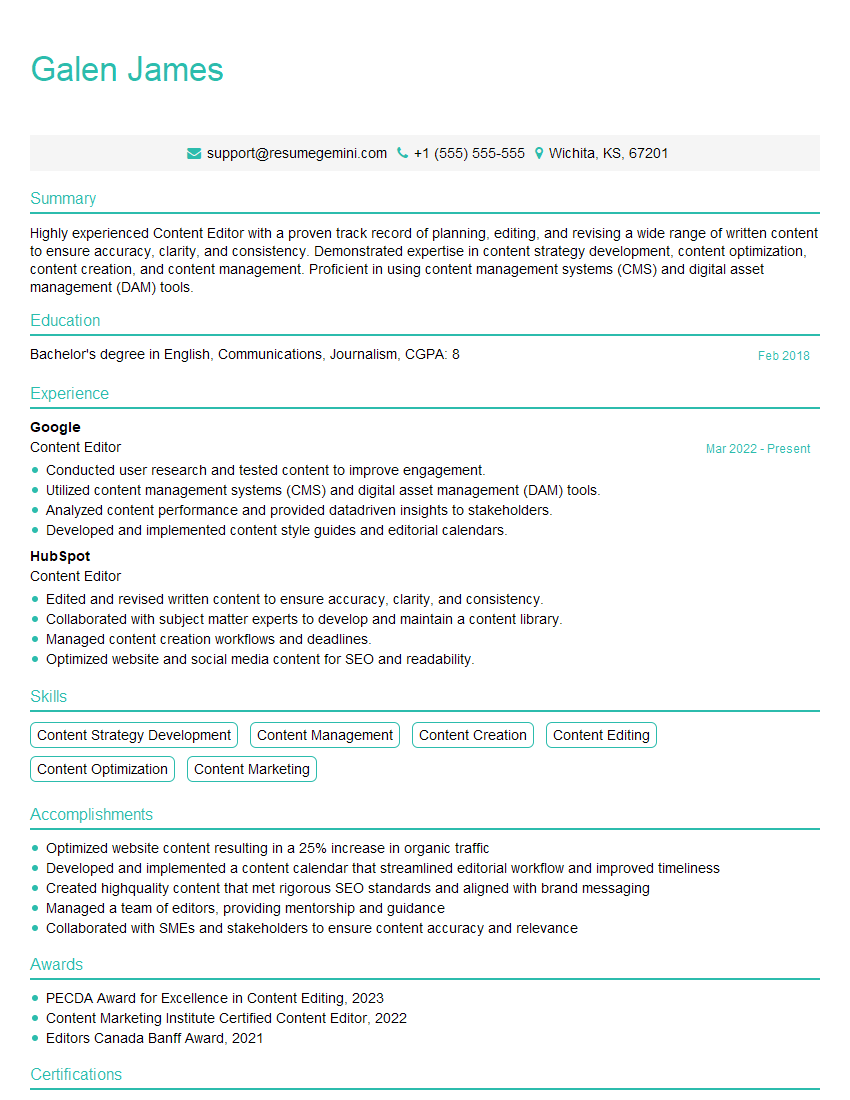
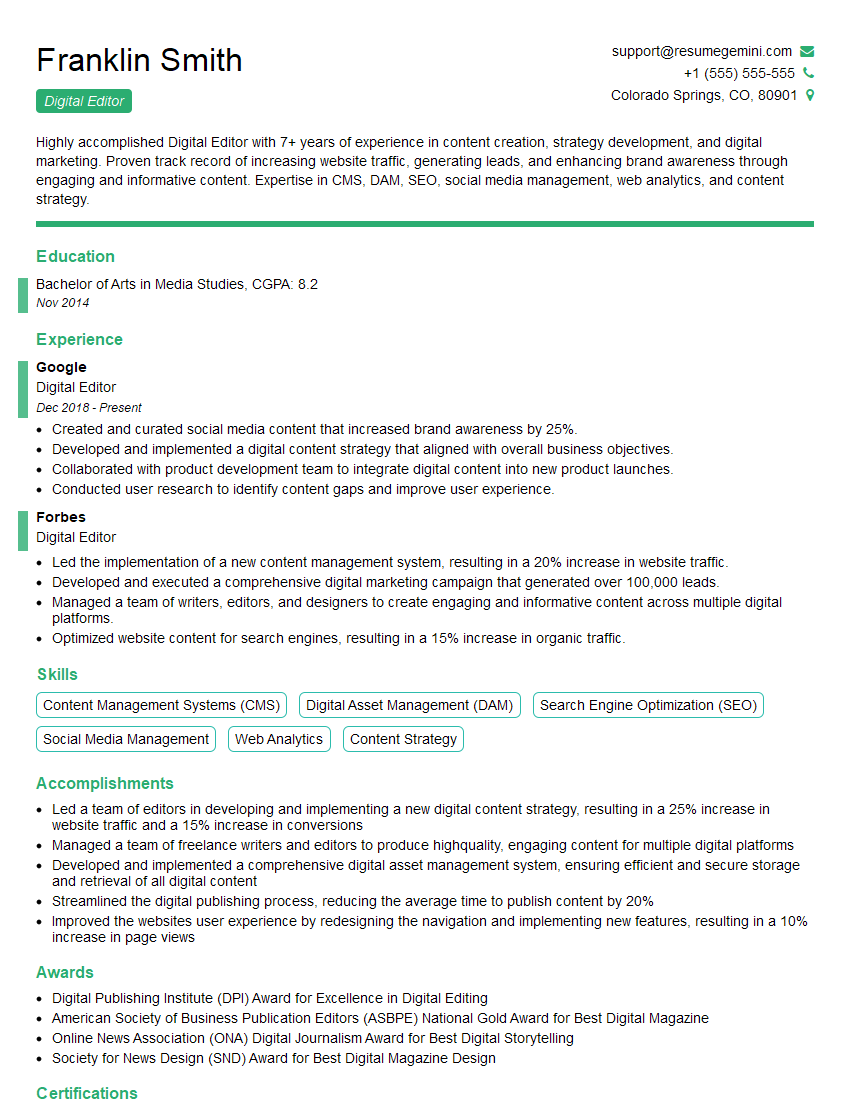
Mastering digital editing opens doors to exciting and rewarding careers in various industries. To stand out, create a resume that’s not only impressive but also easily parsed by Applicant Tracking Systems (ATS). This ensures your qualifications reach the right eyes. Use ResumeGemini to build a professional, ATS-friendly resume that showcases your skills effectively. ResumeGemini offers examples of resumes tailored to Digital Editing roles to help guide you in creating the perfect application. Invest the time – it’s an investment in your future success.



Explore more articles
Users Rating of Our Blogs
Share Your Experience
We value your feedback! Please rate our content and share your thoughts (optional).
What Readers Say About Our Blog
Amazing blog
Interesting Article, I liked the depth of knowledge you’ve shared.
Helpful, thanks for sharing.