The thought of an interview can be nerve-wracking, but the right preparation can make all the difference. Explore this comprehensive guide to CRM System Administration interview questions and gain the confidence you need to showcase your abilities and secure the role.
Questions Asked in CRM System Administration Interview
Q 1. Explain the difference between a lead, contact, and account in a CRM system.
In a CRM system, leads, contacts, and accounts represent different stages in the customer relationship lifecycle. Think of it like a funnel. Leads are potential customers who have shown some interest but haven’t yet become official clients. Contacts are individuals associated with a specific account, such as decision-makers or key influencers. Accounts represent the organizations or businesses themselves.
- Lead: A lead is typically identified through marketing efforts. For example, someone downloading a whitepaper, registering for a webinar, or filling out a contact form on a website. They are still being qualified and nurtured.
- Contact: Once a lead converts into a customer, they become a contact. This is the individual within the account that you interact with directly. A single account can have multiple contacts.
- Account: This represents the company or organization that the lead or contact belongs to. It holds information about the business itself, such as its size, industry, revenue, and contact details.
For example, imagine a software company. A lead might be someone who downloaded a free trial. Once they sign up for the paid version, that individual becomes a contact at their company (the account). The account might have multiple contacts, like the project manager, the IT administrator, and the CEO.
Q 2. Describe your experience with CRM data migration.
I have extensive experience in CRM data migration, having managed several complex projects across various CRM platforms. My approach always begins with a thorough assessment of the source and target systems, including data mapping and cleansing. I then develop a detailed migration plan, often employing a phased approach to minimize disruption. This usually involves:
- Data Mapping: Defining how data fields from the old system map to the new system.
- Data Cleansing: Identifying and correcting inconsistencies, duplicates, and outdated information.
- Data Transformation: Converting data into a format compatible with the new CRM.
- Testing: Rigorous testing of the migrated data to ensure accuracy and completeness.
- Go-Live: Implementing the migration to the live environment.
- Post-Migration Monitoring: Tracking the system for any issues or unforeseen problems.
In one project, we migrated data from a legacy on-premise CRM to Salesforce. This involved careful planning to address data format differences and ensure minimal downtime. The migration involved scripting custom data transformation routines to handle complex field mappings and data validation rules. We used a phased approach, migrating data in batches, allowing for thorough verification after each phase.
Q 3. How do you handle CRM data cleansing and deduplication?
CRM data cleansing and deduplication are critical for maintaining data accuracy and ensuring the integrity of reporting and analytics. My approach is multi-faceted and utilizes both manual and automated techniques.
- Automated Deduplication: I use the CRM’s built-in deduplication tools or third-party applications to identify and merge duplicate records based on predefined criteria like email address, phone number, and company name. This process usually involves setting matching rules and thresholds for similarity scores.
- Manual Review: Automated processes often require manual review to address complex situations where simple matching rules aren’t sufficient. I personally review potential duplicates to ensure accuracy and avoid accidentally merging unrelated records.
- Data Standardization: Implementing consistent data entry standards and using data validation rules in the CRM can help prevent duplicates in the first place.
- Data Cleansing Rules: I create and implement custom data cleansing rules to correct inconsistencies, address incomplete fields, and remove invalid data. This may involve updating addresses, standardizing phone numbers, or correcting typos.
For instance, I once worked on a project where we had thousands of duplicate contacts. By using a combination of automated deduplication and manual review, we were able to reduce the number of duplicates by over 90%, significantly improving the quality of our data and the accuracy of our reporting.
Q 4. What are your preferred methods for CRM system backup and recovery?
Robust backup and recovery strategies are essential for any CRM system. My preferred methods utilize a multi-layered approach combining automated backups with a secure offsite storage solution. I typically recommend:
- Regular Automated Backups: Implementing automated backups at regular intervals, ideally daily or even more frequently for critical data, using the CRM’s built-in backup features or third-party tools.
- Incremental Backups: Performing incremental backups to capture only the changes since the last full backup, minimizing storage space and backup time.
- Offsite Storage: Storing backups offsite in a secure cloud storage solution or a geographically separate location to protect against physical damage or disasters.
- Version Control: Maintaining different versions of backups, allowing for rollback to previous points in time if needed.
- Regular Testing: Regularly testing the backup and recovery processes to ensure they work correctly and data can be restored successfully.
I always follow the 3-2-1 backup rule: 3 copies of your data, on 2 different media, with 1 copy offsite. This provides redundancy and minimizes the risk of data loss.
Q 5. Explain your experience with CRM security best practices.
CRM security is paramount. My experience encompasses implementing and enforcing a comprehensive set of security best practices, including:
- Role-Based Access Control (RBAC): Restricting access to CRM data based on user roles and responsibilities, ensuring that only authorized personnel can view or modify sensitive information.
- Data Encryption: Encrypting sensitive data both in transit and at rest to protect against unauthorized access.
- Multi-Factor Authentication (MFA): Implementing MFA to add an extra layer of security to user logins, requiring multiple forms of authentication to verify identity.
- Regular Security Audits: Conducting regular security audits to identify and address potential vulnerabilities.
- User Training: Providing users with training on security best practices, such as password management and phishing awareness.
- Access Management: Regularly reviewing user access rights to ensure they remain appropriate.
In one instance, I worked on strengthening the security posture of a CRM system by implementing MFA and encrypting sensitive customer data. This significantly reduced the risk of data breaches and protected sensitive customer information.
Q 6. How would you troubleshoot a CRM system performance issue?
Troubleshooting CRM performance issues requires a systematic approach. My strategy involves identifying the bottleneck and implementing the appropriate solution. I typically follow these steps:
- Identify Symptoms: Pinpoint the specific performance issue. Is the system slow overall, or are certain functions experiencing delays? Are there error messages?
- Gather Data: Collect performance metrics such as response times, CPU usage, memory usage, and database activity. The CRM system itself or monitoring tools can provide this data.
- Analyze Data: Identify patterns and correlations in the data to determine the root cause of the performance problem. Are there specific queries taking too long? Is the database overloaded?
- Test and Implement Solutions: Based on the analysis, implement potential solutions such as database optimization, server upgrades, code optimization, or removing unnecessary plugins. Carefully test each solution to ensure it improves performance without introducing new issues.
- Monitor and Optimize: Continuously monitor the system’s performance after implementing solutions to ensure the problem is resolved and performance remains stable.
For instance, I once resolved a performance issue by identifying a poorly optimized database query that was causing significant delays in report generation. Optimizing the query significantly improved report generation times.
Q 7. Describe your experience with CRM reporting and analytics.
My experience with CRM reporting and analytics encompasses designing, developing, and implementing custom reports and dashboards to meet diverse business needs. I leverage the CRM’s built-in reporting capabilities and integrate it with business intelligence (BI) tools for advanced analytics.
- Report Design: I design reports that provide actionable insights for sales, marketing, and customer service teams, using charts, graphs, and tables to visually represent data.
- Data Visualization: I create dashboards that provide a high-level overview of key performance indicators (KPIs) and allow users to easily monitor progress towards goals.
- Custom Reporting: I develop custom reports to meet specific business requirements using the CRM’s query language or external BI tools.
- Data Analysis: I analyze data to identify trends, patterns, and insights that inform business decisions and improve processes.
- Data Integration: I integrate CRM data with other systems to provide a holistic view of the business.
In a previous role, I developed a custom report that tracked sales performance by region and product, providing valuable insights that helped the sales team optimize their strategies. I also created a dashboard that provided real-time visibility into customer satisfaction metrics, enabling the customer service team to proactively address issues.
Q 8. What CRM platforms are you proficient with?
My CRM expertise spans several leading platforms. I’m highly proficient in Salesforce, Microsoft Dynamics 365, and HubSpot. My experience includes managing the entire lifecycle of these systems – from initial setup and configuration to ongoing maintenance and optimization. For instance, in a previous role at a marketing agency, I spearheaded the migration from a legacy system to Salesforce Sales Cloud, resulting in a 20% increase in sales lead conversion rates. With Dynamics 365, I’ve focused on the implementation and administration of its customer service and field service modules, tailoring workflows to significantly improve response times and technician dispatch efficiency. Finally, my HubSpot experience centres around marketing automation, lead nurturing, and reporting, with a focus on enhancing the overall customer journey. Each platform has its strengths, and selecting the right one depends heavily on the specific needs and scale of the organization.
Q 9. How do you manage user access and permissions within a CRM system?
Managing user access and permissions is critical for data security and operational efficiency. My approach involves a multi-layered strategy. First, I leverage the built-in role-based access control (RBAC) features of the CRM platform. This allows me to create different user roles with specific permissions – for example, a sales representative might have access to leads and contacts, but not to financial data, while a manager might have full access. I then meticulously assign these roles to individual users based on their job function and responsibilities. Second, I utilize security profiles to further refine access, granting or denying permissions to specific objects, fields, and records. Third, I regularly review and audit user access, removing permissions that are no longer necessary. Think of it like a well-guarded building: you have main doors (RBAC), internal access control (security profiles), and regular security checks to ensure only authorized personnel have access to specific areas. Failing to do so can lead to significant data breaches or operational inefficiencies.
Q 10. Explain your approach to CRM system customization and configuration.
My approach to CRM customization and configuration is iterative and user-centric. I begin by thoroughly understanding the business requirements and user workflows. This often involves workshops and interviews with key stakeholders to identify pain points and opportunities for improvement. Then, I develop a detailed customization plan that outlines the necessary changes to the system. This might involve configuring existing features, creating custom objects and fields, or developing custom workflows and automation rules using the platform’s tools. For example, I might create a custom object to track specific customer interactions beyond standard contact information, or build automated email sequences triggered by specific events, like a lead submitting a form. I favor a phased rollout approach, implementing and testing changes in increments to minimize disruption and ensure stability. After each phase, I gather user feedback to refine the system and ensure it meets the needs of the business.
Q 11. How do you ensure data integrity within a CRM system?
Data integrity is paramount. My strategies involve several key components. Firstly, I implement data validation rules at the field level to prevent incorrect or incomplete data from being entered. For example, I might set up a rule to ensure that all email addresses follow a valid format. Secondly, I leverage workflow automation to enforce data consistency. This might involve automating data entry tasks or flagging records with missing or inconsistent information for review. Thirdly, I perform regular data cleansing and deduplication processes to identify and correct inaccuracies. This includes using both automated tools and manual review. Finally, I educate users on best practices for data entry and encourage them to report any data inconsistencies they identify. Think of it like a meticulous librarian: you have rules for cataloging (validation), processes for organizing (automation), periodic cleanups (deduplication), and an alert system (user feedback) to maintain an accurate and reliable collection.
Q 12. Describe your experience with CRM integrations with other systems.
I have extensive experience integrating CRMs with various systems, including marketing automation platforms (Marketo, Pardot), ERP systems (SAP, Oracle), and e-commerce platforms (Shopify, Magento). My approach typically involves using APIs (Application Programming Interfaces) or middleware solutions to facilitate data exchange. For example, in one project, I integrated Salesforce with a marketing automation platform to automate lead scoring and nurturing, significantly improving marketing campaign efficiency. Another project involved integrating a CRM with an ERP system to streamline order processing and improve inventory management. The key to successful integration is understanding the data structures and capabilities of each system, and designing robust data mapping and transformation processes to ensure data integrity and consistency across systems. This often involves careful planning and collaboration with technical teams from both systems.
Q 13. What is your experience with CRM API’s?
My experience with CRM APIs is extensive. I’ve utilized REST and SOAP APIs to build custom integrations, automate tasks, and extend CRM functionality. For instance, I’ve used the Salesforce API to build custom applications that integrate with other systems, like creating a custom mobile app for sales representatives to access and update customer information offline. I’m proficient in using API documentation, developing API calls, handling authentication and authorization, and managing API responses. Understanding API limitations and rate limits is also crucial for developing efficient and scalable integrations. In short, APIs are essential for creating powerful and flexible CRM solutions. They allow us to move beyond the limitations of pre-built functionalities and create custom solutions that precisely meet our needs.
Q 14. How do you handle CRM system upgrades and patches?
Handling CRM upgrades and patches is a crucial aspect of system administration. My approach is systematic and risk-averse. First, I thoroughly review the release notes and documentation provided by the vendor to understand the changes, features, and potential impacts. Then, I create a detailed upgrade plan, outlining the steps involved, testing environments, and rollback strategies. A critical step involves conducting thorough testing in a non-production environment before deploying updates to the live system. This includes functional testing to verify that all existing functionalities are working correctly and performance testing to ensure the system remains responsive and efficient. During the actual upgrade process, I monitor closely for any errors or issues and have a plan for quick remediation. After the upgrade, I monitor system performance and conduct post-implementation reviews to ensure everything is operating optimally. Regularly scheduled upgrades and patching are vital to maintaining security and system performance and is a must-do for every responsible administrator.
Q 15. Explain your experience with CRM workflow automation.
CRM workflow automation is the process of automating repetitive tasks within a CRM system to improve efficiency and productivity. Think of it like setting up a series of automated instructions that handle tasks like lead assignment, email marketing campaigns, or updating contact information. This frees up valuable time for sales and marketing teams to focus on higher-value activities.
In my experience, I’ve extensively utilized workflow automation tools within Salesforce and Microsoft Dynamics 365. For example, I’ve configured automated workflows to automatically assign leads to the appropriate sales representative based on geographic location and industry. This involved creating rules within the CRM that evaluate lead data and trigger the assignment process. Another example is setting up automated email sequences that nurture leads, sending a series of personalized emails at predetermined intervals based on lead engagement. This automation reduced manual effort and improved lead conversion rates. I’ve also used workflow automation to create approval processes for sales opportunities, ensuring that larger deals are reviewed by management before closure.
- Lead Routing: Automating lead assignment based on criteria like location, industry, or lead source.
- Email Marketing Automation: Creating automated email campaigns based on customer behavior and engagement.
- Opportunity Management: Setting up automated reminders and notifications for sales representatives regarding upcoming deadlines or critical tasks.
Career Expert Tips:
- Ace those interviews! Prepare effectively by reviewing the Top 50 Most Common Interview Questions on ResumeGemini.
- Navigate your job search with confidence! Explore a wide range of Career Tips on ResumeGemini. Learn about common challenges and recommendations to overcome them.
- Craft the perfect resume! Master the Art of Resume Writing with ResumeGemini’s guide. Showcase your unique qualifications and achievements effectively.
- Don’t miss out on holiday savings! Build your dream resume with ResumeGemini’s ATS optimized templates.
Q 16. How do you monitor and track CRM system performance?
Monitoring CRM system performance is crucial to ensure data accuracy, user satisfaction, and overall business effectiveness. This involves tracking various key performance indicators (KPIs) and proactively identifying and addressing issues before they impact the business. My approach involves a multi-faceted strategy.
Firstly, I utilize built-in CRM reporting and analytics dashboards to track KPIs such as user adoption rates, data quality metrics (e.g., number of incomplete records), sales conversion rates, and customer satisfaction scores. I regularly review these reports to identify trends and potential problem areas. Secondly, I monitor system performance indicators like response times and error rates. Slow response times could indicate issues with the CRM server or database, requiring optimization. High error rates might point to data integrity problems or flawed configurations. I regularly analyze CRM logs to identify error patterns and trends. Finally, I actively seek user feedback through surveys, interviews, and informal discussions to understand their experiences and identify areas for improvement. A well-functioning CRM should be intuitive and efficient for end-users.
For instance, if I notice a significant drop in sales conversion rates, I would delve into the data to identify the cause. This might involve analyzing lead quality, sales process inefficiencies, or issues with the CRM’s reporting capabilities. If the issue lies within the CRM itself, I would investigate the system configuration, data integrity, and workflows to identify and resolve the root cause.
Q 17. What is your experience with CRM training and support for end users?
Providing effective CRM training and support for end-users is vital for maximizing the system’s value. It’s not enough to simply implement the system; users need to understand how to effectively utilize its features. My approach involves a comprehensive strategy combining various training methods and ongoing support.
I begin by developing tailored training materials, including documentation, presentations, and video tutorials, that align with the users’ roles and responsibilities within the organization. For example, sales reps would receive training on opportunity management, while marketing personnel would focus on lead nurturing and campaign management. I then deliver the training using a blended learning approach combining online modules, hands-on workshops, and individual coaching sessions. This personalized approach ensures that everyone, regardless of their technical skills, understands how to use the CRM effectively.
Following initial training, I establish ongoing support channels to address user questions, resolve issues, and provide ongoing guidance. This usually involves a combination of email support, a dedicated help desk, and regular check-ins to ensure users are effectively utilizing the CRM system. I also regularly monitor user feedback and adjust the training and support programs as needed to address any recurring issues or areas where additional training is required.
Q 18. How do you handle conflicts between different CRM data sources?
Conflicts between different CRM data sources can be a significant challenge. This often arises when a company uses multiple systems, each with its own data, that haven’t been integrated effectively. Resolving these conflicts requires a careful approach to data cleansing, standardization, and integration.
My strategy begins with identifying the source of the conflict. This might involve analyzing the data from each source to identify discrepancies and inconsistencies. I might use data profiling tools to help identify these inconsistencies and potential areas of conflict. Once the conflicts are identified, I then work on cleaning and standardizing the data. This often involves creating a process to consolidate data from multiple sources and resolving conflicts based on predefined rules. For example, if a contact’s address differs across two data sources, I will typically prioritize the information from the most reliable source or implement a conflict resolution strategy that favors the most recent or updated information.
Finally, I would focus on data integration to prevent future conflicts. This could involve implementing ETL (Extract, Transform, Load) processes to seamlessly combine data from different sources into a unified view within the CRM. This ensures that data is consistent and accurate across the system. Effective data governance is also important to establish clear rules and processes for data entry and management. Data governance standards help prevent future data conflicts.
Q 19. Describe your experience with CRM data validation rules.
CRM data validation rules are essential for maintaining data accuracy and consistency within the system. These rules help to prevent invalid or inaccurate data from entering the CRM, thus ensuring the reliability of reports and analyses generated from the data. Think of them as safeguards to ensure the integrity of the information.
My experience with data validation rules involves implementing them across various CRM platforms such as Salesforce and Dynamics 365. I’ve configured rules to ensure that mandatory fields are populated, data formats are correct (e.g., email addresses, phone numbers), and data values fall within acceptable ranges. For example, I might create a rule to ensure that the ‘Company Size’ field only accepts values from a predefined list (e.g., Small, Medium, Large). Another example is configuring a rule to automatically check if an email address is valid before allowing it to be saved. These rules prevent invalid data from being entered into the CRM database.
Beyond basic data validation, I’ve also worked on implementing more sophisticated rules involving cross-field validation. For example, I can create a rule to ensure that a customer’s billing address state matches their shipping address state if the shipping address is within the same country. This minimizes errors and inconsistencies in the data. In addition to using built-in validation rules, I’ve utilized custom validation using scripting or APIs when the built-in functionalities were insufficient. This allowed me to create very precise checks to adhere to strict company data standards.
Q 20. What are your experience with different CRM deployment models (on-premise, cloud)?
I have extensive experience with both on-premise and cloud CRM deployment models. Each has its own advantages and disadvantages, and the best choice depends heavily on the organization’s specific needs and resources.
On-premise CRM deployments involve installing and managing the CRM software on the organization’s own servers. This gives organizations greater control over their data and infrastructure but requires significant investment in hardware, software licenses, and IT personnel for maintenance and support. I’ve worked on several on-premise deployments, primarily involving extensive server configuration, database management, security setup, and ongoing maintenance tasks. I’ve also handled software upgrades and patch management for on-premise systems.
Cloud-based CRM deployments (like Salesforce, Dynamics 365 Online) leverage a third-party provider’s infrastructure. This significantly reduces the organization’s infrastructure costs and IT overhead. However, it involves some dependency on the cloud provider for availability and security. My cloud-based experience has focused on system administration and configuration tasks, including user account management, data integration with other cloud services, security policy implementation and configuration and troubleshooting common cloud-related issues like connectivity problems. For example, I’ve managed the configuration of user permissions and access levels within a Salesforce instance, ensuring that sensitive data was only accessible to authorized individuals.
I can effectively manage both models and understand the nuances of each. The choice between on-premise and cloud often comes down to the organization’s budget, technical expertise, and security requirements.
Q 21. How do you prioritize and manage multiple CRM related tasks?
Prioritizing and managing multiple CRM-related tasks effectively is crucial for maintaining a high-performing system and meeting business objectives. My approach involves a combination of project management methodologies and effective time management techniques.
I utilize a prioritized task list, often employing a system like Kanban or Agile methodologies. This allows me to visualize the tasks, their dependencies, and their urgency. I categorize tasks by priority, considering factors such as impact on business operations, deadlines, and user requests. For instance, fixing a critical system bug that impacts sales operations would take precedence over implementing a new reporting feature.
I also leverage time management techniques, such as time blocking, to allocate specific time slots for focused work on individual tasks. This minimizes distractions and improves efficiency. Regularly reviewing and updating my task list ensures that I am adapting to changing priorities and unforeseen issues. Regular communication with stakeholders, including end-users and management, ensures alignment on priorities and keeps everyone informed of progress.
Effective delegation is also a crucial skill. When possible, I delegate tasks to other team members to maximize efficiency and leverage their skills. Using project management tools with features like task assignments, progress tracking and reporting enables better coordination and accountability.
Q 22. Explain your experience with CRM reporting tools and dashboards.
CRM reporting tools and dashboards are crucial for visualizing key performance indicators (KPIs) and gaining actionable insights from your customer data. My experience spans several platforms, including Salesforce, Microsoft Dynamics 365, and HubSpot. I’m proficient in creating custom reports and dashboards using their respective built-in tools, as well as leveraging external reporting tools like Tableau and Power BI for more advanced visualizations.
For example, in a previous role, we needed to track sales conversion rates across different marketing campaigns. I built a custom dashboard in Salesforce that displayed conversion rates broken down by campaign, sales representative, and lead source. This allowed sales management to quickly identify high-performing campaigns and areas needing improvement. I also have experience with report scheduling and distribution, ensuring that key stakeholders receive the information they need, when they need it.
Beyond basic reporting, I understand the importance of data storytelling. Effective dashboards aren’t just about numbers; they’re about presenting the data in a way that is clear, concise, and easy to understand, enabling data-driven decisions.
Q 23. How do you troubleshoot common CRM system errors?
Troubleshooting CRM errors requires a systematic approach. I start by identifying the nature of the error – is it a user-specific issue, a system-wide problem, or a data-related error? My troubleshooting process typically involves these steps:
- Reproduce the error: Understanding the steps that lead to the error is critical. I’ll work with the user to replicate the problem.
- Check error logs: Most CRMs have detailed logs that record errors. Analyzing these logs often provides clues about the root cause.
- Verify data integrity: Incorrect or missing data can cause various errors. I’ll check for data inconsistencies, duplicates, or corrupted records.
- Review system configuration: Incorrect settings or configurations can lead to functional issues. I’ll examine the CRM’s settings, including security roles, workflows, and integrations.
- Test solutions in a sandbox environment: Before implementing any changes in the production environment, I always test the solutions thoroughly in a sandbox environment to avoid unintended consequences.
- Escalate to support: If the issue persists after exhausting internal troubleshooting options, I will escalate the problem to the CRM vendor’s support team.
For instance, I once encountered a scenario where users couldn’t access certain records due to a security role misconfiguration. By carefully examining the security roles and permissions, I identified the root cause and corrected the configuration, resolving the issue without impacting other functionalities.
Q 24. What are your experience with CRM data warehousing and ETL processes?
CRM data warehousing and ETL (Extract, Transform, Load) processes are critical for gaining a holistic view of your customer data. I have experience designing and implementing data warehouses for CRM data, using tools like SQL Server Integration Services (SSIS) and Informatica PowerCenter. My work involves extracting data from various CRM sources, transforming it into a consistent format, and loading it into a data warehouse for analysis and reporting.
The transformation process is particularly important. It involves cleaning, standardizing, and enriching the data to ensure data quality. This may include handling missing values, resolving data inconsistencies, and creating new fields based on existing ones. For example, I’ve used ETL processes to combine data from multiple CRM systems into a single data warehouse, providing a unified view of customer interactions. This allows for more comprehensive analysis and reporting, providing valuable business insights that would be impossible to obtain from individual CRM systems.
Understanding data modeling is also crucial. I design dimensional models that optimize data for analytical queries, improving the performance and efficiency of reporting and analytics.
Q 25. How do you maintain data consistency across different CRM modules?
Maintaining data consistency across different CRM modules requires a multi-faceted approach. It’s about ensuring that the same piece of information is stored consistently across all relevant modules to avoid conflicts and discrepancies. This can be achieved through:
- Data Governance Policies: Implementing clear data governance policies and processes defines how data is entered, updated, and validated across the CRM system. This includes establishing naming conventions, data validation rules, and data quality checks.
- Workflow Automation: Automating workflows can help prevent inconsistencies by ensuring that data is updated consistently across modules. For instance, automatically updating the account status when an opportunity is closed-won.
- Data Duplication Prevention: Implementing strategies to prevent duplicate records is crucial. This may involve using deduplication tools or configuring the CRM to alert users to potential duplicates.
- Data Cleansing Processes: Regularly cleansing the data to identify and correct errors or inconsistencies is vital. This involves identifying and correcting data errors such as misspellings, incorrect formats, and missing values.
- Centralized Data Management: If possible, using a centralized approach where data is managed from a single source and then replicated to other modules. This minimizes inconsistencies that can arise from independent data entry.
For example, if a customer’s address is updated in the ‘Accounts’ module, it should automatically update across all related modules, such as ‘Contacts’ and ‘Opportunities’, thereby ensuring data consistency and accuracy.
Q 26. Describe your experience with CRM system auditing and compliance.
CRM system auditing and compliance are critical for maintaining data integrity, ensuring security, and meeting regulatory requirements like GDPR, CCPA, and HIPAA (depending on the industry). My experience involves configuring audit trails, implementing access controls, and ensuring adherence to compliance standards.
I have experience setting up audit trails to track changes made to CRM records, including who made the changes, when they were made, and what changes were made. This provides a complete audit trail for tracking data modifications. I also understand the importance of implementing strong access control mechanisms to restrict access to sensitive data based on roles and responsibilities, ensuring data security and compliance with relevant regulations.
Furthermore, I regularly review and update CRM security policies to ensure they align with current best practices and regulatory requirements. This includes managing user access, data encryption, and data backup and recovery procedures. Regular audits are conducted to verify the effectiveness of these security measures and to identify areas for improvement.
Q 27. How do you ensure CRM system scalability and availability?
Ensuring CRM system scalability and availability is paramount for business continuity. My approach focuses on several key areas:
- Capacity Planning: Proactive capacity planning anticipates future growth and ensures the CRM system can handle increasing data volumes and user traffic. This involves analyzing current usage patterns and projecting future needs.
- System Monitoring: Continuous system monitoring using tools like server monitoring software and CRM-specific monitoring features is essential for identifying potential performance bottlenecks or issues before they impact users.
- Database Optimization: Optimizing the CRM database structure and queries can significantly improve performance and scalability. Techniques include indexing, query optimization, and database sharding.
- High Availability Setup: Implementing high availability measures such as redundant servers, load balancing, and failover mechanisms ensures that the CRM system remains accessible even in case of hardware or software failures. This usually involves cloud-based solutions.
- Disaster Recovery Planning: Developing and regularly testing a disaster recovery plan ensures business continuity in the event of a major system outage. This includes data backups, backups of the CRM configuration, and a detailed recovery procedure.
For example, in a past project, we migrated our CRM to a cloud-based solution to improve scalability and availability. This ensured that the system could handle a significant increase in users and data volume without impacting performance. We also implemented regular backups and a detailed disaster recovery plan to minimize downtime in case of unforeseen circumstances.
Q 28. Describe your experience with using CRM analytics for business decision making.
CRM analytics are instrumental in driving data-driven business decisions. My experience involves using CRM data to analyze customer behavior, identify trends, and improve business processes. I’m proficient in using various analytical techniques, including:
- Customer Segmentation: Identifying and grouping customers based on shared characteristics to tailor marketing and sales efforts.
- Sales Performance Analysis: Tracking sales performance metrics such as conversion rates, deal size, and sales cycle length to identify areas for improvement.
- Marketing Campaign Effectiveness: Measuring the effectiveness of marketing campaigns by tracking key metrics such as open rates, click-through rates, and conversions.
- Customer Churn Analysis: Identifying factors that contribute to customer churn and developing strategies to reduce churn rates.
- Predictive Analytics: Using historical data to predict future customer behavior, such as identifying customers at high risk of churning or those likely to make a purchase.
For instance, in a previous role, we used CRM data to identify a segment of customers who were highly likely to churn. We then implemented a targeted retention campaign that included personalized communication and special offers, which resulted in a significant reduction in customer churn. This kind of data-driven approach is vital for strategic decision-making and achieving business goals.
Key Topics to Learn for CRM System Administration Interview
- CRM System Architecture: Understanding the underlying structure, components (databases, APIs, user interfaces), and how they interact. Practical application: Explain how data flows through the system and how different modules integrate.
- Data Management & Migration: Mastering data import/export, cleansing, transformation, and migration techniques. Practical application: Describe a scenario where you optimized data migration to minimize downtime.
- User & Security Management: Proficiently managing user roles, permissions, security protocols, and access control lists. Practical application: Explain how you would implement a robust security strategy to prevent unauthorized data access.
- Workflow & Automation: Designing and implementing automated workflows, business processes, and custom configurations. Practical application: Describe a workflow you automated to improve team efficiency.
- Reporting & Analytics: Creating and customizing reports, dashboards, and using analytics tools to track key performance indicators (KPIs). Practical application: Explain how you would use reporting to identify areas for improvement in sales processes.
- Troubleshooting & Problem Solving: Diagnosing and resolving system issues, performance bottlenecks, and data inconsistencies. Practical application: Describe a challenging technical problem you solved and the steps you took to resolve it.
- Integration with Other Systems: Understanding how CRM systems integrate with other enterprise applications (ERP, marketing automation, etc.). Practical application: Explain the benefits and challenges of integrating a CRM with other systems.
- Backup & Recovery: Implementing and testing robust backup and disaster recovery strategies. Practical application: Describe your approach to ensuring data safety and business continuity.
Next Steps
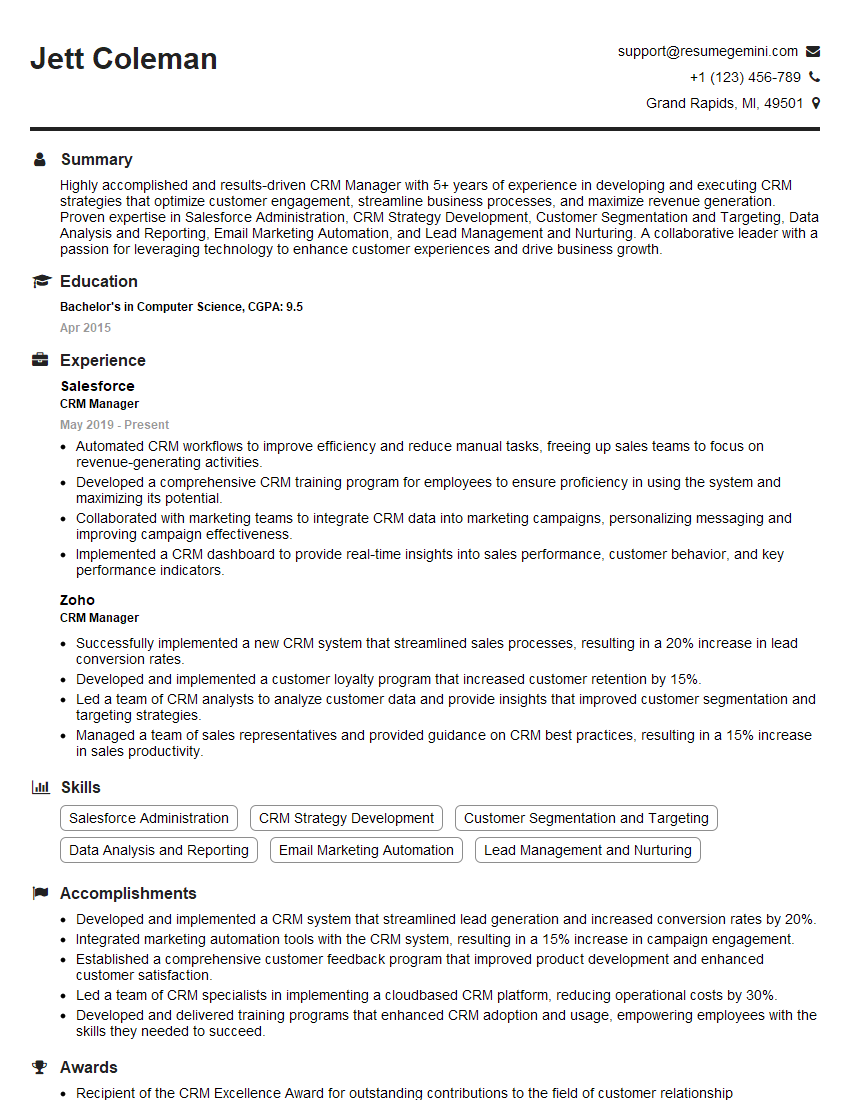
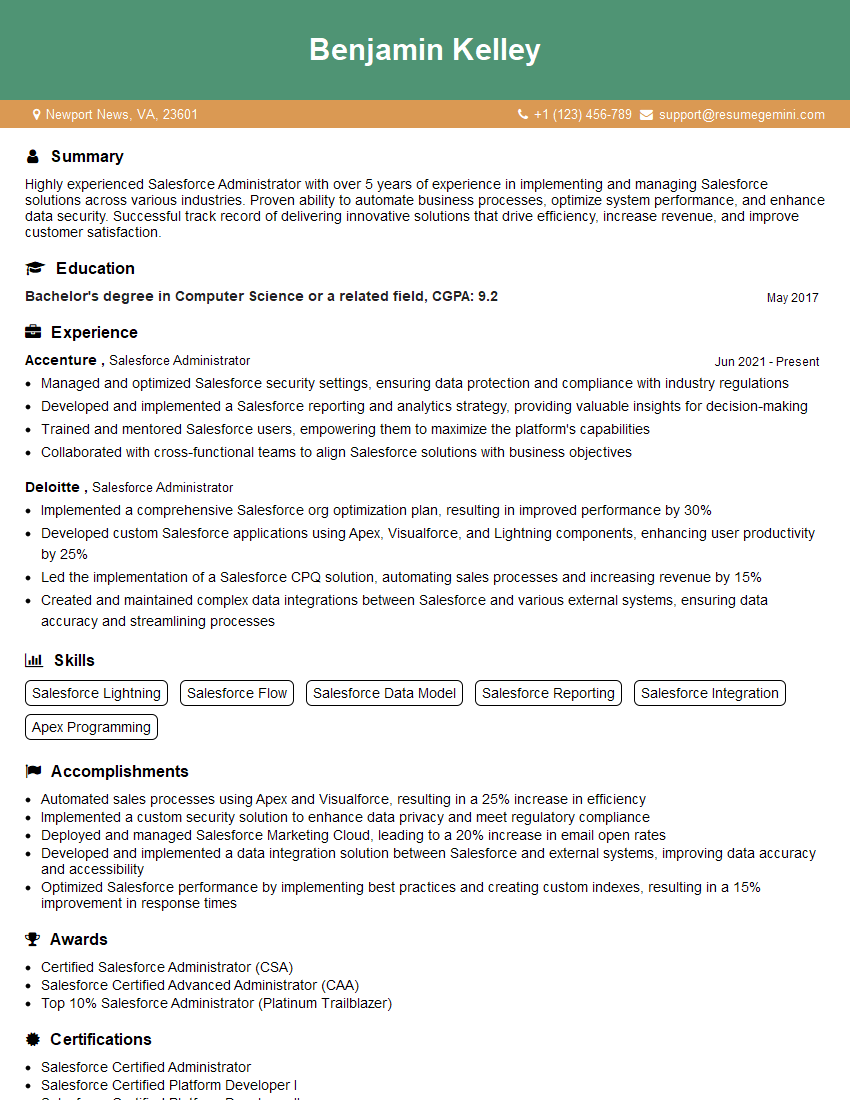
Mastering CRM System Administration opens doors to exciting career opportunities and significant salary growth. A well-crafted resume is your key to unlocking these opportunities. Make sure your resume is ATS-friendly to maximize its visibility to potential employers. ResumeGemini is a trusted resource that can help you create a professional, impactful resume that showcases your skills and experience effectively. Examples of resumes tailored to CRM System Administration are available to help you get started.
Explore more articles
Users Rating of Our Blogs
Share Your Experience
We value your feedback! Please rate our content and share your thoughts (optional).
What Readers Say About Our Blog
hello,
Our consultant firm based in the USA and our client are interested in your products.
Could you provide your company brochure and respond from your official email id (if different from the current in use), so i can send you the client’s requirement.
Payment before production.
I await your answer.
Regards,
MrSmith
hello,
Our consultant firm based in the USA and our client are interested in your products.
Could you provide your company brochure and respond from your official email id (if different from the current in use), so i can send you the client’s requirement.
Payment before production.
I await your answer.
Regards,
MrSmith
These apartments are so amazing, posting them online would break the algorithm.
https://bit.ly/Lovely2BedsApartmentHudsonYards
Reach out at [email protected] and let’s get started!
Take a look at this stunning 2-bedroom apartment perfectly situated NYC’s coveted Hudson Yards!
https://bit.ly/Lovely2BedsApartmentHudsonYards
Live Rent Free!
https://bit.ly/LiveRentFREE
Interesting Article, I liked the depth of knowledge you’ve shared.
Helpful, thanks for sharing.
Hi, I represent a social media marketing agency and liked your blog
Hi, I represent an SEO company that specialises in getting you AI citations and higher rankings on Google. I’d like to offer you a 100% free SEO audit for your website. Would you be interested?