Feeling uncertain about what to expect in your upcoming interview? We’ve got you covered! This blog highlights the most important gvSIG interview questions and provides actionable advice to help you stand out as the ideal candidate. Let’s pave the way for your success.
Questions Asked in gvSIG Interview
Q 1. Explain the difference between vector and raster data in gvSIG.
In gvSIG, vector and raster data represent spatial information in fundamentally different ways. Think of it like this: vector data is like a detailed drawing, while raster data is like a mosaic.
Vector data represents geographic features as individual points, lines, and polygons. Each feature has precise coordinates and can store attributes (like a name or population). For example, a point could represent a tree, a line a road, and a polygon a building. Vector data is ideal for precise representation of features with clear boundaries.
Raster data represents geographic features as a grid of cells (pixels), each with a value. Think of a satellite image or a digital elevation model (DEM). Each cell contains a single value, representing things like elevation, land cover, or temperature. Raster data is great for representing continuous surfaces and phenomena.
The choice between vector and raster depends on the application. If you need precise location and attribute information, vector is usually better. If you need to show continuous surfaces or imagery, raster is the way to go.
Q 2. Describe your experience with geoprocessing tools within gvSIG.
I have extensive experience using gvSIG’s geoprocessing tools, which are crucial for automating spatial tasks and analysis. I’ve used them for everything from basic tasks like clipping and buffering to more complex operations such as overlay analysis and network analysis.
For instance, I recently used the ‘Buffer’ tool to create a buffer zone around a set of schools to analyze the proximity of residential areas. This allowed us to assess the accessibility of schools for different neighbourhoods. Another example involves using the ‘Intersect’ tool to determine the areas where two land use datasets overlapped, to identify areas of conflict or synergy between different land uses.
I am familiar with using the graphical model builder in gvSIG to create and chain together multiple geoprocessing tools to streamline complex workflows, thereby improving efficiency and reproducibility.
Q 3. How do you perform spatial analysis using gvSIG? Give an example.
Spatial analysis in gvSIG involves using geoprocessing tools and functions to extract meaningful information from geospatial data. I frequently perform various analyses, including overlay analysis, proximity analysis, and spatial statistics.
For example, let’s say we want to find out which areas are at high risk of flooding. We have a flood inundation model (raster data) and population data (vector data). I would use the ‘Zonal Statistics’ tool in gvSIG to calculate the average population density within each flood zone. This provides a measure of how many people are at risk in each area. This allows for targeted mitigation strategies and informed resource allocation.
Other spatial analysis techniques I regularly utilize include network analysis (finding optimal routes), density analysis (determining areas of high concentration), and interpolation (estimating values at unsampled locations).
Q 4. What are the different projection systems supported by gvSIG, and how do you choose the appropriate one?
gvSIG supports a wide range of projection systems, including geographic coordinate systems (GCS) like WGS84 and projected coordinate systems (PCS) such as UTM and State Plane. The choice of projection system is critical because it dictates how distances, areas, and shapes are represented on a map.
The most appropriate projection system depends on the spatial extent of the data and the type of analysis being performed. For example, a global dataset would require a GCS like WGS84, while a local dataset would benefit from a PCS that minimizes distortion for that specific region. UTM zones are commonly used for large-scale mapping projects due to their minimal distortion within a specific zone.
Choosing the right projection involves considering the intended use of the map and the potential for distortion. Incorrect projection can lead to inaccurate measurements and misinterpretations of spatial relationships. gvSIG’s projection capabilities make it flexible for a variety of projects.
Q 5. How do you manage and handle large geospatial datasets in gvSIG?
Managing large geospatial datasets in gvSIG requires strategic approaches to avoid performance issues. Key techniques include:
- Data Subsetting: Working with subsets of the data rather than the entire dataset at once greatly improves performance. This can involve selecting a region of interest or a specific attribute.
- Data Compression: Using lossless compression techniques to reduce file sizes without losing data can significantly improve loading times.
- Spatial Indexing: Using spatial indexes to speed up queries and selections, especially when working with point or polygon data.
- Database Integration: For very large datasets, integrating with a spatial database like PostGIS can significantly improve performance by offloading processing to the database server.
- Optimized Layers: Using optimized layers in gvSIG, such as using tiled layers for raster datasets, can drastically improve the display and manipulation speed.
By employing these strategies, I can efficiently handle large datasets in gvSIG while ensuring acceptable processing times and minimizing system resource usage.
Q 6. Explain your experience with data import/export functionalities in gvSIG.
gvSIG offers robust import/export capabilities, supporting a wide range of file formats, including Shapefiles, GeoTIFF, GeoPackages, and many more. My experience spans the import of data from various sources, ensuring data integrity and consistency.
For instance, I’ve regularly imported LiDAR data (point cloud) for terrain analysis, processed aerial photos (raster data) for orthorectification and creating base maps, and incorporated vector datasets from cadastral surveys for land use analysis. Data export typically involves preparing the data in the required format, including appropriate projections and metadata. I am proficient in addressing any format-specific challenges that arise during this process.
Furthermore, understanding data quality and metadata is crucial during import/export. I ensure that the data’s coordinate system, attribute fields, and other metadata are appropriately handled to maintain data accuracy.
Q 7. Describe your approach to creating thematic maps using gvSIG.
Creating thematic maps in gvSIG is a key part of my workflow. My approach involves several steps:
- Data Preparation: This includes data cleaning, projection checking, and attribute preparation. For example, I might reclassify land cover types to simplify the map.
- Symbology Design: Choosing appropriate colors, patterns, and symbols to effectively communicate the data visually is crucial. The map’s purpose and audience strongly influence this stage.
- Layout Design: Creating a professional-looking map involves selecting appropriate fonts, incorporating a legend, and adding a title and scale bar. I always aim for clarity and visual appeal.
- Map Export: Finally, the map is exported in a suitable format (e.g., PDF, PNG, JPG) depending on the intended use.
For example, recently, I created a thematic map showcasing different levels of air pollution across a city, using graduated colors to represent varying pollution levels. The map clearly showed pollution hotspots, assisting in targeted environmental policies.
Q 8. How do you ensure data accuracy and integrity in gvSIG projects?
Data accuracy and integrity are paramount in any GIS project, and gvSIG is no exception. Ensuring this involves a multi-pronged approach starting from data acquisition.
Data Source Validation: Before importing any data, I meticulously check its source’s reliability. Is it from a reputable government agency, a trusted research institution, or a known accurate survey? Understanding the data’s provenance is crucial. For example, using cadastral data from a municipality would generally be more reliable than data sourced from an unverified online map.
Data Cleaning: Once imported, I perform thorough data cleaning. This includes identifying and correcting inconsistencies, outliers, and errors. This might involve using gvSIG’s tools to check for duplicate geometries, spatial inconsistencies, or attribute errors. For example, I might use attribute queries to find records with inconsistent attribute values (e.g., a street address missing a zip code) or spatial queries to find overlapping polygons.
Data Transformation & Projection: Ensuring all data layers are using the correct projection (coordinate system) is vital for accurate spatial analysis and overlay operations. gvSIG allows for easy projection transformations, crucial for merging data sets from different sources. For instance, merging a shapefile from a national survey with locally collected data needs careful transformation to a common projection.
Regular Backups: I regularly back up my project files and data to prevent loss in case of accidental deletion or corruption. This also allows for version control, enabling me to revert to previous versions if needed.
Metadata Management: I maintain detailed metadata describing the data’s source, accuracy, processing steps, and limitations. This ensures transparency and traceability throughout the project lifecycle.
Q 9. What are your preferred methods for data visualization within gvSIG?
Data visualization in gvSIG is crucial for effective communication of spatial information. My approach depends on the data and the intended audience, but some methods are frequently used.
Thematic Mapping: I leverage gvSIG’s robust cartographic capabilities to create thematic maps showcasing spatial patterns and relationships. This includes using various symbology options like graduated colors, unique values, and proportional symbols to represent attribute data.
Charting and Graphs: For statistical summaries of spatial data, I use gvSIG’s charting tools to create charts (bar graphs, pie charts, etc.) and graphs to display data distribution and trends. For instance, I might create a bar chart showing the distribution of population density across different administrative regions.
3D Visualization: When dealing with terrain data or elevation models, using gvSIG’s 3D visualization tools can enhance understanding of the spatial landscape. This is particularly useful for visualizing terrain changes over time or analyzing spatial relationships in a 3D context.
Interactive Maps: I often create interactive maps using gvSIG’s features, allowing users to explore the data dynamically, zooming, panning and querying for specific information. This can be particularly valuable in presenting data to stakeholders and decision-makers.
Ultimately, the best visualization method depends on the specific needs and the message I want to communicate. I prioritize clarity, accuracy, and effectiveness in my visualizations.
Q 10. How do you troubleshoot common errors encountered while working with gvSIG?
Troubleshooting in gvSIG involves a systematic approach. My strategy generally follows these steps:
Error Messages: Carefully read and understand error messages. gvSIG often provides detailed information about the cause of the problem. This is the first and often the most important clue.
Check Data Integrity: Verify that the input data is correct and free of errors. Inconsistent attribute data, incorrect coordinate systems, or damaged files are common sources of problems. I would start by visually inspecting the data in gvSIG, looking for obvious errors or inconsistencies.
Restart gvSIG: A simple restart often resolves temporary software glitches. This is a quick fix before delving into deeper troubleshooting steps.
Consult Documentation and Online Resources: gvSIG’s extensive documentation and online forums are invaluable resources for finding solutions to common problems or searching for specific error codes.
Simplify the Process: If the problem occurs within a complex workflow, try breaking down the process into smaller, simpler steps to isolate the source of the error. For example, test each layer or operation individually to determine which component causes the error.
Check System Resources: Ensure that your computer has sufficient memory and processing power to handle the project’s data volume and complexity.
Update gvSIG: Outdated software can lead to bugs and compatibility issues. Keeping gvSIG updated is a proactive way to prevent many problems.
By systematically working through these steps, I’ve been able to effectively resolve most gvSIG errors.
Q 11. Explain your understanding of spatial referencing and coordinate systems.
Spatial referencing and coordinate systems are fundamental to GIS. They define the location of geographic features on the Earth’s surface. A coordinate system is a mathematical framework that defines how locations are represented numerically (e.g., latitude and longitude).
Geodetic Datum: This is a reference system that defines the shape and size of the Earth. Different datums exist (WGS84, NAD83, etc.), leading to slight variations in coordinate values. Choosing the correct datum is critical for accurate measurements and analyses.
Coordinate System: This describes how coordinates are represented, including the units (meters, feet, degrees) and the projection method used to represent the 3D spherical surface on a 2D map. Common projections include UTM, Albers Equal Area, and Lambert Conformal Conic.
Importance: Choosing the correct coordinate system is essential for accurate spatial analysis and integration of multiple data layers. Using different coordinate systems can lead to spatial misalignments and inaccurate results. For example, if two layers are using different coordinate systems, features from one layer may not overlay correctly with those from another layer. gvSIG offers tools to manage and transform coordinate systems, ensuring data consistency and accurate spatial relationships.
Q 12. Describe your experience with using different data formats within gvSIG (e.g., Shapefiles, GeoTIFF, GeoJSON).
gvSIG supports a wide range of data formats. My experience includes working extensively with:
Shapefiles: A widely used vector format. I’ve used them frequently for representing points, lines, and polygons. Their simplicity and broad support make them a staple in many GIS projects. I’ve used them for representing everything from road networks to land parcels.
GeoTIFF: A common raster format for storing georeferenced images and elevation data. I’ve used GeoTIFF extensively for importing aerial imagery, satellite data, and digital elevation models (DEMs) into gvSIG for tasks such as terrain analysis and visual interpretation.
GeoJSON: A lightweight, text-based format that’s becoming increasingly popular for web mapping and data exchange. I’ve employed GeoJSON for integrating data from web services and online map providers into gvSIG projects, and for data sharing.
Other Formats: I also have experience with other formats such as databases (PostGIS, Oracle Spatial), CAD files (DXF), and KML files (Keyhole Markup Language) which can be handled with the appropriate plugins or extensions.
Understanding the strengths and limitations of each format is essential to make informed decisions about data management and processing within gvSIG.
Q 13. How do you perform georeferencing in gvSIG?
Georeferencing in gvSIG is the process of assigning geographic coordinates to data that lacks spatial information. This is commonly done for scanned maps or images. The process usually involves these steps:
Import Image: First, import the image (raster data) into gvSIG.
Define Coordinate System: Next, define the target coordinate system (projection) that the image will be georeferenced to. This is usually a known coordinate system that is compatible with other GIS data.
Identify Control Points: Carefully select at least three, but preferably more, control points. These are points with known coordinates on both the image and a reference map or data set. The more control points, the better the accuracy of the georeferencing.
Transform Image: gvSIG uses these control points to perform a geometric transformation (e.g., affine transformation, polynomial transformation). This process transforms the image’s coordinates to match the target coordinate system.
Assess Accuracy: After the transformation, assess the accuracy of the georeferencing. This is done using RMS error. A lower RMS error indicates higher accuracy. If necessary, you can re-select control points or choose a different transformation method to improve the accuracy.
Save Georeferenced Image: Finally, save the georeferenced image in a suitable format (GeoTIFF, for example), preserving its spatial information.
Successful georeferencing is crucial for integrating scanned maps and aerial photos into a GIS, allowing for accurate spatial analysis and integration with other geospatial data.
Q 14. What are your experiences with using gvSIG extensions or plugins?
gvSIG’s extensibility through extensions and plugins is a powerful feature. I’ve used several extensions to enhance gvSIG’s capabilities for specific tasks:
PostgreSQL/PostGIS Support: Extensions that allow connecting to and managing PostGIS databases are essential for large-scale projects and data management. This allows integration of large vector data efficiently.
Specific Data Format Support: I’ve used extensions to handle less common data formats that aren’t natively supported by gvSIG. This expanded the range of data sources that I could work with.
Advanced Spatial Analysis Tools: There are plugins providing advanced spatial analysis capabilities such as network analysis, hydrological modeling, or specific image processing techniques, that go beyond gvSIG’s basic functionalities.
Custom Tools and Scripts: I’ve also incorporated custom tools and scripts written in Python or other scripting languages to automate tasks and customize workflows. This enhances efficiency and provides bespoke solutions for specific projects.
Selecting and implementing appropriate extensions and plugins significantly increases the power and versatility of gvSIG, allowing me to tailor it to the specific needs of any given project.
Q 15. Describe your experience with creating and managing layers in gvSIG.
Managing layers in gvSIG is fundamental to any GIS project. It involves adding, removing, reordering, and styling various data sources, each represented as a layer. Think of it like stacking transparent sheets of paper, each showing a different aspect of a map – roads, buildings, elevation, etc.
My experience includes working with diverse layer types, including shapefiles, geodatabases (both file and personal geodatabases), raster data (like satellite imagery), and even WMS and WFS services. I’m proficient in adding layers through the intuitive interface, adjusting their order to control visibility, and managing their properties such as transparency and labeling. For example, I’ve worked on a project mapping urban infrastructure where managing the layers of roads, utilities, and buildings was crucial for clear and effective visualization.
I also have extensive experience in defining layer symbology, projections and working with layer metadata. This includes identifying and resolving projection inconsistencies across different data sources, a common challenge in GIS projects.
Career Expert Tips:
- Ace those interviews! Prepare effectively by reviewing the Top 50 Most Common Interview Questions on ResumeGemini.
- Navigate your job search with confidence! Explore a wide range of Career Tips on ResumeGemini. Learn about common challenges and recommendations to overcome them.
- Craft the perfect resume! Master the Art of Resume Writing with ResumeGemini’s guide. Showcase your unique qualifications and achievements effectively.
- Don’t miss out on holiday savings! Build your dream resume with ResumeGemini’s ATS optimized templates.
Q 16. Explain the concept of topology in GIS and how it’s applied in gvSIG.
Topology in GIS refers to the spatial relationships between geographic features. Imagine a puzzle: topology defines how the pieces connect, regardless of their exact size or shape. In gvSIG, applying topology ensures data integrity and consistency. For example, it ensures that polygons share common boundaries without gaps or overlaps, and that lines connect properly at intersections.
I’ve used topology extensively for tasks like ensuring that water features don’t overlap land, verifying that roads connect correctly at intersections, and detecting errors in polygon boundaries. The process usually involves defining topology rules (e.g., ‘must not overlap’, ‘must be closed’) and then running a topology check which identifies any violations. Correcting these errors is essential for accurate spatial analysis and modeling.
For instance, in a land parcel project, implementing topology rules guarantees that adjacent parcels share a common boundary, avoiding any disputes or inaccuracies in area calculations.
Q 17. How do you create and manage symbology within gvSIG?
Symbology in gvSIG is the visual representation of spatial data. It’s how you make your map understandable and visually appealing. This involves choosing appropriate colors, symbols, patterns, and labels for your layers. Think of it as choosing the right paint and brushes to create a detailed and informative painting.
My experience includes creating and managing symbology for various data types. This ranges from simple point symbols (dots, squares, etc.) for locations to more complex polygon fills (colors and patterns) and line styles (thickness, color, dashes) for features like roads and rivers. I’m skilled in using both the default symbology options and creating custom symbols using various options within the gvSIG interface. I can also create graduated symbology based on attribute values. For example, I’ve created choropleth maps using graduated color schemes to display population density. For more complex thematic mapping, I’m comfortable leveraging the advanced symbology options to create highly customized and informative visualizations.
Q 18. What is your experience with creating queries and selections in gvSIG?
Creating queries and selections in gvSIG is like asking specific questions about your data. It allows you to isolate features that meet certain criteria, such as selecting all buildings taller than 10 stories or identifying all roads within a specific area. This is done using a query builder or by writing SQL queries.
My experience covers both graphical query builder tools, which are user friendly and intuitive for simpler queries and SQL for more complex ones. For example, I’ve used SQL to select parcels based on multiple criteria like ownership, zoning, and size. I can also construct complex spatial queries, such as selecting all points that fall within a certain polygon or finding the nearest features to a specified location. This is invaluable for tasks like site selection, impact analysis, or network analysis.
Q 19. Explain your experience with using the gvSIG’s attribute table.
The attribute table in gvSIG is where the non-spatial data associated with your spatial features is stored. Think of it as a spreadsheet attached to your map, providing descriptive information for each feature. Each row represents a single feature (like a building or a road segment), and each column represents an attribute (like the building’s address, or the road’s length).
I’m proficient in managing attribute tables, including adding, editing, and deleting attributes, calculating new attributes using field calculators, importing and exporting data, and using the table for queries and selections. I’ve utilized the attribute table to calculate areas, lengths, and other geometric properties. Data cleaning and validation is also a crucial part of my workflow within the attribute table. For instance, I’ve used the attribute table to identify and correct inconsistencies or errors in data before performing spatial analysis.
Q 20. Describe your workflow for creating a map layout in gvSIG.
Creating a map layout in gvSIG involves arranging map elements, such as the map itself, a title, a legend, a scale bar, and a north arrow, onto a printable page. It’s akin to designing the final product for presentation or publication.
My workflow typically begins with selecting the appropriate map extent and projection. Then, I choose the elements to include (title, legend, scale bar, north arrow, etc.) and position them strategically for optimal readability. I carefully adjust text sizes, fonts, and colors for clarity and visual appeal. I’m also experienced in adding various map elements such as graphic elements, images, and text boxes. For instance, I’ve created map layouts for both print media and for web maps, adapting the design and layout parameters according to the specific requirements of each medium.
Q 21. How familiar are you with using the gvSIG scripting capabilities?
gvSIG’s scripting capabilities, primarily using Python, offer powerful automation features. Think of scripting as writing instructions to automate repetitive tasks or create custom functionality. This is an area where I possess a considerable degree of expertise.
I’ve used scripting to automate tasks such as batch processing of spatial data, generating reports, creating custom symbology, performing complex spatial analyses, and extending gvSIG’s functionality to integrate with other software. For example, I developed a Python script to automate the process of updating a large database of addresses using data from external sources. This significantly improved efficiency and reduced manual errors. I’m also comfortable using the scripting capabilities to create custom tools and plugins to cater to specific project requirements.
Q 22. Describe your experience working with different map projections in gvSIG.
Working with map projections in gvSIG is crucial for accurate spatial analysis and visualization. A map projection is essentially a way of representing the three-dimensional Earth on a two-dimensional map, inevitably involving some distortion. My experience encompasses working with a wide range of projections, including UTM (Universal Transverse Mercator), WGS84 (World Geodetic System 1984), and various projected coordinate systems specific to regional mapping needs.
For instance, I once worked on a project involving land surveying in a mountainous region. Using the appropriate UTM zone was essential to minimize distortion and maintain accuracy in distance and area calculations. Incorrect projection selection would have led to significant errors in land measurements, potentially resulting in legal and financial ramifications. In gvSIG, I typically manage projections through the project’s Coordinate Reference System (CRS) settings, ensuring consistency throughout the entire workflow. I also leverage gvSIG’s built-in reprojection tools to convert data between different CRS, verifying the results meticulously.
Another example involves working with global datasets. Here, using a projected coordinate system like WGS84 is preferable for global-scale analysis, while a projected coordinate system like UTM is better suited for local-scale analysis minimizing distortion.
Q 23. What is your experience with using raster analysis tools in gvSIG?
Raster analysis in gvSIG is a powerful toolset I’ve extensively utilized for tasks ranging from image classification and terrain analysis to environmental modeling. Raster data, such as satellite imagery or DEMs (Digital Elevation Models), are handled effectively within gvSIG using its various processing tools.
For instance, I’ve used raster calculators to perform arithmetic operations on multiple rasters, such as calculating Normalized Difference Vegetation Index (NDVI) from red and near-infrared bands of satellite imagery. This allows for vegetation health assessment across large areas. I’ve also employed spatial filtering techniques such as smoothing and sharpening to enhance image quality and reduce noise.
In one project, I used gvSIG to analyze a DEM to determine suitable locations for a new wind farm. By calculating slope and aspect, I was able to identify areas with optimal wind conditions and minimal environmental impact. The process involved importing the DEM, running the slope and aspect analysis tools within gvSIG, and then visualizing the results using classified images and contour lines.
Q 24. How do you handle data inconsistencies or errors during a gvSIG project?
Data inconsistencies and errors are inevitable in any GIS project. My approach in gvSIG involves a multi-stage strategy focusing on proactive measures and robust error handling.
- Data Cleaning Before Import: I begin by thoroughly cleaning and validating data in its source format before importing it into gvSIG. This often involves using external tools and scripts to identify and correct inconsistencies in attribute tables and geometry.
- Data Validation within gvSIG: Once imported, I use gvSIG’s built-in tools to check for topological errors, such as self-intersections or overlaps, using the topology checker. This is crucial to maintaining data integrity.
- Attribute Data Checks: I carefully examine attribute tables for inconsistencies, such as null values, duplicates, or incorrect data types. I employ queries and scripting to identify and address these.
- Visual Inspection: Visual inspection of the data on the map is crucial to identify spatial errors that may not be detectable through automated checks.
- Error Reporting and Documentation: I maintain detailed logs and documentation to record all identified errors, the actions taken to correct them, and the remaining uncertainties or limitations of the data.
For example, if I find gaps in a line feature representing a road network, I investigate the source data to ascertain the reason and attempt to rectify the problem using various editing tools. If the source data is unreliable, I document the error and proceed cautiously, ensuring the uncertainty is communicated to the users of the final product.
Q 25. Explain your experience with spatial joins and overlay analysis in gvSIG.
Spatial joins and overlay analysis are fundamental geoprocessing techniques that I use extensively in gvSIG. Spatial joins link attributes from one layer to another based on spatial relationships (e.g., intersection, containment), while overlay analysis combines the geometries of multiple layers to create new layers with combined attributes.
For instance, I might perform a spatial join to associate census data (points representing census blocks) with a polygon layer representing administrative boundaries. This allows for aggregating census data at the administrative level for analysis.
Overlay analysis is useful for tasks such as identifying areas where two or more conditions are met. Suppose I’m looking for areas suitable for urban development. I might overlay layers showing land suitability, proximity to infrastructure, and environmental constraints. The resulting layer shows only the areas where all these criteria are met. In gvSIG, I accomplish this using the various overlay functions: union, intersect, clip, etc. Choosing the appropriate overlay operation depends on the spatial relationship and the desired outcome.
In practice, understanding the different overlay types is crucial for obtaining the right results and preventing unintended consequences. For instance, a union will create a new polygon layer from all polygons in both input layers, while an intersection will only retain the overlapping parts.
Q 26. Describe your approach to data validation in gvSIG projects.
Data validation in gvSIG projects is an iterative process that begins with planning and continues throughout the project lifecycle. It aims to ensure the accuracy, completeness, and consistency of the data.
- Schema validation: Check that data conforms to the defined data model, including data types, domains and constraints.
- Range checks: Verify that attribute values fall within acceptable ranges (e.g., elevation cannot be negative).
- Consistency checks: Ensure consistency between attributes and spatial data, detecting inconsistencies between attribute values and geographic locations.
- Completeness checks: Identify missing values or incomplete records.
- Topological checks: Check for spatial errors like self-intersections, overlaps, or underlaps. This is often done using gvSIG’s built-in topological validation tools.
- Duplicate checks: Verify the absence of duplicate features with identical attributes.
My strategy involves a combination of automated checks (using gvSIG’s tools and scripts) and manual visual inspections. Automated checks provide efficiency, while manual checks are necessary to identify more subtle errors or inconsistencies. I document all validation steps, including the methods used and the results obtained, to ensure traceability and transparency.
Q 27. How would you approach optimizing a gvSIG project for performance?
Optimizing a gvSIG project for performance is crucial, especially when dealing with large datasets. My approach focuses on several key areas:
- Data Simplification: Reducing the complexity of vector data by generalizing features or reducing the number of vertices can significantly improve performance. This can be done using gvSIG’s simplification tools without causing too much loss of detail.
- Data Subsetting: Working with subsets of the data is highly effective for large datasets. Instead of loading the entire dataset, focus only on the necessary area or features for a particular analysis. This significantly reduces the amount of data processed.
- Data Indexing: Creating spatial indexes for attribute tables can greatly speed up queries and spatial searches. gvSIG allows for creating indexes for attribute columns improving performance.
- Layer Optimization: Ensuring layers are properly configured for rendering and symbology improves performance. Unnecessary layer rendering can heavily impact performance.
- Efficient Querying: Employing efficient SQL queries when interacting with attribute tables is critical. Avoid using `SELECT *` and be specific about the fields required.
- Hardware Upgrades: Sometimes, hardware limitations constrain performance. Increasing RAM, upgrading to a faster processor, or using a solid-state drive (SSD) can significantly improve overall gvSIG performance.
For instance, in a project involving a large road network, I would simplify the road geometries before using them in a network analysis. This significantly improves the speed of the analysis without noticeably affecting the results.
Key Topics to Learn for your gvSIG Interview
- Data Management in gvSIG: Understand data formats (shapefiles, geodatabases, etc.), importing/exporting data, data manipulation and cleaning techniques, and best practices for managing large datasets within the gvSIG environment.
- Spatial Analysis Techniques: Explore common spatial analysis operations like buffer creation, overlay analysis (union, intersect, difference), proximity analysis, and network analysis. Be prepared to discuss practical applications of these techniques in various fields.
- Cartography and Map Design in gvSIG: Master the creation of professional-quality maps, including symbolisation, labeling, and map layout design principles. Practice creating different map types (e.g., thematic maps, choropleth maps) and understand the importance of map readability and communication.
- Customization and Extension Development (Optional): For more senior roles, familiarity with gvSIG’s scripting capabilities (e.g., Python) and extending its functionality might be beneficial. Showcasing projects demonstrating this expertise will significantly enhance your candidacy.
- Geovisualization and Presentation: Practice effectively presenting spatial data and analysis results. Be ready to discuss how you would communicate complex geographic information to both technical and non-technical audiences.
- Project Workflow and Best Practices: Discuss your approach to geospatial projects, encompassing data acquisition, processing, analysis, and visualization. Highlight your problem-solving skills and ability to work efficiently within a GIS workflow.
Next Steps
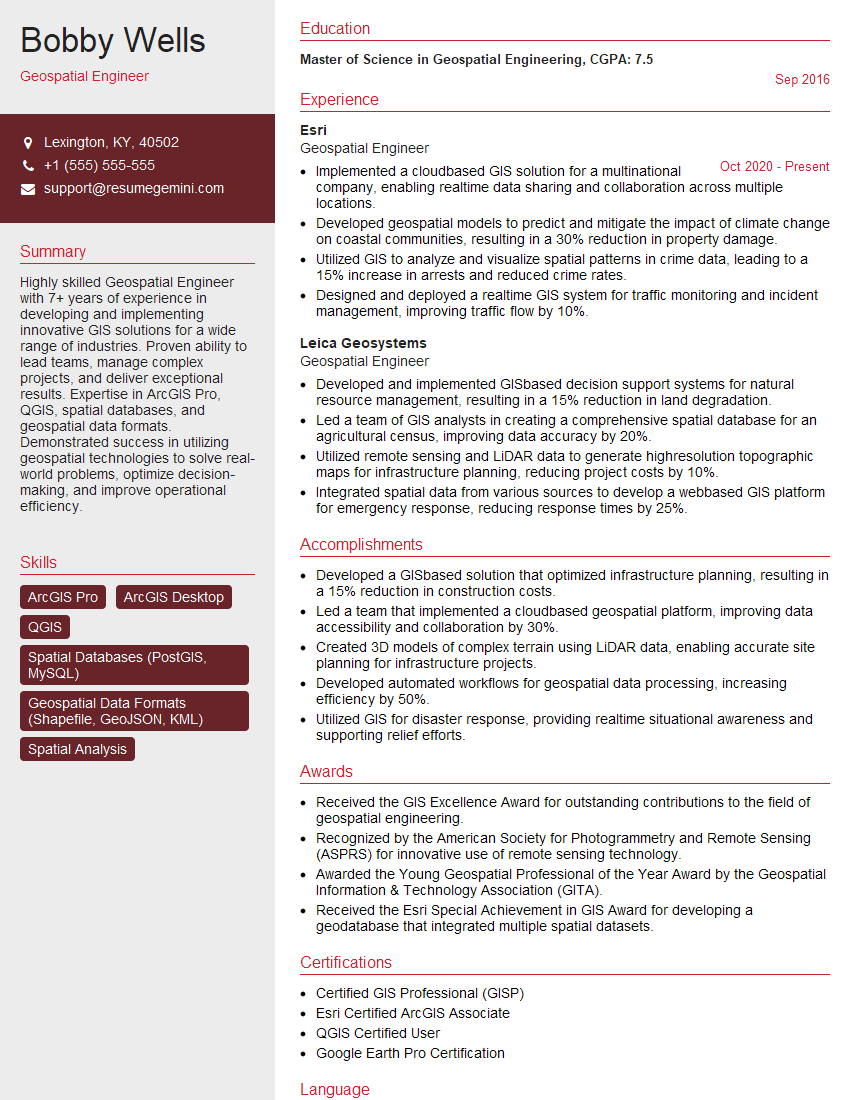
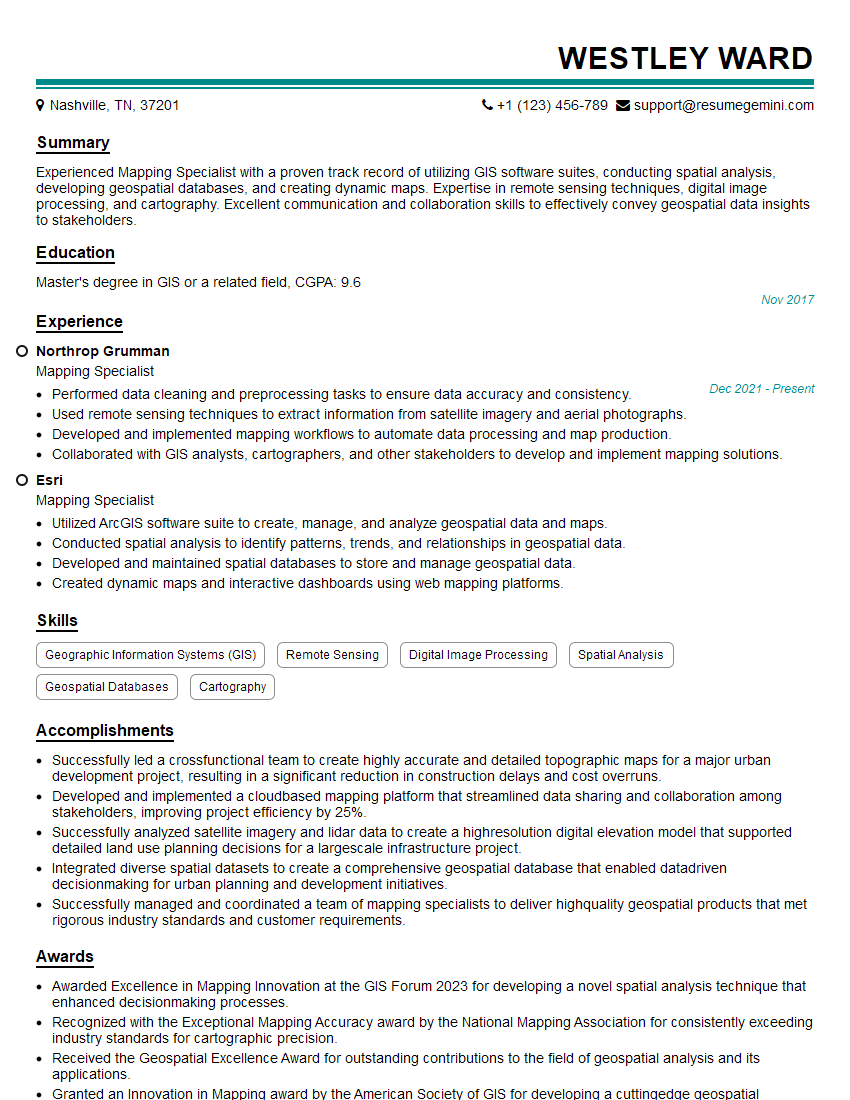
Mastering gvSIG opens doors to exciting opportunities in various sectors, including environmental management, urban planning, and infrastructure development. A strong understanding of gvSIG significantly enhances your value to potential employers. To increase your chances of landing your dream job, it’s crucial to present your skills effectively. Craft an ATS-friendly resume that highlights your relevant experiences and accomplishments. ResumeGemini is a trusted resource to help you build a professional and impactful resume. They offer examples of resumes tailored to gvSIG professionals to help you get started.


Explore more articles
Users Rating of Our Blogs
Share Your Experience
We value your feedback! Please rate our content and share your thoughts (optional).
What Readers Say About Our Blog
Amazing blog
Interesting Article, I liked the depth of knowledge you’ve shared.
Helpful, thanks for sharing.