Unlock your full potential by mastering the most common Automation (Python, PowerShell) interview questions. This blog offers a deep dive into the critical topics, ensuring you’re not only prepared to answer but to excel. With these insights, you’ll approach your interview with clarity and confidence.
Questions Asked in Automation (Python, PowerShell) Interview
Q 1. Explain the difference between imperative and declarative programming in the context of automation.
Imperative programming focuses on how to achieve a result by specifying a sequence of steps. Declarative programming, on the other hand, focuses on what result is desired, leaving the how to the underlying system. In automation, this translates to writing scripts that explicitly detail each action (imperative) versus defining the desired outcome and letting a framework or language handle the execution (declarative).
Example (Imperative – Python):
for i in range(1, 11):
    print(i)
This explicitly loops through numbers 1-10 and prints each.
Example (Declarative – Python with list comprehension):
numbers = [i for i in range(1, 11)]
print(numbers)
This declares the desired outcome (a list of numbers 1-10) without specifying the looping mechanism. List comprehension handles the iteration implicitly.
In automation, declarative approaches often lead to more concise and readable code, especially for complex tasks. However, imperative programming provides finer control when dealing with intricate system interactions.
Q 2. Describe your experience with version control systems (e.g., Git) in an automation project.
Version control, primarily using Git, is an indispensable part of my automation workflow. In a recent project involving automating server deployments, we utilized Git for collaborative development and tracking changes. Each script modification, including bug fixes and new feature additions, was meticulously committed with descriptive messages. Branching allowed us to work on features independently, ensuring a stable main branch while experimenting with new functionality. Merge conflicts were handled through code review and discussion, ensuring a clean and consistent codebase. The ability to revert to previous commits proved invaluable during troubleshooting and debugging. Git’s integration with CI/CD pipelines allowed for automated testing and deployment, significantly enhancing our workflow efficiency.
Q 3. How would you handle errors and exceptions in a Python or PowerShell script?
Robust error handling is crucial in automation. In Python, I leverage try-except blocks to gracefully handle potential exceptions. For instance:
try:
    file = open('myfile.txt', 'r')
    # Process the file
    file.close()
except FileNotFoundError:
    print('Error: File not found.')
except Exception as e:
    print(f'An unexpected error occurred: {e}')
PowerShell uses try...catch blocks similarly:
try {
    # Code that might throw an error
} catch {
    Write-Error "An error occurred: $($_.Exception.Message)"
}
Beyond basic exception handling, I utilize logging (Python’s logging module or PowerShell’s logging cmdlets) to record script execution details, including errors, for future debugging and analysis. This logging information is invaluable for tracking down issues and ensuring traceability.
Q 4. What are some best practices for writing maintainable and reusable automation scripts?
Maintainable and reusable scripts are paramount. Key best practices include:
- Modular Design: Break down scripts into smaller, self-contained modules with well-defined functions. This improves readability, testability, and reusability.
- Consistent Naming Conventions: Follow a standardized naming convention for variables, functions, and files to enhance readability and reduce ambiguity.
- Clear Comments and Documentation: Use comments liberally to explain the purpose and functionality of code sections. Add comprehensive documentation to help other developers understand and use your scripts.
- Configuration Files: Separate configuration parameters from the core script logic using configuration files (e.g., JSON, YAML). This simplifies modification without altering the script code.
- Input Validation: Implement input validation to check the validity of user inputs or external data to prevent unexpected errors.
- Version Control (Git): Use a version control system to track changes, manage different versions, and collaborate effectively.
By adhering to these practices, I ensure that my scripts are easy to understand, maintain, and reuse across various projects, significantly reducing development time and effort.
Q 5. Explain your experience with different testing methodologies in automation (unit, integration, etc.).
My experience encompasses various testing methodologies, including unit, integration, and system testing. In a recent project automating network device configuration, I employed the following approach:
- Unit Testing: Used
unittestin Python to test individual functions and modules independently, ensuring that each component functioned correctly in isolation. This involved creating test cases for various scenarios, including edge cases and boundary conditions. - Integration Testing: Tested the interaction between different modules, ensuring that they worked seamlessly together. This was done using mocks and stubs to simulate external dependencies.
- System Testing: Performed end-to-end testing to verify that the entire automation system functioned as expected in a real-world environment. This included testing the interaction with network devices and validating the expected outcome.
By combining these testing methodologies, we ensured a robust and reliable automation system with minimal defects.
Q 6. Compare and contrast Python and PowerShell for automation tasks.
Python and PowerShell are both powerful scripting languages for automation, but they cater to different needs.
- Python: Offers a vast ecosystem of libraries for diverse tasks, including data manipulation, machine learning, and web scraping. Its cross-platform compatibility makes it suitable for tasks spanning different operating systems. Python’s readability makes it suitable for larger, more complex projects.
- PowerShell: Excels in Windows administration and system management due to its deep integration with the Windows operating system. Its cmdlets provide a streamlined way to manage various aspects of the Windows environment. PowerShell is the best choice for tasks specifically targeting Windows systems.
The choice between Python and PowerShell depends largely on the specific automation task. If the task involves cross-platform operations or requires sophisticated libraries, Python would be preferred. If the task is focused on Windows system administration, PowerShell is the more natural and efficient choice.
Q 7. Describe your experience with different types of automation frameworks (e.g., pytest, unittest).
I have experience with several automation frameworks, including pytest and unittest (both Python).
unittest: Python’s built-in testing framework, providing a solid foundation for structured test organization using test suites, test cases, and assertions. It’s straightforward for smaller projects.pytest: A more advanced, highly extensible framework, known for its ease of use, rich plugin ecosystem, and powerful features like fixtures and parametrization.pytestis preferred for larger, complex projects requiring more sophisticated testing capabilities.
Choosing a framework depends on project scale and complexity. For smaller projects with simpler testing needs, unittest suffices. For larger, more complex projects, pytest‘s flexibility and extensibility provide a significant advantage.
Q 8. How would you use Python or PowerShell to interact with a REST API?
Interacting with REST APIs is a cornerstone of automation. Both Python and PowerShell offer robust libraries for this. In Python, the requests library is the go-to. It simplifies making HTTP requests, handling responses, and managing authentication. PowerShell uses its built-in web cmdlets like Invoke-WebRequest. Let’s illustrate with an example of fetching data from a public API using Python:
import requests

response = requests.get('https://jsonplaceholder.typicode.com/todos/1')

if response.status_code == 200:
    data = response.json()
    print(data)
else:
    print(f'Request failed with status code: {response.status_code}')
This snippet makes a GET request to a sample API, checks the status code for success, and then parses the JSON response. PowerShell would be similar, using Invoke-WebRequest to fetch the data and then converting it from JSON using ConvertFrom-Json. For POST requests or other methods, you simply specify the method in the request.
In a professional setting, this is used extensively for tasks such as provisioning cloud resources (AWS, Azure, GCP), managing tickets in service management systems (ServiceNow, Jira), or pulling data for reporting and analysis from various sources.
Q 9. How would you schedule and automate the execution of scripts?
Scheduling and automating script execution is crucial for efficiency. Several approaches exist, depending on your operating system and needs. On Windows, the Task Scheduler is a built-in tool. You can create scheduled tasks to run PowerShell or Python scripts at specific times or intervals. For Linux or macOS, cron (Linux) or launchd (macOS) are commonly used. These tools let you define schedules using a crontab file (Linux) or plist files (macOS).
For more complex scenarios, consider using dedicated workflow automation tools like Jenkins, Azure DevOps, or GitHub Actions. These tools offer a visual interface, better logging, and features like version control integration and error handling. They’re especially helpful for CI/CD pipelines.
Example using Task Scheduler (Windows): You would create a new task, point it to your script (e.g., python my_script.py or powershell.exe my_script.ps1), set the trigger (daily, weekly, specific time), and configure any other needed settings. With cron, you’d add a line like 0 0 * * * /usr/bin/python /path/to/my_script.py to your crontab to run the script daily at midnight.
In a professional setting, this enables automated backups, data processing, system monitoring, and deployments without manual intervention, increasing efficiency and reducing human error.
Q 10. Explain your understanding of continuous integration and continuous delivery (CI/CD).
Continuous Integration/Continuous Delivery (CI/CD) is a set of practices that automates the process of building, testing, and deploying software. CI focuses on integrating code changes frequently into a shared repository, triggering automated builds and tests. CD extends CI by automating the release process, deploying the software to various environments (development, testing, production) with minimal human intervention.
Imagine building a house. CI is like regularly inspecting the construction as each part is added—ensuring that everything fits together correctly. CD is like the final move-in process, smoothly transitioning the house to its occupants.
Key aspects include version control (Git), automated builds (using tools like Maven or Gradle), automated testing (unit, integration, system tests), and deployment pipelines. Tools like Jenkins, Azure DevOps, and GitLab CI/CD manage the entire workflow. CI/CD promotes faster development cycles, early error detection, and reduces deployment risks. In a professional environment, it’s essential for releasing high-quality software reliably and frequently.
Q 11. How would you monitor and log the execution of your automation scripts?
Monitoring and logging are critical for understanding script behavior and troubleshooting issues. For Python, the logging module provides a structured approach. In PowerShell, you can use the Write-Log cmdlet or redirect output to a log file.
Effective logging includes timestamps, severity levels (DEBUG, INFO, WARNING, ERROR, CRITICAL), and context-specific information. Centralized logging solutions like Splunk, ELK stack (Elasticsearch, Logstash, Kibana), or Azure Monitor offer features like search, filtering, and visualization of logs from multiple sources. These allow for efficient analysis of errors and performance issues.
Example using Python’s logging module:
import logging

logging.basicConfig(filename='my_script.log', level=logging.INFO,
                    format='%(asctime)s - %(levelname)s - %(message)s')

logging.info('Script started')
# ... your script code ...
logging.error('An error occurred!')
logging.info('Script finished')
This sets up logging to a file, recording INFO and ERROR messages with timestamps. In a production setting, this allows for easy tracking of script executions, identification of bottlenecks, and analysis of failures.
Q 12. Describe your experience with infrastructure as code (IaC) tools (e.g., Terraform, Ansible).
Infrastructure as Code (IaC) tools automate the provisioning and management of infrastructure. Tools like Terraform and Ansible are widely used. Terraform uses declarative configuration (defining the desired state) to create and manage infrastructure across various cloud providers. Ansible uses agentless architecture, using SSH to manage existing servers, allowing for configuration management and application deployment.
Imagine building a house using blueprints (Terraform) versus directly instructing workers on each task (Ansible). Both achieve the same result, but using different approaches. Terraform excels at defining and managing infrastructure across different cloud environments, while Ansible is efficient for configuration management and deploying applications on existing servers.
My experience with Terraform involves defining infrastructure as code for cloud resources (like virtual machines, networks, databases), enabling consistent and repeatable deployments across environments. With Ansible, I’ve managed configuration settings, installed software packages, and deployed applications to multiple servers, simplifying system administration.
Q 13. How would you handle dependencies in your automation scripts?
Managing dependencies is essential for reliable automation scripts. Python uses pip (package installer for Python) or virtual environments (venv) to manage dependencies defined in requirements.txt. PowerShell often relies on modules available in the PowerShell Gallery or manually installing packages.
Using a requirements.txt file in Python ensures that the same packages and versions are used across different environments, preventing conflicts and errors. A virtual environment isolates project dependencies, preventing conflicts with other projects’ packages. Similarly, in PowerShell, managing module dependencies either by using the Gallery’s functionality or carefully tracking which modules your script needs will ensure the successful execution of your scripts on different machines.
Example using requirements.txt in Python:
requests==2.28.1
beautifulsoup4==4.11.1
This ensures that the specified versions of requests and beautifulsoup4 are installed before running the script. This is crucial for reproducibility and avoiding version-related conflicts.
Q 14. Explain your approach to debugging complex automation scripts.
Debugging complex automation scripts requires a systematic approach. Start with logging—thorough logging helps trace the flow of execution, identify points of failure, and pinpoint the source of errors. Use debuggers (like Python’s pdb or PowerShell’s debugger) to step through the code line by line, inspect variables, and understand the execution flow.
Break down complex scripts into smaller, manageable functions or modules for easier testing and isolation of problems. Employ unit testing (testing individual functions or modules) and integration testing (testing the interaction between components) to catch bugs early. Leverage exception handling mechanisms (try...except blocks in Python, try...catch in PowerShell) to gracefully handle errors and prevent crashes.
Employ tools like linters (e.g., Pylint for Python) to identify code style issues and potential bugs. Systematically check the inputs and outputs at each stage of the script’s execution. If using an IDE, utilize its debugging features—breakpoints, variable inspection, and call stack analysis. In a professional environment, using a version control system like Git for tracking changes, reverting to previous versions, and collaborating with other developers on debugging is invaluable.
Q 15. What are some security considerations when developing automation scripts?
Security is paramount in automation. A compromised script can have devastating consequences. My approach focuses on several key areas:
- Principle of Least Privilege: Scripts should only have the minimum permissions necessary to perform their tasks. Avoid running scripts as administrator unless absolutely essential. This limits the damage if a script is compromised.
- Input Validation: Always validate user inputs and external data sources. Never trust data coming from outside the script. Sanitize inputs to prevent injection attacks (SQL injection, command injection, etc.).
- Secure Storage of Credentials: Avoid hardcoding sensitive information like passwords and API keys directly into scripts. Utilize secure methods such as environment variables, dedicated secrets management tools (like Azure Key Vault or HashiCorp Vault), or secure configuration files with appropriate permissions.
- Regular Security Audits: Regularly review and update scripts to address vulnerabilities and patch security flaws. Automated security scanning tools can help identify potential issues.
- Code Reviews: Conduct thorough code reviews to catch potential security problems before they make it into production. A second pair of eyes can identify vulnerabilities that the original author may have missed.
- Logging and Monitoring: Implement robust logging to track script execution, successes, and failures. Monitor script activity for any suspicious behavior. This allows for timely detection of potential attacks or issues.
For example, instead of directly embedding a database password in a Python script, I’d use environment variables: import os; db_password = os.environ.get('DB_PASSWORD'). If the variable isn’t set, the script gracefully exits or alerts the user. This prevents the password from being exposed in the script’s source code.
Career Expert Tips:
- Ace those interviews! Prepare effectively by reviewing the Top 50 Most Common Interview Questions on ResumeGemini.
- Navigate your job search with confidence! Explore a wide range of Career Tips on ResumeGemini. Learn about common challenges and recommendations to overcome them.
- Craft the perfect resume! Master the Art of Resume Writing with ResumeGemini’s guide. Showcase your unique qualifications and achievements effectively.
- Don’t miss out on holiday savings! Build your dream resume with ResumeGemini’s ATS optimized templates.
Q 16. Describe your experience with different types of databases and how you’ve automated interactions with them.
I have extensive experience working with various database systems including SQL Server, MySQL, PostgreSQL, and NoSQL databases like MongoDB. My automation strategies adapt to the specific database technology.
For SQL databases, I often use database connectors in Python (psycopg2 for PostgreSQL, pymssql for SQL Server) or PowerShell’s Invoke-Sqlcmd. This allows for executing stored procedures, querying data, and performing bulk operations. A common pattern is to create parameterized queries to prevent SQL injection vulnerabilities. For example, in Python:
import psycopg2
conn = psycopg2.connect(...)
cur = conn.cursor()
cur.execute("SELECT * FROM users WHERE username = %s", (username,))
With NoSQL databases like MongoDB, I utilize the PyMongo driver in Python to interact with the database using its API for insert, update, and delete operations. Error handling and transaction management are critical elements to ensure data integrity.
I’ve automated tasks such as data migration between different database systems, report generation from database data, data cleansing and transformation, and database backup and restoration. These processes are usually orchestrated using scripting languages to manage the interaction with the database systems, file systems, and other applications.
Q 17. How do you handle concurrency and parallelism in your automation scripts?
Concurrency and parallelism are essential for optimizing automation scripts, particularly when dealing with large datasets or multiple tasks. In Python, I leverage the threading and multiprocessing modules for concurrent and parallel execution, respectively. threading is best for I/O-bound tasks (waiting on network requests or disk operations), while multiprocessing excels at CPU-bound tasks (heavy computations).
Threading Example (Python):
import threading
import time
def my_task(arg):
    time.sleep(2)
    print(f"Task {arg} finished")
threads = []
for i in range(5):
    thread = threading.Thread(target=my_task, args=(i,))
    threads.append(thread)
    thread.start()
for thread in threads:
    thread.join()
Multiprocessing Example (Python):
import multiprocessing
import time
def my_task(arg):
    time.sleep(2)
    print(f"Task {arg} finished")
if __name__ == '__main__':
    with multiprocessing.Pool(processes=5) as pool:
        pool.map(my_task, range(5))
PowerShell offers similar capabilities using jobs and background processes. Careful consideration must be given to resource management and potential race conditions (when multiple threads or processes access shared resources simultaneously). Using appropriate locking mechanisms (like mutexes or semaphores in Python) can prevent such issues.
Q 18. How would you design an automation solution for a specific business problem (e.g., automating report generation)?
Let’s consider automating report generation. My approach would involve these phases:
- Requirements Gathering: Define the report’s content, format (PDF, CSV, Excel), data sources (databases, APIs), frequency, and distribution method (email, file share).
- Data Acquisition: Determine how to extract the necessary data. This might involve database queries, API calls, or parsing log files. Error handling is crucial here – the script needs to gracefully handle situations where data is unavailable.
- Data Transformation: Cleanse, transform, and aggregate the raw data into a suitable format for the report. This may involve calculations, data filtering, and formatting.
- Report Generation: Use a reporting library (e.g., ReportLab in Python or generating Excel files using libraries in both Python and Powershell) to create the report in the desired format. Consider using templating to easily customize report layouts.
- Distribution: Automate the delivery of the report via email (using libraries like smtplib in Python or PowerShell’s Send-MailMessage), file uploads to a shared drive, or other methods.
- Error Handling and Logging: Implement thorough error handling and logging to track the automation process’s success or failure. This is invaluable for debugging and monitoring.
- Testing and Deployment: Thoroughly test the automation solution to ensure accuracy and reliability before deployment. Use a version control system (Git) to track changes and facilitate collaboration.
I would choose the most suitable tools based on the specific technology stack and the environment. For instance, if the data resides in a SQL Server database, I might use PowerShell and SQL Server’s reporting services, or Python with a SQL database connector and a reporting library. This design ensures a robust, maintainable, and scalable automation solution.
Q 19. Describe your experience with object-oriented programming in Python or PowerShell.
Object-oriented programming (OOP) is a cornerstone of my automation development. It promotes code reusability, maintainability, and scalability. In Python, I utilize classes and objects to encapsulate data and functionality. For example:
class DatabaseConnector:
    def __init__(self, connection_string):
        self.connection_string = connection_string
        self.connection = None

    def connect(self):
        # Establish database connection
        ...

    def execute_query(self, query):
        # Execute SQL query
        ...

    def close(self):
        # Close database connection
        ...
This class encapsulates database connection logic. Different automation scripts can reuse this DatabaseConnector class without needing to reimplement the database connection code. In PowerShell, I leverage the concept of objects and classes to achieve similar modularity and maintainability, though the syntax differs slightly.
I strive for high cohesion (related functions grouped together within a class) and low coupling (minimal dependency between classes) to maintain a clean and adaptable codebase. This is especially important in large-scale automation projects, where many interconnected components may be involved. Using OOP techniques makes debugging and updating easier over time, reducing the risk of introducing errors.
Q 20. What are some common design patterns used in automation?
Several design patterns are frequently applied in automation to improve code structure and efficiency. Some prominent examples include:
- Factory Pattern: Useful for creating objects without specifying their exact class. This is helpful when dealing with different database types or external APIs, allowing the script to dynamically choose the appropriate object based on configuration.
- Singleton Pattern: Ensures that only one instance of a class is created. This is particularly valuable when managing resources like database connections or shared configurations to avoid conflicts.
- Template Method Pattern: Defines the skeleton of an algorithm in a base class, allowing subclasses to override specific steps without altering the overall algorithm’s structure. This facilitates extensibility and customization of common automation processes.
- Observer Pattern: Useful for event-driven automation, where certain actions trigger notifications or callbacks. This is helpful for monitoring system events or changes in data.
- Strategy Pattern: Allows selecting algorithms at runtime. This improves flexibility, for example, by choosing different reporting methods (PDF, CSV) without modifying the core reporting logic.
The choice of design pattern depends on the specific automation task and requirements. Applying these patterns enhances code organization, reusability, and scalability, leading to more robust and maintainable automation solutions.
Q 21. Explain your understanding of different module import methods and their impact on script performance.
Module import methods significantly influence script performance, especially in large projects. In Python, there are several ways to import modules:
import module: This imports the entire module. It’s simple but can be inefficient if you only need a few functions from a large module.from module import function: Imports only the specified function. This is more efficient if you only need a specific function or a small set of functions. It improves performance by only loading the necessary code.from module import *: Imports all functions and variables from the module. This is generally discouraged because it can lead to naming conflicts and reduces code readability. It also has a small performance overhead compared to importing specific functions.
PowerShell also has similar import mechanisms. Using explicit imports (importing specific functions or cmdlets) is preferred for clarity and performance.
Improper import techniques can lead to slower startup times and increased memory consumption. Optimizing imports by importing only the necessary functions or classes can significantly improve the performance of your automation scripts, especially when dealing with numerous modules.
For example, instead of import my_large_module, if I only need the process_data function, I would use from my_large_module import process_data. This reduces the memory footprint and load time.
Q 22. Describe your experience with using regular expressions for data manipulation.
Regular expressions (regex or regexp) are incredibly powerful tools for pattern matching and manipulation within strings. I’ve extensively used them in Python and PowerShell to extract, validate, and modify data from various sources, including log files, configuration files, and databases. Think of them as miniature programming languages specifically designed for text processing.
For instance, in Python, I might use re.search(r'\d{3}-\d{3}-\d{4}', 'My phone number is 555-123-4567') to find a phone number in a string. The r'\d{3}-\d{3}-\d{4}' is the regular expression pattern that searches for three digits, a hyphen, three more digits, a hyphen, and finally four digits. PowerShell offers similar functionality with its -match operator and the Select-String cmdlet.
In a real-world project, I used regex to parse thousands of log entries to identify specific error codes and their frequencies. This helped significantly in prioritizing bug fixes and identifying recurring issues. Another example involved cleaning up inconsistently formatted addresses from a CSV file before importing them into a database, ensuring data integrity.
Beyond basic matching, I’m proficient in using more advanced regex features like lookarounds, capturing groups, and character classes to perform complex data transformations. This allows for highly efficient and elegant solutions compared to manual string manipulation.
Q 23. How would you optimize the performance of a slow-running automation script?
Optimizing a slow-running automation script often involves a multi-pronged approach. First, I’d profile the script to identify performance bottlenecks. Tools like Python’s cProfile or PowerShell’s built-in profiling capabilities can pinpoint which parts of the code consume the most time.
Once the bottlenecks are identified, I’d implement optimizations. Common strategies include:
- Algorithmic improvements: Switching from inefficient algorithms to more optimized ones (e.g., using a hash table instead of linear search).
- Data structure optimization: Choosing appropriate data structures (e.g., using lists for appending data, sets for membership testing) can drastically impact performance.
- Code refactoring: Removing redundant code, improving readability, and simplifying logic can lead to unexpected performance gains.
- Database optimization: If the script interacts with databases, I’d ensure efficient queries and indexing.
- Parallel processing: If the tasks are independent, I’d explore multi-threading or multiprocessing (Python’s
multiprocessingor PowerShell’sStart-Job) to leverage multiple cores. - Caching: Storing frequently accessed data in memory (using Python’s
lru_cachedecorator, for example) can significantly reduce access time. - Asynchronous operations: For I/O-bound operations (like network requests), using asynchronous programming can prevent blocking and improve responsiveness.
For example, I once optimized a script that processed large CSV files by switching from row-by-row processing to using the csv module’s reader and writer in a more efficient manner, achieving a 10x speed improvement. Profiling was key in identifying this specific bottleneck.
Q 24. How would you implement logging and exception handling in your automation scripts to facilitate troubleshooting?
Robust logging and exception handling are crucial for the maintainability and debuggability of any automation script. I consistently implement them using structured logging and a layered approach to exception handling.
For logging, I prefer structured formats like JSON to facilitate easy parsing and analysis. I use a logging library (logging in Python, or PowerShell’s built-in logging cmdlets) to record events, errors, warnings, and debug information with appropriate severity levels. This helps in quickly tracking down issues. Information such as timestamps, script names, function names, and relevant context are always included.
Example in Python:
import logging
logging.basicConfig(filename='my_script.log', level=logging.INFO, format='%(asctime)s - %(levelname)s - %(message)s')
logging.info('Starting script...')
try:
  # Your code here
except Exception as e:
  logging.exception('An error occurred: %s', e)
logging.info('Script finished.')
For exception handling, I employ a layered approach. At the function level, I handle specific, anticipated exceptions. At a higher level, I catch more general exceptions to prevent the script from crashing unexpectedly. Each exception is logged with detailed information, and appropriate actions (e.g., retrying the operation, notifying users) are taken.
This approach provides a clear audit trail of the script’s execution, making troubleshooting much easier. In one instance, detailed logging helped me pinpoint a network connectivity issue affecting a script that interacted with a remote API.
Q 25. Describe your experience with working in a collaborative development environment for automation projects.
Collaboration is essential in automation projects. I’ve worked extensively in teams using Git for version control, and platforms like GitHub or Azure DevOps for code review, issue tracking, and collaborative development. I’m comfortable using branching strategies like Gitflow to manage parallel development and avoid conflicts.
I follow coding style guides and best practices to ensure consistency and readability. Clear documentation, including comments within the code and comprehensive README files, is crucial for effective teamwork. Participating actively in code reviews is important to ensure quality and share knowledge within the team. I provide constructive feedback and readily accept feedback on my own work.
I’ve worked in agile environments using tools like Jira and Scrum methodologies to manage tasks and sprints. Effective communication is key, and I prioritize clear and concise communication with team members through regular meetings, emails, and instant messaging.
In one project, collaborative development using Git and a well-defined branching strategy allowed us to develop and deploy automation scripts simultaneously without any major conflicts or delays. The consistent use of coding standards and code reviews ensured that the final codebase was maintainable, scalable, and robust.
Q 26. How do you manage configuration settings (e.g., database credentials, API keys) in your automation scripts securely?
Securely managing sensitive configuration settings like database credentials and API keys is paramount. Hardcoding these directly into scripts is a major security risk. Instead, I utilize several techniques:
- Environment variables: Storing sensitive data in environment variables allows for easy configuration changes without modifying the script itself. This also makes it easier to manage different environments (development, testing, production).
- Configuration files: Using encrypted configuration files (e.g., using tools like HashiCorp Vault or dedicated encryption libraries) to store credentials securely. The scripts would then read these values from the encrypted files.
- Secrets management services: Leveraging cloud-based secrets management services (like AWS Secrets Manager or Azure Key Vault) provides robust security features, including access control and auditing. The scripts would fetch the secrets from these services when needed.
- Parameterization: Passing sensitive information as command-line arguments or parameters, allowing for separate storage and more controlled access.
I prefer a layered approach, combining environment variables for less sensitive data with encrypted configuration files or secrets management services for highly sensitive information. This balances security with practicality.
For example, in a recent project involving database interactions, I used AWS Secrets Manager to store the database credentials. The script retrieved the credentials securely during runtime, minimizing the risk of exposure.
Q 27. Explain how you would approach the automation of a repetitive manual task that you have previously encountered.
I once encountered a tedious manual task involving data entry from multiple spreadsheets into a CRM system. This was time-consuming, prone to errors, and lacked consistency. To automate this, I followed these steps:
- Requirements gathering: I carefully documented the process, including the source data formats, the target CRM system’s API or import mechanisms, and any data transformation rules.
- Technology selection: I chose Python with appropriate libraries (like
openpyxlfor spreadsheet manipulation and the CRM’s API client library) to build the automation script. This allowed for efficient data processing and interaction with the CRM. - Script development: I wrote a script to read data from the spreadsheets, clean and transform it as needed (handling potential inconsistencies), and then upload it to the CRM using its API. Error handling and logging were implemented to make the script robust.
- Testing and validation: I tested the script thoroughly with sample data to ensure accuracy and handle various edge cases. The process involved verifying the data transformation logic and the successful upload to the CRM.
- Deployment and monitoring: I deployed the script using a scheduling mechanism (e.g., cron job on Linux, Task Scheduler on Windows) to run it automatically. Monitoring mechanisms were set up to track its execution and alert in case of failures.
This automation greatly improved efficiency, reduced errors, and freed up time for more valuable tasks. The script became a reusable component for similar data entry processes, further increasing productivity.
Q 28. Describe your experience with cloud-based automation platforms (e.g., AWS Lambda, Azure Functions).
I have experience with serverless computing platforms like AWS Lambda and Azure Functions. These are ideal for event-driven automation tasks, where scripts are triggered by specific events (e.g., new files arriving in a storage bucket, a database update, a scheduled timer).
AWS Lambda: I’ve used Lambda to create functions triggered by S3 events, processing uploaded files and performing actions based on their content. This involved writing Python functions, configuring IAM roles for necessary permissions, and integrating with other AWS services.
Azure Functions: I’ve implemented functions triggered by timer events, regularly executing tasks like database backups or sending automated reports. This involved writing C# or Python functions, defining triggers, and integrating with Azure services like storage and SQL databases.
The advantages of serverless platforms include scalability, cost-effectiveness (paying only for execution time), and ease of deployment. They’re well-suited for tasks that don’t require constant resource allocation. However, there are limitations such as cold starts and potential vendor lock-in. Choosing the right platform depends on the specific needs and constraints of the project.
For instance, I used Azure Functions to build a system that automatically processed and analyzed incoming data from IoT sensors, sending alerts based on predefined thresholds. The scalability of Azure Functions was crucial in handling the large volume of sensor data.
Key Topics to Learn for Automation (Python, PowerShell) Interview
- Python Fundamentals: Data types, control flow, functions, object-oriented programming. Practical application: Building scripts for file manipulation and data processing.
- PowerShell Fundamentals: Cmdlets, pipelines, scripting, modules. Practical application: Automating system administration tasks, such as user management and log analysis.
- Version Control (Git): Understanding branching, merging, and collaborative workflows. Practical application: Managing code changes and collaborating on automation projects.
- Automation Frameworks (Python): Exploring frameworks like `pytest` for testing and `Selenium` for web automation. Practical application: Creating robust and maintainable automation solutions.
- Desired State Configuration (DSC) (PowerShell): Understanding its purpose and implementation. Practical application: Managing and configuring infrastructure as code.
- Working with APIs: Understanding RESTful APIs and making API calls using Python or PowerShell. Practical application: Integrating with external services and automating data exchange.
- Error Handling and Debugging: Implementing robust error handling mechanisms and debugging techniques in both Python and PowerShell. Practical application: Building reliable and maintainable automation scripts.
- Security Considerations: Understanding security best practices when automating tasks. Practical application: Protecting sensitive data and preventing unauthorized access.
- Problem-Solving and Algorithm Design: Applying problem-solving skills to design efficient automation solutions. Practical application: Optimizing scripts for performance and scalability.
- Cloud Integration (AWS, Azure, GCP): Familiarity with cloud platforms and their automation capabilities. Practical application: Automating cloud resource provisioning and management.
Next Steps
Mastering automation with Python and PowerShell is crucial for accelerating your career in IT, opening doors to high-demand roles with excellent compensation and growth potential. A well-crafted resume is your key to unlocking these opportunities. Creating an ATS-friendly resume that highlights your skills and experience is essential. ResumeGemini is a trusted resource to help you build a professional and impactful resume, tailored to the specific requirements of automation roles. Examples of resumes tailored to Automation (Python, PowerShell) are provided to guide you.

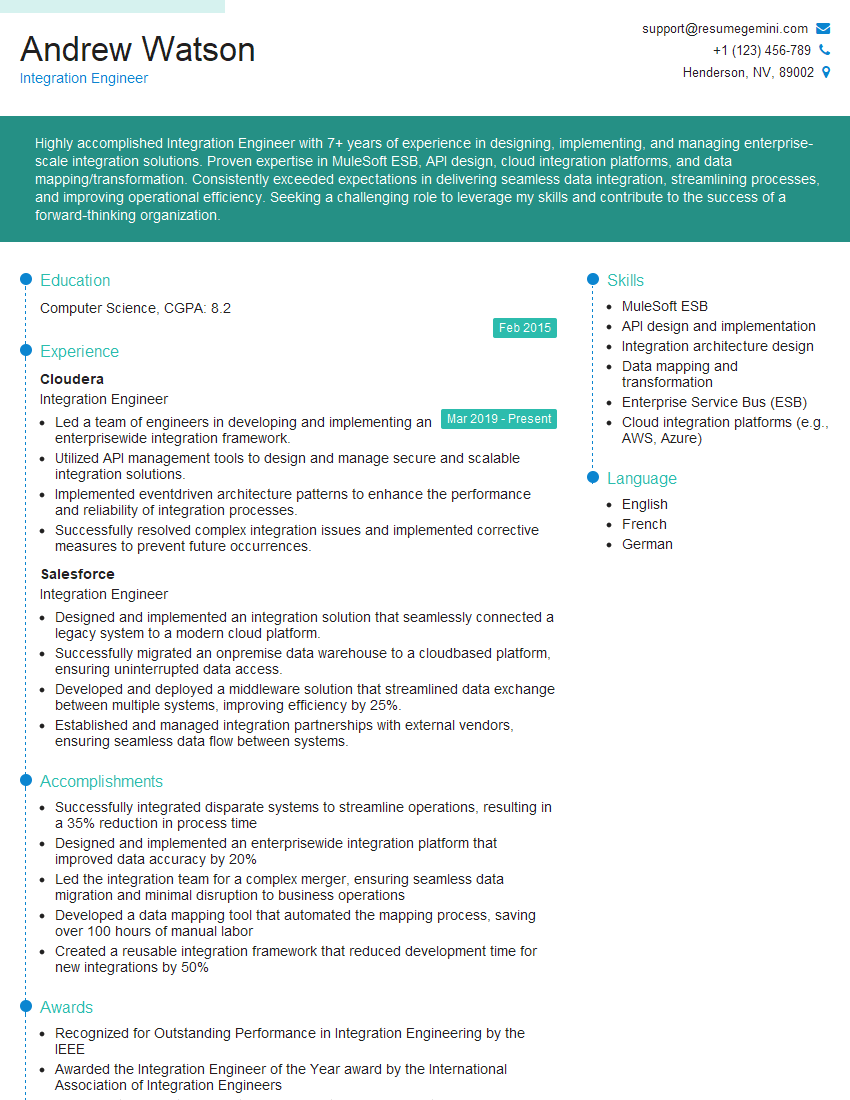

Explore more articles
Users Rating of Our Blogs
Share Your Experience
We value your feedback! Please rate our content and share your thoughts (optional).
What Readers Say About Our Blog
Amazing blog
hello,
Our consultant firm based in the USA and our client are interested in your products.
Could you provide your company brochure and respond from your official email id (if different from the current in use), so i can send you the client’s requirement.
Payment before production.
I await your answer.
Regards,
MrSmith
hello,
Our consultant firm based in the USA and our client are interested in your products.
Could you provide your company brochure and respond from your official email id (if different from the current in use), so i can send you the client’s requirement.
Payment before production.
I await your answer.
Regards,
MrSmith
These apartments are so amazing, posting them online would break the algorithm.
https://bit.ly/Lovely2BedsApartmentHudsonYards
Reach out at BENSON@LONDONFOSTER.COM and let’s get started!
Take a look at this stunning 2-bedroom apartment perfectly situated NYC’s coveted Hudson Yards!
https://bit.ly/Lovely2BedsApartmentHudsonYards
Live Rent Free!
https://bit.ly/LiveRentFREE
Interesting Article, I liked the depth of knowledge you’ve shared.
Helpful, thanks for sharing.
Hi, I represent a social media marketing agency and liked your blog
Hi, I represent an SEO company that specialises in getting you AI citations and higher rankings on Google. I’d like to offer you a 100% free SEO audit for your website. Would you be interested?