Interviews are more than just a Q&A session—they’re a chance to prove your worth. This blog dives into essential Cloud Incident Response and Forensics interview questions and expert tips to help you align your answers with what hiring managers are looking for. Start preparing to shine!
Questions Asked in Cloud Incident Response and Forensics Interview
Q 1. Explain the NIST Cybersecurity Framework.
The NIST Cybersecurity Framework (CSF) is a voluntary framework that provides a set of cybersecurity standards, guidelines, and best practices to manage and reduce cybersecurity risk. It’s not a regulatory standard, but rather a helpful guide to improve an organization’s cybersecurity posture. Think of it as a roadmap for building and improving your cybersecurity defenses. It’s organized around five core functions:
- Identify: This involves understanding your organization’s assets, systems, data, and the associated risks. Think of it as creating an inventory of what you need to protect.
- Protect: Implementing safeguards to limit or contain the impact of a cybersecurity event. This includes things like access controls, data encryption, and security awareness training.
- Detect: Developing and implementing the ability to identify the occurrence of a cybersecurity event. This involves things like intrusion detection systems, security information and event management (SIEM) tools, and regular security monitoring.
- Respond: The actions taken when a cybersecurity incident occurs. This includes having an incident response plan, communication protocols, and the ability to contain and remediate the breach.
- Recover: The activities to restore any capabilities or services that were impaired due to a cybersecurity event. This encompasses restoring data, systems, and operations to a normal state.
Each core function is further broken down into subcategories with specific implementation guidance. The CSF allows organizations of all sizes and across various industries to tailor their cybersecurity program to their specific needs and risk profile. For example, a small business might focus on the basics of Identify and Protect, while a large financial institution would need a much more robust implementation across all five functions.
Q 2. Describe your experience with cloud forensics tools (e.g., AWS CloudTrail, Azure Activity Log).
I have extensive experience using various cloud forensics tools, including AWS CloudTrail and Azure Activity Log. CloudTrail, for AWS, is essentially a logging service that tracks API calls made within your AWS account. This allows me to reconstruct actions taken, identify potential unauthorized access, and trace the path of a malicious actor. For instance, I recently used CloudTrail to investigate a suspected data exfiltration incident. By analyzing the logs, I pinpointed specific API calls that indicated unusual access patterns to an S3 bucket, ultimately leading to the identification of the compromised credentials. Similarly, Azure Activity Log provides a comprehensive audit trail of all operations within an Azure subscription. I’ve used it to trace resource modifications, investigate account compromises, and even to uncover misconfigurations that could lead to vulnerabilities. In one case, I used Azure Activity Log to identify a series of unusual resource deletions that pointed to insider threat activity.
Beyond these, my experience also includes using other tools like Splunk, Elasticsearch, and various cloud-native security monitoring tools depending on the specific cloud provider and client needs. Understanding the nuances of each provider’s logging capabilities is crucial for effective incident response.
Q 3. How do you prioritize incidents during a security breach?
Prioritizing incidents during a security breach is critical; you need to focus your resources where they’ll have the biggest impact. I use a framework that considers several factors:
- Impact: How severely is this affecting the business? A breach of sensitive customer data has a much higher priority than a compromised low-value development server. This is often measured by the potential financial loss, reputational damage, regulatory penalties, or disruption to operations.
- Urgency: How quickly does this need to be addressed? A ransomware attack encrypting critical production systems has far greater urgency than a slow-moving data exfiltration event.
- Likelihood of Success: Is there a reasonable chance of successfully containing and mitigating this incident with the resources available? Focusing on quickly addressable issues early on can prevent further escalation.
I often use a triage matrix to visually represent these factors and quickly prioritize incidents. It’s a simple but powerful tool that helps the team remain focused and efficient under pressure. A well-defined incident response plan should also outline clear escalation paths and communication protocols for handling high-priority incidents.
Q 4. What are the key steps in a cloud incident response plan?
A robust cloud incident response plan is vital. Key steps typically include:
- Preparation: This involves establishing clear roles and responsibilities, defining communication channels, developing playbooks for common incident types (e.g., ransomware, data breach), and setting up the necessary monitoring and logging infrastructure. This includes regular testing of the plan and training team members.
- Detection and Analysis: Identifying and analyzing a potential security breach. This is where cloud security monitoring tools and threat hunting techniques play a crucial role. I would perform a thorough investigation to identify the root cause, scope, and impact of the incident.
- Containment: Isolate the affected systems to prevent further damage. This might include isolating virtual machines, disabling user accounts, or restricting network access.
- Eradication: Removing the malicious code or threat from the affected systems. This could involve patching vulnerabilities, reinstalling software, or even wiping and rebuilding systems.
- Recovery: Restoring systems to a functional state and recovering data from backups. The emphasis here is on minimizing downtime and service disruption.
- Post-Incident Activity: Conducting a thorough post-incident review to identify lessons learned, improve processes, and update the incident response plan. This also includes reporting to relevant parties (e.g., law enforcement, customers).
The entire process must be well-documented, providing a detailed record of the incident and the response actions taken. This is essential for legal, regulatory, and insurance purposes.
Q 5. Explain the difference between proactive and reactive security measures in the cloud.
Proactive and reactive security measures are two sides of the same coin in cloud security.
- Proactive measures focus on preventing security incidents before they happen. This includes things like implementing strong access controls (e.g., multi-factor authentication, least privilege), regular security assessments and penetration testing, keeping software and systems patched, and employing cloud security posture management (CSPM) tools to monitor configurations and identify vulnerabilities. It’s like installing a burglar alarm and having strong locks on your doors – you are preventing the problem before it arises.
- Reactive measures deal with security incidents after they occur. This includes having a well-defined incident response plan, comprehensive logging and monitoring, and the ability to quickly contain, eradicate, and recover from security breaches. It’s like having a fire extinguisher and a fire escape route readily available.
Ideally, a strong cloud security strategy incorporates both proactive and reactive measures to create a robust defense-in-depth approach. A purely reactive approach is like trying to put out a fire with only a bucket of water after it’s already engulfed your house – it’s highly likely to be ineffective. Proactive measures significantly reduce the likelihood of incidents and minimize their impact if they do occur.
Q 6. How do you handle data breaches in a cloud environment?
Handling data breaches in a cloud environment requires a swift and coordinated response. My approach involves:
- Immediate Containment: First and foremost, I immediately isolate affected systems and accounts to prevent further data loss or compromise. This might involve disabling user accounts, terminating network connections, or shutting down affected virtual machines.
- Forensic Analysis: A thorough forensic investigation is undertaken to determine the root cause of the breach, the extent of the data compromised, and the attacker’s methods. This includes analyzing logs, network traffic, and affected systems to identify the attack vector, compromised credentials, and the data exfiltrated.
- Notification and Communication: I promptly notify relevant stakeholders, including affected individuals, legal counsel, and regulatory bodies, as required by law and company policy. Transparency and timely communication are crucial in these situations.
- Remediation: Implement measures to prevent future breaches, including patching vulnerabilities, strengthening access controls, and reviewing security configurations. Remediation goes beyond just fixing the immediate problem. We must work towards identifying systemic weaknesses.
- Recovery: Restore data and services to a functional state, often from backups. This requires a careful process to ensure data integrity and avoid reintroducing the malicious code.
- Post-Incident Review: Thoroughly document the breach and conduct a detailed post-incident review to learn from the experience, update security procedures, and improve the overall security posture. This iterative approach to improvement is critical.
The specific steps and their order will vary based on the nature and severity of the breach, but the focus remains on minimizing damage, protecting the organization’s reputation, and ensuring compliance with all applicable regulations.
Q 7. Describe your experience with log analysis and threat hunting.
Log analysis and threat hunting are critical skills in cloud incident response. Log analysis involves systematically reviewing logs from various sources (servers, network devices, security tools) to identify suspicious activities. I’m proficient in using various tools and techniques for log analysis, including:
- Querying log data using tools like Splunk, Elasticsearch, and the cloud provider’s native log search interfaces. For example, I might write a query to identify all login attempts from unusual geographic locations or outside of normal working hours.
- Developing custom scripts or tools to automate log analysis tasks such as anomaly detection or correlation of events across multiple log sources.
- Using regular expressions and other pattern-matching techniques to identify specific patterns of malicious activity in log files. For example, identifying attempts to exploit known vulnerabilities or commands used in common attack tools.
Threat hunting is a more proactive approach. It involves actively searching for threats within your environment, even without evidence of an active attack. My threat hunting methodology usually begins with identifying high-value assets or critical systems and then focusing on searching for unusual activity around them. Techniques such as leveraging security information and event management (SIEM) systems to correlate events and using threat intelligence feeds to identify potential indicators of compromise (IOCs) are critical. A recent case involved leveraging threat intelligence to identify potential malware communication patterns within our cloud environment that ultimately helped us prevent a wider outbreak.
Q 8. What are common cloud security vulnerabilities?
Cloud security vulnerabilities are weaknesses that can be exploited by malicious actors to gain unauthorized access or compromise cloud resources. These vulnerabilities span across various layers of the cloud stack, from the underlying infrastructure to applications and user configurations. Think of it like a house – vulnerabilities are cracks in the walls, weak locks on the doors, or unlocked windows.
- Misconfigurations: Incorrectly configured security settings, such as overly permissive access controls or inadequate encryption, are a leading cause of breaches. Imagine leaving your front door wide open!
- Lack of Patching: Outdated software and operating systems are ripe targets for attacks exploiting known vulnerabilities. This is like failing to repair a leak in your roof.
- IAM vulnerabilities: Weak or improperly managed Identity and Access Management (IAM) policies allow unauthorized users access to sensitive data and resources. This is like giving the wrong key to your house to a stranger.
- Data breaches: Unsecured databases or storage buckets can lead to data exposure. Think of this as leaving a valuable item unattended in your backyard.
- Insider Threats: Malicious or negligent insiders with access to cloud resources can cause significant damage. It’s like a trusted family member accidentally giving away your house keys.
- Third-party risks: Security vulnerabilities in third-party applications or services integrated into your cloud environment can pose a significant threat. This is like relying on a contractor to secure your house, only to find they left a window open.
- Server-side request forgery (SSRF): An attacker might exploit a vulnerable web application to make requests to internal servers, gaining access to sensitive data or systems.
- Insecure APIs: Poorly designed or secured APIs can expose sensitive data or allow attackers to manipulate system functionalities.
Q 9. How do you perform a root cause analysis of a security incident?
Root cause analysis (RCA) in a cloud security incident aims to identify the fundamental reasons behind the incident, not just the symptoms. It’s like diagnosing a disease; you need to find the root cause, not just treat the symptoms. We use a structured approach, often incorporating frameworks like the 5 Whys or fault tree analysis.
- Identify the incident: What happened? Document all relevant information, including timestamps, affected resources, and any initial impact.
- Gather evidence: Collect logs from cloud services, security tools, and affected systems. Secure the cloud environment to prevent further damage.
- Timeline the events: Reconstruct the sequence of events leading to the incident. Use cloud monitoring tools to identify patterns and relationships.
- Identify contributing factors: Analyze the evidence to pinpoint potential causes. For example, a misconfigured access control list, a missing security patch, or a phishing attack.
- Determine the root cause: Ask the “5 Whys”: Why did this happen? Why did that happen? Why did that happen? And so on. Until you reach the fundamental, underlying cause.
- Develop remediation plan: Create actionable steps to address the root cause and prevent recurrence. This may involve updating security policies, patching vulnerabilities, or enhancing monitoring capabilities.
- Document findings: Create a detailed report outlining the incident, the root cause, and remediation steps taken. This aids in continuous improvement.
Q 10. Explain your understanding of different cloud access control models (IAM, RBAC).
Cloud access control models define how users and services are granted permissions to access cloud resources. Imagine a building with different access levels for different employees.
- Identity and Access Management (IAM): This is the overarching framework for managing identities (users, groups, services) and their permissions to access resources. It’s the building’s security system.
- Role-Based Access Control (RBAC): A specific implementation of IAM where permissions are assigned based on roles. This is like assigning security badges with different levels of access based on job titles (e.g., janitor, manager, CEO).
Both are crucial for granular control, but RBAC adds efficiency. Instead of assigning individual permissions to each user, RBAC groups permissions into roles (e.g., “Database Administrator,” “Network Engineer”). Users are then assigned to these roles, inheriting the associated permissions.
Example: In AWS, IAM manages users and their access keys. RBAC would allow the creation of a role “EC2Admin” which has the ability to manage EC2 instances, and then users would be assigned to the “EC2Admin” role, granting them only those specific permissions.
Q 11. How do you ensure the chain of custody in a cloud forensic investigation?
Maintaining chain of custody in a cloud forensic investigation is critical to ensure the integrity and admissibility of evidence. It’s like a trail of breadcrumbs showing how evidence has been handled. Any deviation can cast doubt on the findings.
- Secure data acquisition: Employ secure methods to collect evidence from cloud resources, minimizing the risk of alteration or contamination. This might involve using specialized tools that create cryptographic hashes to verify data integrity.
- Detailed logging: Document every step of the investigation process, including who accessed the data, when, and what actions were taken. This is like creating a meticulous audit trail.
- Hashing and verification: Generate cryptographic hashes of evidence files to verify that they haven’t been altered. Think of this as using a digital fingerprint to identify the files.
- Secure storage: Store evidence in a secure, tamper-proof repository, either on-premises or in a cloud-based secure storage facility with access controls to prevent unauthorized access.
- Access control: Implement strict access control measures to limit access to the evidence only to authorized personnel. This limits the number of people who can handle the evidence, reducing the risk of tampering.
By meticulously documenting each step and ensuring data integrity, we create a strong chain of custody, making the investigation results reliable and legally sound.
Q 12. Describe your experience with cloud security monitoring tools.
My experience with cloud security monitoring tools is extensive. I’ve used and implemented various tools across different cloud providers. These tools are the eyes and ears of our security posture, providing real-time visibility into our cloud environment. They range from SIEM (Security Information and Event Management) solutions like Splunk or Azure Sentinel to Cloud Access Security Brokers (CASB) like Zscaler.
- SIEM: These platforms collect and analyze security logs from various sources (cloud and on-premises), providing centralized monitoring and alerting capabilities. I’ve used them to identify suspicious activities, correlate events, and generate reports.
- Cloud Workload Protection Platforms (CWPP): These tools monitor and protect workloads running in the cloud, detecting and responding to threats such as malware and vulnerabilities.
- CASB: CASB solutions monitor and control cloud application usage, preventing data leaks and enforcing security policies. I’ve used these to monitor access to SaaS applications, ensuring compliance with corporate policies.
- Security Orchestration, Automation, and Response (SOAR): SOAR platforms automate incident response tasks, enabling faster detection and remediation of security incidents.
I am proficient in configuring alerts based on custom rules and integrating these tools with other security systems. For instance, I’ve automated responses to certain types of security alerts, such as automatically blocking malicious IPs detected by a SIEM.
Q 13. What are some common indicators of compromise (IOCs) in the cloud?
Indicators of Compromise (IOCs) in the cloud are clues indicating a potential security breach or malicious activity. Think of them as red flags. Identifying these is the first step to responding effectively.
- Unusual login attempts: A sudden surge in login attempts from unfamiliar locations or devices can signal a brute-force attack or compromised credentials.
- Data exfiltration: Large volumes of data being transferred to external IP addresses or cloud storage locations outside of normal operations.
- Suspicious network activity: High volumes of traffic to unusual ports or destinations, especially unusual outbound connections.
- Abnormal resource consumption: Unexpected spikes in CPU usage, memory consumption, or network bandwidth, which could suggest malware or a denial-of-service attack.
- Unauthorized access: Detection of user accounts accessing resources they shouldn’t have permission to access.
- Compromised credentials: Evidence of credential theft (passwords, API keys) from cloud resources.
- Malware infections: Detection of malicious code or processes on cloud instances.
- Changes to security configurations: Unauthorised changes to security settings, such as firewall rules or access control lists.
These IOCs often surface in logs, security alerts from monitoring tools, and through forensic analysis of compromised systems.
Q 14. How do you handle a denial-of-service (DoS) attack in the cloud?
Handling a denial-of-service (DoS) attack in the cloud requires a layered approach, focusing on mitigation and prevention. It’s like a fire – you need to contain the flames and prevent it from spreading.
- Identify the attack: Detect the attack using cloud monitoring tools, analyzing network traffic and resource consumption to identify the source and nature of the attack.
- Isolate the affected resources: Restrict access to the affected services or resources to limit the impact of the attack. This might involve temporarily disabling affected services or rerouting traffic.
- Implement rate limiting: Configure rate-limiting rules to prevent excessive requests from a single source or IP address. This is like controlling the flow of water to prevent flooding.
- Utilize cloud provider’s DDoS protection: Most cloud providers offer DDoS protection services, providing advanced mitigation capabilities. Engaging this is crucial for effectively handling large-scale attacks.
- Utilize a content delivery network (CDN): A CDN can help to absorb the attack traffic by distributing it across multiple servers, reducing the burden on the origin servers.
- Analyze and investigate: After the attack subsides, analyze logs and identify the attack vector to improve security and prevent future incidents. This is crucial for improving our defences.
Cloud provider services are essential in handling large-scale DDoS attacks. Their infrastructure and expertise provide the necessary scale and response capabilities.
Q 15. Explain your experience with malware analysis in a cloud environment.
Malware analysis in the cloud presents unique challenges due to the distributed nature of the environment and the potential for rapid propagation. My experience involves a multi-stage process starting with identification, where I leverage cloud-native security tools like CloudTrail (AWS), Activity Logs (Azure), or Cloud Logging (GCP) to detect suspicious activities indicative of malware infection, such as unusual network traffic patterns or unauthorized access attempts. This initial detection is critical for timely response.
Next is containment. This involves isolating infected resources or instances to prevent lateral movement. This is often done via security groups, network access controls, or by leveraging cloud-provided snapshot capabilities for forensic analysis.
Analysis follows, focusing on understanding the malware’s behavior and its impact. I utilize sandbox environments (both cloud-based and virtual) to run samples in a controlled manner, minimizing the risk of further damage. I analyze network communications, registry entries (where applicable), and file system activity to determine the malware’s capabilities, command and control (C&C) infrastructure, and data exfiltration techniques. Tools like YARA rules and automated malware analysis platforms are extensively used here.
Finally, remediation focuses on eradicating the malware. This includes removing infected files, restoring systems from backups, patching vulnerabilities, and implementing preventative measures to prevent future infections. Post-incident activity logging and monitoring are crucial to ensure the effectiveness of the remediation steps and to aid in future incident response.
For example, I recently investigated a case of ransomware targeting an AWS environment. By analyzing CloudTrail logs, we identified the initial compromise point and traced the malware’s movement across different EC2 instances. Using a combination of cloud-native security tools and malware analysis techniques, we were able to contain the spread, recover encrypted data, and remediate the affected systems.
Career Expert Tips:
- Ace those interviews! Prepare effectively by reviewing the Top 50 Most Common Interview Questions on ResumeGemini.
- Navigate your job search with confidence! Explore a wide range of Career Tips on ResumeGemini. Learn about common challenges and recommendations to overcome them.
- Craft the perfect resume! Master the Art of Resume Writing with ResumeGemini’s guide. Showcase your unique qualifications and achievements effectively.
- Don’t miss out on holiday savings! Build your dream resume with ResumeGemini’s ATS optimized templates.
Q 16. How do you use cloud security posture management (CSPM) tools?
Cloud Security Posture Management (CSPM) tools are crucial for maintaining a strong security posture in cloud environments. I use these tools to gain continuous visibility into my cloud infrastructure, identify misconfigurations, and enforce security policies. My workflow generally involves these steps:
- Configuration Assessment: CSPM tools regularly scan my cloud resources to identify vulnerabilities and misconfigurations. This includes checks for exposed storage buckets, improperly configured security groups, missing patches, and weak passwords. Examples include Azure Security Center, AWS Security Hub, and Google Cloud Security Health Analytics.
- Compliance Monitoring: I leverage CSPM tools to ensure compliance with relevant industry standards (like PCI DSS, HIPAA, or SOC 2) and internal security policies. These tools generate reports detailing compliance gaps and provide actionable insights for remediation.
- Vulnerability Management: CSPM tools identify security vulnerabilities in deployed systems and provide recommendations for remediation. This helps prevent attackers from exploiting known weaknesses.
- Policy Enforcement: I use the tools’ automation capabilities to enforce security policies. For example, I can automatically disable unused resources, restrict access to sensitive data, and trigger alerts for suspicious activities.
- Reporting and Dashboards: CSPM tools provide comprehensive dashboards and reports that allow me to visualize the security posture of my cloud environment over time, easily identifying trends and areas needing attention.
In a recent engagement, our CSPM tool detected several misconfigured S3 buckets with public access enabled. The tool alerted us immediately, and we were able to rectify the issue before any sensitive data was exposed. The automation features also helped prevent future occurrences by automatically disabling public access for new S3 buckets.
Q 17. What are the legal and regulatory considerations in cloud incident response?
Legal and regulatory considerations in cloud incident response are paramount. Organizations must comply with various laws and regulations depending on their industry, location, and the type of data they handle. Some key considerations include:
- Data Privacy Regulations: GDPR, CCPA, HIPAA, and other privacy laws dictate how personal data must be handled, stored, and protected. Incident response plans must outline procedures for complying with data breach notification requirements.
- Industry-Specific Regulations: Industries like finance (e.g., PCI DSS) and healthcare (e.g., HIPAA) have specific security and compliance requirements that impact incident response procedures.
- Data Breach Notification Laws: Many jurisdictions require organizations to notify affected individuals and authorities about data breaches. Incident response plans must include procedures for determining the scope of a breach and fulfilling these notification requirements.
- Forensic Evidence Preservation: Proper chain of custody and evidence preservation are critical for legal investigations. Organizations need to document all steps taken during incident response to maintain the integrity of evidence.
- Legal Counsel Involvement: It’s essential to involve legal counsel early in the incident response process to ensure compliance with applicable laws and regulations.
For example, if a company experiences a data breach involving Personally Identifiable Information (PII), they must comply with notification laws and potentially face legal action if they fail to adequately protect the data. Having a well-defined incident response plan that considers these legal aspects is crucial for minimizing the risks and potential penalties.
Q 18. Describe your experience with different cloud providers (AWS, Azure, GCP).
I have extensive experience working with AWS, Azure, and GCP. While the underlying principles of cloud security are similar across providers, each has unique services and tools.
- AWS: I’m proficient in using AWS services such as CloudTrail, CloudWatch, GuardDuty, Inspector, and Security Hub for monitoring, threat detection, and security assessment. My experience includes troubleshooting issues related to EC2, S3, RDS, and Lambda services, focusing on security best practices.
- Azure: I’m familiar with Azure Security Center, Azure Monitor, Azure Active Directory, and Azure Sentinel for security management and incident response. I have experience with Azure VMs, storage accounts, and other core services.
- GCP: My experience with GCP includes using Cloud Security Command Center, Cloud Logging, Cloud Monitoring, and Cloud IAM. I understand the intricacies of Compute Engine, Cloud Storage, and other GCP services from a security perspective.
My experience spans across all three providers, allowing me to adapt quickly to new cloud environments and leverage the strengths of each platform to effectively manage security and respond to incidents.
Q 19. How do you investigate data exfiltration incidents in the cloud?
Investigating data exfiltration incidents in the cloud requires a systematic approach. I begin by identifying the potential data loss using various methods:
- Monitoring Cloud Logs: CloudTrail (AWS), Activity Logs (Azure), and Cloud Logging (GCP) provide valuable insights into user actions and system events. Anomalous activity, such as large file transfers during off-peak hours or access from unusual locations, warrants investigation.
- Network Traffic Analysis: Examining network traffic patterns using tools like tcpdump or Wireshark can reveal unusual outbound connections, indicating data exfiltration. Cloud-based network monitoring services offer similar functionality.
- Endpoint Detection and Response (EDR): EDR tools deployed on cloud instances can detect malicious activity and data exfiltration attempts. They provide real-time visibility into endpoint behavior.
- Security Information and Event Management (SIEM): SIEM tools correlate data from multiple sources to identify patterns indicative of exfiltration.
Once the exfiltration is confirmed, the next step is to determine the method and scope. This involves analyzing logs, network traffic, and potentially examining forensic images of affected systems. The ultimate goal is to identify the attacker, the stolen data, and the entry point. Understanding the method allows for remediation efforts to prevent future occurrences. For example, if exfiltration is via a compromised user account, remediation might involve MFA implementation and password policies strengthening. If it’s due to misconfigured storage, remediation would address access control limitations.
Q 20. Explain your experience with security automation and orchestration.
Security automation and orchestration are essential for efficient and effective cloud incident response. I have extensive experience using various tools and techniques to automate security tasks. This includes:
- Security Orchestration, Automation, and Response (SOAR): Platforms like Splunk SOAR, Palo Alto Networks Cortex XSOAR, or IBM Resilient allow for automation of incident response workflows. This means automating tasks such as threat intelligence gathering, vulnerability scanning, malware analysis, and incident reporting.
- Infrastructure as Code (IaC): Tools like Terraform and CloudFormation are used to automate the provisioning and management of cloud infrastructure. This ensures consistent security configurations across resources, minimizing the risk of misconfigurations.
- Configuration Management Tools: Tools like Ansible, Chef, and Puppet automate the configuration of operating systems and applications, ensuring systems are patched and hardened according to security best practices.
- Cloud-Native Automation Tools: Cloud providers offer their own automation tools, such as AWS Systems Manager, Azure Automation, and Google Cloud Deployment Manager, which can be used to automate security tasks within their respective environments.
For instance, I built an automated response play using a SOAR platform that, upon detecting a ransomware attack, automatically isolates affected systems, initiates a forensic investigation, and restores systems from backups. This significantly reduced the time required to respond to incidents and minimized the overall impact.
Q 21. How do you maintain the confidentiality, integrity, and availability of data in the cloud?
Maintaining the CIA triad (Confidentiality, Integrity, and Availability) of data in the cloud is critical. My approach involves a multi-layered strategy:
- Confidentiality: This involves restricting access to sensitive data only to authorized personnel. Techniques include implementing strong access controls (IAM roles, policies, and least privilege), using encryption both in transit and at rest, and regularly auditing access logs.
- Integrity: Ensuring data accuracy and preventing unauthorized modification. This is achieved through using hashing algorithms to verify data integrity, implementing version control, and utilizing data loss prevention (DLP) tools. Regular security audits and penetration testing help uncover vulnerabilities impacting data integrity.
- Availability: Maintaining access to data and systems when needed. Techniques include implementing redundancy and high availability configurations, using load balancing, and having robust disaster recovery plans. Regular backups and business continuity planning are also essential.
For example, I ensured confidentiality by using encryption at rest for sensitive databases stored in AWS RDS. Integrity was ensured through hashing critical configuration files and implementing change management procedures. Availability was maintained via a multi-AZ database deployment, ensuring high availability and automatic failover in case of outages.
Q 22. What are the challenges of performing forensics in a multi-cloud environment?
Performing forensics in a multi-cloud environment presents unique challenges compared to a single-cloud setup. The primary difficulty lies in the lack of centralized visibility and control. Each cloud provider (AWS, Azure, GCP, etc.) has its own architecture, logging mechanisms, and forensic tools. This fragmentation makes data collection, analysis, and correlation significantly more complex.
- Data Silos: Evidence might be scattered across different cloud platforms, requiring separate access and tools for each. This makes gathering a comprehensive picture time-consuming and potentially incomplete.
- Jurisdictional Issues: Data residing in different geographic locations can trigger jurisdictional complexities, affecting legal access and admissibility of evidence.
- API Limitations: Each provider’s APIs differ, requiring specialized knowledge and potentially custom scripting to access relevant logs and data efficiently.
- Lack of Standardized Formats: Log files and forensic artifacts might not adhere to a common standard, increasing the effort needed for parsing and analysis.
- Complexity of Network Mapping: Understanding data flow and connections across multiple cloud environments can be a significant undertaking.
To mitigate these challenges, a robust multi-cloud incident response plan is crucial. This plan should include pre-defined data collection procedures, standardized forensic tools, and clear communication channels between teams responsible for different cloud environments.
Q 23. How do you handle insider threats in the cloud?
Handling insider threats in the cloud requires a multi-layered approach that combines proactive security measures with reactive incident response capabilities. It’s crucial to remember that insiders can be malicious or negligent, so measures must address both possibilities.
- Least Privilege Access: Granting users only the minimum necessary permissions to perform their job is paramount. This limits the damage an insider can inflict, even if compromised.
- Strong Authentication and Authorization: Implement multi-factor authentication (MFA) and robust access controls, including role-based access control (RBAC), to restrict access to sensitive data and resources.
- Continuous Monitoring and Anomaly Detection: Employ security information and event management (SIEM) systems and cloud-native security tools to continuously monitor user activity, identify anomalies, and trigger alerts for suspicious behavior.
- Data Loss Prevention (DLP): Implement DLP tools to monitor and prevent sensitive data from leaving the organization’s control, regardless of the user’s intent.
- Regular Security Awareness Training: Educate employees about security best practices, potential threats, and their responsibilities in protecting company data.
- User and Entity Behavior Analytics (UEBA): UEBA systems can analyze user behavior patterns to detect deviations that may indicate malicious activity or compromise.
Imagine a scenario where an employee with elevated privileges downloads a large volume of sensitive customer data outside normal working hours. A well-configured SIEM system, coupled with UEBA, would likely flag this as suspicious activity, enabling a prompt investigation and potentially mitigating a significant data breach.
Q 24. Explain your understanding of cloud security best practices.
Cloud security best practices encompass a wide range of strategies designed to protect cloud-based data, applications, and infrastructure. They can be broadly categorized as:
- Identity and Access Management (IAM): Implementing strong authentication mechanisms (MFA), granular access controls (RBAC), and regular access reviews are critical to controlling who can access cloud resources.
- Data Security: Encrypting data at rest and in transit, implementing data loss prevention (DLP) mechanisms, and adhering to data governance policies are essential for protecting sensitive information.
- Network Security: Securing cloud networks involves using virtual private clouds (VPCs), firewalls, intrusion detection/prevention systems (IDS/IPS), and network segmentation to limit access and protect against unauthorized intrusions.
- Compute Security: Securing compute instances involves using secure images, implementing patching and vulnerability management strategies, and utilizing security tools like Web Application Firewalls (WAFs).
- Security Monitoring and Logging: Continuously monitoring cloud environments for suspicious activity, collecting and analyzing logs, and setting up alerts for security events are crucial for early threat detection and incident response.
- Compliance and Governance: Adhering to relevant industry regulations and compliance standards (e.g., HIPAA, PCI DSS, GDPR) is essential for managing risk and ensuring legal compliance.
For example, a company handling healthcare data must strictly adhere to HIPAA regulations, including implementing strong encryption and access controls to protect patient information stored in the cloud. Failing to do so can result in significant penalties and reputational damage.
Q 25. How do you document and report on security incidents?
Documenting and reporting security incidents is crucial for accountability, learning, and continuous improvement. The process generally involves the following steps:
- Incident Identification and Recording: Documenting the initial discovery of the incident, including date, time, source, and potential impact.
- Incident Analysis and Containment: Analyzing the incident to determine its cause, scope, and impact, and taking steps to contain further damage.
- Eradication and Recovery: Removing the root cause of the incident and restoring systems and data to a secure state.
- Post-Incident Activity: Conducting a thorough post-incident review, documenting lessons learned, and implementing preventative measures to mitigate similar future incidents.
- Reporting: Creating a comprehensive report detailing the incident, its cause, impact, response actions, and lessons learned. This report is typically shared with relevant stakeholders, including management, security teams, and potentially external regulatory bodies.
The format of the report can vary but typically includes sections on timeline, affected systems, root cause analysis, response actions, and recommendations for remediation. The report should be concise, factual, and avoid speculation. Using a standardized reporting template enhances consistency and facilitates quicker analysis across multiple incidents.
Q 26. Describe your experience with incident response playbooks.
Incident response playbooks are pre-defined, documented processes that outline the steps to be taken during a security incident. They serve as a crucial guide, ensuring a consistent and effective response. My experience with playbooks includes developing, testing, and using them in various scenarios.
- Playbook Development: I’ve been involved in creating playbooks that cover different types of incidents, from data breaches to denial-of-service attacks. This includes defining roles and responsibilities, outlining procedures for each phase of incident response, and integrating with existing security tools.
- Playbook Testing and Refinement: Regular tabletop exercises and simulated incident responses are essential for testing the effectiveness of the playbooks. This iterative process helps identify gaps and weaknesses, leading to continuous improvement.
- Playbook Deployment and Use: During actual incidents, playbooks serve as a roadmap for the response team, guiding their actions and ensuring a coordinated effort. This minimizes confusion and maximizes efficiency.
For instance, a playbook for a ransomware attack would detail steps for isolating affected systems, identifying the source of the attack, restoring data from backups, and communicating with stakeholders. A well-structured playbook accelerates response time and minimizes the impact of the incident.
Q 27. What is your experience with vulnerability scanning and penetration testing in the cloud?
Vulnerability scanning and penetration testing are crucial for identifying security weaknesses in cloud environments. My experience encompasses both automated and manual techniques.
- Vulnerability Scanning: I’ve used various automated tools (e.g., Qualys, Nessus, AWS Inspector) to scan cloud infrastructure for known vulnerabilities. This involves configuring scans, analyzing the results, and prioritizing vulnerabilities based on their severity and potential impact.
- Penetration Testing: I’ve performed penetration tests, both black-box and white-box, to simulate real-world attacks against cloud environments. This involves actively attempting to exploit vulnerabilities to assess their impact and identify potential weaknesses in security controls.
- Cloud-Specific Tools: I’m proficient in using cloud-provider-specific tools for security assessment, including AWS Security Hub, Azure Security Center, and Google Cloud Security Command Center.
For example, a penetration test might focus on exploiting a misconfigured S3 bucket to gain unauthorized access to sensitive data. The results of these assessments help inform remediation efforts, strengthening the overall security posture of the cloud environment.
Q 28. How do you stay up-to-date with the latest cloud security threats and vulnerabilities?
Staying up-to-date with the latest cloud security threats and vulnerabilities is an ongoing process. It requires a multi-faceted approach:
- Following Security News and Blogs: Regularly reading reputable security news sources, blogs, and publications (e.g., KrebsOnSecurity, Threatpost) to stay abreast of emerging threats and vulnerabilities.
- Participating in Security Communities: Engaging in online security communities (e.g., forums, mailing lists) and attending industry conferences to learn from others and share knowledge.
- Leveraging Threat Intelligence Feeds: Subscribing to threat intelligence feeds from security vendors and cloud providers to receive alerts about newly discovered vulnerabilities and attacks.
- Monitoring Vulnerability Databases: Regularly checking vulnerability databases (e.g., NVD, CVE) to identify vulnerabilities affecting the organization’s cloud infrastructure and applications.
- Continuous Professional Development: Actively seeking opportunities for professional development through training courses, certifications (e.g., AWS Certified Security – Specialty, Azure Security Engineer Associate), and workshops to enhance expertise and stay updated on the latest techniques.
By combining these methods, I ensure I’m constantly learning about new threats and developing strategies to mitigate them effectively, proactively protecting cloud environments against evolving cyber risks.
Key Topics to Learn for Cloud Incident Response and Forensics Interview
- Cloud Security Architectures: Understanding common cloud architectures (e.g., IaaS, PaaS, SaaS) and their security implications. Practical application: Analyzing a cloud environment diagram to identify potential vulnerabilities.
- Incident Response Lifecycle: Mastering the phases of incident response (preparation, identification, containment, eradication, recovery, lessons learned). Practical application: Developing an incident response plan for a specific cloud environment.
- Cloud Forensics Techniques: Proficiency in collecting, analyzing, and preserving digital evidence from cloud environments. Practical application: Describing the process of acquiring data from a compromised cloud server.
- Cloud Native Security Tools: Familiarity with various cloud security tools and services (e.g., SIEM, SOAR, cloud-based threat intelligence platforms). Practical application: Explaining how to use a specific cloud security tool to detect and respond to a threat.
- Threat Modeling and Vulnerability Management: Identifying potential threats and vulnerabilities within cloud environments. Practical application: Conducting a threat modeling exercise for a specific cloud-based application.
- Compliance and Regulations: Understanding relevant compliance standards (e.g., HIPAA, PCI DSS, GDPR) and their impact on cloud security. Practical application: Discussing how to ensure compliance with a specific regulation in a cloud environment.
- Log Analysis and Security Monitoring: Analyzing logs and security events to detect malicious activity. Practical application: Interpreting cloud logs to identify the source and impact of a security incident.
- Data Loss Prevention (DLP): Implementing strategies to prevent data breaches and loss. Practical application: Designing a DLP strategy for sensitive data stored in the cloud.
Next Steps
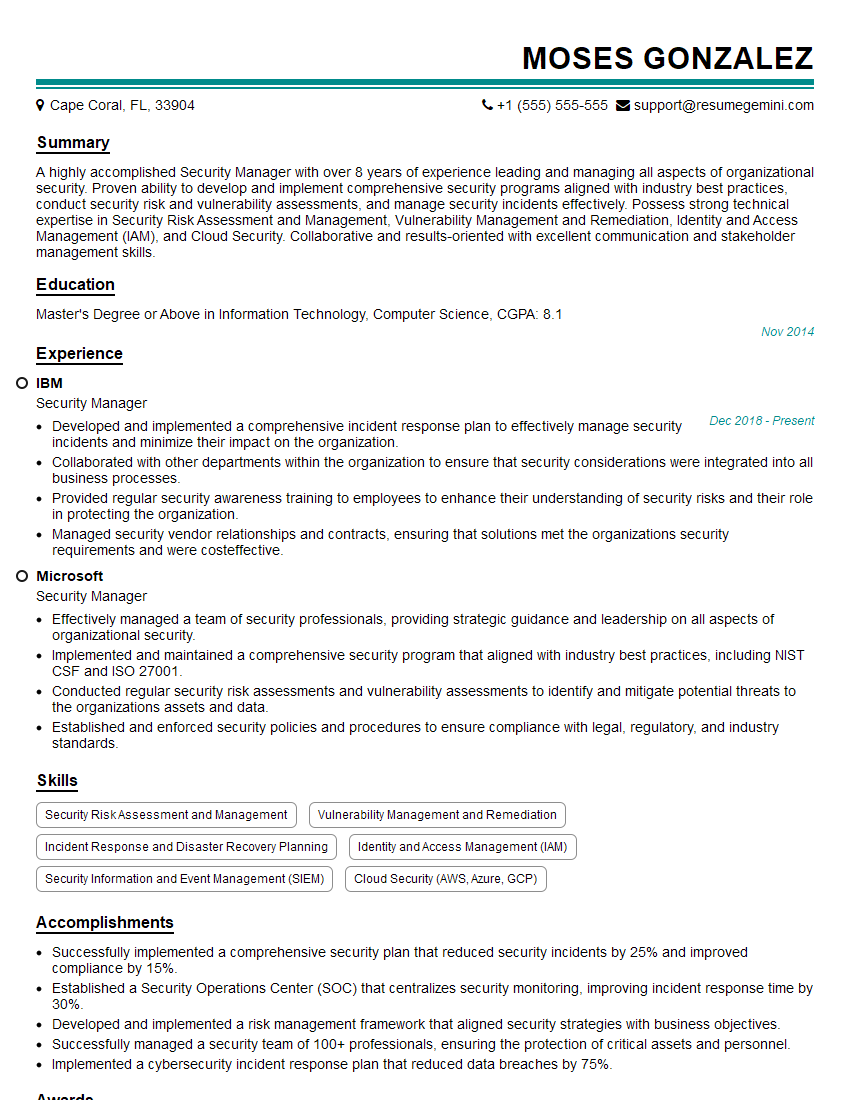
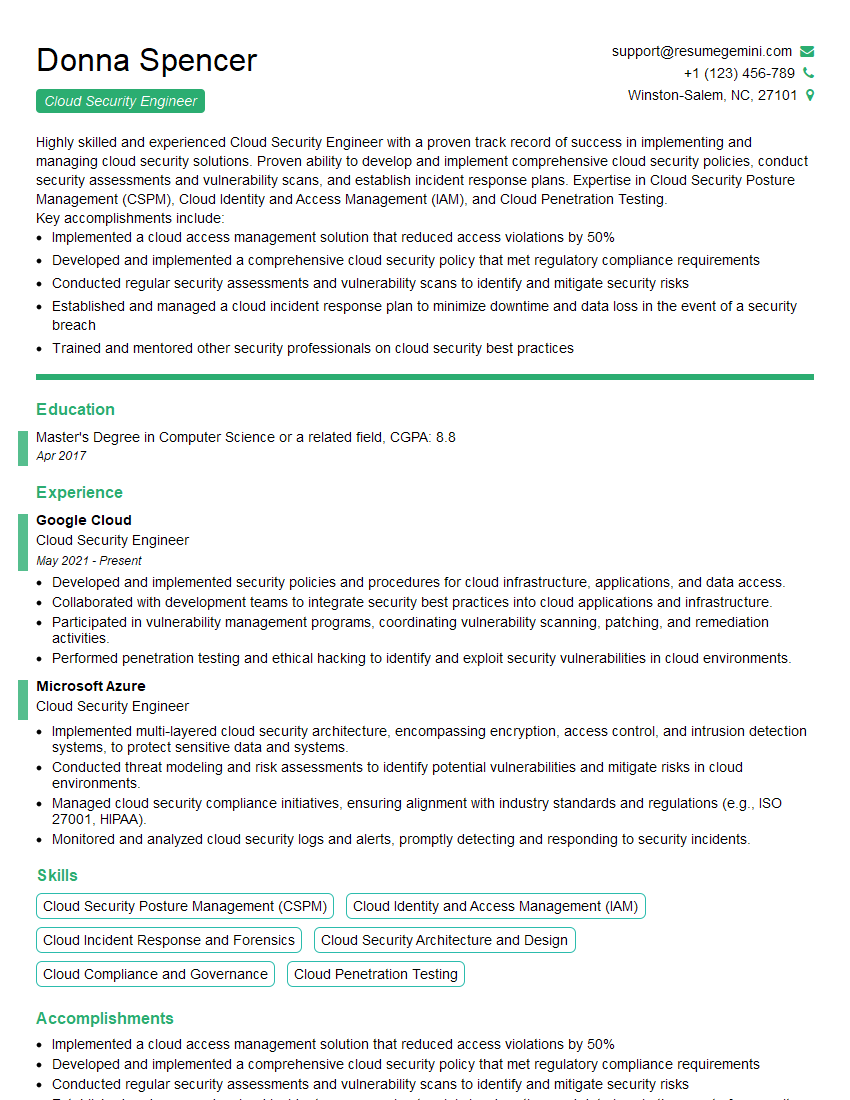
Mastering Cloud Incident Response and Forensics is crucial for a thriving career in cybersecurity, opening doors to high-demand roles with significant growth potential. To maximize your job prospects, invest time in crafting an ATS-friendly resume that highlights your skills and experience effectively. ResumeGemini is a valuable resource for building professional resumes that get noticed. They offer examples of resumes tailored to Cloud Incident Response and Forensics roles, providing a head start in showcasing your qualifications.




Explore more articles
Users Rating of Our Blogs
Share Your Experience
We value your feedback! Please rate our content and share your thoughts (optional).
What Readers Say About Our Blog
hello,
Our consultant firm based in the USA and our client are interested in your products.
Could you provide your company brochure and respond from your official email id (if different from the current in use), so i can send you the client’s requirement.
Payment before production.
I await your answer.
Regards,
MrSmith
hello,
Our consultant firm based in the USA and our client are interested in your products.
Could you provide your company brochure and respond from your official email id (if different from the current in use), so i can send you the client’s requirement.
Payment before production.
I await your answer.
Regards,
MrSmith
These apartments are so amazing, posting them online would break the algorithm.
https://bit.ly/Lovely2BedsApartmentHudsonYards
Reach out at [email protected] and let’s get started!
Take a look at this stunning 2-bedroom apartment perfectly situated NYC’s coveted Hudson Yards!
https://bit.ly/Lovely2BedsApartmentHudsonYards
Live Rent Free!
https://bit.ly/LiveRentFREE
Interesting Article, I liked the depth of knowledge you’ve shared.
Helpful, thanks for sharing.
Hi, I represent a social media marketing agency and liked your blog
Hi, I represent an SEO company that specialises in getting you AI citations and higher rankings on Google. I’d like to offer you a 100% free SEO audit for your website. Would you be interested?