The right preparation can turn an interview into an opportunity to showcase your expertise. This guide to NAS Management interview questions is your ultimate resource, providing key insights and tips to help you ace your responses and stand out as a top candidate.
Questions Asked in NAS Management Interview
Q 1. Explain the difference between RAID levels 0, 1, 5, 6, and 10.
RAID (Redundant Array of Independent Disks) levels define how data is distributed and protected across multiple hard drives in a NAS. Each level offers a different balance between performance, redundancy, and capacity. Let’s examine RAID levels 0, 1, 5, 6, and 10:
- RAID 0 (Striping): Data is striped across multiple drives without redundancy. This offers the fastest performance but no data protection. If one drive fails, all data is lost. Think of it like a really fast race car, but with no spare tire.
- RAID 1 (Mirroring): Data is mirrored exactly onto multiple drives. This provides excellent data protection as you have an exact copy on another drive. If one drive fails, the other can take over. It’s like having a backup plan, ensuring business continuity. However, it uses twice the disk space for the same amount of usable data.
- RAID 5 (Striping with Parity): Data is striped across multiple drives, with parity information distributed across all drives. This provides good performance and data protection. One drive can fail without data loss, and the array can continue to operate (though degraded). It’s a good balance between performance and protection. However, it’s susceptible to data loss if two or more drives fail simultaneously.
- RAID 6 (Striping with Double Parity): Similar to RAID 5, but it uses double parity. This allows the array to withstand the failure of two drives without data loss. It offers better protection than RAID 5 but at the cost of slightly reduced performance. Consider it a heavily fortified bunker, capable of surviving more significant attacks.
- RAID 10 (Mirroring and Striping): This combines the features of RAID 1 and RAID 0. Data is mirrored across a set of drives, and then those sets are striped together. It offers excellent performance and data protection, but it requires a minimum of four drives. Imagine having two super-fast race cars, each with a spare tire.
The choice of RAID level depends on the specific needs of the user, balancing performance requirements with the desired level of data protection and storage capacity.
Q 2. Describe the process of configuring a new NAS device.
Configuring a new NAS device typically involves these steps:
- Physical Setup: Connect the NAS device to your network using an Ethernet cable and power it on.
- Initial Setup: Access the NAS’s web interface using a web browser. This usually involves entering the NAS’s IP address (often found in the device’s documentation or router’s DHCP client list). You’ll then create an administrator account and set a strong password.
- Disk Configuration: The NAS will guide you through formatting the hard drives and selecting a RAID level. This is a crucial step, as the choice of RAID level will impact performance and data protection. Incorrectly setting this can lead to data loss.
- Network Configuration: Configure network settings, including IP address, subnet mask, and gateway. Ensure the NAS is accessible from your network.
- User and Share Management: Create user accounts and define their permissions. This controls which users can access specific folders and files on the NAS.
- Optional configurations: Set up features like data backup, data deduplication, and file synchronization if needed.
The specific steps might vary slightly depending on the NAS brand and model, but the overall process is similar. Always consult the device’s manual for precise instructions.
Q 3. How do you troubleshoot network connectivity issues with a NAS?
Troubleshooting network connectivity issues with a NAS involves a systematic approach:
- Check Physical Connections: Ensure the Ethernet cable is securely connected to both the NAS and your router/switch.
- Verify Network Configuration: Confirm that the NAS has a valid IP address, subnet mask, and default gateway. You can usually find this information in the NAS’s web interface.
- Check Network Cables and Ports: Test the Ethernet cable with a different device or try a different port on the router/switch.
- Ping the NAS: Use the
pingcommand (from your computer’s command prompt or terminal) to check if you can reach the NAS using its IP address. If the ping fails, there’s a network connectivity problem. - Check Router/Switch: Restart your router or switch. Check your router’s logs for any error messages.
- Firewall Check: Ensure that your firewall (both on your computer and your router) isn’t blocking access to the NAS. You may need to add an exception for the NAS’s IP address and ports.
- DNS Resolution: If you are using the NAS’s hostname instead of its IP address, check your DNS settings to ensure the hostname resolves correctly to the NAS’s IP address.
If the issue persists, contact your network administrator or the NAS manufacturer’s support team.
Q 4. What are the best practices for NAS data backup and recovery?
NAS data backup and recovery are critical for data protection. Best practices include:
- 3-2-1 Backup Strategy: This strategy recommends having at least three copies of your data, stored on two different media types, with one copy stored offsite. This minimizes the risk of data loss due to hardware failure, natural disasters, or theft.
- Regular Backups: Schedule regular backups to ensure that you have a recent copy of your data. The frequency depends on the rate of data changes; for critical data, daily or even hourly backups might be necessary.
- Versioning: Implement versioning in your backup solution to retain multiple versions of your data. This allows you to recover from accidental deletions or data corruption.
- Test Restores: Regularly test your backup and restore process to verify that your backups are valid and that you can restore your data successfully. Don’t wait until disaster strikes to find out your backup strategy has flaws.
- Offsite Backup: Store at least one copy of your backup offsite, preferably in a geographically separate location. This protects against local disasters such as fire or floods.
- Utilize NAS features: Leverage the built-in backup features of your NAS, such as cloud synchronization or replication to another NAS device.
For recovery, having a documented recovery plan is vital. This plan should detail the steps to restore data from your backups, including instructions on accessing your backups and restoring data to its original location.
Q 5. Explain the importance of data deduplication in NAS environments.
Data deduplication in NAS environments significantly reduces storage costs and improves performance by eliminating redundant copies of data. Imagine a scenario where many users store similar files; deduplication identifies these identical copies and stores only one instance, referencing it multiple times. This saves significant storage space.
The importance of data deduplication is particularly prominent in:
- Virtual Machine environments: Multiple VMs often contain identical or nearly identical files, making deduplication extremely beneficial.
- Backup and archival systems: Backups often contain many redundant files, and deduplication significantly reduces the storage required for backups.
- Large media libraries: Storing large amounts of media such as video or audio files often creates multiple copies. Deduplication reduces the storage footprint substantially.
While the implementation of deduplication can add some computational overhead, the resulting storage savings and performance improvements often outweigh this cost. It’s a smart way to optimize storage usage and improve system efficiency.
Q 6. How do you manage user permissions and access control on a NAS?
Managing user permissions and access control on a NAS is crucial for data security. Most NAS devices offer granular control over user access, often through the following mechanisms:
- User Accounts: Create individual user accounts with unique usernames and passwords. This allows for tracking who accesses what data.
- Shared Folders: Create shared folders to organize data and define access permissions for each folder. Permissions can be set to allow users to read, write, or modify files.
- Role-Based Access Control (RBAC): Define user roles (e.g., administrator, editor, viewer) and assign permissions based on those roles. This simplifies user management for larger deployments.
- Permissions Inheritance: Control whether permissions are inherited from parent folders. This allows for easier management of permissions in a hierarchical structure.
- Network User Groups (e.g., Active Directory): Integrate the NAS with your existing network user groups for centralized user and permission management.
- Auditing: Enable audit logging to track user activity and identify potential security breaches.
Proper user management ensures only authorized users can access specific data, protecting sensitive information and preventing unauthorized modification or deletion. Regularly review and update permissions to ensure they reflect the current needs of the organization.
Q 7. Describe your experience with different NAS file systems (e.g., NTFS, ext4, XFS).
My experience encompasses several NAS file systems, each with its strengths and weaknesses:
- NTFS (New Technology File System): Primarily used in Windows environments. It supports features like file encryption and access control lists (ACLs) effectively. However, it’s not natively supported by Linux or macOS systems, requiring special drivers for compatibility.
- ext4 (Fourth Extended File System): A widely used Linux file system. It’s known for its reliability, performance, and journaling capabilities. It’s highly compatible across different Linux distributions but isn’t directly supported by Windows.
- XFS (XFS File System): Another Linux-based file system, particularly suitable for large datasets and high-performance applications. It offers excellent scalability and performance, making it a preferred choice for many servers. Like ext4, it’s not natively supported by Windows.
The choice of file system depends on the operating systems used by clients accessing the NAS and the specific requirements of the data being stored. For example, if the primary clients are Windows machines, NTFS might be the logical choice, whereas in a Linux-heavy environment, ext4 or XFS would be preferable. Understanding the strengths and weaknesses of each file system is crucial for selecting the most appropriate one for a given application.
Q 8. What are the common performance bottlenecks in NAS systems?
Performance bottlenecks in NAS systems can stem from various sources, often interacting in complex ways. Think of a highway system – if one section is congested, the entire flow is affected. Similarly, a single slow component can cripple your NAS.
Network Bottlenecks: Slow network speeds (e.g., Gigabit Ethernet instead of 10 Gigabit Ethernet) or network congestion from other devices sharing the same bandwidth are common culprits. Imagine many cars trying to merge onto a single highway lane – it causes a slowdown. Monitoring network traffic with tools like
tcpdumpor Wireshark is crucial here.Disk I/O Bottlenecks: This is frequently the biggest issue. Slow hard drives (especially spinning disks), a lack of sufficient disk I/O capacity, or inefficient RAID configurations can drastically impact performance. Using solid-state drives (SSDs) in a RAID configuration optimized for performance (like RAID 10) significantly mitigates this. Think of this as having multiple lanes on the highway to distribute traffic efficiently.
CPU Bottlenecks: A CPU that’s constantly maxed out can’t keep up with the demands, especially with complex file operations or many simultaneous users. This is analogous to a highway with insufficient merging lanes, causing further congestion. Upgrading the NAS’s CPU or optimizing the workload distribution can improve performance here.
Memory Bottlenecks: Insufficient RAM can lead to performance degradation, particularly with caching mechanisms. The NAS might need to constantly write data to disk, slowing things down significantly. It’s like having too few trucks at the distribution center to handle the volume of goods.
Software Bottlenecks: Inefficient software, outdated firmware, or poorly configured services can introduce significant bottlenecks. Regular updates and optimization are vital. Think of this as poorly maintained road infrastructure that restricts traffic flow.
Identifying the bottleneck often requires careful monitoring and analysis of the system’s resources using the NAS’s built-in tools and/or external monitoring solutions.
Q 9. How do you monitor the health and performance of a NAS?
Monitoring NAS health and performance is critical for proactive management and preventing outages. I typically use a multi-faceted approach.
Built-in Monitoring Tools: Most NAS systems offer web-based interfaces with dashboards providing real-time information on CPU usage, memory usage, disk I/O, network traffic, and more. Regularly reviewing these dashboards is essential.
System Logs: Regularly checking system logs for errors and warnings provides insights into potential problems before they become critical. Tools like
syslogand centralized logging solutions can help here.Third-Party Monitoring Tools: Tools like Nagios, Zabbix, or Prometheus can provide comprehensive monitoring of NAS resources, sending alerts if thresholds are breached. This allows for automated responses and proactive intervention.
SMART Monitoring: For hard drives, SMART (Self-Monitoring, Analysis and Reporting Technology) provides valuable data on drive health, predicting potential failures. Proactive replacement of failing drives prevents data loss.
Performance Testing: Regularly conducting synthetic performance tests (using tools like
fio) to benchmark read/write speeds, I/O operations per second (IOPS), and latency helps identify performance degradation over time and helps with capacity planning.
In my experience, a combination of these methods provides a comprehensive view of NAS health and performance. This proactive approach is far more effective than reacting to problems after they occur.
Q 10. Explain your experience with NAS virtualization technologies.
My experience with NAS virtualization technologies centers around using NAS devices as iSCSI targets for virtual machines (VMs). This allows VMs to access storage as if it were directly connected, providing flexibility and scalability. I’ve worked with several virtualization platforms, including VMware vSphere, Microsoft Hyper-V, and Proxmox VE.
In one project, we virtualized a critical database server using a high-performance NAS with iSCSI. This provided several benefits: improved high availability through redundancy (using a RAID 10 configuration on the NAS) and easier backup and restoration procedures compared to managing the storage directly within the physical server. The NAS’s virtualization capabilities allowed us to scale storage independently of the VMs, which is really beneficial during periods of high growth.
Furthermore, I have experience implementing and managing NAS solutions within cloud environments, taking advantage of features such as snapshots and replication for enhanced data protection and disaster recovery.
Q 11. Describe your experience with iSCSI and NFS protocols.
iSCSI and NFS are both common network file system protocols used with NAS devices, but they differ in their architecture and capabilities. iSCSI is a block-level protocol, which means it presents storage to clients as raw disk blocks. NFS is a file-level protocol, presenting files and directories.
iSCSI: Offers higher performance for applications demanding low latency, such as databases. It’s more like directly connecting a physical hard drive. Security is typically handled through network-level mechanisms like IPsec or VLANs. I’ve utilized iSCSI extensively in virtualized environments.
NFS: Simpler to set up and widely compatible across different operating systems. It provides a more user-friendly interface for file sharing and access controls are handled directly within the NFS server. I’ve used NFS extensively for general file sharing among heterogeneous clients in a network.
The choice between iSCSI and NFS depends on the specific application requirements. iSCSI is usually preferred when performance is paramount, while NFS excels in ease of use and cross-platform compatibility.
Q 12. How do you handle NAS capacity planning and expansion?
NAS capacity planning and expansion require careful consideration of current and future storage needs. I use a multi-step process.
Needs Assessment: Begin with a thorough analysis of current storage consumption and projected growth rates. This usually involves analyzing historical usage trends, future project requirements, and potential expansion plans.
RAID Configuration: The chosen RAID configuration significantly impacts capacity and performance. The balance between redundancy and capacity is critical. RAID 10 offers both high performance and redundancy but consumes more capacity than RAID 5 or RAID 6.
Tiered Storage: Consider using a tiered storage approach, combining high-performance SSDs for frequently accessed data with high-capacity hard drives for archival storage. This optimizes both cost and performance.
Expansion Strategy: The NAS should support easy expansion, whether through adding more hard drives to existing bays or by using external storage solutions. Understanding the NAS’s scalability limitations is vital before deploying it.
Monitoring and Adjustment: Continuous monitoring of storage usage and performance is essential for early detection of capacity constraints. This enables proactive scaling and avoids performance degradation.
In practice, this is an iterative process. Initial capacity planning is followed by ongoing monitoring and adjustments based on observed usage patterns. It’s far more cost-effective to anticipate future growth and plan accordingly rather than reacting to capacity emergencies.
Q 13. What are the security considerations for managing a NAS?
Security is paramount when managing a NAS. Here are some key considerations:
Strong Passwords and Authentication: Enforce strong password policies, utilizing multi-factor authentication (MFA) wherever possible to prevent unauthorized access.
Access Control Lists (ACLs): Implement fine-grained access control to restrict access to specific files and folders based on user roles and permissions. This prevents unauthorized data modification or deletion.
Network Security: Restrict network access to the NAS using firewalls, VPNs, and VLANs. This limits access to authorized users and devices and prevents unauthorized access from the network.
Regular Firmware Updates: Keep the NAS firmware updated to address security vulnerabilities. Regularly check vendor security advisories.
Malware Protection: Consider implementing antivirus and antimalware solutions to protect against malware infections.
Regular Backups: Regular backups are essential to mitigate data loss due to ransomware attacks, hardware failure, or accidental deletion. Implement a robust backup strategy using offsite backups or cloud storage.
A layered security approach is crucial, combining multiple security measures for comprehensive protection. Regular security audits and penetration testing help identify and mitigate weaknesses.
Q 14. How do you implement data encryption on a NAS?
Data encryption on a NAS is essential for protecting sensitive information. Methods vary depending on the NAS model and its capabilities.
Volume Encryption: Many NAS systems support encrypting entire storage volumes. This typically involves setting up encryption at the volume creation stage or later via a management interface. The encryption key is usually stored securely within the NAS.
File-Level Encryption: This approach encrypts individual files or folders before they are stored on the NAS. It requires either encryption software on the client side or NAS features that support file-level encryption. This approach can provide granular control.
HTTPS for Network Communication: Ensure that all communication between clients and the NAS is done over HTTPS to encrypt data in transit.
Key Management: Secure key management is critical. Keys should be stored securely and protected from unauthorized access. Consider using hardware security modules (HSMs) for high-security environments.
The choice of encryption method depends on security requirements and performance considerations. Volume encryption usually provides better performance but lacks granularity compared to file-level encryption. Choosing the right approach requires understanding the trade-offs between security, performance, and management complexity.
Q 15. Explain your experience with disaster recovery planning for NAS systems.
Disaster recovery planning for NAS systems is crucial for business continuity. It involves creating a robust strategy to minimize data loss and downtime in case of a system failure or disaster. This includes defining Recovery Time Objectives (RTOs) – how quickly services must be restored – and Recovery Point Objectives (RPOs) – how much data loss is acceptable.
My approach involves several key steps:
- Data Backup and Replication: Implementing regular backups to an offsite location (cloud storage, secondary NAS, tape) is paramount. I leverage techniques like replication (synchronous or asynchronous) to maintain a near-real-time copy of critical data. For example, I’ve used Synology’s Hyper Backup to replicate data to a cloud service and also implemented QNAP’s RTRR (Real-Time Remote Replication) for local replication to a secondary NAS.
- Failover Mechanisms: High availability configurations, using RAID configurations (RAID 6, RAID 10) for redundancy and potentially clustered NAS setups offer failover capabilities in case of hardware failure. I’ve worked with NetApp systems utilizing their SnapMirror technology for efficient replication and failover capabilities.
- Testing and Validation: Regular disaster recovery drills are critical to validate the effectiveness of the plan. These drills ensure that the backup and restore processes function as expected and that the RTOs and RPOs are met. For instance, I’ve performed full-scale restoration tests from backups on a weekly basis for a large client to ensure we were within our established RPO.
- Documentation: A comprehensive disaster recovery plan document outlining procedures, contact information, and restoration steps is vital for a smooth recovery process. This document is regularly updated to reflect any changes in infrastructure or procedures.
In one project, we mitigated a significant data center flood by leveraging a pre-configured offsite backup strategy which allowed for a near-zero data loss recovery within 4 hours, significantly outperforming our established RTO.
Career Expert Tips:
- Ace those interviews! Prepare effectively by reviewing the Top 50 Most Common Interview Questions on ResumeGemini.
- Navigate your job search with confidence! Explore a wide range of Career Tips on ResumeGemini. Learn about common challenges and recommendations to overcome them.
- Craft the perfect resume! Master the Art of Resume Writing with ResumeGemini’s guide. Showcase your unique qualifications and achievements effectively.
- Don’t miss out on holiday savings! Build your dream resume with ResumeGemini’s ATS optimized templates.
Q 16. Describe your experience with different NAS vendors (e.g., Synology, QNAP, NetApp).
I possess extensive experience with various NAS vendors, including Synology, QNAP, and NetApp. Each offers unique features and strengths, and my choice depends on the specific requirements of the project.
- Synology: Known for their user-friendly interface, robust software features (like DSM), and a wide range of models catering to various needs from home users to small businesses. I’ve successfully deployed Synology NAS for file sharing, surveillance, and backup solutions in multiple client environments.
- QNAP: QNAP offers a strong portfolio, often focused on providing more advanced features for business users, such as virtualization support and better integration with enterprise-level tools. I’ve used QNAP for projects requiring specific containerization and virtualization capabilities.
- NetApp: NetApp represents the enterprise-grade solution. Their offerings provide advanced features like sophisticated data management, high availability, and robust scalability for large-scale deployments. I’ve worked with NetApp in demanding environments needing enterprise-level performance, security, and reliability.
Selecting the right vendor involves considering factors like budget, scalability requirements, integration with existing infrastructure, and the level of technical expertise required for management. Each vendor’s strengths align with different client needs and project goals.
Q 17. How do you troubleshoot slow file transfer speeds on a NAS?
Troubleshooting slow file transfer speeds on a NAS requires a systematic approach. It’s a common issue with multiple potential root causes.
- Network Connectivity: Check for network bottlenecks. Analyze network traffic using tools like Wireshark or built-in NAS monitoring tools. Are there high CPU/network utilization rates on your switch or NAS itself? Consider upgrading your network infrastructure (switches, cabling) or improving Wi-Fi signal strength.
- NAS Resource Utilization: Monitor the CPU, memory, and disk I/O utilization of the NAS. High CPU usage might indicate a processing bottleneck. High disk I/O could signal a disk performance issue. The NAS’s web interface usually provides performance monitoring tools.
- Disk Configuration: Ensure you are using appropriate RAID levels for your workload. A RAID 0 might be fast but offers no redundancy. A RAID 1 is safer but slower. Examine if disk drives are nearing capacity or experiencing errors.
- File System Issues: A fragmented file system can slow down file transfers. Check the file system’s health and consider running defragmentation (if supported). For example,
fsckon Linux based systems might be used (after backing up). - Client-Side Factors: Evaluate the speed and capabilities of the client machine transferring files. Network drivers, antivirus software, and other resource-intensive applications on the client could be contributing factors.
- Network Configuration: Check network settings. Incorrect subnet masks, gateway settings, or DNS configurations can significantly impact transfer speeds. Are Jumbo Frames enabled where necessary?
Addressing these points systematically will often pinpoint the source of the slow transfer speeds. It’s important to thoroughly document steps and findings.
Q 18. What are the common causes of NAS failures?
NAS failures stem from various causes, broadly categorized into hardware and software issues.
- Hardware Failures: These are the most common cause, encompassing:
- Hard Drive Failures: The most frequent hardware failure, due to wear and tear, manufacturing defects, or power surges. RAID protects against some failures but not all.
- Power Supply Failures: Power fluctuations can severely damage the NAS and the drives.
- Fan Failures: Overheating can lead to component damage and ultimately system failure. Regular cleaning of the NAS is crucial.
- Motherboard or CPU Failures: Less common but can result in complete system downtime.
- Software Issues:
- Firmware Bugs: Faulty firmware updates can destabilize the system.
- Software Conflicts: Incompatible applications or services running on the NAS can cause crashes or performance issues.
- Corrupted File Systems: This can prevent the system from booting or accessing data.
- Security Vulnerabilities: Unpatched systems can be susceptible to security breaches leading to data loss or system compromise.
Preventive measures such as regular backups, proactive hardware monitoring, and firmware updates are vital to minimize the risk of NAS failures.
Q 19. How do you handle NAS disk failures?
Handling NAS disk failures depends heavily on the RAID configuration in place. The immediate action is to carefully remove the failed drive and replace it with a new one of the same model and size (if possible).
- RAID 0: A single drive failure leads to complete data loss; there is no redundancy.
- RAID 1 (Mirroring): The NAS will continue to function using the mirrored drive; data is not lost. Replace the failed drive and rebuild the mirror.
- RAID 5/6/10: These RAID levels offer redundancy against one or more drive failures. The NAS will continue to function, but the rebuilding process can be time-consuming. After replacing the failed drive, initiate the rebuild process. Monitor the process closely.
It’s essential to monitor the rebuild process. If further errors occur, this indicates underlying hardware issues that require immediate attention. After replacing the drives and initiating the rebuild, run disk diagnostics to ensure the system’s health. Regular health checks on the drives using SMART (Self-Monitoring, Analysis and Reporting Technology) are highly recommended.
Q 20. What are your preferred methods for NAS system logging and monitoring?
Effective NAS logging and monitoring are essential for proactive problem management. My preferred methods include:
- NAS System Logs: Most NAS vendors provide detailed system logs within their web interface. I regularly review these logs for errors, warnings, and performance metrics. I often configure these logs to be sent to a centralized logging system.
- Third-Party Monitoring Tools: Tools like Nagios, Zabbix, or PRTG can be used to monitor the NAS system’s health, performance, and resource utilization. This provides comprehensive oversight and alerting for potential issues.
- Syslog Server: Centralized logging to a syslog server allows aggregation and analysis of logs from multiple NAS devices and other network devices. This enables more streamlined and effective monitoring and troubleshooting.
- Email Alerts: Configuring email alerts for critical events (e.g., disk failures, high CPU utilization) ensures timely intervention. This is especially important for remote monitoring.
A well-configured monitoring system not only helps detect problems quickly but also provides valuable data for capacity planning and performance optimization.
Q 21. Explain your experience with NAS replication and high availability.
NAS replication and high availability are critical for ensuring data protection and business continuity. My experience encompasses various techniques:
- Replication: This involves creating a copy of the data on a secondary NAS (local or remote). Methods include:
- Synchronous Replication: Data is written to both NAS simultaneously. Provides high data consistency but may impact performance.
- Asynchronous Replication: Data is written to the primary NAS first, then copied to the secondary NAS. Offers better performance but with a slight delay in data replication.
- High Availability (HA): This ensures continuous operation even in case of hardware failure. It can involve clustered NAS solutions or failover mechanisms. For example, NetApp’s clustered Data ONTAP is a powerful HA setup for enterprise grade environments.
- Cloud-Based Replication: Replicating data to a cloud storage service such as AWS S3, Azure Blob Storage, or Google Cloud Storage provides offsite redundancy, protecting against data center failures. I’ve successfully implemented this for clients concerned about geographical events.
The choice between replication and HA depends on the specific needs of the environment. HA is suitable for mission-critical applications requiring zero downtime, while replication is suitable where a short period of downtime is acceptable during a recovery.
Proper planning, configuration, and testing are vital for effective NAS replication and high availability. This minimizes risks and maximizes the protection of business data.
Q 22. How do you optimize NAS performance for specific workloads?
Optimizing NAS performance for specific workloads involves a multifaceted approach focusing on hardware, software, and configuration. Think of it like tuning a car engine – you wouldn’t use the same settings for a drag race as you would for a long-distance drive.
Hardware Considerations: For video editing, you’d prioritize fast storage like NVMe SSDs or high-performance SAS drives, coupled with a powerful CPU and ample RAM. Database workloads would benefit from high IOPS (Input/Output Operations Per Second) and low latency, potentially requiring RAID configurations optimized for random read/write performance (e.g., RAID 10).
Software Optimization: Properly configuring the NAS operating system is crucial. This includes adjusting network settings, such as Jumbo Frames (larger MTU sizes for faster network throughput), and enabling caching mechanisms to reduce disk I/O. Consider using specialized file systems like XFS or Btrfs, which offer features optimized for specific workloads. For example, Btrfs’s checksumming feature improves data integrity, which is particularly important for critical data.
Workload-Specific Tuning: The application itself might require specific adjustments. For example, a database server may benefit from configuring appropriate buffer pools and connection limits. Similarly, virtual machine (VM) hosting on a NAS requires careful consideration of VM resource allocation and network configuration.
Monitoring and Analysis: Continuously monitoring CPU usage, disk I/O, network bandwidth, and latency helps identify bottlenecks. Tools like
iostat(Linux) or the NAS’s built-in monitoring system provide valuable insights. For instance, consistently high disk queue lengths indicate a need for faster storage or RAID configuration changes.
Q 23. Describe your experience with NAS integration with other IT systems.
My experience with NAS integration spans various scenarios. I’ve worked with NAS systems integrated into Active Directory environments for seamless user authentication and authorization. This allows for centralized management of user permissions across the network. I’ve also integrated NAS devices with backup solutions such as Veeam and BackupExec, creating robust backup and disaster recovery strategies. In other projects, I’ve used NAS as iSCSI targets to provide block-level storage to virtual machines, enhancing the scalability and flexibility of the virtualization infrastructure. A recent project involved integrating a NAS with a cloud storage solution using cloud-sync features for hybrid cloud storage.
Successfully integrating a NAS requires careful planning and attention to detail, ensuring compatibility between the NAS, its operating system, and other IT systems. Understanding the network protocols (CIFS/SMB, NFS, iSCSI) and security mechanisms is essential for robust and secure integration.
Q 24. What are the key differences between SAN and NAS storage?
SAN (Storage Area Network) and NAS (Network Attached Storage) are both storage solutions but differ fundamentally in how they present data to servers.
SAN: Presents storage as block devices. Think of it like a large hard drive directly connected to your server. Servers access data via SCSI or Fibre Channel protocols, requiring dedicated networking hardware. This offers high performance, particularly for applications requiring high I/O operations, but is generally more complex and expensive to manage. Imagine it as a dedicated, high-performance highway directly connecting your server to storage.
NAS: Presents storage as file shares. Servers access data through network protocols like NFS or CIFS/SMB. It’s like a file server, providing easier data access and management via the standard network infrastructure. It’s generally simpler and less expensive to implement and manage, but may offer lower performance than a SAN, especially for very demanding applications. Think of it as a well-organized filing cabinet, accessible via the standard office network.
In short, SANs provide high performance and complex functionality for block-level storage, while NASs offer simpler, file-level storage with more manageable cost and administration.
Q 25. How do you manage NAS firmware updates and patches?
Managing NAS firmware updates and patches requires a careful, staged approach to minimize downtime and risk.
Testing: Before deploying any updates across the entire NAS infrastructure, I always test the firmware update in a non-production environment. This includes a thorough evaluation of performance, functionality, and compatibility with existing applications and hardware.
Backup: A complete backup of the NAS data is paramount before initiating any firmware update. This safeguard protects against unforeseen issues during the update process. This isn’t just data backup; it includes configuration files as well.
Scheduling: Updates are scheduled during off-peak hours to minimize disruption. A rolling update strategy for large deployments, where devices are updated in groups, further mitigates downtime.
Monitoring: After the update, rigorous monitoring is essential to ensure the system’s stability and performance. Key metrics like CPU usage, disk I/O, and network traffic are tracked for anomalies.
Documentation: Detailed documentation of the update process, including version numbers, timestamps, and any observed issues, is crucial for future reference and troubleshooting.
Many NAS systems offer automated update features, but manual verification is always recommended to ensure updates are applied correctly and without issues. A robust patch management system is critical for security as well.
Q 26. Describe your experience with automated NAS administration tools.
I have extensive experience with automated NAS administration tools, focusing on solutions that enhance efficiency and reduce manual intervention. Tools like Ansible, Puppet, and Chef allow for automating tasks like user management, share creation, and firmware updates across multiple NAS devices simultaneously. This not only saves time but also minimizes the risk of human error. For example, using Ansible, I’ve created playbooks to automatically configure new NAS devices, adding them seamlessly to the network and applying standardized security policies.
The use of these tools is crucial for managing a large network of NAS devices. It’s like having a robotic assistant that performs repetitive and potentially error-prone tasks flawlessly. This frees up valuable time for more strategic IT initiatives.
Q 27. Explain your experience with troubleshooting NAS network performance issues using packet analysis tools.
Troubleshooting NAS network performance issues often requires deep packet analysis. When confronted with slow file transfers or connectivity problems, tools like Wireshark or tcpdump become essential. These capture network traffic, allowing detailed analysis of packets and their flow. For example, using Wireshark, I’ve identified network congestion, packet loss, and even misconfigured network settings that were causing significant performance degradation on a NAS system.
The process usually involves:
- Identifying the problem: Pinpointing the specific issue (slow file transfer, high latency, connection failures) and affected network segments.
- Packet capture: Using a packet capture tool to record network traffic on relevant network segments.
- Analysis: Examining captured packets for anomalies such as retransmissions, dropped packets, incorrect packet sizes, or timing issues. The focus is on identifying the source of latency or packet loss.
- Troubleshooting: Based on the analysis, the root cause can be identified. This could range from network congestion (requiring bandwidth upgrades or traffic prioritization), incorrect network configurations (such as MTU mismatch), hardware failures (faulty network interface card), or even malware.
Packet analysis provides crucial, low-level details often invisible to standard network monitoring tools, leading to effective resolution of complex network issues affecting NAS performance.
Q 28. How would you approach migrating data from an old NAS system to a new one?
Migrating data from an old NAS system to a new one requires a well-defined plan to ensure data integrity and minimal downtime.
Assessment: Start with a thorough assessment of the old and new NAS systems, including capacity, performance, and compatibility. This includes examining file systems and protocols to ensure smooth transition.
Backup and Verification: Create a complete backup of the data from the old NAS system. It is essential to verify the integrity of the backup before proceeding to ensure data recoverability.
Migration Method: The optimal migration method depends on various factors, such as data size and downtime tolerance. Options include:
- Direct Network Copy: For smaller datasets, direct network copying can be feasible. This involves using built-in NAS features or third-party tools to copy the data directly from the old to the new system.
- Network File Copy (NFS/SMB): Similar to direct copy, but using NFS or SMB protocols. This offers more flexibility regarding network topology and accessibility.
- Physical Disk Cloning: This involves cloning the hard drives from the old NAS to new drives, and then installing the new drives into the new NAS. This method offers the fastest migration but only feasible if hardware compatibility allows.
- Third-Party Migration Tools: Specialized tools like those from Veeam or other vendors offer features for efficient NAS-to-NAS data migration, often providing incremental backups and advanced data verification.
Verification and Testing: Post-migration, verify the data integrity, and test the new NAS system thoroughly before decommissioning the old system.
Decommissioning: Once everything is validated and working, decommission the old NAS, properly erasing or physically destroying old drives to maintain data security.
Careful planning and a phased approach are vital for a successful and efficient data migration. Choosing the appropriate migration strategy based on the specific needs and resources is crucial.
Key Topics to Learn for NAS Management Interview
- NAS Architecture and Protocols: Understanding different NAS architectures (e.g., file-level, object-level), protocols (NFS, SMB/CIFS), and their implications for performance and scalability.
- Storage Virtualization and Pooling: Learn how to create and manage storage pools, understand RAID levels and their impact on data protection and performance, and explore the benefits of storage virtualization in a NAS environment.
- Data Replication and Disaster Recovery: Explore different data replication techniques for high availability and disaster recovery in a NAS environment. Understand the trade-offs between synchronous and asynchronous replication.
- Capacity Planning and Performance Tuning: Master the techniques for assessing current and future storage needs, optimizing NAS performance through configuration adjustments and capacity planning.
- Security and Access Control: Understand the importance of implementing robust security measures, including user authentication, authorization, and encryption, to protect sensitive data stored on the NAS.
- Monitoring and Troubleshooting: Develop skills in monitoring NAS system health, identifying and resolving performance bottlenecks, and effectively troubleshooting common NAS issues.
- Integration with other systems: Explore how NAS systems integrate with other components of an IT infrastructure, such as backup systems, cloud services, and virtualization platforms.
- High Availability and Clustering: Understand the concepts and implementation of high availability and clustering solutions for NAS systems to ensure business continuity.
Next Steps
Mastering NAS Management is crucial for career advancement in IT infrastructure and opens doors to exciting roles with significant responsibility and growth potential. A strong understanding of these concepts will significantly enhance your interview performance and overall career prospects.
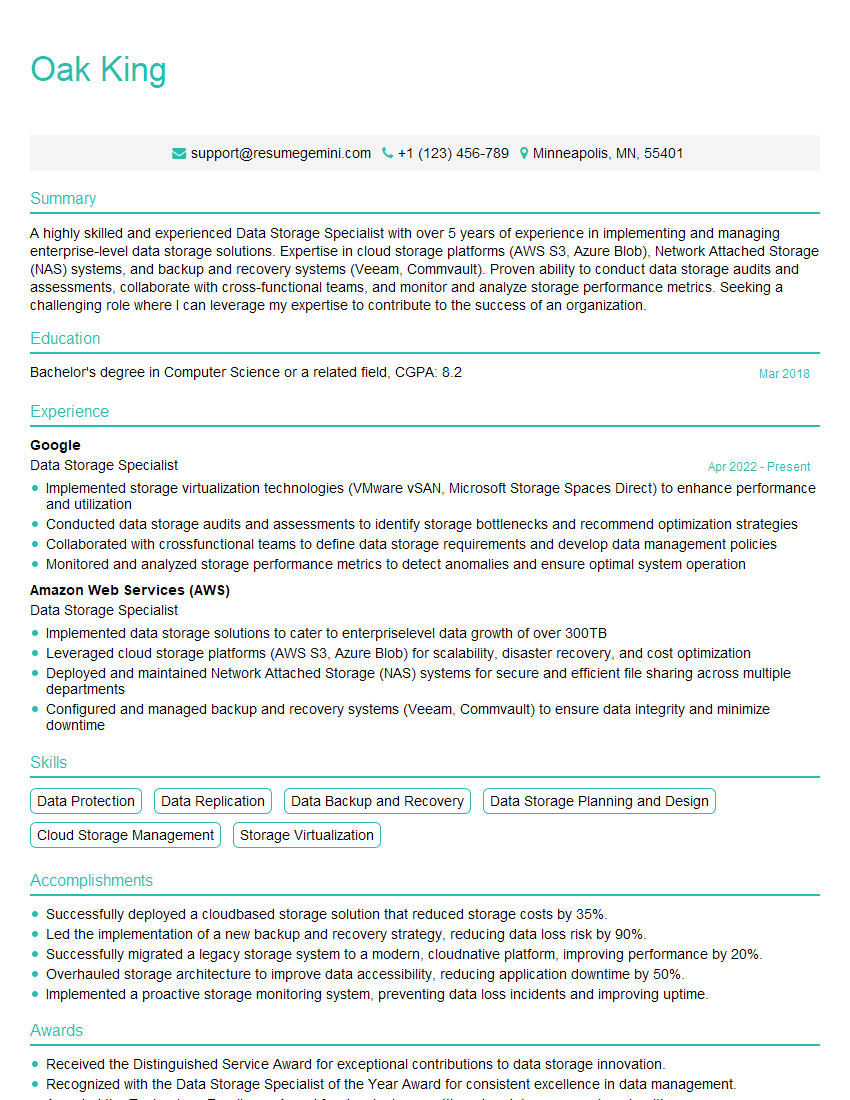
To maximize your chances of landing your dream job, create an ATS-friendly resume that effectively highlights your skills and experience. ResumeGemini is a trusted resource that can help you build a professional and impactful resume. They even provide examples of resumes tailored specifically to NAS Management to give you a head start. Take advantage of these resources to present yourself in the best possible light!
Explore more articles
Users Rating of Our Blogs
Share Your Experience
We value your feedback! Please rate our content and share your thoughts (optional).
What Readers Say About Our Blog
Amazing blog
Interesting Article, I liked the depth of knowledge you’ve shared.
Helpful, thanks for sharing.