Every successful interview starts with knowing what to expect. In this blog, we’ll take you through the top Network Security and Management interview questions, breaking them down with expert tips to help you deliver impactful answers. Step into your next interview fully prepared and ready to succeed.
Questions Asked in Network Security and Management Interview
Q 1. Explain the difference between symmetric and asymmetric encryption.
Symmetric and asymmetric encryption are two fundamental approaches to securing data. The core difference lies in the number of keys used for encryption and decryption.
Symmetric Encryption: Uses the same secret key for both encryption and decryption. Think of it like a shared secret code – both sender and receiver need the same key to unlock the message. This is fast and efficient but presents a key distribution challenge: how do you securely share the secret key without compromising it? Examples include AES (Advanced Encryption Standard) and DES (Data Encryption Standard).
Asymmetric Encryption: Employs a pair of keys: a public key and a private key. The public key can be shared widely; anyone can use it to encrypt a message. However, only the corresponding private key can decrypt it. This elegantly solves the key distribution problem. Imagine a mailbox with a slot for anyone to drop letters (public key encryption) but only the owner has the key to open it (private key decryption). RSA (Rivest-Shamir-Adleman) is a prominent example.
In short: Symmetric encryption is like a shared secret whispered between two people, while asymmetric encryption is like sending a locked box through the mail with only the recipient holding the key.
Q 2. What are the key components of a firewall?
A firewall is a network security system that monitors and controls incoming and outgoing network traffic based on predetermined security rules. Think of it as a gatekeeper for your network, allowing only authorized traffic to pass.
Key Components:
- Packet Filtering: Examines each network packet’s header information (source/destination IP addresses, ports, protocols) and decides whether to allow or block it based on configured rules. This is the most basic firewall functionality.
- Stateful Inspection: Tracks the state of network connections. It understands the context of a packet within a conversation, allowing legitimate return traffic while blocking unexpected or unsolicited connections. It’s more sophisticated than simple packet filtering.
- Application-Level Gateway (Proxy): Acts as an intermediary for specific applications. It deeply inspects the application data, offering more granular control and enhanced security compared to simple packet filtering. For instance, it can check for malicious code in web traffic.
- Network Address Translation (NAT): Masquerades internal IP addresses, hiding them from the external network and providing another layer of security.
- Intrusion Prevention System (IPS): Integrates intrusion detection capabilities, actively blocking malicious traffic identified as threats. It’s an advanced layer that goes beyond simple blocking and actively mitigates attacks.
Firewalls are essential for protecting networks from unauthorized access and malicious activities. The specific components used vary based on the firewall’s complexity and the security requirements of the network.
Q 3. Describe the different types of Denial of Service (DoS) attacks.
Denial-of-Service (DoS) attacks aim to make a machine or network resource unavailable to its intended users. They achieve this by flooding the target with traffic or exploiting vulnerabilities.
Types of DoS Attacks:
- Volumetric Attacks: These overwhelm the target with sheer volume of traffic. Examples include:
- UDP floods: Sending massive amounts of UDP packets.
- ICMP floods (Ping of Death): Exploiting vulnerabilities in ICMP handling.
- HTTP floods: Sending numerous HTTP requests.
- Protocol Attacks: These exploit weaknesses in network protocols. Examples include:
- SYN floods: Exploiting the TCP handshake process to consume server resources.
- Smurf attacks: Amplifying an attack by using broadcast addresses.
- Application-Layer Attacks: Target specific applications or services. These are often more sophisticated and difficult to defend against. Examples include:
- Slowloris: Keeping connections open for extended periods, consuming server resources slowly.
- HTTP request floods with invalid parameters: Overwhelming application servers with malformed requests.
- Distributed Denial-of-Service (DDoS) Attacks: These are amplified versions of DoS attacks, using multiple compromised systems (botnets) to launch the assault, making them far more powerful and difficult to mitigate.
DoS attacks disrupt services and can have significant financial and reputational consequences. Effective mitigation strategies involve various techniques, such as rate limiting, filtering, and using content delivery networks (CDNs).
Q 4. What is a VPN and how does it work?
A Virtual Private Network (VPN) extends a private network across a public network, like the internet. It creates a secure tunnel, encrypting all data transmitted between two points. Imagine it as a secure, encrypted pipe running through the internet.
How it Works:
- Connection Establishment: The VPN client (on your computer or device) connects to a VPN server.
- Encryption: All data transmitted between your device and the VPN server is encrypted using a cryptographic protocol (like IPsec or OpenVPN).
- Data Transmission: The encrypted data travels through the public internet to the VPN server.
- Decryption: The VPN server decrypts the data and forwards it to its final destination (or vice-versa for outbound traffic).
- Return Encryption: The response is encrypted again by the VPN server and transmitted back to your device.
VPNs offer several benefits, including enhanced security (protecting data from eavesdropping), anonymity (masking your IP address), and bypassing geo-restrictions. However, they introduce performance overhead and may depend on the trustworthiness of the VPN provider.
Q 5. Explain the concept of intrusion detection and prevention systems (IDS/IPS).
Intrusion Detection and Prevention Systems (IDS/IPS) are security technologies designed to detect and respond to malicious activities within a network. They act as security guards, monitoring network traffic and system events for suspicious behavior.
IDS: Primarily focuses on detecting intrusions and generating alerts. It acts like a security camera, passively observing and reporting suspicious activity. It might log events, but it generally doesn’t actively stop the attack.
IPS: Builds upon IDS functionality, actively blocking or mitigating malicious activity. It’s more like a security guard who can not only see a threat but also intervene to stop it. It can block malicious packets, reset connections, or take other actions to neutralize the threat.
How They Work: Both IDS and IPS use various techniques to detect intrusions, including:
- Signature-based detection: Looks for known attack patterns (signatures) in network traffic or system logs.
- Anomaly-based detection: Identifies deviations from established baseline behavior. This is useful for detecting zero-day exploits (new attacks not yet seen before).
IDS/IPS are crucial components of a layered security architecture, providing valuable insights and active protection against various cyber threats.
Q 6. What are the benefits and drawbacks of using cloud-based security solutions?
Cloud-based security solutions offer several advantages but also have potential drawbacks.
Benefits:
- Scalability and Flexibility: Easily scale resources up or down based on needs, adjusting security measures as required.
- Cost-effectiveness: Often cheaper than maintaining on-premises security infrastructure, as costs are generally subscription-based.
- Centralized Management: Provides a single point of management for multiple security tools and devices.
- Automatic Updates: Regular software and signature updates, minimizing the risk of outdated security.
Drawbacks:
- Vendor Lock-in: Migrating away from a specific cloud provider can be difficult and time-consuming.
- Dependency on Third-party Providers: Security relies on the provider’s capabilities and security posture.
- Data Privacy Concerns: Data resides on the provider’s infrastructure, potentially raising privacy concerns.
- Limited Control: Less direct control over the underlying security infrastructure compared to on-premises solutions.
The decision of whether to use cloud-based security solutions depends on factors such as budget, organizational size, security expertise, and risk tolerance. A careful risk assessment should be performed to weigh the advantages against potential drawbacks.
Q 7. How do you perform a risk assessment?
A risk assessment is a systematic process to identify, analyze, and evaluate potential threats and vulnerabilities to an organization’s assets. It aims to understand the likelihood and impact of security incidents.
How to Perform a Risk Assessment:
- Asset Identification: Identify all valuable assets, both physical (servers, hardware) and intangible (data, intellectual property).
- Threat Identification: Identify potential threats that could target these assets. Examples include malware, phishing attacks, insider threats, natural disasters.
- Vulnerability Identification: Identify vulnerabilities in systems, processes, and people that could be exploited by threats.
- Risk Assessment: Analyze the likelihood of each threat exploiting a vulnerability and the potential impact of a successful attack. This often uses a risk matrix (combining likelihood and impact scores).
- Risk Response Planning: Develop strategies to mitigate identified risks. Options include risk avoidance, risk reduction (implementing controls), risk transfer (insurance), and risk acceptance (acknowledging the risk and accepting its potential impact).
- Monitoring and Review: Regularly monitor the effectiveness of implemented controls and review the risk assessment to reflect changing environments and threats.
Risk assessments are crucial for organizations to prioritize security efforts, allocate resources effectively, and minimize the likelihood and impact of security incidents. The specific methodology used will depend on the organization’s size, complexity, and regulatory requirements.
Q 8. Describe your experience with vulnerability scanning and penetration testing.
Vulnerability scanning and penetration testing are crucial for identifying and mitigating security risks within a network. Vulnerability scanning is like a comprehensive health check for your network, automatically identifying known weaknesses in software, hardware, and configurations. Penetration testing, on the other hand, simulates real-world attacks to assess the effectiveness of your security controls. It goes beyond simply identifying vulnerabilities; it actually tries to exploit them to understand the potential impact.
In my previous role at Acme Corp, I regularly used Nessus and OpenVAS for vulnerability scanning. We’d schedule scans on a recurring basis, targeting servers, workstations, and network devices. The results would be meticulously analyzed, prioritizing critical vulnerabilities based on severity and exploitability. For penetration testing, we used both black-box (testers have no prior knowledge) and white-box (testers have full knowledge of the system) approaches, employing tools like Metasploit and Burp Suite. A key project involved a penetration test of our newly implemented cloud infrastructure. This highlighted a misconfiguration in our access control lists (ACLs), potentially exposing sensitive data. The issue was swiftly remediated, demonstrating the value of proactive testing.
The process typically involved defining the scope, conducting the scan/test, analyzing the findings, generating reports, and collaborating with development and operations teams to implement fixes. I’ve also developed custom scripts to automate parts of the process, improving efficiency and reducing human error.
Q 9. Explain your understanding of different authentication methods.
Authentication methods verify the identity of a user or device attempting to access a system or network. There are several types, each with its strengths and weaknesses:
- Password-based authentication: The most common, but susceptible to phishing and brute-force attacks. Adding multi-factor authentication (MFA) significantly enhances security.
- Multi-factor authentication (MFA): Requires multiple factors for verification, such as a password, a one-time code from an authenticator app, or a biometric scan. This dramatically reduces the risk of unauthorized access.
- Biometric authentication: Uses unique biological characteristics like fingerprints or facial recognition. It’s convenient but can be vulnerable to spoofing if not properly implemented.
- Certificate-based authentication: Uses digital certificates to verify the identity of users and devices. It’s commonly used in corporate environments and secure web communications.
- Token-based authentication: Relies on temporary tokens, often used in APIs and single sign-on (SSO) systems. It’s generally more secure than password-based systems as tokens have a limited lifespan.
For example, at my previous company, we transitioned from a solely password-based system to one incorporating MFA for all employees accessing sensitive data. This significantly improved our security posture, minimizing the risk of compromised accounts.
Q 10. What are common security protocols (e.g., TLS, SSH, HTTPS)?
Security protocols ensure secure communication between systems. Key examples include:
- TLS (Transport Layer Security): The successor to SSL, TLS encrypts data transmitted over a network, protecting it from eavesdropping and tampering. It’s crucial for secure web browsing (HTTPS), email (IMAP/SMTP over TLS), and other applications requiring secure communication.
- SSH (Secure Shell): Provides a secure channel for remote access to network devices and servers. It encrypts all data transmitted between the client and server, preventing unauthorized access and data interception.
- HTTPS (Hypertext Transfer Protocol Secure): The secure version of HTTP, it uses TLS to encrypt communication between web browsers and servers. It’s essential for protecting sensitive data exchanged during online transactions and browsing.
Think of TLS as a secure envelope for your data. SSH is like a secure tunnel for remote access. HTTPS is simply HTTP using that secure envelope.
Q 11. How do you handle security incidents?
Handling security incidents requires a systematic approach. My process typically follows these steps:
- Detection: Identify the incident using monitoring tools, alerts, or user reports. This often involves SIEM tools and network monitoring systems.
- Analysis: Determine the scope, impact, and root cause of the incident. This may involve analyzing logs, network traffic, and affected systems.
- Containment: Isolate affected systems to prevent further damage. This might involve disconnecting servers from the network or blocking malicious traffic.
- Eradication: Remove the threat and restore systems to a secure state. This could include removing malware, patching vulnerabilities, or resetting compromised accounts.
- Recovery: Restore data and services to normal operation. Regular backups are critical for a smooth recovery process.
- Post-incident activity: Document the incident, analyze lessons learned, and implement preventative measures to avoid future occurrences. This also involves updating security policies and procedures.
For instance, during an incident involving a ransomware attack, I led the team in isolating the affected servers, restoring data from backups, and implementing stricter access controls to prevent future breaches.
Q 12. Explain your experience with SIEM (Security Information and Event Management) tools.
SIEM (Security Information and Event Management) tools centralize and analyze security logs from various sources, providing real-time visibility into network activity. This allows for proactive threat detection, incident response, and compliance reporting. I have extensive experience with Splunk and QRadar, using them to monitor network traffic, identify suspicious activities, and generate alerts.
For example, at a previous company, we used Splunk to correlate logs from firewalls, intrusion detection systems, and servers. This allowed us to detect and respond to a sophisticated phishing attack in its early stages, preventing a significant data breach. We created custom dashboards and alerts to proactively monitor for specific threats and anomalies. The ability to perform complex searches and correlation across various data sources is invaluable for efficient security monitoring and incident response.
Q 13. What are your experiences with network segmentation?
Network segmentation divides a network into smaller, isolated segments to limit the impact of security breaches. It’s like having separate rooms in a house, each with its own lock and security system. If one room is compromised, the others remain secure. This significantly reduces the attack surface and prevents lateral movement of attackers.
In my work, I’ve implemented network segmentation using VLANs (Virtual LANs) and firewalls. VLANs allow logical separation of devices on a physical network, while firewalls control traffic flow between segments. For example, we segmented our corporate network into different VLANs for guest Wi-Fi, employee workstations, and servers. This ensured that a compromised guest Wi-Fi network wouldn’t affect the more sensitive employee or server networks. Properly designed segmentation requires careful planning and coordination, considering both security and network performance.
Q 14. Describe your experience with different types of firewalls (e.g., next-generation firewalls).
Firewalls control network traffic based on predefined rules, acting as a crucial security barrier. Next-Generation Firewalls (NGFWs) go beyond traditional firewalls by adding advanced features like deep packet inspection, application control, and intrusion prevention. They analyze not just the source and destination IP addresses but also the content of the traffic, allowing for more granular control.
I’ve worked with both traditional packet filtering firewalls and NGFWs from vendors like Palo Alto Networks and Fortinet. Traditional firewalls are simpler and suitable for basic network protection, while NGFWs offer more sophisticated threat protection, particularly against advanced attacks. NGFWs often integrate with SIEM systems for enhanced threat detection and analysis. The choice of firewall depends on the specific security needs and budget. For example, a small business might opt for a simpler, less expensive traditional firewall, while a large enterprise would likely benefit from the advanced capabilities of an NGFW.
Q 15. What is your understanding of zero-trust security?
Zero Trust security is a cybersecurity framework built on the principle of “never trust, always verify.” Unlike traditional perimeter-based security, which assumes that anything inside the network is trustworthy, Zero Trust assumes no implicit trust, regardless of location (inside or outside the network). Every user, device, and application requesting access to resources must be authenticated and authorized, regardless of network location.
Think of it like this: imagine a high-security building. In a traditional approach, you might only have security at the front door. Zero Trust is like having security checkpoints at every door, elevator, and even individual rooms. Every access attempt is validated.
Implementing Zero Trust involves several key components:
- Strong Authentication: Multi-Factor Authentication (MFA) is crucial. This could include passwords, one-time codes, biometrics, etc.
- Micro-segmentation: Dividing the network into smaller, isolated segments limits the impact of a breach. If one segment is compromised, the others remain protected.
- Least Privilege Access Control: Users only have access to the resources absolutely necessary for their roles.
- Continuous Monitoring and Analytics: Regularly monitor user activity and network traffic for suspicious behavior.
- Data Loss Prevention (DLP): Tools and policies to prevent sensitive data from leaving the organization.
In a practical setting, Zero Trust would mean that even if an employee is connected to the company’s internal network from their office, they still need to authenticate and be authorized before accessing specific files or applications. This significantly reduces the impact of insider threats and external breaches.
Career Expert Tips:
- Ace those interviews! Prepare effectively by reviewing the Top 50 Most Common Interview Questions on ResumeGemini.
- Navigate your job search with confidence! Explore a wide range of Career Tips on ResumeGemini. Learn about common challenges and recommendations to overcome them.
- Craft the perfect resume! Master the Art of Resume Writing with ResumeGemini’s guide. Showcase your unique qualifications and achievements effectively.
- Don’t miss out on holiday savings! Build your dream resume with ResumeGemini’s ATS optimized templates.
Q 16. Explain your experience with implementing security policies and procedures.
My experience in implementing security policies and procedures spans several years and various organizational structures. I’ve been involved in the entire lifecycle, from initial assessment and risk analysis to policy drafting, implementation, training, and ongoing review and refinement.
For example, in my previous role, we implemented a new data security policy that addressed compliance with GDPR. This involved:
- Risk Assessment: Identifying sensitive data assets and potential vulnerabilities.
- Policy Drafting: Creating a detailed policy outlining data handling procedures, access controls, and data breach response protocols.
- Training and Awareness: Educating employees on the new policy through interactive training sessions and documentation.
- Implementation: Configuring access controls, implementing data encryption, and integrating DLP tools.
- Monitoring and Review: Regularly monitoring adherence to the policy and updating it based on evolving threats and regulatory requirements.
Another key experience involved developing and implementing a security awareness training program. This involved creating engaging modules focusing on phishing scams, password security, and social engineering techniques. We tracked employee participation and assessed knowledge retention through quizzes and simulations, resulting in a significant reduction in security incidents.
Q 17. How do you stay up-to-date with the latest security threats and vulnerabilities?
Staying current with security threats and vulnerabilities is crucial in this ever-evolving landscape. I employ a multi-pronged approach:
- Subscription to Threat Intelligence Feeds: I actively subscribe to reputable threat intelligence services (e.g., from security vendors, government agencies) that provide timely alerts on emerging threats and vulnerabilities.
- Regular Security News and Blogs: I follow leading security blogs, websites, and publications (e.g., KrebsOnSecurity, Threatpost) to stay informed about the latest attacks and vulnerabilities.
- Participation in Security Communities: Engaging with online forums, attending webinars and conferences, and networking with other security professionals allows for valuable knowledge sharing and exposure to diverse perspectives.
- Vulnerability Scanning and Penetration Testing: Performing regular vulnerability scans and penetration testing on our systems and applications allows us to proactively identify and mitigate weaknesses.
- Security Certifications and Training: I maintain current certifications (e.g., CISSP, CEH) and actively pursue continuing education to stay abreast of the latest techniques and best practices.
For example, when the Log4j vulnerability was discovered, I immediately reviewed our systems to identify potential exposure and implemented necessary patching and mitigation strategies. This proactive approach minimized the risk of compromise.
Q 18. Describe your experience with network monitoring tools.
I have extensive experience with various network monitoring tools, including:
- Network Monitoring Systems (NMS): Such as SolarWinds, PRTG, and Nagios, for monitoring network performance, bandwidth usage, and device availability. These tools provide real-time dashboards and alerts for performance degradation or outages.
- Security Information and Event Management (SIEM) Systems: Such as Splunk, QRadar, and LogRhythm, for collecting and analyzing security logs from various sources. This helps detect security incidents and suspicious activities.
- Intrusion Detection/Prevention Systems (IDS/IPS): Tools like Snort and Suricata, which analyze network traffic for malicious activity and can block or alert on suspicious patterns.
- Network Flow Analyzers: These tools provide detailed visibility into network traffic patterns, identifying bottlenecks and potential security issues.
In a recent project, we used a SIEM system to detect and respond to a series of suspicious login attempts. The system’s alerts allowed us to quickly investigate the activity, identify the compromised accounts, and implement preventative measures, limiting the potential damage significantly.
Q 19. What is your experience with security auditing and compliance (e.g., ISO 27001, SOC 2)?
I possess significant experience in security auditing and compliance, particularly concerning ISO 27001 and SOC 2. I have participated in multiple audits, both internal and external, and have been instrumental in developing and implementing processes to meet these standards.
For ISO 27001, this involved:
- Risk Assessment and Treatment: Identifying and assessing risks to information assets, and implementing appropriate controls to mitigate them.
- Policy and Procedure Development: Creating and maintaining policies and procedures related to information security management.
- Internal Audits: Conducting regular internal audits to ensure compliance with the implemented security controls.
- Management Review: Participating in management reviews to assess the effectiveness of the information security management system.
For SOC 2 compliance, the focus was on the trust services principles (Security, Availability, Processing Integrity, Confidentiality, and Privacy). This included designing and documenting controls related to data security, access management, and incident response. We worked closely with auditors to gather evidence and demonstrate compliance with the SOC 2 criteria.
In both cases, the successful completion of the audits demonstrated our commitment to protecting sensitive information and meeting stringent regulatory requirements.
Q 20. Explain the concept of access control lists (ACLs).
Access Control Lists (ACLs) are sets of rules that determine which users or devices are permitted or denied access to specific network resources. They act as a gatekeeper, controlling network traffic based on pre-defined criteria.
Imagine a bouncer at a nightclub. The bouncer (ACL) checks each person’s ID (source IP address, port, etc.) against a list of allowed guests (permitted traffic) and denies entry to those not on the list.
ACLs can be implemented at various layers of the network:
- Routers: Controlling traffic between different networks.
- Firewalls: Filtering traffic based on source/destination IP addresses, ports, and protocols.
- Switches: Controlling access to specific ports and VLANs.
A typical ACL entry might look like this (the exact syntax varies depending on the device):
permit tcp any host 192.168.1.100 eq 22This rule permits TCP traffic from any source IP address to the host with IP address 192.168.1.100 on port 22 (SSH). ACLs are powerful tools for securing networks by restricting unauthorized access and improving overall network security.
Q 21. What is your experience with multi-factor authentication (MFA)?
Multi-Factor Authentication (MFA) is a security measure requiring users to provide multiple forms of authentication to verify their identity. This significantly enhances security by adding an extra layer of protection beyond just a password.
Think of it like this: accessing your bank account requires not only your password (something you know) but also a code sent to your phone (something you have). This combination makes it much harder for unauthorized individuals to gain access, even if they obtain your password.
My experience with MFA includes implementation and management across various platforms and technologies. This includes:
- Time-Based One-Time Passwords (TOTP): Using applications like Google Authenticator or Authy to generate time-sensitive codes.
- Push Notifications: Receiving authentication requests directly on a mobile device.
- Hardware Tokens: Using physical security keys or smart cards.
- Biometrics: Fingerprint or facial recognition scans.
In previous roles, I’ve been responsible for deploying MFA across our organization, requiring all users to register for MFA and integrating it with various applications, including email, VPN access, and cloud services. This significantly improved our security posture and reduced the risk of unauthorized access.
Q 22. Describe different types of malware and how to mitigate their impact.
Malware encompasses various malicious software designed to damage, disrupt, or gain unauthorized access to computer systems. Think of it like a spectrum of digital diseases, each with its own symptoms and treatment.
- Viruses: Self-replicating programs that attach themselves to other files. Like a biological virus, they spread and infect other parts of the system. An example would be a virus that attaches itself to an email attachment and infects the recipient’s computer upon opening.
- Worms: Self-replicating programs that spread independently, often across networks. Unlike viruses, they don’t need to attach to a host file. Think of them as highly contagious digital bugs that crawl through your network.
- Trojans: Programs disguised as legitimate software that secretly perform malicious actions. They often act as a backdoor, giving attackers remote access to your system. Imagine a Trojan horse, seemingly harmless on the outside, but concealing malicious intent within.
- Ransomware: Malware that encrypts a victim’s files and demands a ransom for their decryption. It’s like a digital kidnapping, holding your data hostage until you pay.
- Spyware: Software that secretly monitors a user’s activity and collects personal information. This is like a hidden digital camera, constantly watching and recording your actions.
- Adware: Software that displays unwanted advertisements. While not as damaging as other types of malware, it can be annoying and consume system resources. Imagine constant pop-up ads interrupting your work.
Mitigation Strategies: Effective mitigation involves a multi-layered approach:
- Antivirus Software: Regularly updated antivirus software is crucial for detecting and removing malware.
- Firewall: A firewall acts as a barrier, preventing unauthorized access to your system.
- Regular Software Updates: Keeping software up-to-date patches security vulnerabilities that malware can exploit.
- User Education: Educating users about phishing scams and safe browsing habits is critical in preventing malware infections.
- Data Backups: Regular backups allow you to recover data in case of a ransomware attack or other data loss.
- Network Segmentation: Dividing your network into smaller segments limits the impact of a malware infection.
Q 23. What is your understanding of data loss prevention (DLP)?
Data Loss Prevention (DLP) is a strategy and set of technologies designed to prevent sensitive data from leaving the organization’s control. Imagine it as a highly secure vault protecting your most valuable assets. It focuses on identifying, monitoring, and protecting confidential information, regardless of its location – whether on servers, laptops, or even in emails.
DLP solutions typically involve:
- Data Discovery and Classification: Identifying and categorizing sensitive data based on predefined rules and policies. This is like creating an inventory of your most valuable items, labeling each with its importance level.
- Monitoring and Alerting: Constantly monitoring data flows for suspicious activity and alerting administrators to potential breaches. It’s like having a security guard constantly watching for unauthorized access attempts.
- Prevention and Enforcement: Preventing the unauthorized transfer or access of sensitive data. This is like reinforcing the vault’s locks and security systems.
A DLP system might prevent a user from copying confidential documents to a USB drive, sending sensitive information via email to an external recipient, or uploading data to an unauthorized cloud storage service.
Practical Application: DLP is crucial for organizations handling sensitive customer data, financial information, or intellectual property. Compliance regulations like GDPR and HIPAA often mandate the implementation of strong DLP measures.
Q 24. How do you handle security breaches?
Handling a security breach requires a swift and coordinated response. It’s like dealing with a medical emergency – every second counts. My approach follows a structured incident response plan:
- Preparation: Having a well-defined incident response plan in place before a breach occurs is critical. This involves defining roles, responsibilities, and procedures.
- Detection and Analysis: Identifying the breach, understanding its scope and impact, and determining the attacker’s methods.
- Containment: Isolating affected systems to prevent further damage and data exfiltration. This is crucial to limit the spread of the infection.
- Eradication: Removing the threat and restoring compromised systems to a secure state. This means getting rid of the intruder and fixing any vulnerabilities they exploited.
- Recovery: Restoring data from backups and ensuring business continuity.
- Post-Incident Activity: Conducting a thorough post-incident review to identify vulnerabilities, improve security measures, and prevent future breaches. Learning from mistakes is essential to strengthen defenses.
Example: In a scenario where a phishing attack led to malware infection, I would immediately isolate the affected machine from the network, initiate a forensic investigation to analyze the malware, restore data from a backup, and then implement additional security awareness training for employees.
Q 25. Explain your experience with log analysis and security monitoring.
Log analysis and security monitoring are essential for maintaining a secure network. It’s like having a sophisticated security camera system for your digital world, constantly recording and analyzing events for threats. My experience includes using various Security Information and Event Management (SIEM) tools to collect, analyze, and correlate logs from different sources such as firewalls, intrusion detection systems, and servers.
I’m proficient in using tools like Splunk, ELK stack (Elasticsearch, Logstash, Kibana), and QRadar. I use these tools to:
- Identify Security Threats: Analyzing logs for suspicious activities like failed login attempts, unusual network traffic, or malware infections.
- Detect Anomalies: Identifying deviations from normal network behavior that may indicate a security breach.
- Investigate Security Incidents: Analyzing logs to understand the root cause of security incidents and to determine the extent of the damage.
- Generate Security Reports: Producing reports on security trends and vulnerabilities to inform management decisions.
For example, I once used Splunk to detect a sophisticated, stealthy attack that was evading traditional antivirus solutions. By analyzing network traffic logs, I identified unusual communication patterns indicative of command-and-control traffic, enabling a timely response to neutralize the threat.
Q 26. What are your thoughts on the future of network security?
The future of network security will be shaped by several key trends:
- AI and Machine Learning: AI and ML will play an increasingly important role in threat detection, prediction, and response. These technologies can analyze vast amounts of data to identify patterns and anomalies that humans might miss.
- Automation: Automation will be key to improving efficiency and effectiveness in security operations. This includes automating tasks such as vulnerability scanning, threat response, and incident handling.
- Cloud Security: Cloud adoption continues to rise, demanding sophisticated security measures to protect data and applications residing in the cloud. Zero Trust architectures will become even more vital.
- DevSecOps: Integrating security into the software development lifecycle (SDLC) from the beginning to ensure security is built into applications, rather than bolted on later.
- The Rise of IoT: The growing number of IoT devices presents significant security challenges due to their limited processing power and security features. Securing these devices will require novel approaches.
- Quantum Computing: While still in its early stages, quantum computing poses a potential threat to current cryptographic methods. The development of quantum-resistant cryptography will be essential.
The security landscape will continue to evolve, demanding adaptive and proactive security strategies that leverage new technologies while addressing emerging threats.
Q 27. Describe a challenging security problem you solved and how you approached it.
I once faced a challenge involving a persistent denial-of-service (DoS) attack targeting our web application. The attack was sophisticated, using multiple sources to flood our servers with traffic, causing significant downtime and impacting our business operations. Traditional methods of mitigation weren’t effective.
My approach involved a multi-pronged strategy:
- Analysis: I first analyzed the attack traffic using network monitoring tools to identify its source, pattern, and techniques. I realized it wasn’t a simple flood, but a more advanced distributed denial-of-service (DDoS) attack leveraging botnets.
- Mitigation: We implemented a combination of techniques, including rate limiting to filter out excessive requests, a content delivery network (CDN) to distribute traffic across multiple servers, and an anti-DDoS service from a cloud provider.
- Root Cause Analysis: We investigated the vulnerability in our application that allowed the attack to succeed. We found a flaw in our server configuration that was being exploited.
- Remediation: We patched the vulnerability, strengthened our server security configuration, and implemented more robust intrusion detection and prevention systems.
- Prevention: Following the attack, we implemented stricter security policies, further security awareness training, and improved our overall security posture to minimize the likelihood of future occurrences.
This situation highlighted the importance of a comprehensive approach to security, combining reactive measures with proactive strategies to prevent and mitigate future threats.
Key Topics to Learn for Network Security and Management Interview
- Network Fundamentals: Understanding TCP/IP model, subnetting, routing protocols (BGP, OSPF), and network topologies is fundamental. Consider practical scenarios involving network troubleshooting and optimization.
- Firewall Management: Learn about different firewall types (packet filtering, stateful inspection, application-level gateways), their configurations, and how to implement effective security policies. Practice designing firewall rulesets for various network scenarios.
- Intrusion Detection and Prevention Systems (IDS/IPS): Explore how these systems work, their limitations, and how to analyze their logs to identify and respond to security incidents. Practice interpreting security alerts and taking appropriate action.
- Virtual Private Networks (VPNs): Understand different VPN technologies (IPsec, SSL/TLS), their security implications, and how to configure and manage them securely. Consider scenarios involving remote access and secure communication.
- Security Information and Event Management (SIEM): Learn about log aggregation, correlation, and analysis. Understand how SIEM systems contribute to threat detection and incident response. Practice analyzing security logs to identify potential threats.
- Vulnerability Management: Discuss vulnerability scanning techniques, penetration testing methodologies, and risk assessment procedures. Practice identifying and mitigating vulnerabilities in various network devices and applications.
- Cloud Security: Understand security considerations specific to cloud environments (IaaS, PaaS, SaaS), including access control, data encryption, and compliance regulations. Consider practical scenarios involving securing cloud-based resources.
- Security Auditing and Compliance: Familiarize yourself with common security standards and frameworks (ISO 27001, NIST Cybersecurity Framework). Understand the importance of regular security audits and compliance checks.
Next Steps
Mastering Network Security and Management opens doors to exciting and high-demand careers, offering excellent growth potential and competitive salaries. To maximize your job prospects, create a compelling and ATS-friendly resume that showcases your skills and experience effectively. ResumeGemini is a trusted resource to help you build a professional and impactful resume. We provide examples of resumes tailored to Network Security and Management to help you get started. Invest the time to craft a resume that truly reflects your capabilities – it’s your first impression with potential employers.

Compliance Officer Resume Sample

Security Analyst Resume Sample

Security Consultant Resume Sample

Network Administrator Resume Sample
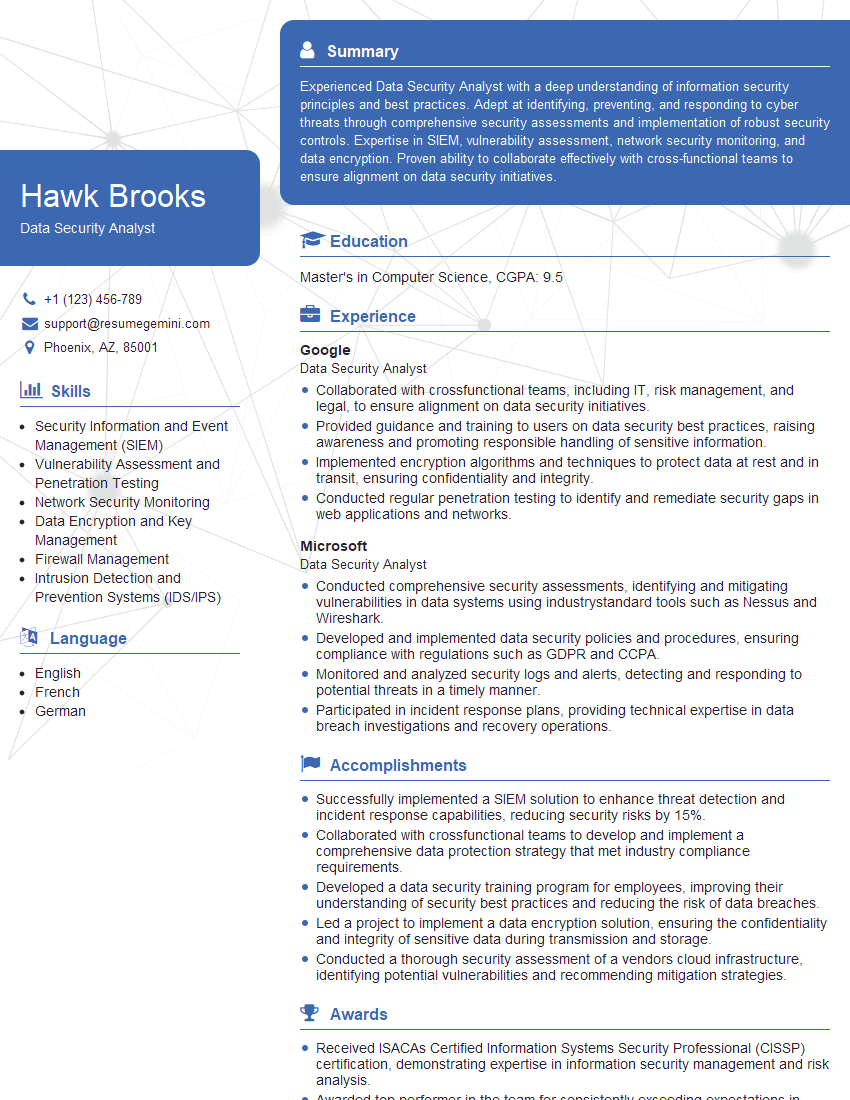
Data Security Analyst Resume Sample

Information Security Manager Resume Sample

Network Engineer Resume Sample

Network Security Engineer Resume Sample

Security Architect Resume Sample

System Administrator Resume Sample

IT Manager Resume Sample

Cybersecurity Analyst Resume Sample
Explore more articles
Users Rating of Our Blogs
Share Your Experience
We value your feedback! Please rate our content and share your thoughts (optional).
What Readers Say About Our Blog
Amazing blog
hello,
Our consultant firm based in the USA and our client are interested in your products.
Could you provide your company brochure and respond from your official email id (if different from the current in use), so i can send you the client’s requirement.
Payment before production.
I await your answer.
Regards,
MrSmith
hello,
Our consultant firm based in the USA and our client are interested in your products.
Could you provide your company brochure and respond from your official email id (if different from the current in use), so i can send you the client’s requirement.
Payment before production.
I await your answer.
Regards,
MrSmith
These apartments are so amazing, posting them online would break the algorithm.
https://bit.ly/Lovely2BedsApartmentHudsonYards
Reach out at BENSON@LONDONFOSTER.COM and let’s get started!
Take a look at this stunning 2-bedroom apartment perfectly situated NYC’s coveted Hudson Yards!
https://bit.ly/Lovely2BedsApartmentHudsonYards
Live Rent Free!
https://bit.ly/LiveRentFREE
Interesting Article, I liked the depth of knowledge you’ve shared.
Helpful, thanks for sharing.
Hi, I represent a social media marketing agency and liked your blog
Hi, I represent an SEO company that specialises in getting you AI citations and higher rankings on Google. I’d like to offer you a 100% free SEO audit for your website. Would you be interested?