Interviews are opportunities to demonstrate your expertise, and this guide is here to help you shine. Explore the essential Wilcom Embroidery Studio interview questions that employers frequently ask, paired with strategies for crafting responses that set you apart from the competition.
Questions Asked in Wilcom Embroidery Studio Interview
Q 1. Explain the difference between running stitch and satin stitch in Wilcom Embroidery Studio.
In Wilcom Embroidery Studio, running stitch and satin stitch are fundamental stitch types, but they differ significantly in their appearance and application.
Running Stitch: This is the simplest stitch type, creating a single line of stitches. Think of it like a basic hand-sewing stitch. It’s ideal for outlining, creating simple lines, or adding text with a thin, slightly sketchy look. It’s also efficient for long, straight seams as it uses less thread. You might use a running stitch to create a simple border around a design or to add a quick outline before applying more complex stitches.
Satin Stitch: This creates a solid fill, covering an area completely with dense, parallel stitches. Imagine it like a tightly woven fabric. It’s perfect for filling solid shapes and creating sharp, defined areas. However, it’s important to ensure proper density and underlay to avoid puckering or thread breakage. You would use this for filling in the solid areas of a logo, for instance.
The key difference lies in their density and purpose: running stitch is for lines and outlines, while satin stitch is for solid fills.
Q 2. How do you manage thread breaks during the embroidery process?
Managing thread breaks during embroidery involves proactive measures and troubleshooting techniques. Firstly, using high-quality thread is crucial. I always recommend pre-winding bobbins with tension properly adjusted. Before starting a project, I run a test stitch-out to check thread tension and identify potential issues.
During the digitizing process, I pay close attention to jump stitches. Long jump stitches increase the risk of thread breaks, so I optimize the design to minimize their length. In Wilcom, I use the ‘Jump Stitch’ command to strategically place them in less visible areas.
If a thread break does occur, I investigate several potential causes:
- Thread tension: Incorrect tension, either in the needle or bobbin, is the most common culprit. I’ll adjust the tension settings on my machine.
- Needle issues: A bent, dull, or incorrect needle type can contribute to breaks. I’ll inspect and replace the needle if necessary.
- Fabric or stabilizer issues: Using the wrong stabilizer or a poorly-backed fabric can also cause breakage. I carefully select my stabilizer based on the fabric and design.
- Design issues: Tight curves or densely packed stitches can put stress on the thread. I sometimes need to subtly alter the design to ease the stress.
Troubleshooting involves a systematic approach, starting with the simplest solutions (tension checks) and moving to more complex ones (design modifications). A well-maintained machine and a thorough understanding of the design are key to preventing thread breaks.
Q 3. Describe your experience with different types of embroidery stabilizers and their applications.
Stabilizers are essential for successful embroidery; they provide support to the fabric and prevent distortion. My experience encompasses a range of stabilizers, each suited for specific applications:
- Cut-away: This is a robust stabilizer used for most embroidery projects. It’s removed after stitching, leaving a clean finish. It’s my go-to for designs on knits, towels, and other fabrics that need support during stitching but are not meant to have a stiff backing.
- Tear-away: This is a more delicate stabilizer that tears away easily after stitching. It’s ideal for fabrics that need less support and when you want a softer, less stiff feel to the final product. I often use it with lighter-weight fabrics.
- Wash-away: This dissolves in water after embroidery, perfect for delicate fabrics where even a tear-away stabilizer would be too harsh. This is great for items like lingerie or clothing with intricate details.
- Fusible: This adheres to the fabric using heat, providing additional stability. I’ll use this for projects where extra durability is required, like embroidered patches.
Choosing the right stabilizer is crucial. Factors to consider include fabric type, design density, and the desired final result. I often conduct test stitches before committing to a project to ensure the stabilizer choice is appropriate.
Q 4. What are the different types of fill stitches available in Wilcom Embroidery Studio and when would you use each?
Wilcom offers a variety of fill stitches, each with unique characteristics:
- Satin Stitch: As mentioned earlier, this provides a solid, dense fill, excellent for sharp, clean designs.
- Fill Stitch: This is a versatile fill stitch that allows for various density settings, providing flexibility for different fabrics and designs.
- Gradient Fill: Creates a gradual color change within a filled area, adding visual interest. I often use this for decorative elements to create a smooth blending of colors.
- Pattern Fill: Offers a wide array of patterns and textures for fills, providing creative options beyond simple solid fills. You might choose a hatch pattern for a woven look, for example.
- Random Fill: Creates a more organic, less structured fill, ideal for achieving a hand-stitched aesthetic.
The choice of fill stitch depends on the desired look, fabric type, and design complexity. For example, satin stitch is best for sharp lines and logos, while pattern fill allows for textured and artistic expressions. I select the fill stitch based on its suitability to the specific design and the aesthetic I aim to achieve.
Q 5. How do you troubleshoot common digitizing errors in Wilcom Embroidery Studio?
Troubleshooting digitizing errors in Wilcom requires a methodical approach. I start by examining the design for:
- Stitch Density: Too high a density can lead to puckering or thread breakage. I’ll adjust density settings using Wilcom’s tools, making sure it’s appropriate for the fabric and stitch type.
- Underlay: Insufficient underlay can cause distortion or poor stitching. I’ll add or modify the underlay, paying attention to the curve compensation.
- Jump Stitches: Long jump stitches can be problematic. I’ll reduce or adjust their positions to minimize disruptions.
- Object Overlaps: Overlapping objects can cause stitching conflicts. I’ll correct any overlaps and ensure proper object placement.
- Stitch Direction Changes: Too many abrupt stitch direction changes can create weak points. I’ll smooth transitions to reduce stress on the threads.
Wilcom’s built-in tools, like the ‘Stitch Viewer’ and ‘Tension Graph’, can greatly aid in identifying and fixing problems. By carefully inspecting these views, I can pinpoint areas needing adjustment. I also check the ‘color sorting’ to ensure that the machine stitches efficiently and doesn’t cause thread breaks through inefficient thread changes. The process is iterative; I often need to adjust and test before reaching an optimal result.
Q 6. Explain the concept of underlay in embroidery design.
Underlay is a layer of stitches placed beneath the top stitches of an embroidery design. Think of it as a foundation providing support and stability. It helps prevent puckering, especially in designs with satin stitches or dense fills. A well-placed underlay distributes the tension evenly across the fabric, improving stitch quality and preventing distortions, particularly around curves.
Different types of underlays exist, each serving a specific purpose. A tack down underlay holds down the fabric in place, while a satin underlay provides support to satin stitches. The choice of underlay depends largely on the design’s complexity and the fabric’s characteristics.
I typically use underlays in designs with significant solid areas and when working with fabrics that might be prone to stretching or distortion. This prevents puckering and improves the design’s overall quality, especially in more complex designs with many curves and varying stitch densities.
Q 7. How do you optimize your designs for different embroidery machine types?
Optimizing designs for different embroidery machine types involves understanding the limitations and capabilities of each machine. Key factors to consider include:
- Maximum Stitch Density: Some machines have lower stitch density limits. I would adjust density accordingly to prevent issues.
- Needle Type and Size: Different needles are used for various fabric types and thread weights. I need to ensure my design is compatible with the machine’s capabilities.
- Maximum Embroidery Area: I will resize or adjust my designs to fit within the embroidery field of the target machine.
- Stitch Speed: Machines have different speed capabilities, influencing the choice of stitches and design complexity. For some machines with lower speeds, using simpler designs is better.
- Hoop Size: Design dimensions must always be within the limits of the machine’s hoop size. I ensure compatibility by carefully adjusting size and placement.
Wilcom allows for outputting designs in various formats, such as DST, PES, and EXP, ensuring compatibility with various machine brands. I will use the export function to ensure the design fits the limitations of the selected machine. Before production, test stitching is crucial to confirm the design’s suitability for the specific machine.
Q 8. What are some strategies you use to reduce jump stitches in your designs?
Jump stitches, those unsightly long stitches that jump across the design, are a common problem in embroidery. Minimizing them is crucial for a professional finish. My strategy involves a multi-pronged approach. First, I carefully plan my design, avoiding abrupt changes in direction whenever possible. Smooth curves and gradual transitions help significantly. Second, I utilize Wilcom’s built-in tools like the ‘Reduce Jump Stitches’ function which automatically optimizes stitch paths. This is particularly helpful for complex designs. Third, I frequently check the ‘Stitch Preview’ in Wilcom, zooming in to identify and manually correct any remaining long jumps. Think of it like editing a video – little adjustments make a big difference in the final product. For instance, if I’m embroidering a sharp corner, I might add a few extra stitches to create a smoother transition rather than relying on a single long jump stitch to connect two distant points. This iterative process of planning, automation, and manual adjustment consistently produces clean, professional embroidery.
Q 9. Describe your experience working with different embroidery hoop sizes and types.
Experience with different hoop sizes and types is essential for efficient and successful embroidery. I’ve worked extensively with hoops ranging from small 4×4 inch hoops, ideal for detailed logos or smaller patches, to larger 12×12 inch hoops or even larger formats using multi-hoop techniques for larger projects like wall hangings or clothing panels. The choice of hoop size depends entirely on the design dimensions. Different hoop types also impact the process. Plastic hoops are cost-effective and suitable for many projects, but metal hoops offer superior stability and tension control, crucial for larger, denser designs or delicate fabrics. I’ve worked with both magnetic hoops and screw-type hoops and have found that the type of hoop sometimes dictates the fabric I choose for a project – certain hoops are better suited to specific fabrics due to the way they hold tension. In Wilcom, the hoop size is specified at the beginning of the design process; correctly setting this parameter ensures accurate scaling and placement of the design onto the fabric. Choosing the right hoop is akin to selecting the right brush for painting – the wrong tool can lead to significant challenges.
Q 10. How do you handle complex designs in Wilcom Embroidery Studio?
Handling complex designs in Wilcom involves breaking down the project into manageable sections. I often use object grouping and layers extensively to organize the design elements and control stitching sequences. For example, a detailed floral design might be divided into individual flowers, leaves, and stems, each digitized separately and then combined. This ‘divide and conquer’ approach allows for easier editing and troubleshooting. Furthermore, I use Wilcom’s advanced features such as object editing, advanced stitch types, and underlay creation. Underlays, for example, provide support for complex areas, preventing puckering or distortion. The key is to be methodical and patient. Think of it like building with Lego – you wouldn’t start by dumping all the pieces and hoping for the best. Careful planning and a phased approach ensure a clean, accurate final product. Regular saving of the design file is critical at each stage to prevent potential data loss.
Q 11. Explain your experience with color changes and thread management in Wilcom Embroidery Studio.
Color changes and thread management are fundamental aspects of successful embroidery. In Wilcom, I use the color palette effectively, organizing colors logically and naming them clearly. The ‘color change’ function allows me to define where and how thread changes happen. I often optimize color changes to minimize thread tails and improve the stitching flow. For instance, I might plan color changes to occur in less visible areas or utilize the ‘jump stitch’ function to avoid long thread tails. It’s essential to consider thread properties like fiber type and thickness when choosing colors. Thick threads require larger stitch densities and may necessitate adjustments in the design. I take care to create tidy color-change sequences, minimizing wasted thread and ensuring the embroidery maintains its quality and elegance. Careful thread management is like the orchestration of a symphony – every instrument (thread color) needs to play its part at the right moment to produce a beautiful whole.
Q 12. How do you create a professional-looking logo in Wilcom Embroidery Studio?
Creating a professional logo requires attention to detail and a good understanding of design principles. I start by ensuring the original logo artwork is high resolution. In Wilcom, I often begin by vectorizing the logo if it’s not already in vector format. Then, I carefully digitize the logo, paying attention to the appropriate stitch types for different elements. For example, I might use satin stitches for solid areas, fill stitches for complex shapes, and outline stitches for sharp lines. A clean, well-defined underlay is crucial for preventing distortion. I would also consider the material the logo will be stitched on, and choose stitch densities and thread weight accordingly. Finally, I thoroughly check the design for any flaws, ensure appropriate color separations, and test stitch it on a sample fabric. A well-executed logo reflects professionalism and precision; like a well-crafted business card, it’s the first impression of a brand, so I treat the digitization process with equal care.
Q 13. Describe your workflow for digitizing a complex design.
My workflow for digitizing a complex design is systematic and iterative. It involves:
- Design Planning: Understanding the design’s requirements and creating a detailed sketch or layout.
- Vectorization (If necessary): Converting raster images into editable vector formats.
- Object Creation: Digitizing individual elements of the design using appropriate stitch types.
- Object Arrangement: Arranging and grouping objects according to the desired stitching order.
- Stitch Density and Underlay Adjustment: Ensuring appropriate stitch densities and adding underlays for support and stability.
- Color Separation: Defining color changes and organizing thread management.
- Simulation and Testing: Utilizing Wilcom’s simulation tools to preview the design and test it on a sample fabric.
- Refinement and Optimization: Making any necessary adjustments to improve the quality and efficiency of the design.
Q 14. What are the best practices for creating high-quality embroidery designs?
Creating high-quality embroidery designs hinges on several key practices:
- High-Resolution Artwork: Starting with high-quality source material is crucial. Low-resolution images lead to poor stitch quality.
- Appropriate Stitch Types: Using the correct stitch type for each element (satin stitch for smooth areas, fill stitches for textures) ensures a professional look.
- Proper Stitch Density: Achieving the optimal balance between density and stitch count optimizes fabric coverage and thread count.
- Effective Underlays: Utilizing underlays provides support and prevents puckering, especially in dense or complex areas.
- Efficient Color Changes: Minimizing color changes and optimizing their placement to reduce thread tails.
- Thorough Testing: Testing the design on sample fabric is essential to identify and correct any issues before production.
Q 15. How do you ensure your embroidery designs maintain consistency across different fabrics?
Maintaining design consistency across different fabrics in Wilcom Embroidery Studio hinges on understanding fabric properties and adjusting stitch settings accordingly. Different fabrics have varying weights, textures, and drape, all influencing how the stitches behave.
For example, a lightweight fabric like chiffon requires a smaller stitch density and shorter stitch lengths to avoid distortion. Conversely, a heavy-weight denim needs a denser stitch and longer stitch lengths for stability. In Wilcom, I compensate by adjusting parameters within the ‘Stitch Properties’ dialog box. I might decrease the stitch density for delicate fabrics or increase it for heavier ones. I often create test embroideries on fabric scraps first to fine-tune the settings.
Furthermore, I utilize the ‘Fabric Compensation’ feature in Wilcom, if available in the version I’m using, to automatically adjust stitch density based on the fabric type. This feature often requires inputting values related to the fabric’s weight and stretch. Careful attention to these details ensures that the design looks its best regardless of the chosen fabric.
Career Expert Tips:
- Ace those interviews! Prepare effectively by reviewing the Top 50 Most Common Interview Questions on ResumeGemini.
- Navigate your job search with confidence! Explore a wide range of Career Tips on ResumeGemini. Learn about common challenges and recommendations to overcome them.
- Craft the perfect resume! Master the Art of Resume Writing with ResumeGemini’s guide. Showcase your unique qualifications and achievements effectively.
- Don’t miss out on holiday savings! Build your dream resume with ResumeGemini’s ATS optimized templates.
Q 16. Describe your experience with creating 3D embroidery effects.
Creating 3D embroidery effects in Wilcom involves layering different design elements and manipulating stitch density and underlay to build depth and dimension. I often utilize multiple layers of embroidery to achieve a three-dimensional feel. For example, to create a puffy flower, I might start with a densely stitched base layer to define the shape. Then I add layered petals stitched with less density, allowing them to puff up.
The key is to carefully plan the order of stitching. I might employ a technique called ‘layering’ where some stitches are stitched over others to add volume and highlight certain areas. I’ll also experiment with different stitch types, such as satin stitch, to add texture and create shadows to add realism.
Another approach is using foam or other materials as padding under the fabric before embroidering. This ‘underlay technique’ significantly adds to the three-dimensional effect, particularly useful for creating raised lettering or logos. I carefully consider the padding placement and its interaction with the stitching. Wilcom’s ability to manage multiple layers and different stitch properties gives me exceptional control over this process.
Q 17. What techniques do you employ to avoid puckering in embroidery designs?
Puckering, that dreaded wrinkle around embroidered areas, is often caused by an imbalance in stitch density, fabric type, and stabilizer choice. My approach is multifaceted.
- Appropriate Stabilizer Selection: I always choose the right stabilizer for the fabric and design. Tear-away stabilizers are best for most fabrics, but cut-away is better for delicate materials or highly detailed designs. I’ll also use a combination of stabilizers if needed.
- Stitch Density Control: Overly dense stitching, especially in areas of high density, contributes significantly to puckering. I diligently optimize stitch density within Wilcom, often employing a graduated density technique, reducing stitch density on curves and corners.
- Stitch Type Selection: Some stitch types, like satin stitch, are more prone to puckering than others. I use them judiciously and incorporate techniques like using a smaller stitch length or adding underlay stitches to compensate.
- Underlay Techniques: Underlay stitches create a foundation and support the top stitches, minimizing puckering. I frequently use a dense underlay, especially with satin stitch.
- Testing and Adjustment: I conduct test embroideries on fabric samples to check for puckering and adjust settings accordingly. This iterative process ensures optimal results.
For example, when embroidering a satin stitch design on a stretchy fabric, I might opt for a cut-away stabilizer and reduce the stitch density in curves using the density reduction tool within Wilcom.
Q 18. How do you create lettering in Wilcom Embroidery Studio?
Creating lettering in Wilcom is straightforward but requires attention to detail. The process starts with importing font files. Wilcom supports various font formats. Then, I can either use the built-in lettering tools or import fonts directly. Once the text is in place, I need to convert it to an embroidery design using the ‘Digitizing’ feature. Wilcom offers several options to control the lettering’s appearance:
- Font Selection: Choosing the right font is crucial; a font too thin or complex will result in an un-stitchable design.
- Stitch Type: Satin stitch is the most common for lettering, but other types like running stitch or fill stitch are also used for different effects.
- Stitch Density and Compensation: Proper settings are vital to avoid distortion and puckering. I adjust the stitch density according to the fabric and font style. Larger lettering requires lower stitch density, while smaller letters may need higher density.
- Underlay: Using underlay stitches can improve the look and stability of the lettering, particularly when using satin stitch.
- Letter Spacing and Kerning: This is critical for readability. I often adjust spacing manually to improve the appearance of the final lettering.
For instance, when designing a logo, I might start with a bold sans-serif font and use satin stitch with a carefully adjusted underlay to achieve a clean and professional look.
Q 19. Explain your knowledge of various embroidery design formats.
I’m proficient with various embroidery design formats, including the most common ones like DST, EXP, PCS, and EMB. Each format has its strengths and weaknesses, and understanding them helps me choose the right one for specific tasks.
- DST (Tajima): A widely used format, particularly popular in industrial embroidery machines.
- EXP (Wilcom): Wilcom’s native format, offering comprehensive design data and advanced features.
- PCS (Pfaff): Used in Pfaff embroidery machines.
- EMB: A fairly generic format that often supports multiple machine types.
- Other formats: I also have experience converting to and from other less common formats.
Choosing the correct format ensures compatibility with the target embroidery machine and minimizes potential issues during production. Sometimes, conversions are necessary, but this can lead to data loss; it is always best to work with the native format whenever possible.
Q 20. What is your process for creating and managing embroidery palettes?
Creating and managing embroidery palettes in Wilcom is a critical process for ensuring consistency and efficiency. I typically create palettes based on project requirements, organizing threads by color families or specific design needs.
My process involves these key steps:
- Color Selection: I choose thread colors considering the project’s overall aesthetic, ensuring good contrast and visual harmony.
- Palette Organization: I meticulously arrange threads in a logical manner, making it easy to find specific colors.
- Thread Library Management: I maintain a comprehensive thread library within Wilcom, linking thread color codes to manufacturers, which facilitates efficient color matching.
- Palette Saving and Naming: I save palettes using descriptive names, making it easy to recall and reuse them later. This minimizes redundancy in future projects.
- Regular Updates: I regularly update my thread library, incorporating new thread options and removing outdated ones.
Effective palette management minimizes errors, saves time, and contributes to a more streamlined workflow. A well-organized palette allows for quick and efficient selection during the design process.
Q 21. How do you estimate the cost of an embroidery project?
Estimating the cost of an embroidery project involves several factors. A precise cost calculation should consider several key elements:
- Design Complexity: More intricate designs require more time and therefore cost more. Detailed designs with many stitch changes and color changes will increase cost.
- Stitch Count: The total number of stitches is a significant factor. A higher stitch count translates to more time and thread usage.
- Number of Colors: More colors require more thread changes, increasing production time. Each color change adds to the overall cost.
- Fabric Type and Size: The type and size of the fabric impact the cost of materials.
- Stabilizer Costs: Different stabilizers have varying costs. The type and quantity required for a given project should be factored into the overall estimate.
- Labor Costs: This includes the cost of design creation, digitization, and the actual embroidery process.
- Machine Time: The time spent on the embroidery machine is a critical factor, and this must be calculated per machine-hour.
I use a combination of experience and software tools to estimate costs accurately, starting with a baseline cost for the labor and material components. I then adjust it depending on the complexity of the design and the specifics of the project. I often create a detailed breakdown of costs to ensure transparency for clients.
Q 22. Describe your experience with using Wilcom’s advanced features like the auto-digitizer.
Wilcom Embroidery Studio’s auto-digitizer is a powerful tool that significantly streamlines the digitizing process. It uses sophisticated algorithms to convert raster images (like photographs or sketches) into embroidery stitch data. My experience with it involves leveraging its various settings to control stitch density, underlay creation, and the overall aesthetic of the digitized design. For instance, I’ve successfully used it to convert intricate floral designs into high-quality embroidery files, adjusting parameters like ‘stitch type’ (satin, fill, etc.) and ‘jump stitch density’ to achieve specific looks. I often use the ‘manual editing’ option post-auto-digitizing to refine the stitches, ensuring smooth curves and a professional finish. I find that understanding the image’s resolution and the limitations of the auto-digitizer are key to a successful outcome. A low-resolution image, for example, will always yield a less refined result, requiring more manual editing. Therefore, I always start with high-resolution source material whenever possible.
Q 23. How familiar are you with the different types of embroidery fonts available?
Wilcom offers a wide array of embroidery fonts, categorized broadly into those suitable for filling and those that are better for outlining. Filling fonts, often thicker and more robust, are ideal for lettering where solid color blocks are desired. Outlining fonts, conversely, produce thinner, more delicate stitches – perfect for monograms or intricate designs where the stitch itself is a decorative element. I’m familiar with both TrueType and OpenType fonts within Wilcom, understanding their unique characteristics. For example, the choice between a bold, sans-serif font (like Arial Black) and a more elegant script font greatly influences the final embroidery’s style. Beyond the basic font types, I have extensive experience with manipulating font attributes within Wilcom, such as adjusting kerning (space between letters) and letter spacing to optimize the aesthetic appeal and readability of the embroidered text. I always preview the font before committing, to check for any unexpected distortions or issues. Consider a logo – precise spacing and letter choice greatly affects its final embroidered look.
Q 24. Explain your troubleshooting approach when facing unexpected issues during the digitizing process.
My troubleshooting approach follows a structured methodology. First, I identify the nature of the problem – is it a stitch-related error, a machine-specific issue, or a problem with the design file itself? I begin by checking the design file for obvious errors such as overlapping objects or excessively dense stitching which could cause the machine to break needles or cause other issues. Then, I meticulously review my digitizing process, examining my settings and the source material to isolate potential sources of error. If the issue stems from a machine-specific problem, such as incorrect hooping or thread tension, I consult the machine’s manual and test for machine errors before modifying the file. For example, if I’m getting excessive thread breaks, I first examine the thread path for sharp turns or excessive stitch density, then adjust the tension settings on the machine before making alterations in the design file. Documentation is crucial; I keep detailed logs of each project, including settings and troubleshooting steps, allowing me to easily retrace steps. Finally, if the problem persists, I utilize Wilcom’s online help resources and community forums to seek further assistance.
Q 25. How do you utilize the software’s simulation tools to predict the final outcome?
Wilcom’s simulation tools are invaluable for predicting the final embroidered outcome. Before sending a design to the embroidery machine, I always use the software’s 3D preview and stitch viewer features. The 3D preview gives a realistic representation of how the design will appear on the fabric, allowing me to spot potential issues with fabric puckering or stitch distortion. The stitch viewer, on the other hand, provides a detailed breakdown of the stitch paths, helping me identify areas that might need further refinement. For example, I recently used these tools to identify and resolve an issue where the underlay stitches on a complex logo were too sparse, leading to uneven filling. By observing the 3D simulation, I adjusted the underlay density, improving the final embroidered look drastically. Using these tools saves considerable time and materials by catching potential problems before they result in wasted fabric, thread, and time on the embroidery machine itself.
Q 26. Describe your experience with using various embroidery machine brands and their specific requirements.
I have extensive experience working with various embroidery machine brands, including Tajima, Barudan, and Melco. Each brand has its unique set of requirements and file formats. I understand the nuances of each brand’s machine capabilities, such as maximum stitch speed, needle count, and hoop sizes. This knowledge is vital for creating designs that are optimized for the specific machine, avoiding errors or limitations. For example, when working with a 6-needle machine, I need to ensure that the design doesn’t require more needles. I also adjust settings in the software based on each machine’s unique attributes, such as thread tension and stitch density capabilities. I adapt my digitizing style to reflect these specific needs. Moreover, I’m adept at handling different file formats (e.g., DST, EXP, JEF, etc.) ensuring compatibility with various machines. Accurate preparation, informed by the experience of each brand, leads to consistently effective digitizing.
Q 27. How do you ensure the dimensional accuracy of your embroidery designs?
Ensuring dimensional accuracy is crucial for professional embroidery. I utilize several techniques in Wilcom to achieve this. Firstly, I always begin with accurate measurements of the intended embroidery area. I then create my design within Wilcom, referencing these measurements to ensure that the design fits correctly within the designated space. Secondly, I utilize Wilcom’s scaling and measuring tools to precisely adjust the design’s size as needed. I might employ a test stitch-out on a scrap of the same fabric before embroidering on the final material to verify the design dimensions. Thirdly, I often create guidelines or templates within the software to serve as references for perfect placement of design elements. Consider, for example, embroidering a company logo onto a shirt – the position and size must be perfect. My workflow ensures these parameters are precisely adhered to each time. Finally, I verify the measurements during the simulation phase, using the software’s 3D preview and zoom features to detect any minor inconsistencies before proceeding.
Q 28. What are your preferred techniques for creating realistic textures in embroidery designs?
Creating realistic textures in embroidery requires a nuanced understanding of stitch types and their application. I employ several techniques. One approach involves strategically using different stitch fills to mimic various textures. For example, a dense satin stitch can simulate a smooth, leather-like texture, while a sparse, random fill can represent a rougher, woven fabric. Another technique involves manipulating stitch density and direction. Varying the density along a specific area creates shading and dimension, which is crucial for simulating things like wood grain or fur. The layering technique plays a crucial role; I might combine several layers of different stitches and densities to achieve more depth and complexity in the texture. For instance, simulating a plush carpet involves a base layer for shape, followed by layers of longer, slightly offset stitches to mimic individual fibers, creating a realistic pile effect. The key is thoughtful planning and experimentation with different stitch types and settings within Wilcom to achieve the desired effect. Mastering these techniques is key to creating intricate embroidery with an impressive sense of depth and realism.
Key Topics to Learn for Wilcom Embroidery Studio Interview
- Interface and Navigation: Mastering the software’s layout, toolbars, and menus is crucial for efficient workflow. Practice navigating quickly and intuitively.
- Digitizing Techniques: Understand different digitizing methods (e.g., manual, automatic), their applications, and the advantages and disadvantages of each. Be prepared to discuss stitch types and their suitability for different fabrics and designs.
- Design Creation and Editing: Practice creating and manipulating designs within the software. This includes importing artwork, modifying existing designs, and creating your own from scratch.
- Stitch Properties and Optimization: Learn how to adjust stitch density, underlay, and other properties to optimize the quality and efficiency of embroidery. Be prepared to discuss techniques for minimizing jump stitches and achieving smooth curves.
- Color Separation and Management: Understand how color separation works in Wilcom and how to manage color palettes effectively for efficient production.
- Troubleshooting and Error Correction: Be ready to discuss common problems encountered during digitizing and production, such as hooping issues, design flaws, or machine malfunctions, and how you would approach resolving them.
- File Formats and Exporting: Learn about different file formats used in embroidery (e.g., DST, EXP, PES) and how to export designs in various formats for different embroidery machines.
- Advanced Features (if applicable): Depending on the role, you might need to demonstrate knowledge of advanced features such as multi-needle digitizing, lettering techniques, or specific design tools.
Next Steps
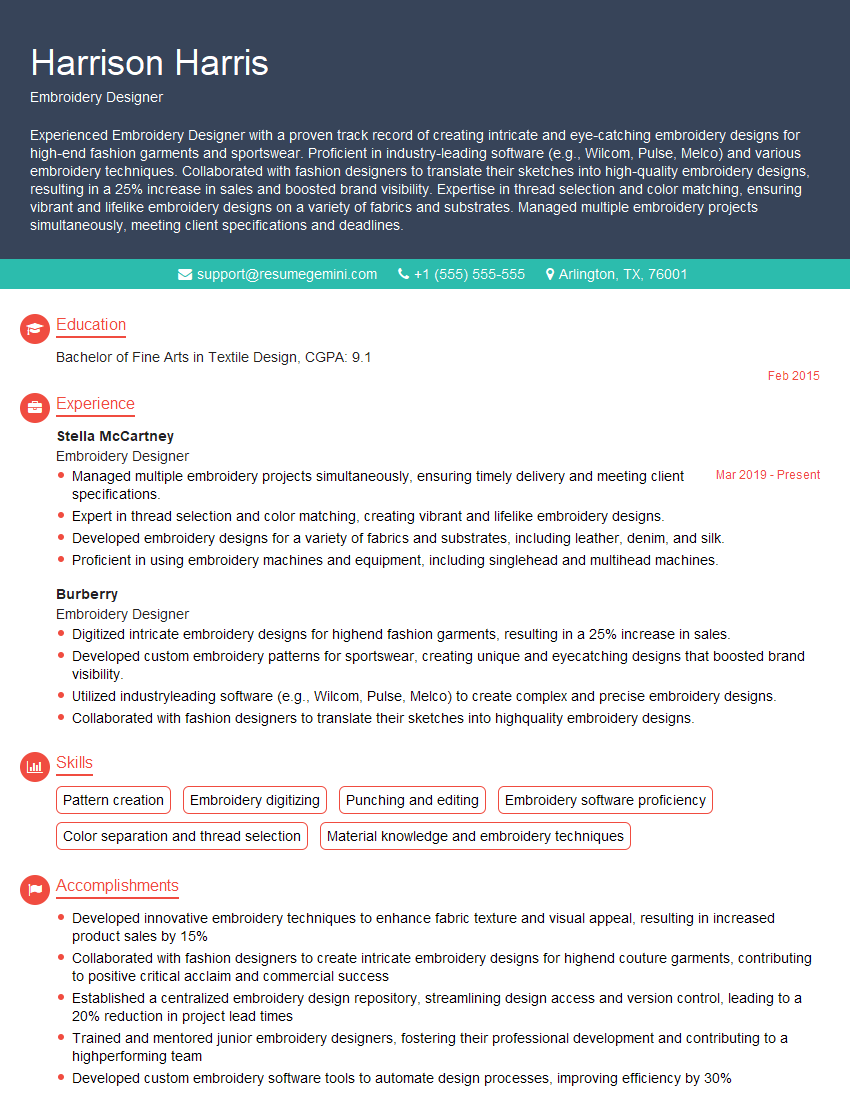
Mastering Wilcom Embroidery Studio significantly enhances your marketability within the embroidery industry, opening doors to exciting career opportunities. To maximize your chances, crafting a strong, ATS-friendly resume is paramount. ResumeGemini is a trusted resource that can help you build a professional and impactful resume tailored to highlight your skills and experience. Examples of resumes specifically tailored to Wilcom Embroidery Studio expertise are available to help you showcase your abilities effectively. Invest time in perfecting your resume; it’s your first impression on potential employers.


Explore more articles
Users Rating of Our Blogs
Share Your Experience
We value your feedback! Please rate our content and share your thoughts (optional).
What Readers Say About Our Blog
hello,
Our consultant firm based in the USA and our client are interested in your products.
Could you provide your company brochure and respond from your official email id (if different from the current in use), so i can send you the client’s requirement.
Payment before production.
I await your answer.
Regards,
MrSmith
hello,
Our consultant firm based in the USA and our client are interested in your products.
Could you provide your company brochure and respond from your official email id (if different from the current in use), so i can send you the client’s requirement.
Payment before production.
I await your answer.
Regards,
MrSmith
These apartments are so amazing, posting them online would break the algorithm.
https://bit.ly/Lovely2BedsApartmentHudsonYards
Reach out at [email protected] and let’s get started!
Take a look at this stunning 2-bedroom apartment perfectly situated NYC’s coveted Hudson Yards!
https://bit.ly/Lovely2BedsApartmentHudsonYards
Live Rent Free!
https://bit.ly/LiveRentFREE
Interesting Article, I liked the depth of knowledge you’ve shared.
Helpful, thanks for sharing.
Hi, I represent a social media marketing agency and liked your blog
Hi, I represent an SEO company that specialises in getting you AI citations and higher rankings on Google. I’d like to offer you a 100% free SEO audit for your website. Would you be interested?