Preparation is the key to success in any interview. In this post, we’ll explore crucial Sound Mixing for Film and Television interview questions and equip you with strategies to craft impactful answers. Whether you’re a beginner or a pro, these tips will elevate your preparation.
Questions Asked in Sound Mixing for Film and Television Interview
Q 1. Explain the difference between a boom mic and a lavalier mic.
Boom mics and lavalier mics are both used for recording audio, but they differ significantly in their placement and application. A boom mic, also known as a fishpole microphone, is a microphone mounted on a long pole that is held above the scene by a boom operator. This allows for capturing clean audio from a distance, keeping the microphone out of the shot. Think of it like a fishing rod with a microphone at the end – you’re ‘fishing’ for sound. It’s ideal for capturing dialogue in scenes with movement.
A lavalier microphone, or lav mic, is a small, clip-on microphone that is attached to the talent’s clothing. It’s unobtrusive and perfect for close-up shots or scenes where a boom mic might be impractical or visually distracting. It’s crucial for capturing intimate conversations or close-up shots where a boom would be impossible to hide.
The key difference boils down to placement and visibility. Boom mics are for capturing sound from a distance discreetly, while lav mics are designed for intimate, close-up audio capture. The choice depends entirely on the scene’s needs and visual requirements.
Q 2. Describe your experience with different microphone types (e.g., condenser, dynamic).
My experience encompasses a wide range of microphone types, and understanding their nuances is vital for achieving optimal sound quality. Condenser microphones are known for their sensitivity and detailed sound reproduction, making them excellent for capturing subtle nuances in instruments, voice, and even ambient sounds. They generally require phantom power, which is a specific voltage supplied by the recording equipment. I frequently use them for capturing crisp dialogue and atmospheric soundscapes. A great example is the Neumann U87, a studio staple known for its versatility and exceptional clarity.
Dynamic microphones, on the other hand, are more robust and resistant to handling noise, making them perfect for live performances, loud environments, or situations where the mic might be bumped or moved around. They’re less sensitive than condensers and don’t require phantom power. Shure SM57 and SM58 are classic examples, commonly used for recording vocals and instrument amplification in live situations. I often use dynamic mics for capturing Foley sounds or sound effects involving impact and percussion.
I also have experience with ribbon microphones, which have a unique sound characterized by warmth and a more mellow high-end response. They’re excellent for capturing vintage sounds and instruments that benefit from a smoother, less harsh sound. The selection of the right microphone always depends on the specific audio source and its sonic characteristics.
Q 3. How do you handle noisy environments during location sound recording?
Handling noisy environments requires a multi-pronged approach. Preparation is key. Before arriving on location, I scout the area, assessing potential noise sources like traffic, construction, or wind. This helps me plan the best microphone placement and choose the right equipment.
On set, I use a variety of techniques to mitigate noise. Careful microphone placement is critical; using a directional microphone and positioning it away from noise sources is essential. I also use techniques such as microphone windshields (deadcats) to reduce wind noise and blimps to isolate the microphone from vibrations. If necessary, we can use blimp and shock mounts, to help isolate from vibrations.
In post-production, I employ noise reduction tools and techniques in software like Pro Tools or Audition. These tools, however, are most effective when the audio is properly recorded in the first place, minimizing the need for extensive cleanup during post-production. The goal is always to capture the cleanest possible audio on set, so less work is required later. I’ve had success using noise gates to remove background hum and hiss. Careful recording is always the first and most effective line of defense.
Q 4. What software are you proficient in for sound editing and mixing (e.g., Pro Tools, Logic Pro)?
I’m highly proficient in several industry-standard audio software applications. Pro Tools is my primary Digital Audio Workstation (DAW) for both sound editing and mixing. Its extensive capabilities for multitrack recording, editing, mixing, and mastering are unmatched. I’m also fluent in Logic Pro, known for its intuitive interface and powerful sound design features. I use it primarily for sound design, particularly creating foley effects and incorporating creative sound elements. I am also familiar with other industry standard DAWs such as Ableton Live.
Beyond DAWs, I’m adept at using specialized plugins, such as spectral editing tools for noise reduction and restoration, and dynamics processors for controlling levels and adding clarity. Mastering the software is only part of the equation; my expertise lies in understanding the sonic qualities of different tools and applying them effectively within the specific context of a project.
Q 5. Describe your workflow for syncing dialogue in post-production.
Syncing dialogue is a crucial step in post-production. The most common method is using slate audio. This involves recording a clapperboard or a synchronized clap at the start of each take on set. This creates a distinct audio spike that’s easily identifiable in both the audio and video tracks. Many post-production houses also utilize various automated synchronization tools available as plugins. In Pro Tools, for example, the software’s automated syncing algorithm makes the process simple and efficient.
If slate audio isn’t available, I use visual methods. I look for strong visual cues within the picture that correspond with moments in the dialogue, such as mouth movements. However, manual syncing can be labor-intensive and less accurate, thus highlighting the importance of proper slating on set. Once the audio is roughly synced, fine adjustments are made by listening carefully for subtle timing discrepancies and making manual corrections. The goal is to ensure the dialogue is perfectly synchronized with the lip movements.
Q 6. How do you approach sound design for different genres (e.g., horror, comedy, drama)?
Sound design varies greatly depending on genre. For instance, a horror film might use low, rumbling sounds, dissonant chords, and unsettling ambience to create a sense of unease and dread. I might use sound effects such as distorted breathing and creaking doors to build suspense and fear. Conversely, a comedy relies on sounds that are lighthearted, exaggerated, and often absurd. Sound effects might be over-the-top and used for comedic timing. In a drama, the focus is on realism and emotional depth, with subtle sound details, natural ambience, and nuanced music scoring. The approach to music scoring is vital in setting the mood and tone for the scenes.
In each case, the sound design isn’t just about adding effects; it’s about supporting the narrative, enhancing emotions, and creating a complete immersive experience for the viewer. For instance, the soundscape in a suspenseful thriller will employ various elements of sounds such as echoing footsteps and creaking doors, to heighten tension. The use of these sonic cues helps enhance the experience.
Q 7. Explain your experience with ADR (Automated Dialogue Replacement).
Automated Dialogue Replacement (ADR), also known as looping, is the process of re-recording dialogue in a controlled studio environment. It’s frequently used when original dialogue is unusable due to poor audio quality, background noise, or changes in the screenplay. The process involves the original actors re-recording their lines while watching the footage. I work closely with actors, directors, and script supervisors to ensure the new dialogue matches the picture and maintains the emotional tone of the original performance.
My role includes creating a comfortable recording environment, providing technical assistance, and helping actors achieve the desired emotional delivery. Careful listening and meticulous editing are vital to creating seamless transitions between the original audio and the ADR tracks. The use of proper equalization and reverb helps blend the ADR and original audio smoothly. The goal is to make the ADR tracks sound as natural and integrated as possible.
Q 8. How do you manage large audio files and projects?
Managing large audio files and projects efficiently is crucial for any sound mixer. It’s like organizing a massive library – you need a systematic approach to avoid chaos. I primarily rely on a combination of robust Digital Audio Workstations (DAWs) like Pro Tools or Logic Pro X, coupled with a well-structured file management system.
- DAW Session Organization: I use a hierarchical folder structure within my DAW project, separating dialogue, sound effects, music, and Foley into distinct folders. This allows for easy navigation and quick access to specific elements. For example, a project might have folders named ‘Dialogue_Clean’, ‘SFX_Ambience’, ‘Music_Score’, and ‘Foley_Steps’.
- Hard Drive Management: I utilize multiple high-capacity hard drives (SSDs are preferred for speed) with RAID configurations for redundancy. This safeguards against data loss and ensures smooth playback, even with extensive projects.
- Metadata & Naming Conventions: Consistent file naming is paramount. I use a clear, descriptive system (e.g., ‘Scene_03_Dialogue_01_Take_A.wav’) to quickly identify audio files. Metadata within the files (like scene numbers, descriptions, and keywords) is also critical for efficient searching and management. This is often done with DAW features and external metadata software.
- Cloud Storage & Collaboration: For collaboration, services like Dropbox, Google Drive, or dedicated cloud platforms for post-production workflows are valuable for sharing large audio files and ensuring everyone works with the most updated versions.
By combining these strategies, I ensure that even the most extensive audio projects remain organized, manageable, and accessible, preventing frustrating delays and ensuring a smoother workflow.
Q 9. Describe your process for creating Foley effects.
Creating Foley effects is a very hands-on, creative process. Think of it as being a sound actor – you’re recreating sounds that weren’t captured during filming to enhance realism and immersion. My process involves several key steps:
- Review the Picture: I carefully watch the scene, identifying all the sounds that need Foley work. This includes footsteps, clothing rustling, object manipulation, and environmental sounds that may not have been cleanly recorded on set.
- Sound Design: I brainstorm different ways to create the desired sounds. This is where you might use unique items and techniques. This could be a combination of existing sound recordings, and objects manipulated to create the desired sound.
- Performance and Recording: I perform the actions (e.g., walking on different surfaces to create diverse footsteps), recording these sounds with high-quality microphones in a controlled environment to ensure optimal clarity. This is done in a soundproof studio, often with specialized surfaces or objects selected for the job.
- Editing and Processing: Once recorded, I edit and process the Foley sounds to clean them up, ensuring proper timing and synchronicity with the picture, then adding reverb and other effects to enhance the realism. For example, footsteps in a forest might need additional reverb and ambience for more realism.
- Integration into the Mix: Finally, I carefully integrate the Foley effects into the main mix, ensuring that they blend seamlessly with the other audio elements and add to the overall believability of the scene.
One memorable experience was creating the sound of a character secretly opening a jewelry box. I experimented with different materials – eventually settling on a soft leather pouch, carefully rubbing against a wooden surface to create the perfect delicate, almost inaudible sound that matched the visual.
Q 10. How do you balance dialogue, sound effects, and music in a mix?
Balancing dialogue, sound effects, and music is a delicate art – a bit like conducting an orchestra. The goal is to create a cohesive and immersive soundscape where each element plays its role without overpowering the others. It’s a hierarchical process. Dialogue takes precedence in most cases.
- Dialogue Clarity: Dialogue is paramount; it’s the story’s backbone. I prioritize its clarity, ensuring it’s intelligible and sits comfortably within the frequency spectrum.
- Sound Effects Placement: Sound effects are used to support the narrative and enhance realism. I carefully place them in the mix, ensuring they don’t mask or compete with the dialogue. This often involves panning and adjusting levels to create spatial depth.
- Music Integration: Music sets the mood and atmosphere. It should complement the dialogue and sound effects without dominating the mix. I often use dynamic processing (compression) on the music to allow it to ebb and flow with the other elements.
- Dynamic Range Control: Throughout, I utilize dynamic range compression to control the overall loudness and maintain a good balance between the elements. This avoids extreme peaks and ensures the audio sounds smooth and doesn’t fatigue the listener.
- Frequency Balancing: I also use equalization (EQ) to shape the frequency response of each element, ensuring they occupy distinct frequency ranges and avoid muddiness or harshness. This might involve carving out space in the low end for dialogue while adding clarity to the high end. For example, low-frequency muddiness caused by bass in the music and sound effects can be reduced to enhance clarity.
The process is iterative, involving continuous listening, tweaking, and adjustments to achieve the perfect balance.
Q 11. Explain your understanding of room tone and its importance.
Room tone is the ambient sound of a recording environment – essentially the background noise when nothing else is happening. Imagine the quiet hum of an empty room, the faint hum of equipment, or gentle air conditioning sounds. It’s crucial for several reasons:
- Continuity: When you cut between scenes, subtle shifts in background ambience can be distracting. Room tone helps to create a seamless auditory landscape by maintaining a consistent sonic backdrop.
- Silence Isn’t Empty: Even silence has an auditory character. When you remove background noise completely, the silence can feel ’empty’ and unnatural. Room tone can create a more immersive listening experience that feels natural.
- Sound Design & Effects: Room tone can serve as a foundation for sound design. For example, I might use it as a base for adding more impactful reverb or ambience effects.
- Repairing Issues: If there’s a distracting ‘pop’ or click in the dialogue, it might be possible to seamlessly repair this issue using the room tone by creating a gap in dialogue and using some of that room tone to fill the gap. This is far more natural than abrupt silence.
Essentially, room tone provides a buffer and allows for smoother transitions, providing a more natural and cohesive soundscape.
Q 12. How do you handle background noise reduction and cleanup?
Background noise reduction and cleanup are essential for achieving a clean, professional-sounding mix. Think of it as tidying up a room before a party – you want to create a welcoming environment free of clutter.
- Noise Reduction Plugins: I utilize specialized plugins within my DAW – these offer algorithms designed to intelligently identify and reduce unwanted background noise without affecting the desired audio. Common tools include iZotope RX, Adobe Audition, and Waves plugins.
- Spectral Editing: For more precise control, I often use spectral editing tools to visually identify and remove specific noise frequencies that are not easily targeted with noise reduction plugins. This can include hum, buzz, and other unwanted artifacts. For instance, this method can be very effective in removing the 60-cycle hum caused by electric power lines.
- De-Clicking and De-essing: Addressing these audio artifacts is critical for a smooth and polished mix. Many modern DAWs have built-in tools for this. De-clicking can remove clicks or pops, and de-essing can reduce harsh sibilance in dialogue or vocals.
- Selective Editing: Sometimes, the best approach is to simply cut out the problematic section of audio and seamlessly replace it with clean audio (like filling the gap with room tone, if applicable). This is often easier than applying several noise reduction plugins with potential artifacts.
The key is to use these tools judiciously. Over-processing can introduce artifacts and make the audio sound unnatural or thin. A good balance between cleanup and maintaining the audio’s character is paramount.
Q 13. Describe your experience with various audio formats and codecs.
My experience with audio formats and codecs is extensive. The choice of format and codec depends heavily on factors such as project requirements, storage space, and playback compatibility.
- WAV: Lossless format; excellent for mastering and archiving. The uncompressed nature produces high audio fidelity and clarity, but large file sizes are a consequence.
- AIFF: Similar to WAV, a lossless format commonly used in high-end audio production.
- MP3: Lossy compression; widely compatible, but sacrifices some audio quality for smaller file sizes. I often use this for sharing lower-resolution material for client approvals.
- AAC: Lossy compression; a more efficient codec than MP3, offering better audio quality for the same file size.
- Ogg Vorbis: Open-source, royalty-free lossy codec; suitable for online distribution.
- FLAC: Lossless codec, good balance of file size and audio quality, becoming increasingly popular.
Understanding the trade-offs between lossy and lossless compression is crucial. While lossy formats are convenient for delivery and distribution, lossless formats are essential for preserving the integrity of the mix during the production process.
Q 14. How do you collaborate effectively with other members of the sound team?
Effective collaboration is the cornerstone of successful sound post-production. It’s like a team effort in a complex operation. The sound team includes dialogue editors, Foley artists, sound effects editors, music editors and composers, and the re-recording mixers.
- Clear Communication: Open and clear communication is paramount. Regular meetings, detailed notes, and accessible shared storage are all key to ensuring everyone is on the same page.
- Defined Roles & Responsibilities: Establishing clear roles and responsibilities for each team member prevents redundancy and ensures efficient workflow. Each person knows their responsibilities and contribution to the final sound.
- Version Control & Feedback: Utilizing version control systems for audio files, including comprehensive session notes allows for easy tracking of changes and easy feedback. Constructive feedback is very important to the project.
- Shared Workflow & Platforms: Using cloud-based platforms, and project management software allow for transparent, collaborative workflows. Everyone has access to the latest versions of assets, and progress can be monitored easily.
- Respect & Collaboration: A positive and respectful environment promotes creative brainstorming and problem-solving. Everyone’s input is valued.
My experience has shown that fostering trust and open communication within the sound team is more important than technology itself. A strong team with collaborative spirit can overcome any technical challenge.
Q 15. Explain your understanding of sound equalization and compression.
Sound equalization and compression are fundamental tools in audio post-production, used to shape the frequency balance and dynamic range of audio signals. Equalization (EQ) involves adjusting the amplitude of specific frequency ranges within an audio signal. Think of it like a graphic equalizer on a stereo – boosting certain frequencies makes them louder, while cutting them reduces their prominence. Compression reduces the dynamic range of an audio signal, making loud sounds quieter and quiet sounds louder. It’s like smoothing out the peaks and valleys of a sound wave.
Equalization: For instance, if a voice recording is too muddy (lots of low frequencies), I might cut the low frequencies using a parametric EQ to clarify the voice. Conversely, if a snare drum lacks punch, I’ll boost the frequencies around 2-4kHz to add some ‘attack’. Different EQ types (parametric, graphic, shelving) offer different levels of control.
Compression: Imagine a vocalist who has some incredibly loud parts and very quiet parts. Compression helps to even this out, making the overall level more consistent and preventing the loud parts from clipping (distorting) while bringing the quiet parts up slightly. This leads to a more polished and professional-sounding track. Compression parameters like threshold, ratio, attack, and release control how aggressively it reduces the dynamic range.
In practice, I use these tools in tandem. For example, I might EQ a vocal track to make it sound clear, then compress it to control its dynamics and make it sit well in the mix.
Career Expert Tips:
- Ace those interviews! Prepare effectively by reviewing the Top 50 Most Common Interview Questions on ResumeGemini.
- Navigate your job search with confidence! Explore a wide range of Career Tips on ResumeGemini. Learn about common challenges and recommendations to overcome them.
- Craft the perfect resume! Master the Art of Resume Writing with ResumeGemini’s guide. Showcase your unique qualifications and achievements effectively.
- Don’t miss out on holiday savings! Build your dream resume with ResumeGemini’s ATS optimized templates.
Q 16. How do you troubleshoot audio issues during recording and post-production?
Troubleshooting audio issues requires a systematic approach, starting with identifying the source of the problem. During recording, this might involve checking microphone placement, cable connections, gain staging, or environmental noise. In post-production, the challenges are different. I utilize a combination of technical knowledge and creative problem-solving.
- Recording Issues: A hissing sound might point to a faulty microphone or excessive gain. A low-level recording might need a gain boost in the recording device itself. I always ensure proper gain staging and adequate monitoring during recording sessions.
- Post-Production Issues: If dialogue is unclear, I might use noise reduction tools or apply de-essing (to reduce sibilance) and carefully EQ the audio. If there are unwanted noises, I’d use noise reduction plugins, spectral editing, or careful manual cleanup. Phase issues can result in thin or muddled sounds; I deal with those using phase correction techniques.
My troubleshooting workflow typically involves:
- Isolate the Problem: Pinpoint the affected track or element.
- Analyze the Sound: Determine the nature of the issue (hiss, hum, distortion, etc.).
- Employ Appropriate Tools: Use EQ, compression, noise reduction, or other plugins to address the issue.
- A/B Comparisons: Constantly compare the processed audio with the original to evaluate the results.
For instance, on a recent project, we had a persistent hum in a scene recorded outdoors. Through meticulous analysis, I traced the hum to a nearby power line and was able to significantly reduce it during post-production using spectral editing techniques to cut specific frequencies.
Q 17. Describe your experience with 5.1 and Dolby Atmos surround sound mixing.
I have extensive experience with both 5.1 surround sound and the more immersive Dolby Atmos. 5.1 uses six channels (left, center, right, left surround, right surround, and subwoofer) to create a more enveloping soundscape than stereo. Dolby Atmos takes it a step further using object-based audio, where sounds can be placed precisely in 3D space. This means I have more creative control over where sounds originate and how they move around the listener.
In 5.1, I strategically place sounds to enhance the storytelling. For example, I might place ambient sounds in the surround channels to create a sense of atmosphere, while dialogue sits predominantly in the center channel. With Dolby Atmos, I can take this further. Think of a helicopter flying overhead; in Atmos, I can place the sound not just around the listener, but also above them, creating a much more realistic experience.
Working with these formats requires understanding of channel assignment, panning, and the use of various effects to enhance immersion. My workflow incorporates specialized plugins and monitoring systems to ensure a polished final mix across all speakers and the subwoofer. For example, during a recent film project, we used Dolby Atmos to precisely locate the sounds of a thunderstorm, letting it roll across the screen in a believable way.
Q 18. How do you maintain audio quality throughout the post-production workflow?
Maintaining audio quality throughout the post-production workflow is crucial. This involves making informed decisions at each stage, from the initial setup to the final mix. It’s about working non-destructively (avoiding irreversible edits) whenever possible, working at the highest possible resolution, and using professional-grade tools and equipment.
- High-Resolution Audio: I always aim to work with the highest bit depth and sample rate possible to preserve detail and avoid unnecessary loss of audio fidelity.
- Workflow Management: A well-organized project ensures I can easily locate files and avoid accidental overwrites. This might involve using a Digital Audio Workstation (DAW) project file management features.
- Metadata Tracking: I keep track of all metadata, including version numbers and date-stamped files. This is crucial for easy collaboration, version comparison and troubleshooting.
- Regular Backups: Frequent backups protect against data loss.
- Proper Gain Staging: Avoid clipping by setting appropriate levels at each stage.
Imagine mixing dialogue in post-production. If I start with poorly recorded audio, no amount of processing can entirely fix it. So careful recording and planning are key. Through careful adherence to these practices, I preserve both the integrity of the original sound and the artistic intention of the production.
Q 19. What are your strategies for meeting tight deadlines?
Meeting tight deadlines in sound mixing requires efficient planning, prioritization, and effective time management. My strategies involve:
- Detailed Scheduling: Creating a realistic schedule that breaks down tasks into manageable chunks. This includes factoring in unexpected delays.
- Prioritization: Focusing on critical tasks first – those that will have the biggest impact on the final product. Sometimes, this means making tough decisions about which elements to prioritize.
- Collaboration: Effective communication with the team is essential. Open communication allows problem-solving and minimizes rework.
- Automation: Using automation features in my DAW to streamline repetitive tasks.
- Efficient Workflow: Maintaining an organized and efficient workflow, using templates and shortcuts to speed up my work.
I’ve learned to avoid multitasking and focus on one task at a time for greater productivity. I treat each deadline with respect and plan my day around achieving milestones according to schedule.
Q 20. How do you handle feedback and criticism from directors and producers?
Feedback and criticism are vital parts of the sound mixing process. I see feedback from directors and producers not as personal attacks, but as valuable guidance to improve the final product. My approach involves:
- Active Listening: Carefully listening to their concerns and understanding their perspective.
- Clarification: Asking clarifying questions to ensure I fully understand their requests.
- Collaboration: Working collaboratively to find solutions that meet both their creative vision and technical constraints.
- Documentation: Keeping track of all notes and feedback in an organized manner.
- Demonstrating Progress: Regularly demonstrating progress and showing how feedback has been incorporated.
I had a situation where a director felt the action scenes lacked punch. Instead of being defensive, I actively discussed their preferences and we experimented with different sound design techniques, which eventually yielded a satisfactory outcome. Open communication and a willingness to adapt are critical here.
Q 21. Explain your understanding of sound perspective and spatial audio.
Sound perspective and spatial audio are interconnected concepts crucial for creating realistic and immersive soundscapes. Sound perspective refers to how far away a sound seems to be, its size and clarity. Spatial audio involves placing sounds in a three-dimensional space to make the soundscape immersive.
Sound Perspective: Think of a car driving towards you. Initially, the sound is small and distant. As the car approaches, the sound grows larger and more intense, then recedes as it drives away. This change in intensity and clarity creates the illusion of distance and movement. I achieve this using panning, equalization, and reverb to control the apparent distance and size of sound sources.
Spatial Audio: This goes beyond stereo sound. It involves the use of multiple speakers or headphones to create a more realistic and enveloping sound environment. In a scene with multiple sound sources, I use techniques like panning and delay to strategically place sounds to create the spatial impression of where the sound originated from. In surround sound, this is achieved using multiple channels to create an enveloping effect; Dolby Atmos allows for even greater precision and control of sound placement within the 3D soundscape.
For example, in a scene where characters are in a large hall, I might use reverb to simulate the hall’s acoustics and place background sounds in the surround channels to create a sense of space. These techniques help enhance the realism and overall impact of the sound design, increasing audience engagement.
Q 22. Describe your experience with mixing dialogue for clarity and intelligibility.
Dialogue clarity and intelligibility are paramount in film and television. My approach involves a multi-faceted strategy focusing on pre-production planning, meticulous recording techniques, and precise post-production mixing.
Before recording, I collaborate with the director and production sound mixer to establish clear communication protocols. This includes specifying microphone choices (lavalier mics for close-up dialogue capture), ensuring sufficient ambient sound isolation, and implementing techniques to minimize background noise. During recording, we use slate-based sound recording and always get a clean wild line (a recording of just the dialogue without other production noise) in case ADR (Automated Dialogue Replacement) is needed.
In post-production, I use a combination of tools and techniques. Spectral editing tools allow me to carefully remove unwanted frequencies or noises that interfere with dialogue intelligibility. Dialogue editing software enables precise timing adjustments and the creation of ‘dialogue clean-up’ effects. I also employ dynamic processing like compression and limiting to control the volume levels and make sure even the quieter parts are audible without being too low. This is often done alongside EQ (Equalization) to make sure the dialogue sits clearly within the soundscape. I will use tools to manage the sibilance (hissing sounds), and other common issues with speech recording. Finally, I regularly employ techniques like adding reverb (digital echo) judiciously, to make the audio feel more present in the space. The goal is for the audience to understand every word clearly and naturally, without distraction.
Q 23. How familiar are you with different types of audio meters and their functions?
I’m extremely familiar with various audio meters and their crucial roles in achieving optimal sound quality. These meters provide vital visual representations of audio levels, helping to prevent clipping, distortion, and ensure proper balance across all audio tracks.
- VU Meters (Volume Unit Meters): These analog-style meters measure average levels, useful for monitoring overall loudness and preventing peaks that might cause distortion. They often give you a better sense of loudness and can be useful in referencing the levels of older recordings.
- PPM Meters (Peak Program Meters): These digital meters precisely measure peak levels – the absolute highest level of the audio signal. They are crucial for avoiding clipping in digital audio workflows.
- Loudness Meters (LUFS Meters): These specialized meters measure loudness according to specific broadcast standards (like those for television or streaming services). They are essential for delivering a mix that meets broadcast specifications and avoids being too quiet or too loud in relation to the expected broadcast level.
- Oscilloscope: Displays a visual representation of the audio waveform, allowing for the inspection of any clipping, artifacts or distortion.
Understanding each meter’s strengths and limitations is essential. For example, while PPM meters are great for spotting peaks, VU meters can provide a better sense of perceived loudness, which is important for the overall feel of a mix. Using these meters in conjunction helps to create a balanced and technically precise mix.
Q 24. What is your process for creating a sound design plan for a film or TV show?
My sound design plan is a crucial pre-production document that acts as a roadmap for the entire audio post-production process. It’s collaborative, involving the director, editor, and other key members of the team. The process looks like this:
- Script Review & Storyboarding: I begin by carefully reviewing the script and any available storyboards to understand the narrative arc and identify key moments requiring specific sounds.
- Sound Design Concept & Mood Board: I develop a sound design concept outlining the overall sonic palette, mood, and style. This might involve creating a mood board with images, music, and sound effects to illustrate the desired atmosphere.
- Sound Event List: This list details every sound needed for the film, identifying sources (foley, library, original recordings), and technical specifications. This includes all diegetic sounds (sounds that exist within the movie’s reality) and non-diegetic sounds (like background music and sound effects).
- Budget & Scheduling: A realistic budget and timeline are crucial. This encompasses costs associated with sound recording, design, licensing, and mixing.
- Collaboration & Feedback: Throughout this process, ongoing communication and feedback sessions with the director and team ensure alignment on artistic vision and technical feasibility.
A well-defined sound design plan streamlines the production, prevents costly overruns, and ensures the audio aligns perfectly with the visual narrative, enriching the storytelling experience.
Q 25. Explain your understanding of the principles of audio mixing, including levels, panning, and effects.
Audio mixing is the art and science of combining and balancing different audio sources to create a cohesive and engaging soundscape. It’s a complex process involving several key principles:
- Levels: Adjusting the relative volumes of different audio tracks (dialogue, music, sound effects) to achieve a balanced mix. This involves understanding dynamic range (the difference between the quietest and loudest parts of the audio) and utilizing tools like faders, compression, and limiting to maintain a consistent level and avoid harsh peaks or quiet passages.
- Panning: Positioning audio sources in the stereo field (or surround sound field) to create a sense of space and depth. Placing sound effects or instruments on different speakers can create a more immersive and three-dimensional audio experience. For example, a car driving past would be panned from left to right, to create a sense of movement.
- Effects: Employing audio processing such as reverb, delay, equalization (EQ), and other effects to enhance the sonic qualities of individual tracks or the overall mix. Reverb adds a sense of space, while EQ helps shape the tonal balance, and delay can create rhythm or specific sound effects.
The interplay of levels, panning, and effects is crucial for creating a mix that is clear, dynamic, and emotionally impactful. The objective is to support and enhance the storytelling without overpowering it.
Q 26. Describe your experience with sound recording and mixing in various environments (e.g., studio, location).
My experience spans diverse recording and mixing environments, each with its unique challenges and rewards.
- Studio Recording: Controlled studio environments allow for precise microphone placement, eliminating unwanted noise, and delivering pristine audio quality. This is often used for dialogue recording (especially ADR) and music scoring.
- Location Recording: Location recording presents exciting challenges due to unpredictable environmental factors such as ambient noise, wind, and temperature. It requires meticulous planning, specialized equipment, and quick thinking. This is where creative problem-solving is essential, such as utilizing external soundproof booths.
I’ve worked in a variety of studio environments such as recording stages, home studios and mobile recording units. I am adept at adjusting my techniques based on environment and project needs. Regardless of environment, the goal is to capture high-quality audio suitable for the desired final project.
Q 27. How do you manage the sound budget and resources for a project?
Managing sound budgets and resources requires a structured and proactive approach.
- Detailed Budget Planning: Before production begins, I work with the production team to create a comprehensive budget that accounts for all aspects of sound, including pre-production planning, sound recording, sound design, mixing, and mastering, including licensing fees.
- Resource Allocation: I determine the most efficient allocation of personnel (engineers, designers, composers, voice actors, etc.) and equipment based on the project’s scope and budget. I carefully assess what can be done internally and what requires outsourcing.
- Time Management: I create a detailed schedule to ensure the sound post-production process progresses on time, maximizing the allocated budget effectively.
- Negotiation & Procurement: I negotiate favorable rates with freelance professionals and vendors, securing necessary equipment rentals or purchasing, while seeking out licensing opportunities or creating original sound material.
- Continuous Monitoring: Throughout the process, I meticulously track expenses, adjusting plans when needed to stay within budgetary constraints and efficiently utilize allocated resources.
Effective budget management ensures a project’s financial sustainability and delivers high-quality sound without exceeding allocated resources.
Q 28. Describe your experience with delivering final mixes in various formats (e.g., broadcast, streaming).
Delivering final mixes in various formats demands technical expertise and attention to detail. I have experience delivering mixes for:
- Broadcast Television: This typically involves adhering to strict specifications regarding loudness levels (LUFS), bit depth, sample rate, and audio metadata. The specific requirements are always dependent on the broadcaster involved.
- Streaming Platforms: Each streaming platform (Netflix, Amazon Prime, etc.) has its own encoding and loudness guidelines, which I carefully follow to ensure optimal playback across various devices and internet speeds. These often require specific file formats and metadata, and are regularly updated, requiring ongoing education and awareness of the best practices.
- Cinema/Theatrical Releases: Cinema mixes are typically delivered in high-resolution formats (e.g., 24-bit/48kHz) tailored to cinema sound systems, often requiring the specific inclusion of 5.1 or 7.1 surround sound mixes for compatibility with theater sound setups.
My experience encompasses delivering final masters in various file formats including WAV, AIFF, and MP3, always ensuring compliance with industry standards and the client’s technical needs. This includes properly tagging files for correct identification of the audio material.
Key Topics to Learn for Sound Mixing for Film and Television Interview
- Dialogue Editing and Mixing: Understanding techniques for clarity, naturalness, and emotional impact. Practical application: Experience with ADR (Automated Dialogue Replacement) and dialogue cleaning workflows.
- Sound Design: Creating and manipulating soundscapes to enhance the narrative and emotional impact of a scene. Practical application: Familiarity with Foley recording and sound effect libraries.
- Music Supervision and Integration: Working collaboratively with composers and understanding the nuances of musical scoring within the context of visual storytelling. Practical application: Experience with spotting sessions and understanding tempo and rhythm within the edit.
- Surround Sound and Immersive Audio: Understanding different surround sound formats (e.g., 5.1, Dolby Atmos) and their practical application in post-production. Practical application: Experience with mixing and monitoring in immersive audio environments.
- Workflows and Software Proficiency: Demonstrating familiarity with industry-standard Digital Audio Workstations (DAWs) such as Pro Tools, Logic Pro X, or Reaper, and proficiency in file management and collaboration tools.
- Problem-solving and Creative Collaboration: Articulating how you approach technical challenges, collaborate effectively with directors and other members of the post-production team, and adapt to changing production demands.
- Audio Post-Production Techniques: Mastering techniques like equalization (EQ), compression, reverb, delay, and other effects to achieve specific sonic goals. Practical application: Understanding the function and application of dynamic range processing.
Next Steps
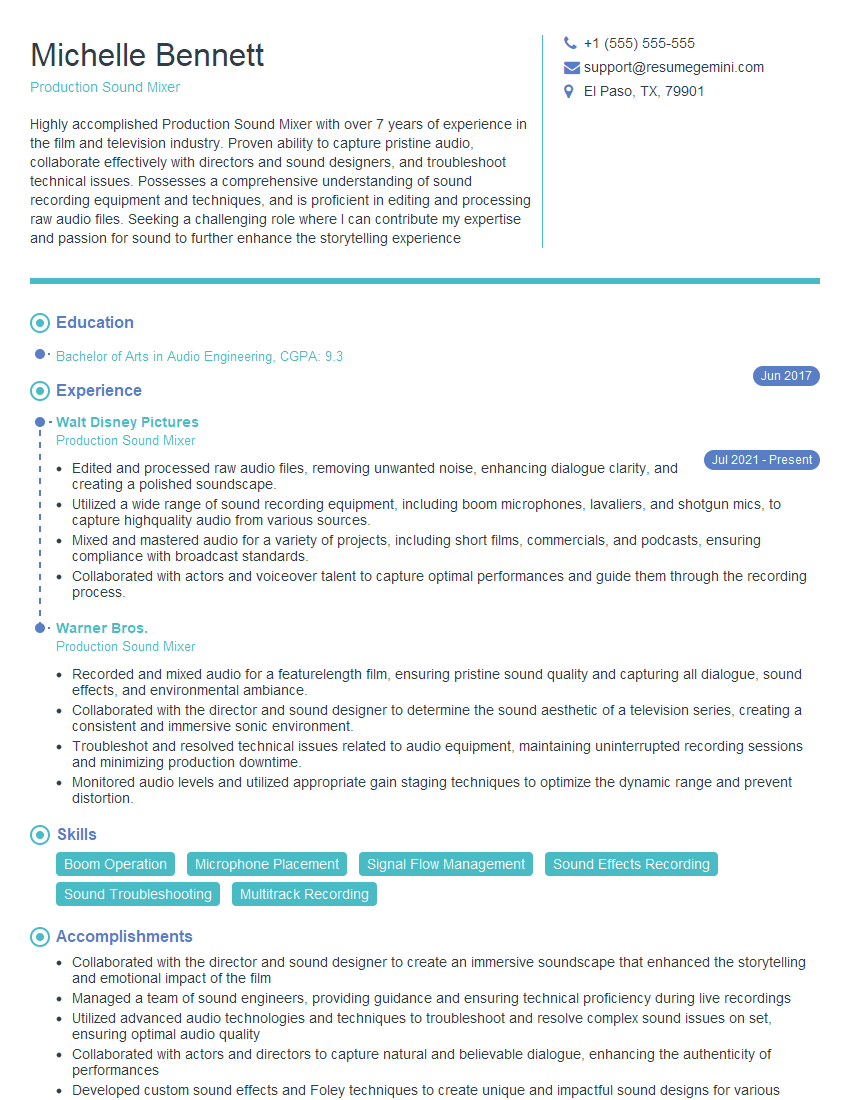
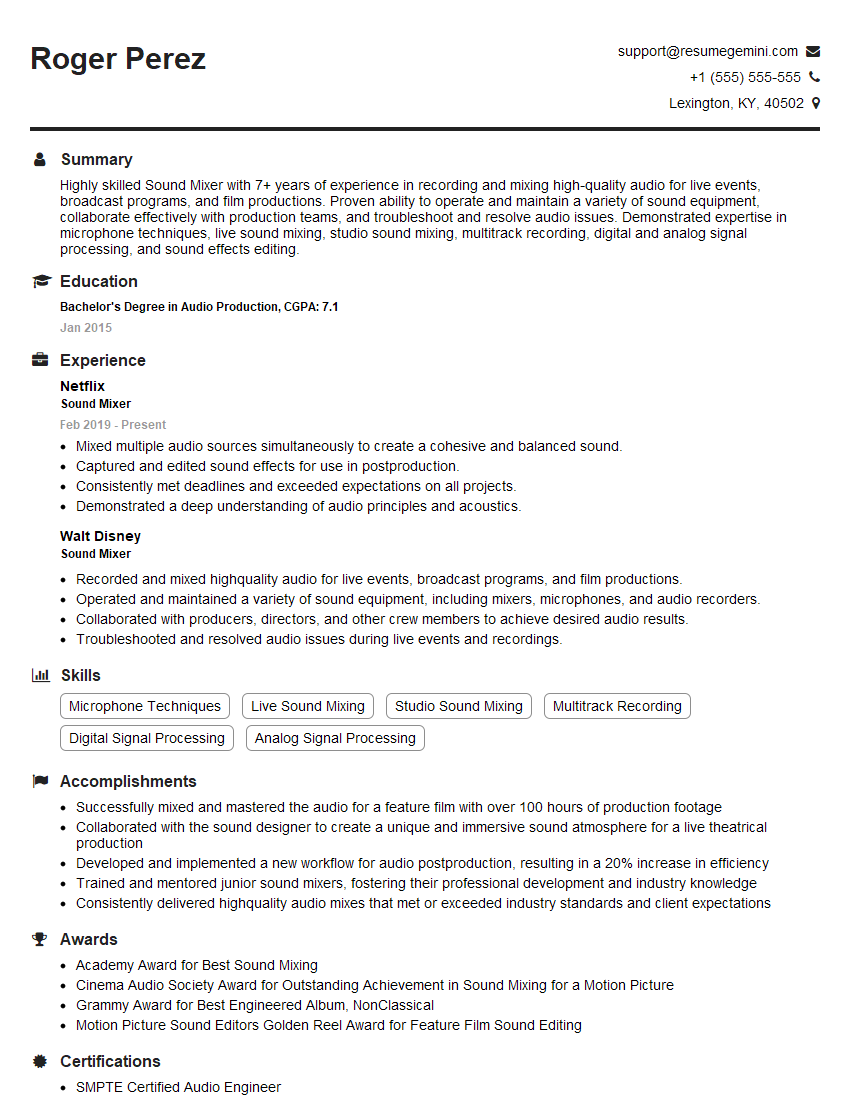
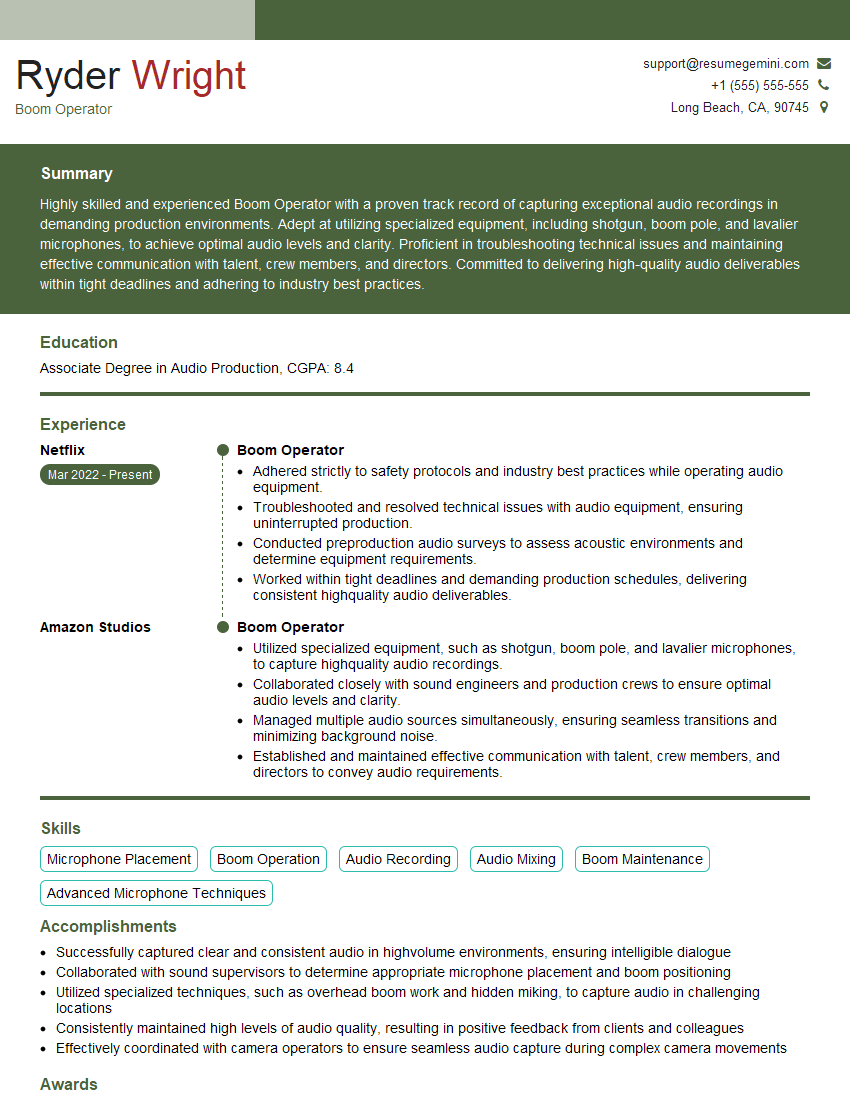
Mastering sound mixing for film and television opens doors to a rewarding career with diverse opportunities in feature films, television series, documentaries, and more. To maximize your job prospects, crafting a strong, ATS-friendly resume is crucial. This ensures your application gets noticed by recruiters and hiring managers. We highly recommend using ResumeGemini to build a professional and impactful resume that highlights your skills and experience effectively. ResumeGemini provides examples of resumes tailored to Sound Mixing for Film and Television to help you create the perfect application.


Explore more articles
Users Rating of Our Blogs
Share Your Experience
We value your feedback! Please rate our content and share your thoughts (optional).
What Readers Say About Our Blog
Amazing blog
Interesting Article, I liked the depth of knowledge you’ve shared.
Helpful, thanks for sharing.