Preparation is the key to success in any interview. In this post, we’ll explore crucial CEH (Certified Ethical Hacker) interview questions and equip you with strategies to craft impactful answers. Whether you’re a beginner or a pro, these tips will elevate your preparation.
Questions Asked in CEH (Certified Ethical Hacker) Interview
Q 1. Explain the difference between white hat, black hat, and grey hat hackers.
The world of hacking is broadly categorized into white hat, black hat, and grey hat hackers, distinguished primarily by their ethical standing and motivations. Think of it like a spectrum of ethical behavior.
- White Hat Hackers (Ethical Hackers): These are the good guys. They use their hacking skills for legitimate purposes, such as penetration testing, vulnerability assessments, and security audits. They work with the permission of the organization and aim to improve security by identifying and reporting weaknesses before malicious actors can exploit them. Imagine them as security guards, proactively patrolling for vulnerabilities.
- Black Hat Hackers (Malicious Hackers): These are the villains. They use hacking skills for illegal or malicious purposes, such as stealing data, causing damage, or disrupting services. They operate without permission and often seek financial gain or notoriety. They’re like the thieves breaking into a building.
- Grey Hat Hackers: These hackers fall somewhere in between. They may find vulnerabilities and report them, but without explicit permission. Sometimes, they may even disclose vulnerabilities publicly before giving the organization a chance to fix them. Their actions often sit in a legal grey area. Think of them as vigilantes, acting outside the law but with potentially good intentions.
The key difference lies in intent and authorization. White hats work legally and ethically, black hats illegally and unethically, and grey hats blur the lines.
Q 2. Describe the different phases of the penetration testing methodology.
Penetration testing, often shortened to pentesting, follows a structured methodology to assess the security posture of a system or network. It’s a systematic approach, not a random attack. Typical phases include:
- Planning & Scoping: Defining the objectives, targets, and rules of engagement. This phase determines what systems will be tested, what techniques are allowed, and what the reporting requirements are.
- Reconnaissance: Gathering information about the target system. This involves passive information gathering (e.g., searching public records) and active information gathering (e.g., scanning ports). Think of it as a detective gathering clues before a raid.
- Scanning & Enumeration: Identifying vulnerabilities and weaknesses in the target system. This involves using automated tools and manual techniques to find open ports, running services, and potential entry points.
- Vulnerability Analysis: Analyzing the identified vulnerabilities to determine their severity and potential impact. This is where you prioritize which vulnerabilities to exploit first.
- Exploitation: Attempting to exploit identified vulnerabilities to gain access to the system. This is done to prove the vulnerability exists and to understand the potential damage.
- Post-Exploitation: Once access is gained, the tester explores the system to assess the extent of the compromise. This might involve pivoting to other systems within the network.
- Reporting: Documenting the findings, including the identified vulnerabilities, their severity, and recommendations for remediation. This is the crucial deliverable showing the organization how to improve their security.
Each phase is critical; skipping steps can lead to incomplete or inaccurate results. The whole process is about mimicking a real-world attack to identify weaknesses before malicious actors can do so.
Q 3. What are the common types of network attacks?
Network attacks are diverse, but some common types include:
- Denial-of-Service (DoS) Attacks: Overwhelming a system with traffic, making it unavailable to legitimate users. Imagine a swarm of bees blocking the entrance to a building.
- Distributed Denial-of-Service (DDoS) Attacks: A more sophisticated version of DoS, using multiple compromised systems (botnet) to launch the attack. Think of a massive horde attacking a castle.
- Man-in-the-Middle (MitM) Attacks: Intercepting communication between two parties without their knowledge. Imagine eavesdropping on a phone conversation.
- SQL Injection: Injecting malicious SQL code into an application’s input to manipulate the database. It’s like inserting a hidden command into a computer game.
- Cross-Site Scripting (XSS): Injecting malicious scripts into websites to steal user data or hijack sessions. Imagine planting a hidden tracker on a website.
- Phishing Attacks: Tricking users into revealing sensitive information (like passwords or credit card details) through deceptive emails or websites. Think of a wolf in sheep’s clothing.
- Session Hijacking: Stealing a user’s session ID to gain unauthorized access to their account. Imagine stealing someone’s hotel key card.
These attacks utilize different techniques but share a common goal: compromising the security of a network or system.
Q 4. Explain the concept of SQL injection and how to prevent it.
SQL injection is a code injection technique used to attack data-driven applications, primarily those using SQL databases. Attackers inject malicious SQL code into input fields to manipulate database queries. For instance, an attacker might submit input like ' OR '1'='1 into a login form. If the application doesn’t properly sanitize user input, this can bypass authentication checks, allowing access to the database.
Imagine a vending machine. You put in money (input), and it dispenses a product (database query result). SQL injection is like slipping in a special code that tricks the machine into giving you free products without paying.
Preventing SQL injection involves:
- Parameterized Queries/Prepared Statements: Separate data from SQL code. This prevents the injected code from being interpreted as SQL commands. It’s like using a safe payment terminal instead of handing over cash directly.
- Input Validation and Sanitization: Carefully check and clean user input before it’s used in SQL queries. Remove or escape special characters that could be used for injection. It’s like checking for potentially harmful items before allowing them into a secure area.
- Least Privilege: Grant database users only the necessary permissions. This limits the impact of a successful attack. It’s like giving a worker only the tools they need to do their job, not access to the entire company vault.
- Stored Procedures: Encapsulate database operations within pre-compiled procedures. This adds an extra layer of protection by preventing direct SQL query manipulation. It’s like using a predefined recipe instead of improvising in the kitchen.
- Regular Security Audits and Penetration Testing: Regularly test applications for vulnerabilities to detect and fix SQL injection flaws early on. It’s like having regular health checkups.
Implementing these measures significantly reduces the risk of successful SQL injection attacks.
Q 5. How do you perform a port scan?
A port scan is a technique used to identify open ports on a network host. It helps determine which services are running on a system, potentially revealing vulnerabilities. Think of it as knocking on every door of a building to see which ones are open.
Port scanning can be performed using various tools, both manually and automatically. Some popular tools include Nmap and Nessus. These tools send packets to the target system, checking for responses on various ports. A response often indicates an open port.
A basic Nmap scan might look like this:
nmap -sS -sS specifies a TCP SYN scan, a stealthier method that doesn’t fully establish a connection. The target IP address should be replaced with the IP address you want to scan. Nmap will then report which ports are open, closed, or filtered.
Ethical considerations are crucial when performing port scans. Always obtain permission before scanning a system that you do not own.
Q 6. What are the different types of malware?
Malware is a broad term encompassing various types of malicious software designed to harm or disrupt computer systems. It’s like a toolbox of digital weapons, each designed for a different attack.
- Viruses: Self-replicating programs that attach to other files. They need a host program to run and spread.
- Worms: Self-replicating programs that spread independently over networks without requiring a host file.
- Trojans: Malicious programs disguised as legitimate software. They often open backdoors for attackers.
- Ransomware: Encrypts user files and demands a ransom for decryption.
- Spyware: Secretly monitors user activity and collects sensitive information.
- Adware: Displays unwanted advertisements.
- Rootkits: Hide malicious programs from detection.
- Bots: Remotely controlled programs, often part of botnets, used for various malicious activities.
Each malware type uses different techniques, but all pose a threat to system integrity and data security. Understanding these different types helps in implementing effective security measures and detection strategies.
Q 7. Explain the concept of social engineering.
Social engineering is a manipulative technique used to trick individuals into revealing confidential information or performing actions that compromise security. It exploits human psychology rather than technical vulnerabilities. Think of it as a con artist’s toolbox, using charisma and deception to gain access.
Examples include:
- Phishing: Deceptive emails or websites pretending to be legitimate entities to steal credentials.
- Baiting: Offering something tempting (like a free download) to entice users into clicking malicious links.
- Pretexting: Creating a believable scenario to gain trust and information.
- Quid pro quo: Offering a service or favor in exchange for sensitive information.
- Tailgating: Physically following someone through a secure area without authorization.
Protecting against social engineering involves educating users about common tactics, implementing strong security policies, and promoting a culture of security awareness. It’s about making people more critical thinkers and less susceptible to manipulation. Think of it as learning to spot fake news and scams – critical thinking is your best defense.
Q 8. What are the different types of denial-of-service attacks?
Denial-of-service (DoS) attacks aim to disrupt online services by flooding the target with traffic, making it unavailable to legitimate users. There are various types, broadly categorized as:
- Volume-based attacks: These overwhelm the target with sheer traffic volume. Examples include UDP floods (sending massive UDP packets), ICMP floods (using ping floods), and HTTP floods (repeatedly requesting web pages).
- Protocol attacks: These exploit vulnerabilities in network protocols to consume resources. A classic example is a SYN flood, where the attacker initiates TCP connections but doesn’t complete the handshake, tying up server resources.
- Application-layer attacks: These target specific applications, exploiting their weaknesses. Examples include Slowloris (slowly sending incomplete HTTP requests), and HTTP POST floods (overwhelming the server with large POST requests).
- Distributed Denial-of-Service (DDoS) attacks: These are amplified versions of the above, using a botnet (a network of compromised computers) to launch the attack from multiple sources, making them much harder to mitigate.
Imagine a restaurant being overwhelmed by an incredibly large number of customers all at once – that’s essentially what a DoS attack does to a server. The server’s resources are exhausted, and it can no longer serve legitimate requests.
Q 9. How do you identify and mitigate vulnerabilities in a web application?
Identifying and mitigating web application vulnerabilities requires a multi-faceted approach. It begins with understanding common attack vectors, which include:
- SQL Injection: Attackers inject malicious SQL code to manipulate database queries. This could be mitigated by using parameterized queries or input sanitization.
- Cross-Site Scripting (XSS): Attackers inject malicious scripts into websites to steal cookies or redirect users to malicious sites. Content Security Policy (CSP) headers and proper input validation are crucial for mitigation.
- Cross-Site Request Forgery (CSRF): Attackers trick users into performing unwanted actions on a website they are already authenticated to. Using tokens and double-submit cookies helps mitigate this.
- Broken Authentication and Session Management: Weak passwords, lack of session timeouts, and insecure password storage are all major vulnerabilities. Robust authentication mechanisms, strong password policies, and regular security audits are key.
Mitigation strategies include:
- Penetration testing: Simulate real-world attacks to identify weaknesses.
- Static and dynamic application security testing (SAST/DAST): Automated tools to scan for vulnerabilities in the code and running application.
- Regular security updates: Keeping software patched is paramount to prevent known vulnerabilities from being exploited.
- Secure coding practices: Writing secure code from the beginning reduces the risk of vulnerabilities.
Think of it like building a house – you wouldn’t leave the doors and windows unlocked, right? Similarly, secure coding practices and regular security assessments ensure the web application is fortified against attacks.
Q 10. Explain the importance of network segmentation.
Network segmentation divides a network into smaller, isolated segments. This is crucial for enhancing security and improving performance. If one segment is compromised, the attacker doesn’t have immediate access to the entire network.
Imagine a large office building. Instead of having one giant open space, it’s divided into different departments, each with its own access control. This limits the impact of a fire in one department from spreading to the entire building. Similarly, network segmentation limits the damage if one part of the network is compromised.
Benefits include:
- Reduced attack surface: Isolating sensitive data and systems makes them harder to reach.
- Improved performance: Reducing network traffic within segments improves overall efficiency.
- Enhanced security: A breach in one segment is less likely to compromise the entire network.
- Compliance: Often a requirement for regulatory compliance (e.g., PCI DSS).
Techniques include using VLANs (Virtual Local Area Networks), firewalls, and routers to create the isolated segments.
Q 11. Describe the different types of firewalls.
Firewalls act as gatekeepers, controlling network traffic based on predefined rules. They come in various types:
- Packet filtering firewalls: These inspect individual packets based on source/destination IP addresses, ports, and protocols. They are simple but can be easily bypassed by sophisticated attacks.
- Stateful inspection firewalls: They track the state of network connections, allowing them to better identify malicious traffic by verifying if packets are part of an established session.
- Application-level gateways (proxies): These inspect the application data, enabling more granular control. They can understand the context of the application traffic and enforce security policies based on it.
- Next-generation firewalls (NGFWs): These combine multiple security features, including deep packet inspection, intrusion prevention, and application control, in a single device.
Think of a bouncer at a nightclub. A packet filtering firewall is like a bouncer who only checks IDs. A stateful inspection firewall is like a bouncer who checks IDs and also monitors who’s talking to whom inside. An application-level gateway is like a bouncer who understands the conversation between people and can stop inappropriate ones. NGFWs are like the whole security team – bouncers, security cameras, and metal detectors.
Q 12. How do you perform a vulnerability assessment?
A vulnerability assessment is a systematic process of identifying security weaknesses in a system. It involves:
- Planning and scoping: Define the assets to be assessed and the methods to be used.
- Information gathering: Gather data about the system’s architecture, software, and configurations.
- Scanning: Use automated tools to scan for vulnerabilities (e.g., Nessus, OpenVAS).
- Analysis: Review the scan results to identify critical vulnerabilities and prioritize remediation.
- Reporting: Document the findings, including severity levels and recommendations for remediation.
- Remediation: Implement the necessary fixes to address the identified vulnerabilities.
- Verification: Rescan the system to verify that the vulnerabilities have been successfully remediated.
It’s like a medical checkup for your network. You identify potential problems early on, so you can address them before they cause significant issues.
Q 13. What are the different types of cryptography?
Cryptography is the practice of securing communication and data by using codes. The main types include:
- Symmetric-key cryptography: Uses the same key for encryption and decryption. Examples include AES (Advanced Encryption Standard) and DES (Data Encryption Standard). It’s fast but requires secure key exchange.
- Asymmetric-key cryptography (Public-key cryptography): Uses a pair of keys: a public key for encryption and a private key for decryption. RSA (Rivest–Shamir–Adleman) and ECC (Elliptic Curve Cryptography) are examples. It’s slower but eliminates the need for secure key exchange.
- Hashing algorithms: Create a one-way function that converts data into a fixed-size string (hash). Examples include SHA-256 and MD5. Used for data integrity verification and password storage.
Imagine a locked box. Symmetric-key is like using the same key to lock and unlock. Asymmetric-key is like having a public key to lock the box and a private key to unlock it. Hashing is like taking the box’s contents and creating a unique fingerprint – you can’t get the contents back from the fingerprint, but you can verify if the contents are the same by comparing fingerprints.
Q 14. Explain the concept of intrusion detection and prevention systems (IDS/IPS).
Intrusion Detection and Prevention Systems (IDS/IPS) monitor network traffic for malicious activity. An IDS detects intrusions and alerts administrators, while an IPS detects and blocks malicious traffic. They are often deployed inline (IPS) or passively (IDS).
Think of a security guard. An IDS is like a guard who observes suspicious activities and alerts the authorities. An IPS is like a guard who not only observes suspicious activities but also physically stops intruders.
IDS/IPS technologies use various methods, such as:
- Signature-based detection: Matches network traffic patterns against known malicious signatures.
- Anomaly-based detection: Detects deviations from normal network behavior.
- Heuristic analysis: Uses rules and algorithms to detect potentially malicious behavior.
Both IDS and IPS are essential components of a robust security architecture. While an IDS primarily focuses on detection and logging, an IPS actively prevents malicious traffic from reaching its target.
Q 15. What are the different types of security audits?
Security audits are systematic examinations of an organization’s security posture to identify vulnerabilities and weaknesses. They are crucial for ensuring compliance with regulations and mitigating risks. Different types of audits focus on specific aspects of security.
- Vulnerability Assessments: These audits scan systems and networks for known vulnerabilities, such as outdated software or misconfigurations. Think of it like a health check-up for your IT infrastructure; it pinpoints potential problems before they become major issues. Tools like Nessus and OpenVAS are commonly used.
- Penetration Testing (Pen-testing): This is a simulated cyberattack designed to identify exploitable vulnerabilities. Unlike vulnerability assessments which passively scan, pen-testing actively attempts to compromise systems to assess their resilience. This is like a burglar trying to break into your house – it shows how effective your security measures really are.
- Compliance Audits: These audits assess whether an organization is adhering to specific security standards, such as ISO 27001, HIPAA, or PCI DSS. These are crucial for demonstrating compliance to regulatory bodies and maintaining trust.
- Source Code Audits: These examine the source code of software applications to detect vulnerabilities that could be exploited by attackers. This is like carefully examining the blueprints of your house to identify any potential structural weaknesses.
- Physical Security Audits: These audits evaluate the physical security of an organization’s facilities, including access control, surveillance systems, and environmental controls. This would be like evaluating the locks on your doors and windows.
The choice of audit type depends on the organization’s specific needs and risk profile. Often, a combination of audits is employed to gain a comprehensive understanding of security posture.
Career Expert Tips:
- Ace those interviews! Prepare effectively by reviewing the Top 50 Most Common Interview Questions on ResumeGemini.
- Navigate your job search with confidence! Explore a wide range of Career Tips on ResumeGemini. Learn about common challenges and recommendations to overcome them.
- Craft the perfect resume! Master the Art of Resume Writing with ResumeGemini’s guide. Showcase your unique qualifications and achievements effectively.
- Don’t miss out on holiday savings! Build your dream resume with ResumeGemini’s ATS optimized templates.
Q 16. How do you handle a security incident?
Handling a security incident requires a structured approach, often following a framework like the NIST Cybersecurity Framework. The process generally involves these key steps:
- Preparation: This involves developing an incident response plan, defining roles and responsibilities, and establishing communication channels. It’s like having a fire drill plan; you know exactly what to do and who to contact in case of emergency.
- Detection & Analysis: Identifying the incident, understanding its scope and impact. This involves analyzing logs, alerts, and security tools. This is like noticing smoke and determining if it’s a small fire or a large one.
- Containment: Isolating the affected systems to prevent further damage or spread. This is like containing the fire to prevent it from spreading.
- Eradication: Removing the threat and restoring the affected systems. This is like extinguishing the fire.
- Recovery: Restoring systems to full operation and implementing measures to prevent future incidents. This is like cleaning up after the fire and ensuring it won’t happen again.
- Post-Incident Activity: Conducting a post-incident review to identify lessons learned and improve incident response capabilities. This is like having a debriefing after the fire to determine what went well and what could be improved.
Throughout the process, thorough documentation and communication are essential. Regular training and simulations are crucial for building a robust incident response capability.
Q 17. What are the key components of a security information and event management (SIEM) system?
A Security Information and Event Management (SIEM) system is a centralized security monitoring solution that collects, analyzes, and correlates data from various sources to detect and respond to security threats. Think of it as a security control center.
- Log Management: Collecting and storing security logs from various devices, such as servers, network devices, and security tools. This provides a comprehensive audit trail.
- Security Monitoring: Real-time monitoring of security events to identify potential threats. This includes identifying suspicious activity based on predefined rules or machine learning algorithms.
- Event Correlation: Analyzing security events to identify patterns and relationships that might indicate a security breach. For example, detecting a failed login attempt followed by a successful one from a different location could indicate suspicious activity.
- Alerting: Generating alerts when specific security events or patterns are detected, allowing security personnel to take timely action.
- Reporting & Analysis: Generating reports on security events and trends to provide insights into security posture and identify areas for improvement.
- Compliance & Audit: Providing data for compliance audits and demonstrating adherence to security standards.
Popular SIEM solutions include Splunk, QRadar, and ELK stack (Elasticsearch, Logstash, Kibana).
Q 18. Explain the concept of risk assessment and management.
Risk assessment and management is a systematic process to identify, analyze, and prioritize potential threats to an organization’s assets and then to develop strategies to mitigate these threats. Imagine you’re planning a hiking trip: risk assessment involves identifying potential hazards (e.g., weather, terrain, wildlife), while risk management is planning how to deal with those hazards (e.g., bringing appropriate gear, checking the weather forecast, sticking to trails).
Risk Assessment:
- Identify Assets: Determining what needs protecting (e.g., data, systems, reputation).
- Identify Threats: Identifying potential threats (e.g., malware, natural disasters, human error).
- Identify Vulnerabilities: Determining weaknesses that could be exploited by threats (e.g., weak passwords, outdated software).
- Analyze Risks: Assessing the likelihood and impact of each threat exploiting a vulnerability.
Risk Management:
- Mitigation: Reducing the likelihood or impact of risks (e.g., patching vulnerabilities, implementing security controls).
- Acceptance: Accepting the risk and its potential consequences (often used when the cost of mitigation outweighs the risk).
- Transference: Transferring the risk to a third party (e.g., purchasing insurance).
- Avoidance: Eliminating the risk altogether (e.g., not undertaking a risky project).
A continuous process of monitoring, reviewing and adapting the risk management strategy is crucial, because threats and vulnerabilities constantly evolve.
Q 19. What are the best practices for securing a network?
Securing a network involves implementing multiple layers of security controls to protect against threats. It’s like building a fortress, with multiple layers of defense.
- Firewall: A network security system that controls incoming and outgoing network traffic based on predetermined security rules. This is like the castle walls, preventing unauthorized access.
- Intrusion Detection/Prevention System (IDS/IPS): Monitors network traffic for malicious activity and alerts or blocks suspicious traffic. This is like the castle guards, watching for intruders.
- Virtual Private Network (VPN): Encrypts data transmitted over a network, providing secure communication, especially over public networks. This is like a secure tunnel, protecting your communication from eavesdropping.
- Access Control Lists (ACLs): Restrict access to network resources based on user roles and permissions. This is like individual keys to different rooms within the castle.
- Strong Passwords & Multi-Factor Authentication (MFA): Using strong, unique passwords and MFA for added security. This is like multiple locks on the castle gates.
- Regular Security Audits & Penetration Testing: Regularly assessing the network’s security posture and identifying vulnerabilities. This is like regular inspections of the castle walls and defenses.
- Security Awareness Training: Educating users on security best practices to prevent social engineering attacks. This is like training the castle staff to recognize and report suspicious activity.
- Network Segmentation: Dividing the network into smaller, isolated segments to limit the impact of a security breach. This is like dividing the castle into different sections, so if one area is compromised, the entire castle isn’t at risk.
The specific security measures implemented will depend on the size and complexity of the network, as well as the organization’s risk profile.
Q 20. What are the different types of access control models?
Access control models define how users and other entities are granted access to resources. Think of it as defining who gets the keys to what.
- Role-Based Access Control (RBAC): Access is granted based on a user’s role within the organization. For example, an administrator might have full access, while a regular user might have limited access. This is efficient for managing permissions for a large number of users.
- Attribute-Based Access Control (ABAC): Access is granted based on attributes of the user, the resource, and the environment. This is highly flexible and allows for granular control. Imagine a scenario where access is granted based on the user’s location, time of day, and the sensitivity of the data.
- Rule-Based Access Control (Rule-BAC): Access is granted based on predefined rules that specify who can access which resources under what conditions. It allows for the specification of complex access control policies.
- Mandatory Access Control (MAC): Access is controlled by security labels assigned to both users and resources. This model is often used in high-security environments where strict access control is required. Think of military classification levels: Top Secret, Secret, Confidential.
- Discretionary Access Control (DAC): The owner of a resource determines who can access it. This is the simplest model but can be less secure as owners might not always make appropriate access control decisions.
The best access control model depends on the organization’s specific security needs and risk profile. Often a hybrid approach, combining multiple models, is used to achieve optimal security.
Q 21. Explain the importance of security awareness training.
Security awareness training is crucial because human error is often the weakest link in any security system. It educates users about security threats, vulnerabilities, and best practices to reduce the likelihood of successful attacks. Imagine a well-fortified castle with a gate left unlocked – even the best defenses are useless if the human element is ignored.
Effective training should cover topics such as:
- Phishing Awareness: Recognizing and avoiding phishing emails and other social engineering attacks.
- Password Security: Creating and managing strong passwords.
- Malware Awareness: Recognizing and avoiding malware infections.
- Data Security: Protecting sensitive data from unauthorized access.
- Safe Internet Browsing: Avoiding risky websites and downloads.
- Social Engineering: Recognizing and avoiding social engineering tactics.
Regular training, combined with simulated phishing attacks and other exercises, helps to reinforce security awareness and improve the overall security posture of the organization. It’s not a one-time event; it’s an ongoing process of education and reinforcement.
Q 22. How do you protect against phishing attacks?
Protecting against phishing attacks requires a multi-layered approach focusing on user education, technical safeguards, and robust security policies. Think of it like fortifying a castle – you need strong walls (technology), vigilant guards (users), and a well-defined defense strategy (policies).
User Education: This is the most crucial element. Training employees to identify phishing attempts is paramount. This includes recognizing suspicious emails (poor grammar, urgent requests, unusual greetings), verifying sender addresses, and never clicking links or downloading attachments from unknown sources. Regular simulated phishing campaigns can significantly improve user awareness.
Technical Safeguards: Implementing strong email filtering and anti-spam measures is essential. Utilize email authentication protocols like SPF, DKIM, and DMARC to verify the sender’s authenticity. Employing a secure email gateway can further filter malicious content. Two-factor authentication (2FA) adds an extra layer of security, making it harder for phishers to access accounts even if they obtain credentials.
Security Policies: Clear policies regarding email security and acceptable use are vital. These policies should outline procedures for reporting suspicious emails and handling phishing attempts. Regular security audits and vulnerability assessments can identify weaknesses in your defenses.
For example, a well-designed phishing simulation might mimic a realistic scenario, such as a fake banking email, to gauge employee awareness and reinforce training.
Q 23. What are the ethical considerations of penetration testing?
Ethical considerations in penetration testing are paramount. It’s not just about finding vulnerabilities; it’s about doing so responsibly and legally. Think of it as a surgical procedure – precision and respect for the patient (system) are crucial.
Written Consent: Always obtain explicit written permission from the client before commencing any penetration testing activities. This agreement should clearly define the scope of the test, the target systems, and the permitted actions.
Confidentiality: Treat all discovered information as confidential and disclose it only to the authorized client. Non-disclosure agreements (NDAs) are often used to protect sensitive data.
Legal Compliance: Adhere to all applicable laws and regulations, including data protection laws and computer misuse acts. Understanding the legal boundaries is essential to avoid criminal charges.
Scope Limitation: Strictly adhere to the agreed-upon scope of the penetration test. Avoid exceeding the authorized boundaries, even if you discover other vulnerabilities outside the scope. This prevents unintended damage or legal repercussions.
Professionalism: Maintain a high level of professionalism throughout the entire process. Document all findings meticulously and provide clear, actionable recommendations for remediation.
For instance, a penetration tester might discover a critical vulnerability but choose not to exploit it fully, instead providing the client with a detailed report and suggestions on how to patch the system without causing further damage.
Q 24. Explain the concept of zero-day exploits.
Zero-day exploits target vulnerabilities that are unknown to the vendor or the security community. They’re like surprise attacks – the defenders have no prior knowledge or defense. Imagine a previously undiscovered weakness in a castle wall; the attackers can use this weakness before the defenders even know it exists.
These exploits are particularly dangerous because there’s no patch or known workaround. Attackers can leverage these vulnerabilities before security solutions can be developed and deployed. They’re often highly valuable on the black market and are used for targeted attacks against high-value targets.
Once a zero-day exploit is discovered and publicized (or used in a successful attack), it’s no longer a zero-day; it becomes a known vulnerability. The focus then shifts to patching the system and implementing countermeasures.
Q 25. How do you use Nmap for network scanning?
Nmap, the Network Mapper, is a powerful and versatile tool used for network discovery and security auditing. It’s like a sophisticated radar for your network, allowing you to map out the systems and services connected to it. This information provides a foundational understanding of the network’s structure and security posture.
Basic Nmap usage involves specifying the target IP address or range and choosing appropriate scan types. For example:
nmap -sS 192.168.1.1This command performs a TCP SYN scan (stealth scan) against the IP address 192.168.1.1. Other scan types include UDP scans, version detection, OS detection, and script scans. Each scan type offers different levels of detail and detection capabilities. Nmap’s scripting engine (NSE) allows for highly customized scans, targeting specific vulnerabilities and services.
Advanced Nmap usage involves incorporating options for increased stealth, bypassing firewalls, and detecting specific services or vulnerabilities. Ethical hackers use Nmap to identify open ports, running services, and potential security weaknesses within a network, but always with the client’s explicit permission.
Q 26. What are some common tools used in ethical hacking?
The ethical hacking toolkit is extensive and constantly evolving. Here are some common and essential tools categorized for clarity:
Network Scanning & Enumeration: Nmap, Nessus, OpenVAS
Vulnerability Assessment: Nessus, OpenVAS, Metasploit
Exploitation: Metasploit Framework, Burp Suite
Packet Analysis: Wireshark, tcpdump
Password Cracking: John the Ripper, Hashcat
Web Application Testing: Burp Suite, OWASP ZAP
Each tool serves a specific purpose, and the selection depends on the nature of the penetration test. For instance, Nmap helps identify network devices and open ports, while Metasploit can be used to test the vulnerability of those devices by attempting to exploit known weaknesses. Ethical hackers combine these tools to effectively assess and report on security vulnerabilities.
Q 27. Describe your experience with a specific ethical hacking project.
In a recent engagement for a financial institution, I was tasked with conducting a comprehensive penetration test of their web application. My objective was to identify vulnerabilities that could be exploited by malicious actors to gain unauthorized access to sensitive customer data.
The process began with a thorough reconnaissance phase, using tools like Nmap and Burp Suite to map the application’s architecture and identify potential entry points. I then performed various vulnerability scans using automated tools and manual techniques, focusing on areas like SQL injection, cross-site scripting (XSS), and cross-site request forgery (CSRF). During the testing, I discovered several critical vulnerabilities, including a SQL injection flaw that allowed me to access the database and retrieve sensitive customer information. I carefully documented each vulnerability, providing detailed steps to reproduce the issue and potential impact.
After identifying the vulnerabilities, I provided the client with a comprehensive report containing all findings and remediation recommendations. The report included detailed explanations of the vulnerabilities, their severity, and practical steps to mitigate the risks. The client implemented the recommended changes, which successfully addressed the vulnerabilities I had discovered, strengthening their overall security posture.
Q 28. How do you stay up-to-date with the latest security threats and vulnerabilities?
Staying current in the ever-evolving landscape of cybersecurity requires a proactive and multifaceted approach. It’s like constantly updating your castle’s defenses to protect against new siege weapons.
Security News & Blogs: Regularly reading reputable security news sources, blogs, and vulnerability databases (like the National Vulnerability Database – NVD) is critical to stay informed about emerging threats.
Security Conferences & Webinars: Attending industry conferences and webinars provides valuable insights from leading experts and allows you to network with other professionals.
Certifications & Training: Pursuing advanced certifications (like OSCP, GPEN) and participating in regular training programs ensures that your skill set remains up-to-date.
Hands-on Practice: Regularly practicing with ethical hacking tools and techniques helps to solidify knowledge and identify areas for improvement.
Vulnerability Scanning & Penetration Testing: Consistently performing vulnerability scans and penetration testing on your own systems or those of trusted clients helps to identify potential weaknesses and build practical experience.
By combining these strategies, you maintain a high level of awareness and competence in this dynamic field.
Key Topics to Learn for CEH (Certified Ethical Hacker) Interview
Acing your CEH interview requires a blend of theoretical understanding and practical experience. Focus on these key areas to showcase your expertise:
- Network Security Fundamentals: Understand TCP/IP, subnetting, routing protocols, and common network vulnerabilities. Consider practical application in identifying and mitigating network attacks.
- Ethical Hacking Methodology: Master the phases of ethical hacking (planning, reconnaissance, scanning, exploitation, post-exploitation, reporting). Practice applying these steps in simulated scenarios.
- System Hacking: Develop a strong understanding of operating system vulnerabilities, including buffer overflows, privilege escalation, and common exploits. Practice using ethical hacking tools to identify and safely exploit these vulnerabilities.
- Web Application Security: Learn about common web vulnerabilities like SQL injection, cross-site scripting (XSS), and cross-site request forgery (CSRF). Be prepared to discuss secure coding practices and penetration testing methodologies for web applications.
- Cryptography: Gain a firm grasp of encryption algorithms, hashing functions, and digital signatures. Understand their practical application in securing data and communication channels.
- Security Tools and Technologies: Familiarize yourself with popular ethical hacking tools (Nmap, Metasploit, Wireshark) and their functionalities. Be ready to discuss their appropriate use in various security assessments.
- Legal and Ethical Considerations: Understand the legal and ethical implications of penetration testing and ethical hacking. This includes adhering to contracts, respecting confidentiality, and acting responsibly.
- Incident Response: Prepare to discuss incident response methodologies, including containment, eradication, recovery, and post-incident activity. Understanding how to handle security breaches is crucial.
Next Steps
Mastering the CEH certification significantly enhances your career prospects in cybersecurity. It opens doors to exciting roles and demonstrates your commitment to the field. To maximize your job search success, invest time in crafting a strong, ATS-friendly resume that highlights your skills and experience. ResumeGemini is a trusted resource to help you build a professional and impactful resume. They even provide examples tailored specifically to CEH certified professionals, giving you a head start in presenting your qualifications effectively.

Compliance Officer Resume Sample
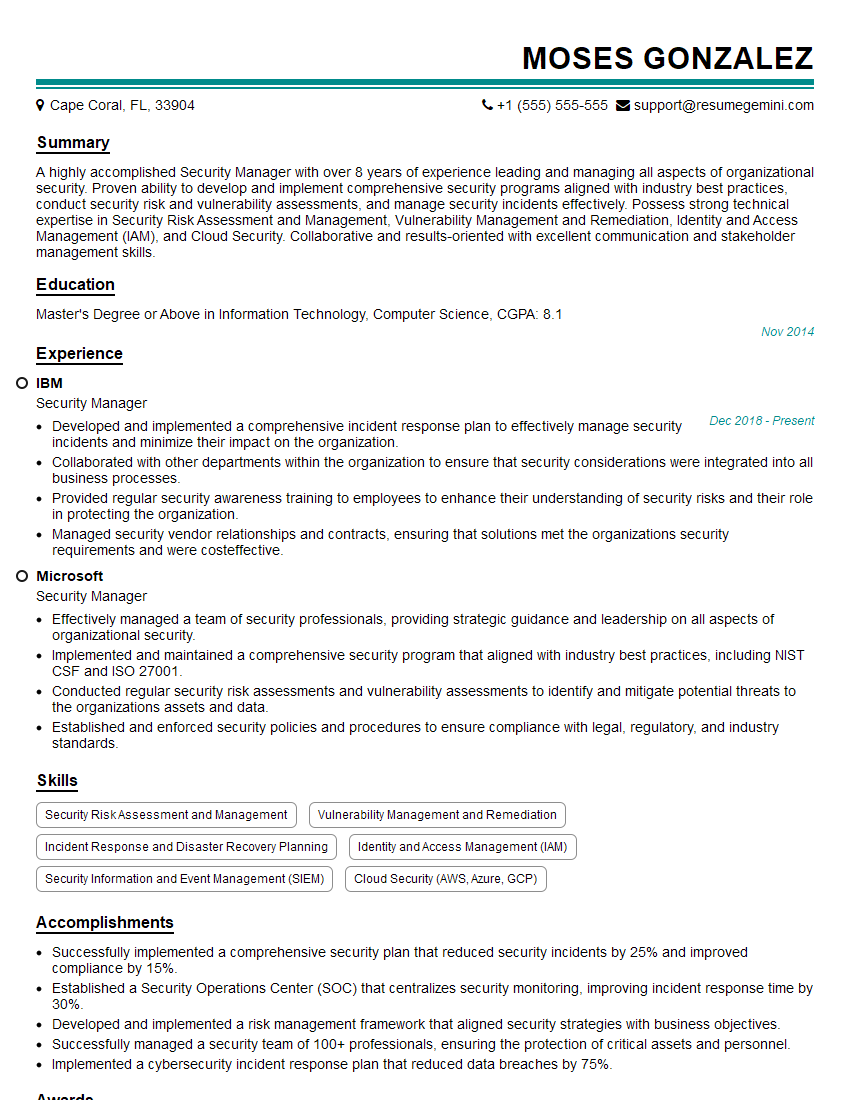
Security Manager Resume Sample

Security Analyst Resume Sample

Security Consultant Resume Sample

Security Engineer Resume Sample
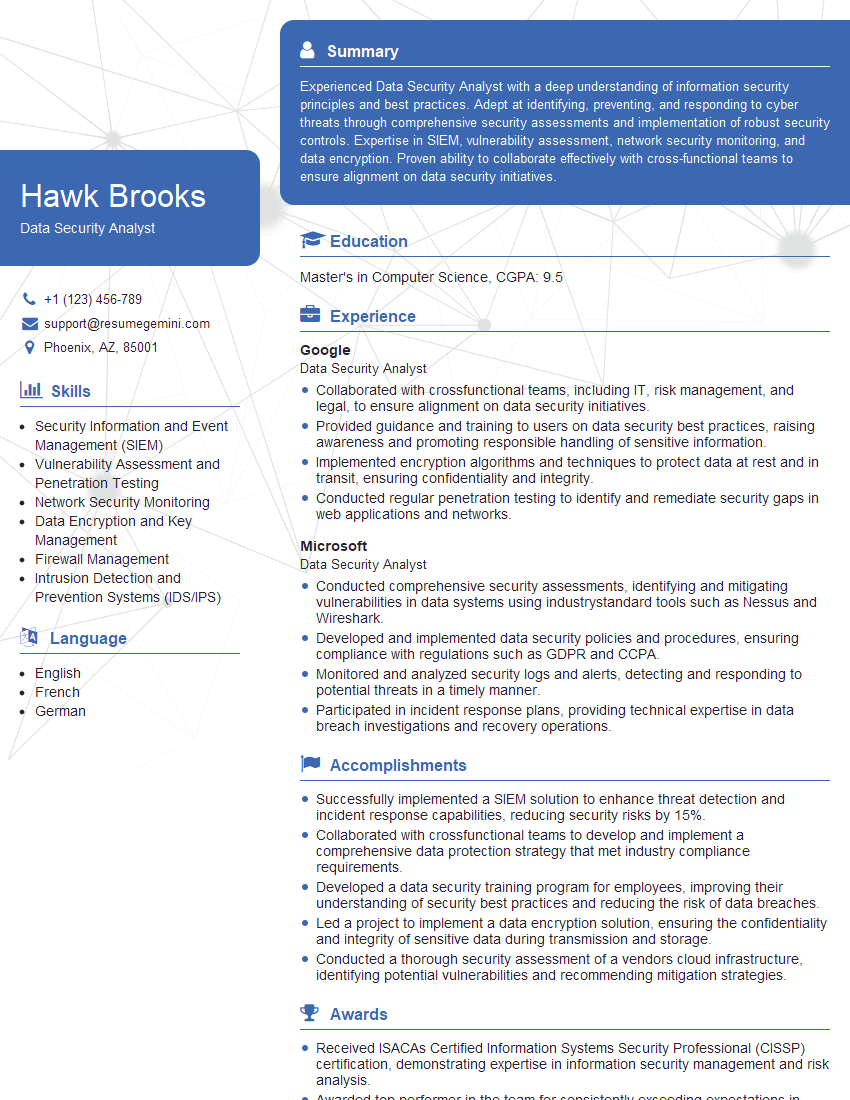
Data Security Analyst Resume Sample

Information Security Analyst Resume Sample

Network Security Engineer Resume Sample

Security Architect Resume Sample

IT Security Specialist Resume Sample
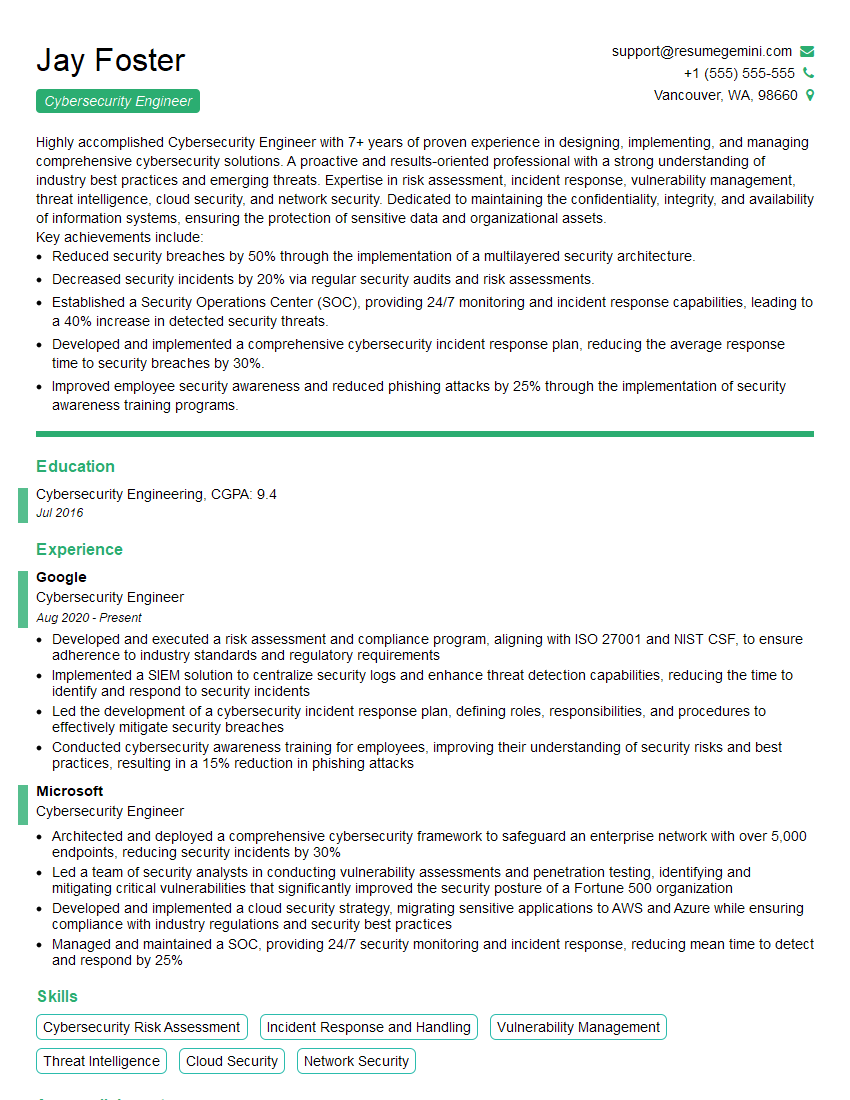
Cybersecurity Engineer Resume Sample

Cybersecurity Analyst Resume Sample
Explore more articles
Users Rating of Our Blogs
Share Your Experience
We value your feedback! Please rate our content and share your thoughts (optional).
What Readers Say About Our Blog
Amazing blog
Interesting Article, I liked the depth of knowledge you’ve shared.
Helpful, thanks for sharing.