Every successful interview starts with knowing what to expect. In this blog, we’ll take you through the top Proficient in digital cinema cameras interview questions, breaking them down with expert tips to help you deliver impactful answers. Step into your next interview fully prepared and ready to succeed.
Questions Asked in Proficient in digital cinema cameras Interview
Q 1. Explain the difference between a sensor’s dynamic range and its color depth.
Dynamic range and color depth are crucial aspects of a digital cinema camera’s sensor, both impacting the final image quality, but in different ways. Think of dynamic range as the sensor’s ability to capture detail in both the brightest highlights and the darkest shadows – essentially, the range of light intensities it can record. Color depth, on the other hand, refers to the number of bits used to represent the color information of each pixel. This determines the number of distinct colors the camera can record.
For example, a sensor with a high dynamic range (e.g., 14 stops) can capture subtle details in both bright sunlight and deep shadows, preserving highlight information and shadow detail without clipping or crushing. A higher color depth (e.g., 12-bit or 16-bit) allows for smoother color gradations and more accurate color representation, resulting in a more lifelike and nuanced image with fewer banding artifacts compared to an 8-bit sensor. It’s important to note that a high dynamic range doesn’t automatically guarantee good color depth, and vice versa – they are independent characteristics.
Q 2. Describe the various types of image sensors used in digital cinema cameras.
Digital cinema cameras utilize several types of image sensors, each with its own strengths and weaknesses. The most common types include:
- CMOS (Complementary Metal-Oxide-Semiconductor): This is the dominant sensor type in modern cinema cameras. CMOS sensors offer advantages in speed, low power consumption, and on-chip processing capabilities. Many high-end cinema cameras employ global shutter CMOS sensors, minimizing the rolling shutter effect (distortion that occurs when a camera’s sensor scans a scene line by line).
- CCD (Charge-Coupled Device): While less common now, CCD sensors were once the standard for high-end cameras. They generally exhibit excellent color accuracy and low noise but are typically larger, more power-hungry, and less adaptable to high frame rates compared to CMOS sensors.
- Super 35 and Full-Frame: These terms refer to sensor size, not sensor type. Super 35 sensors provide a shallower depth of field, ideal for isolating subjects, while full-frame sensors offer greater dynamic range and light gathering capabilities but with a deeper depth of field. The choice depends on creative and stylistic needs.
The selection of sensor type and size impacts various aspects of image acquisition, from depth of field to low-light performance. A thorough understanding of these differences is crucial for selecting the right camera for a specific project.
Q 3. What are the advantages and disadvantages of using different codecs (e.g., ProRes, DNxHD, RAW)?
The choice of codec significantly impacts workflow and post-production. Each codec offers a different balance between file size, compression, and image quality.
- RAW: RAW codecs (e.g., REDCODE, ArriRAW) provide the most data, preserving maximum image information. This allows for extensive flexibility in post-production, including color grading and dynamic range adjustments. However, RAW files are massive, requiring significant storage and processing power.
- ProRes (Apple ProRes): ProRes offers a good balance between image quality and file size. It’s widely compatible with editing software and is preferred for its efficiency and ease of use. Different flavors of ProRes (e.g., ProRes 422, ProRes 4444) offer varying levels of compression and color information.
- DNxHD (Avid DNxHD): Similar to ProRes, DNxHD is a widely adopted codec known for its quality and compatibility within professional workflows. It’s a robust option for editing and post-production but can be somewhat less flexible than RAW in terms of color manipulation.
The best codec choice depends on the project’s needs and available resources. For high-end productions with significant post-production work, RAW is often preferred, while ProRes or DNxHD provide efficient solutions for projects with tighter deadlines or storage limitations. For example, a short film might use ProRes to keep file sizes manageable, while a feature film might opt for RAW for maximum image quality and flexibility.
Q 4. How do you manage color temperature and white balance on set?
Managing color temperature and white balance is essential for consistent and accurate color reproduction. Color temperature refers to the warmth or coolness of light, measured in Kelvin (K). White balance ensures that white appears white in the image, preventing color casts.
On set, I use a combination of techniques:
- White Balance Tool: I use the camera’s built-in white balance tool, setting it to the dominant light source (e.g., daylight, tungsten). I might use a white balance card or gray card for accurate reference.
- Color Meter: A color meter precisely measures the color temperature and provides accurate data for setting the camera’s white balance. This is particularly useful when dealing with mixed lighting conditions.
- Lighting Control: I work closely with the gaffer to control the color temperature of the lighting instruments, aiming for consistency across the scene. Gel filters are used to adjust the color of lights to match desired ambiance and white balance.
- Post-Production Correction: While on-set adjustments are critical, some color correction is always possible in post-production using color grading tools. However, starting with a well-balanced image significantly simplifies post-production.
For instance, on a shoot with both natural daylight and tungsten indoor lighting, I’d use a color meter to accurately measure the color temperature of each light source and use gels to match them or compensate for the differences. Careful pre-planning and communication with the lighting department is key.
Q 5. Explain the concept of exposure latitude and its importance in cinematography.
Exposure latitude refers to the range of exposure values that yield acceptable image quality. A camera with a wide exposure latitude can handle overexposure and underexposure better than one with a narrow latitude. In simpler terms, it’s the ‘forgiveness’ the camera offers if your exposure isn’t perfect.
In cinematography, exposure latitude is crucial because it provides flexibility. If you have a wide latitude, you can make creative choices during shooting without necessarily worrying about precise exposure at every moment. For instance, you might underexpose slightly in certain scenes to maintain detail in the highlights, knowing that you can recover the shadows later in post-production. Conversely, a narrow latitude requires meticulous exposure control during shooting as small errors can be difficult to correct later. This affects the speed and efficiency of production, as well as post-production workflows. A wider latitude offers creative freedom and post-production flexibility, which are highly valued in filmmaking.
Q 6. Describe your workflow for managing camera metadata.
My camera metadata workflow prioritizes organization and preservation of critical information. I follow these steps:
- Embedded Metadata: I ensure the camera is set to record all relevant metadata (date, time, lens information, exposure settings, etc.) directly into the image files. This is crucial for accurate record-keeping and efficient post-production.
- External Metadata: I also use a slate or a dedicated on-set metadata recording system to capture additional data such as scene number, take number, and other relevant information that is not automatically recorded by the camera.
- Database Management: I utilize a dedicated database or software (e.g., spreadsheets, specialized media management software) to maintain a comprehensive catalog of all footage, including corresponding metadata. This facilitates quick access to specific shots during editing and post-production. For larger projects, this might involve specific post-production teams managing this workflow.
- Backup and Archiving: Regular backups of all footage and metadata are performed to prevent data loss. A robust archiving strategy is implemented to ensure long-term preservation of both the footage and the associated metadata.
By meticulously documenting metadata, I ensure the integrity and traceability of the entire production process, streamlining post-production and preserving valuable information for future reference.
Q 7. What are some common troubleshooting steps for resolving camera malfunctions on set?
Troubleshooting camera malfunctions on set requires a systematic approach. My steps typically include:
- Identify the Problem: First, clearly define the issue. Is the camera completely unresponsive, is there an error message, or is there a specific image quality problem?
- Check the Obvious: Ensure power is connected correctly, the media card is inserted properly, and the camera settings are appropriate. Sometimes, simple checks can resolve the issue.
- Restart the Camera: A simple restart can often fix minor software glitches.
- Check Connections: Inspect all cables and connections, ensuring they are securely attached. Loose connections are a common cause of problems.
- Media Card Check: If it’s a media card error, try a different card. If using a camera with dual card slots, switch to the other slot. Verify that the card has sufficient space.
- Lens Check: Ensure that the lens is properly mounted and functioning correctly. Test with another lens if possible.
- Camera Settings Review: Review the camera’s settings. Incorrect settings can lead to various issues. Compare with other cameras on set to eliminate systemic errors in the workflow.
- Seek Assistance: If the problem persists, seek assistance from a camera technician or the camera rental house. It is critical to document the issue clearly and thoroughly before seeking help.
Systematic troubleshooting helps to quickly identify the root cause of the problem and minimize downtime on set. A well-prepared team and adequate backup equipment are always vital to mitigate such situations.
Q 8. How do you select the appropriate lenses for a particular shot or scene?
Lens selection is crucial for achieving the desired look and feel of a shot. It’s a creative decision based on several factors: the focal length (wide, medium, telephoto), aperture (controlling depth of field), and the lens’s character (e.g., sharpness, distortions). For example, a wide-angle lens (e.g., 14-24mm) is ideal for establishing shots, capturing vast landscapes, or creating a sense of grandeur. Conversely, a telephoto lens (e.g., 70-200mm) compresses perspective, isolating subjects, and is perfect for portraits or wildlife photography. A medium lens (e.g., 35mm or 50mm) provides a more natural perspective, often used for documentary or street photography.
The scene itself dictates the lens choice. A claustrophobic interior might call for a wider lens to emphasize the confined space, while a dramatic close-up would demand a telephoto lens to isolate facial expressions. I always consider the storytelling aspect: what feeling do I want to evoke with the lens choice? The lighting conditions also play a role; a fast lens (low f-stop number) is essential in low-light situations.
For instance, on a recent shoot, we were filming a dramatic confrontation in a dimly lit alleyway. A fast 50mm lens was ideal for achieving a shallow depth of field, focusing sharply on the actors’ faces and blurring the background, increasing the tension and drama of the scene.
Q 9. Explain the difference between shallow depth of field and deep depth of field, and how to achieve each.
Depth of field (DOF) refers to the area of the image that appears sharp and in focus. A shallow depth of field means only a small portion of the image is in focus, while the rest is blurred (bokeh). This creates a visually appealing separation between the subject and the background, drawing the viewer’s eye to the main focus. A deep depth of field, conversely, results in a large portion of the image being sharp from foreground to background. This is useful for landscapes or establishing shots where everything needs to be clear.
Achieving shallow depth of field: This is generally achieved by using a wide aperture (low f-number like f/1.4, f/2.8), a longer focal length lens, and placing the subject far from the background. The closer the focus distance, the shallower the depth of field will be.
Achieving deep depth of field: This is achieved by using a narrow aperture (high f-number like f/16, f/22), a shorter focal length lens, and ensuring a significant distance between the subject and the background.
Think of it like this: a shallow depth of field is like using a spotlight on your subject, while a deep depth of field is like using a floodlight to illuminate everything equally. The selection depends entirely on the desired aesthetic and the story being told.
Q 10. What are the different types of camera supports and their applications?
Camera supports are essential for achieving stable and smooth shots, significantly impacting the overall quality of the footage. Different supports cater to various needs and shooting styles. Some of the most commonly used camera supports include:
- Tripods: Provide stable support for static shots, allowing precise framing and eliminating camera shake. There are various types – lightweight travel tripods for documentary work, sturdy studio tripods for heavy cameras, and specialized tripods for extreme environments.
- Monopods: Offer more mobility than tripods but provide less stability. Useful for quick shots or when some level of movement is required.
- Steadicams: These handheld stabilizers use gyroscopic technology to create incredibly smooth, flowing shots even while walking or moving. They are essential for dynamic scenes and shots requiring a professional look.
- Gimbal stabilizers (electronic): These offer precise stabilization, often with remote control functionalities, allowing for smoother movement and creative camera work. They are particularly useful for handheld shots or drone footage.
- Sliders: These motorized or manual track systems enable controlled camera movements, creating smooth pans and revealing shots. They can be used in conjunction with other stabilization systems.
- Crane/jibs: Provide elevated viewpoints and dynamic shots, offering dramatic perspectives and creative compositions.
The choice of support depends on the specific shot, the environment, and the desired movement. A tripod is perfect for interviews, while a Steadicam is better suited for a dynamic chase sequence. Careful consideration of these factors ensures the most effective camera support for the scene.
Q 11. Explain your understanding of focus pulling and how it’s achieved.
Focus pulling, also known as pulling focus, involves smoothly changing the focus of the lens during a shot to shift the viewer’s attention between subjects or create a specific effect. It requires precise control and timing, often demanding a skilled focus puller (or a skilled cinematographer pulling their own focus).
Focus pulling can be achieved in several ways:
- Manually: Using the lens’s focus ring to adjust the focus point. This requires practice and an understanding of the lens’s focus throw (distance the focus ring needs to move to achieve a given focus change) and the speed of the focus change required.
- Using a follow focus system: This system allows for more precise and consistent focus changes, particularly during complex shots. It involves a separate device attached to the lens’s focus ring, enabling smoother and more controlled movements.
- Autofocus (with limitations): While autofocus is convenient, it can be unreliable during fast-moving shots or precise focus changes, therefore it’s usually avoided for critical scenes.
Accurate focus pulling is paramount for creating sharp, professional footage. An improperly pulled focus can distract the viewer or create a jarring effect, ruining the scene’s impact. In professional settings, it’s common to use a focus chart or marks on the ground to help the focus puller know exactly when to shift focus.
Q 12. How do you work with a DIT to ensure optimal image quality?
The Digital Imaging Technician (DIT) is an essential member of the film crew, responsible for managing and maintaining the digital image quality throughout the production. Collaboration with a DIT is crucial for achieving optimal results.
My workflow with a DIT typically involves:
- Pre-production: Discussing the project’s requirements, including color science, image format, and data workflow.
- On-set collaboration: Regularly checking monitor images for exposure, white balance, and focus; making adjustments as needed with the DIT’s guidance.
- Daily rushes: Reviewing the day’s footage with the DIT to identify any issues with image quality, color consistency, or other technical aspects.
- Data management: Collaborating with the DIT to establish a robust backup and storage strategy for the footage to prevent data loss or corruption.
- Color grading: Working closely with the DIT during the color grading process, ensuring the final images match the creative vision.
Effective communication and a shared understanding of the project’s goals are crucial. A good working relationship with the DIT guarantees optimal image quality and a smooth post-production workflow.
Q 13. Describe your experience with different camera control systems.
I am experienced with various camera control systems, including those found on ARRI ALEXA, RED, and Sony Venice cameras. My experience encompasses both on-camera control via buttons and menus and external remote control systems. I’m comfortable using a variety of camera control units (CCUs), allowing for precise control over camera settings remotely, often necessary for complex shots and specialized setups.
Understanding these systems is essential for efficiently adjusting camera parameters such as aperture, shutter speed, ISO, and white balance during shooting, whether remotely or directly on the camera. I can adapt quickly to new systems, as the fundamental principles remain consistent across different manufacturers.
For instance, I’ve used an ARRI WCU-4 to remotely control camera settings during a large-scale outdoor shoot, and I’ve also managed direct on-camera controls while shooting handheld in tight spaces. This flexibility ensures I can adapt to any filming condition or equipment readily available.
Q 14. How do you monitor and manage your camera’s battery life?
Monitoring and managing battery life on a digital cinema camera is critical to avoid interruptions during a shoot. My approach involves a multi-pronged strategy:
- Using multiple batteries: Always carry several fully charged batteries on set, exceeding what’s strictly necessary. This provides redundancy and reduces downtime.
- Battery chargers: Using high-quality, reliable chargers capable of quickly charging multiple batteries simultaneously.
- Battery meters: Regularly monitoring the remaining battery power using the camera’s built-in meter and/or external battery monitoring systems.
- Power conservation techniques: Utilizing features such as power-saving modes on the camera when appropriate (e.g., turning off displays when not actively shooting).
- Environmental conditions: Understanding that extreme temperatures (hot or cold) affect battery life and taking the necessary precautions, such as keeping batteries warm in cold climates.
- Battery type and quality: Using high-quality batteries specifically designed for the camera model, as cheaper alternatives can significantly impact lifespan and performance.
Proactive battery management prevents unexpected interruptions, ensuring smooth operation and ultimately, successful shoots. This includes regularly checking battery health and potentially replacing aging batteries to minimize the risk of failure.
Q 15. What are your strategies for managing data on set, particularly large RAW files?
Managing data on set, especially large RAW files from digital cinema cameras, is crucial for efficiency and preventing data loss. My strategy relies on a multi-layered approach:
- Redundancy: I always use a dual-card recording system in the camera. This provides immediate backup in case one card fails.
- On-set Data Management System: We utilize a robust system, often involving dedicated hard drives and a laptop with dedicated software like Shotput Pro or similar. This allows for immediate offloading from camera cards to multiple drives, creating a second layer of redundancy.
- Data Labeling and Organization: A clear naming convention is essential. We typically use a system incorporating scene number, take number, and camera identifier (e.g.,
SCENE001_TAKE003_CAM_A.R3D). This makes sorting and searching significantly easier. - Regular Backups: Throughout the day, data is regularly backed up to external hard drives or cloud storage. This is a critical safety measure against potential theft or loss.
- Data Verification: Before wrapping the day, we always verify the integrity of the data using checksums or similar tools to ensure no data corruption has occurred.
- Cloud Storage (if appropriate): Depending on the project’s needs and budget, we leverage cloud storage services for offsite backups, ensuring extra security against disasters. We carefully assess security measures and compliance requirements before utilizing this method.
This multi-layered approach ensures data security and facilitates post-production workflows. For instance, on a recent commercial shoot, the use of redundant cards and immediate offloading prevented a potential disaster when one card became corrupted. The backups allowed for seamless continuation without data loss.
Career Expert Tips:
- Ace those interviews! Prepare effectively by reviewing the Top 50 Most Common Interview Questions on ResumeGemini.
- Navigate your job search with confidence! Explore a wide range of Career Tips on ResumeGemini. Learn about common challenges and recommendations to overcome them.
- Craft the perfect resume! Master the Art of Resume Writing with ResumeGemini’s guide. Showcase your unique qualifications and achievements effectively.
- Don’t miss out on holiday savings! Build your dream resume with ResumeGemini’s ATS optimized templates.
Q 16. Explain your knowledge of various camera accessories such as filters and matte boxes.
Camera accessories are essential for controlling the image and protecting the camera. My understanding includes:
- Filters: I’m proficient in using various filters, including ND (Neutral Density) filters for controlling light exposure in bright conditions, polarizers to reduce reflections and enhance color saturation, and graduated ND filters to balance exposure in scenes with significant brightness variations. I understand the different types of ND filters (e.g., hard, soft, circular)
- Matte Boxes: A matte box is used to control light entering the lens, reducing flare and reflections. They are particularly useful for preventing unwanted light sources from affecting the image, resulting in a cleaner look. I can efficiently attach and adjust different matte box flaps to achieve optimal light control, and I’m experienced with using different types (e.g., 4×4, 4×5.65).
- Other Accessories: My experience extends to other essential accessories like follow focuses, lens supports, and various mounting systems. Understanding their functionalities is crucial for smooth and efficient camera operation. I always take the time to check and understand compatibility across these accessories before using them.
For example, on a recent music video shoot, the use of graduated ND filters and a matte box was crucial in maintaining balanced exposure and minimizing unwanted glare, resulting in a polished and professional aesthetic.
Q 17. How do you prepare for a shoot, including checking equipment and planning camera setups?
Pre-production planning is vital for a smooth and efficient shoot. My preparation involves:
- Equipment Check: A thorough equipment check is performed well in advance of the shoot. This includes inspecting all cameras, lenses, accessories, and support equipment for functionality and any potential issues. I create detailed checklists to ensure nothing is overlooked.
- Camera Setup Planning: Based on the shot list and the director’s vision, I plan camera setups, including lens choice, camera angles, and the required accessories for each shot. Storyboards and previs (pre-visualization) are very helpful here.
- Testing: On-site tests are always conducted to ensure all equipment is functioning correctly and that the planned camera setups will produce the desired results. I also conduct lighting tests in collaboration with the lighting department.
- Communication: Open communication with the director, DP, and other crew members is key to resolving any potential problems and ensuring everyone is on the same page. We often have pre-production meetings to discuss logistics and ensure everyone is aware of expectations.
A recent example involved a challenging night shoot. Through thorough pre-planning, we were able to anticipate and address potential issues like power supply challenges and low-light issues, ensuring a seamless shoot despite the difficulties.
Q 18. What is your experience working with different camera formats (e.g., Super 35, Full Frame, Large Format)?
I have extensive experience working with various camera formats, each with unique characteristics:
- Super 35: Offers a good balance between image quality and cost-effectiveness. It’s widely used for its versatility and compatibility with a wide range of lenses. I’m familiar with its shallower depth of field compared to larger formats.
- Full Frame: Provides a wider field of view and shallower depth of field than Super 35, which is ideal for certain creative styles. I understand its demands regarding lighting and lens selection.
- Large Format (e.g., 6K, 8K): Offers exceptional image quality and detail. It’s commonly used for high-end productions where the resolution and dynamic range are of paramount importance. I’m aware of the technical challenges associated with large-format sensors, such as higher data rates and specialized lens requirements. The increased resolution brings along more demands on post-production workflows.
My experience allows me to select the appropriate format based on project requirements, budget, and artistic vision. I can leverage the strengths of each format to achieve the desired look for each project, for instance, utilizing the shallower depth of field in full-frame for a portrait shoot to achieve the desired aesthetic impact.
Q 19. Explain your understanding of various color spaces (e.g., Rec.709, Rec.2020, DCI-P3).
Color spaces define the range of colors that can be represented digitally. My understanding includes:
- Rec.709: The standard color space for HDTV and most internet video. It’s a relatively small color gamut, suitable for broadcast and online platforms.
- Rec.2020: A wider color gamut than Rec.709, designed for Ultra High Definition Television (UHDTV) and future displays. It aims to encompass a broader range of colors, closer to what the human eye can perceive.
- DCI-P3: A wide color gamut used in digital cinema projection. It offers a larger color space than Rec.709, resulting in richer and more vibrant colors on the big screen.
Understanding these color spaces is crucial for capturing and delivering images with consistent color accuracy across different platforms. For instance, shooting in a wide gamut like DCI-P3 allows for greater flexibility in post-production, even if the final delivery is in Rec.709. Careful color management throughout the workflow is paramount to avoid color shifts and achieve a consistent look.
Q 20. Describe your process for creating a shot list and communicating it to the camera crew.
Creating and communicating a shot list is a fundamental part of my workflow. My process involves:
- Detailed Shot List Creation: I work closely with the director to create a comprehensive shot list, detailing each shot’s purpose, camera angle, lens choice, and any special requirements. This often involves reviewing storyboards or previs.
- Clear Communication: I clearly communicate the shot list to the camera crew using a concise and easily understandable format. This may involve a digital document, or even a physical paper shot list depending on the project and crew’s preference.
- Visual Aids: I often use visual aids, such as storyboards or sketches, to clarify complex shots and ensure everyone understands the director’s vision.
- Regular Check-ins: Throughout the shoot, I conduct regular check-ins with the camera crew to ensure everyone is on the same page and to address any questions or concerns. This collaborative approach is essential to success.
In a recent project, using a clearly structured shot list with visual references resulted in remarkable efficiency. The camera crew could anticipate setups and prepare in advance, minimizing downtime and allowing us to complete the shoot ahead of schedule.
Q 21. How do you maintain focus during fast-paced scenes?
Maintaining focus during fast-paced scenes requires a combination of technical skills and strategic planning:
- Rehearsals: Thorough rehearsals with actors and the camera crew are crucial to understand the pacing and movements of the scene. This allows us to anticipate focus pulls and adjust camera settings accordingly.
- Focus Pulling Techniques: Proficient use of follow focus and effective communication with the focus puller is essential for precise and responsive focus adjustments. Different techniques are employed based on the camera movement and speed of the scene (e.g., rack focus, pulling focus smoothly).
- Camera Movement Strategy: Strategic planning of camera movement is important to minimize sudden or erratic focus changes. Smooth camera movements are easier to follow and make focus adjustments less challenging.
- Technology: Using advanced technologies such as lens control systems that automate focus adjustments can greatly aid focus pulling in fast-paced scenes.
For example, in a recent action scene, a combination of rehearsals, effective communication between me and the focus puller, and well-planned camera movements ensured the actors were in focus throughout the entire sequence, even though the scene involved quick movements and changes in focus. The preparation made the fast pace seem smooth and effortless on screen.
Q 22. Explain your experience with remote camera control systems.
Remote camera control systems are indispensable for complex shoots, offering flexibility and precision. My experience spans various systems, from simple Wi-Fi-enabled controllers to sophisticated fiber optic setups capable of controlling multiple cameras simultaneously. I’m proficient in using software like Remote Camera Control (RCC) and Freefly MoVI to adjust focus, iris, zoom, and other camera parameters remotely. This is particularly useful for shots requiring inaccessible positions like high-altitude crane shots or underwater sequences. For instance, on a recent nature documentary, we used a remote-controlled system to capture time-lapses of a bird’s nest without disturbing the birds. This allowed us to capture incredibly detailed footage, without the risk of impacting the natural setting.
I’m also experienced with integrating these systems with other production technologies, such as robotic camera dollies or gimbals, to create fully automated shots. Understanding the nuances of each system, including latency issues and signal strength, is vital for smooth operation.
Q 23. How do you handle unexpected technical issues during a shoot?
Unexpected technical issues are an inevitable part of filmmaking. My approach prioritizes proactive prevention and rapid, effective troubleshooting. I always conduct thorough pre-production camera checks, verifying functionality and backups. During the shoot, I maintain detailed logs of camera settings and troubleshooting steps.
If a problem arises, my process involves:
- Assess the situation: Is it a camera-specific malfunction, a power issue, or a connectivity problem?
- Isolate the problem: Try swapping out components, cables, or lenses to identify the root cause.
- Implement a solution: If possible, repair or replace the faulty component. Sometimes, creative workarounds are necessary, such as switching to a backup camera or adjusting the shot to mitigate the issue.
- Communicate effectively: Keeping the director and other crew members informed about the situation and the proposed solution is crucial to maintain workflow.
For example, on a recent commercial shoot, the camera’s sensor experienced a temporary malfunction. By quickly switching to our backup RED camera, pre-configured with identical settings, we minimized downtime and prevented significant delays.
Q 24. What are some techniques you use to ensure image stability?
Image stability is paramount for professional filmmaking. My techniques encompass both pre-emptive measures and in-camera stabilization.
Pre-emptive measures include:
- Choosing the right support: Using sturdy tripods, gimbals, or camera stabilizers appropriate for the camera and shot type. For example, a heavier-duty tripod is needed for larger cameras, while a gimbal is preferred for smooth handheld shots.
- Proper camera setup: Ensuring the tripod legs are properly extended and leveled, and the camera is balanced correctly on the support.
- Careful camera handling: Smooth movements are crucial when shooting handheld.
In-camera stabilization techniques:
- Electronic Image Stabilization (EIS): Utilizing the in-camera EIS feature (if available) helps to reduce minor shakes and vibrations.
- Sensor stabilization: Many modern cameras offer sensor-based stabilization, which further improves image stability.
Post-production stabilization software, such as Adobe After Effects, can also be used to further refine stability, though it’s preferable to get it right in camera to avoid potential quality loss.
Q 25. How do you collaborate with the lighting crew to achieve desired lighting effects?
Collaboration with the lighting crew is essential for achieving the desired visual aesthetic. Effective communication and a shared understanding of the director’s vision are key. Before the shoot, I actively participate in lighting discussions, contributing my understanding of how lighting impacts the camera’s sensor and the overall image quality.
My collaboration involves:
- Reviewing the shot list and storyboards: Understanding the desired mood and lighting schemes for each scene.
- Discussing color temperature and light intensity: Coordinating camera settings (ISO, shutter speed, aperture) with the lighting crew to achieve optimal exposure and dynamic range.
- Considering the camera’s dynamic range: Choosing lighting setups that maximize the camera’s ability to capture detail in both highlights and shadows.
- Experimenting with lighting styles: Collaborating on creative lighting techniques, such as using natural light, hard light, or soft light, depending on the scene’s requirements.
For example, during a recent music video shoot, we collaborated extensively to achieve a specific moody atmosphere. The lighting crew used strategically placed colored gels to create a unique visual style, while I adjusted the camera’s settings to ensure the colors were captured accurately and with sufficient dynamic range.
Q 26. Describe your experience with time-lapse or high-speed cinematography.
I have extensive experience with both time-lapse and high-speed cinematography. Time-lapse photography involves capturing images at long intervals and then compiling them into a video to show a process occurring over time. High-speed cinematography, conversely, involves capturing images at extremely short intervals, far exceeding the normal frame rate, allowing for the recording and playback of fast-moving events in slow motion.
For time-lapses, I utilize intervalometers to control the camera’s shutter, ensuring consistent intervals. Careful planning of the composition and lighting is crucial as these aspects remain fixed throughout the entire shoot. Software such as LRTimelapse is then employed to streamline the editing process and address exposure changes over long periods.
High-speed cinematography necessitates specialized cameras and lighting solutions. Cameras with high frame rates are crucial. I carefully plan the lighting to provide sufficient illumination given the reduced shutter speed. The resulting footage often requires careful post-processing to refine the quality.
Q 27. What are your preferred methods for monitoring image quality during a shoot?
Monitoring image quality during a shoot is crucial to ensure the final product meets the required standards. My methods involve a multi-faceted approach using both on-set monitoring and post-production analysis.
On-set monitoring:
- Using professional on-set monitors: These monitors provide a higher-resolution representation of the image captured by the camera. I look for exposure, white balance, and sharpness.
- Checking histograms: Histograms provide a visual representation of the tonal distribution in the image, helping to identify overexposed or underexposed areas.
- Using waveform monitors and vectorscopes: These tools provide more technical analysis of the image and aid in the precise adjustment of color and exposure.
- Reviewing recorded footage: Regularly reviewing the recorded footage allows immediate identification of any image quality issues during the shoot, allowing for corrective actions.
Post-production analysis:
- Analyzing footage in post-production software: Post-production offers a more detailed assessment of the final output. Software like
DaVinci Resolveallows for color grading and finer adjustments.
Q 28. Explain your understanding of camera calibration and how to perform it.
Camera calibration is the process of optimizing the camera’s settings and characteristics to ensure accurate color reproduction, sharpness, and overall image quality. It is crucial for consistent results across different cameras and lighting conditions. It often involves adjusting parameters within the camera’s internal settings menu and can be performed through dedicated calibration tools. The primary goal is to achieve a consistent color space and sharpness across the entire image plane.
There are multiple methods depending on the camera. Some cameras offer built-in calibration tools for colorimetry and lens distortion correction. Others require external tools. For many digital cinema cameras, it involves:
- White balance calibration: Ensuring the camera accurately interprets neutral colors across various lighting conditions.
- Lens distortion correction: Utilizing internal or software correction to account for lens imperfections (such as barrel or pincushion distortion).
- Color space profile selection: Selecting an appropriate color space, such as Rec.709 for television or DCI-P3 for digital cinema, depending on the intended use of the footage.
- Using color charts: Using a color chart (like a ColorChecker Passport) to check the camera’s color accuracy and create a custom color profile.
The specific steps and software involved vary greatly depending on the camera model and desired level of precision, but thorough calibration provides a solid foundation for accurate and consistent color in a production.
Key Topics to Learn for Proficient in Digital Cinema Cameras Interview
- Camera Sensor Technology: Understanding different sensor sizes (Super 35, Full Frame, etc.), their impact on depth of field, and image quality. Practical application: Explaining the creative choices involved in selecting a sensor size for a specific project.
- Image Acquisition and Formats: Knowledge of various recording formats (RAW, ProRes, etc.), codecs, and their implications for workflow and post-production. Practical application: Describing the advantages and disadvantages of different recording formats in relation to project needs (e.g., storage, processing power).
- Lens Selection and Usage: Understanding different lens types (primes, zooms), focal lengths, and their effect on perspective and storytelling. Practical application: Justifying lens choices based on a specific scene or directorial vision.
- Exposure and Colorimetry: Mastering exposure techniques (manual, aperture priority, shutter priority), white balance, and color science principles for achieving desired cinematic looks. Practical application: Troubleshooting exposure problems on set and explaining the rationale behind specific color grading choices.
- Camera Accessories and Workflow: Familiarity with essential accessories (follow focus, matte boxes, monitors), and understanding efficient on-set workflows. Practical application: Describing how to optimize a camera setup for specific shooting conditions and maximizing efficiency.
- Digital Imaging Pipelines: Understanding the post-production process, color grading, and the overall workflow from acquisition to final output. Practical application: Discussing your experience with color grading software and managing large digital files.
- Troubleshooting and Problem Solving: Demonstrating the ability to diagnose and resolve technical issues that may arise during filming. Practical application: Describing a scenario where you successfully overcame a technical challenge on set.
Next Steps
Mastering digital cinema cameras significantly enhances your career prospects in the film and video industry, opening doors to exciting roles and collaborative opportunities. A strong, ATS-friendly resume is crucial for showcasing your skills and experience effectively to potential employers. To build a compelling resume that highlights your proficiency in digital cinema cameras, we highly recommend using ResumeGemini. ResumeGemini offers a user-friendly platform and provides examples of resumes tailored to this specific field, ensuring your application stands out from the competition.

Technical Director Resume Sample

Colorist Resume Sample

3D Modeler Resume Sample

Animator Resume Sample

Compositor Resume Sample
Production Assistant Resume Sample
Media Manager Resume Sample

Broadcast Engineer Resume Sample

Video Editor Resume Sample
Camera Operator Resume Sample

Cinematographer Resume Sample
Gaffer Resume Sample
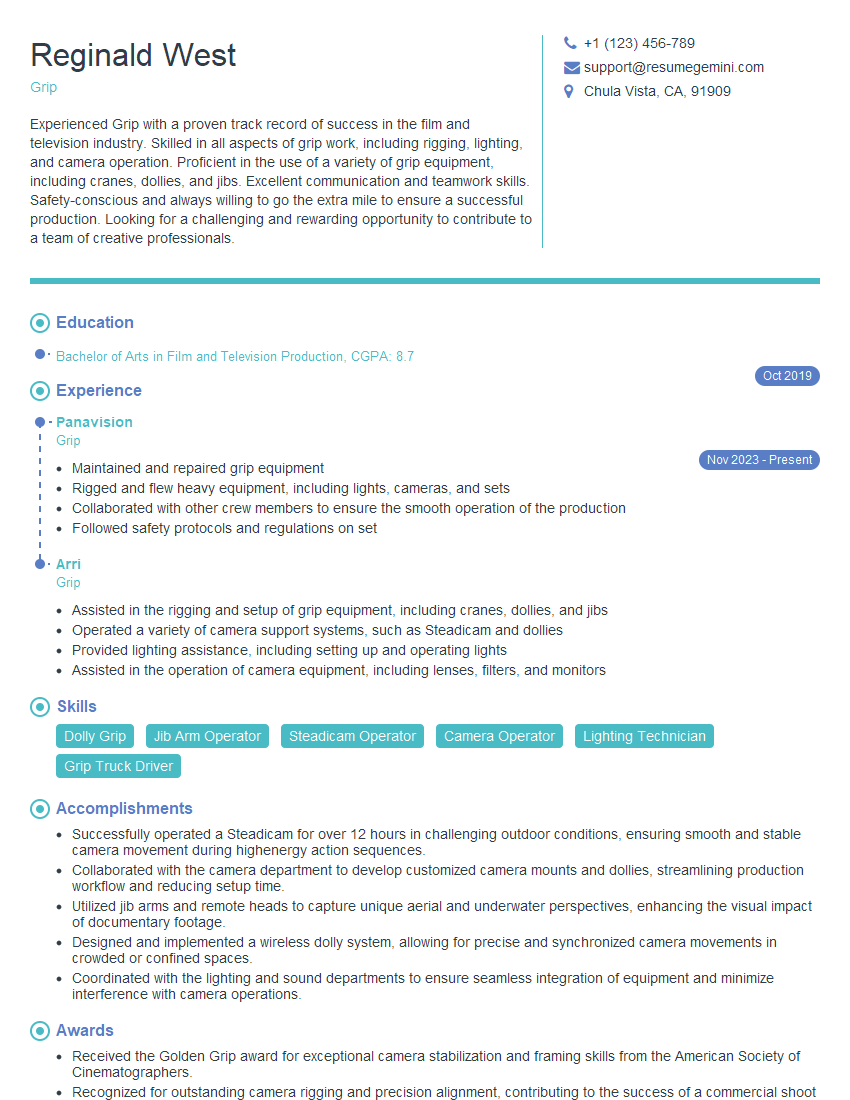
Grip Resume Sample
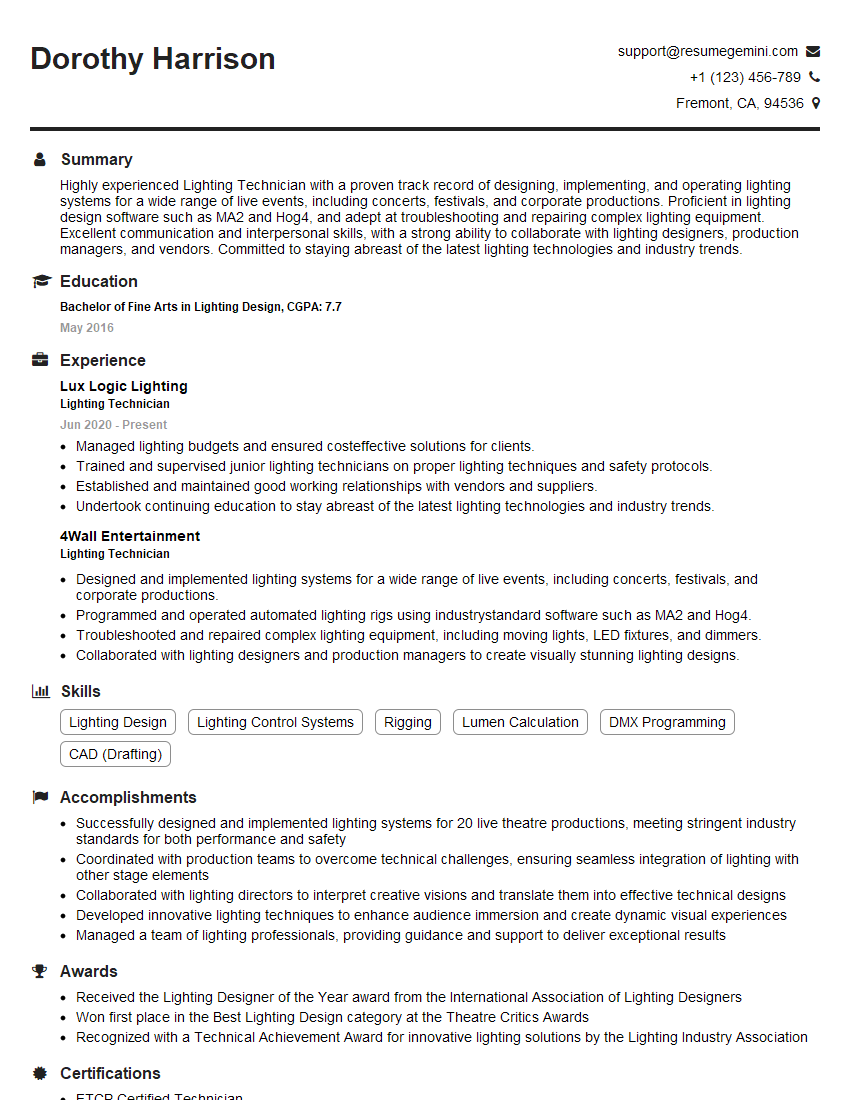
Lighting Technician Resume Sample
Explore more articles
Users Rating of Our Blogs
Share Your Experience
We value your feedback! Please rate our content and share your thoughts (optional).
What Readers Say About Our Blog
Amazing blog
Interesting Article, I liked the depth of knowledge you’ve shared.
Helpful, thanks for sharing.