Are you ready to stand out in your next interview? Understanding and preparing for Test Design and Planning interview questions is a game-changer. In this blog, we’ve compiled key questions and expert advice to help you showcase your skills with confidence and precision. Let’s get started on your journey to acing the interview.
Questions Asked in Test Design and Planning Interview
Q 1. Explain your approach to test planning for a large-scale project.
Test planning for a large-scale project requires a structured approach that ensures comprehensive coverage and efficient resource allocation. I typically follow a phased approach, starting with a high-level plan and progressively refining it as the project evolves. This involves:
- Understanding the Scope: Thoroughly analyzing project requirements, identifying all features and functionalities that need testing. This includes reviewing documentation, interacting with stakeholders, and clarifying ambiguities.
- Defining Test Objectives: Clearly stating what we aim to achieve through testing. For example, we might aim to achieve 95% test coverage or identify and resolve all critical bugs before release.
- Identifying Test Environments: Establishing the necessary hardware, software, and network configurations for testing different aspects of the application. This often involves setting up multiple environments such as development, staging, and production-like environments.
- Resource Allocation: Determining the required personnel, tools, and time for each testing phase. This involves estimating the effort required for each test type and assigning roles and responsibilities.
- Risk Assessment: Identifying potential risks that could impact the testing process, such as schedule constraints, technical challenges, or resource limitations. A risk mitigation plan is crucial.
- Test Strategy Definition: Documenting the overall approach to testing, outlining the types of testing to be performed (e.g., unit, integration, system, user acceptance testing), the testing methodologies (e.g., Agile, Waterfall), and the test tools to be used.
- Test Schedule & Reporting: Creating a detailed schedule outlining the different testing phases, milestones, and deadlines. Defining how test progress and results will be tracked and reported to stakeholders.
- Communication Plan: Establishing clear communication channels and reporting mechanisms to keep stakeholders informed about the testing progress, issues, and risks.
For example, in a recent project involving a large e-commerce platform, we used a risk-based approach to prioritize testing. High-risk features like payment gateway integration received more thorough testing earlier in the cycle, ensuring early detection and mitigation of potential critical issues.
Q 2. Describe different types of software testing and when you’d use each.
Software testing encompasses various types, each serving a specific purpose. The choice of testing type depends on the project’s context, risk profile, and available resources.
- Unit Testing: Testing individual components or modules of the software in isolation. This is typically done by developers. Example: Testing a specific function that calculates the total price in a shopping cart.
- Integration Testing: Testing the interaction between different modules or components. This verifies that the modules work together correctly. Example: Testing the interaction between the shopping cart and the payment gateway.
- System Testing: Testing the entire system as a whole, ensuring all components function as expected together. Example: End-to-end testing the entire e-commerce platform, including user registration, browsing, adding to cart, checkout, and order confirmation.
- User Acceptance Testing (UAT): Testing the software with end-users to ensure it meets their requirements and expectations. Example: Having actual customers test the e-commerce platform to ensure usability and functionality.
- Regression Testing: Retesting the software after code changes to ensure that new changes haven’t introduced new bugs or broken existing functionality. This is often automated. Example: After fixing a bug in the payment gateway, regression testing ensures the fix didn’t break other parts of the system.
- Performance Testing: Evaluating the software’s responsiveness, stability, and scalability under various load conditions. Example: Testing the e-commerce platform’s ability to handle a large number of concurrent users during peak shopping hours.
- Security Testing: Identifying vulnerabilities and security flaws in the software. Example: Penetration testing to identify potential security breaches in the e-commerce platform.
Q 3. How do you create a robust test strategy document?
A robust test strategy document serves as the blueprint for the entire testing process. It should be comprehensive, clearly outlining the approach and guiding the testing team. Key elements include:
- Introduction and Scope: Clearly defining the project, its objectives, and the scope of testing.
- Testing Objectives: Specific, measurable, achievable, relevant, and time-bound (SMART) goals for the testing effort.
- Test Methodology: Describing the chosen testing approach (e.g., Agile, Waterfall), outlining the test lifecycle and phases.
- Test Environment: Detailing the hardware, software, and network configurations used for testing.
- Test Data Management: Explaining how test data will be created, managed, and secured.
- Risk Assessment and Mitigation: Identifying potential risks and outlining strategies to mitigate them.
- Test Tools: Listing the tools to be used for testing (e.g., test management tools, automation tools).
- Reporting and Communication: Defining how test progress and results will be communicated to stakeholders.
- Entry and Exit Criteria: Specifying the conditions under which testing can begin and end.
- Test Deliverables: Identifying all the documents and artifacts that will be produced during the testing process.
The document should be easily understandable by both technical and non-technical stakeholders. Using clear language, visuals like diagrams, and a well-defined structure ensures easy comprehension and efficient collaboration.
Q 4. What are the key elements of a good test case?
A good test case is concise, unambiguous, and easily executable. Key elements include:
- Test Case ID: A unique identifier for the test case.
- Test Case Name: A descriptive name that clearly indicates the purpose of the test case.
- Objective: A brief description of what the test case aims to verify.
- Preconditions: Any conditions that must be met before executing the test case (e.g., specific data setup).
- Test Steps: A clear, step-by-step guide on how to execute the test case.
- Expected Results: The anticipated outcome of the test case.
- Actual Results: The actual outcome of the test case after execution.
- Pass/Fail: Indication whether the test case passed or failed.
- Attachments: Any relevant documents or screenshots.
For instance, a test case for verifying user login might have steps like: 1. Navigate to the login page; 2. Enter valid username and password; 3. Click on the login button. The expected result would be successful login and redirection to the user’s home page.
Q 5. How do you prioritize test cases for limited time?
When time is limited, prioritizing test cases is crucial. This involves a combination of techniques:
- Risk-Based Prioritization: Focus on test cases that cover high-risk functionalities or areas prone to defects. These are typically features critical to the application’s core functionality or those with high business impact.
- Criticality-Based Prioritization: Prioritize test cases based on the severity of potential failures. Critical functionalities that could lead to system crashes or data loss are given higher priority.
- Coverage-Based Prioritization: Prioritize test cases that ensure adequate coverage of requirements, code, or functionalities. This ensures testing covers the most important aspects of the system.
- Test Case Categorization: Categorize test cases based on priority levels (e.g., high, medium, low). This simplifies the selection process and helps focus on the most important test cases first.
- Using a Prioritization Matrix: Create a matrix that incorporates risk, criticality, and coverage to help rank the test cases.
For example, in a banking application, test cases related to transactions would have higher priority than those related to user interface styling. This ensures the core functionality is thoroughly tested even with time constraints.
Q 6. Explain your experience with risk-based testing.
Risk-based testing focuses on identifying and mitigating potential risks during the software development lifecycle. This approach prioritizes testing efforts on the areas with the highest probability of failure and the greatest potential impact. My experience includes using techniques like:
- Risk Assessment: Identifying potential risks, analyzing their probability of occurrence, and evaluating their potential impact on the project. This often involves using tools and techniques such as Failure Mode and Effects Analysis (FMEA).
- Risk Prioritization: Prioritizing risks based on their probability and impact. Risks with high probability and high impact are addressed first.
- Test Planning and Design: Designing test cases and test plans that address the prioritized risks. More test cases are dedicated to higher-risk areas.
- Risk Mitigation: Implementing strategies to reduce or eliminate the risks. These strategies could involve enhanced testing, code reviews, or design changes.
- Test Execution and Monitoring: Executing the test cases and monitoring the results closely. Any unexpected issues are documented and addressed promptly.
- Reporting and Communication: Reporting the risk assessment findings, testing progress, and mitigation measures to stakeholders.
In one project involving a medical device software, we used a risk-based approach to focus on testing safety-critical functions. This allowed us to identify and fix potential safety hazards early in the development cycle, significantly reducing the risk of patient harm.
Q 7. How do you handle unexpected bugs or defects during testing?
Unexpected bugs or defects are inevitable. My approach involves:
- Immediate Documentation: Accurately record the bug, including steps to reproduce, the actual result, and the expected result. Include screenshots or videos where appropriate.
- Reproducibility Check: Attempt to reproduce the bug consistently to confirm it’s not intermittent. This helps to verify the bug’s existence and gather more detailed information.
- Severity Assessment: Categorize the bug based on its severity (e.g., critical, major, minor). This prioritizes bug fixing, focusing on critical bugs first.
- Defect Reporting: Use a defect tracking system (e.g., Jira, Bugzilla) to log the bug, providing all necessary details. This ensures clear communication and tracking of the issue throughout the resolution process.
- Communication: Inform the development team about the bug and its severity. This enables them to prioritize fixing the bug based on its impact.
- Retesting: After the bug is fixed, retest the affected areas to ensure the bug is resolved and no new regressions have been introduced. Regression testing is crucial.
- Root Cause Analysis (RCA): If the bug is complex or recurring, conduct an RCA to understand the underlying cause and prevent similar bugs from occurring in the future.
For example, if a critical bug causing a system crash is discovered, it will immediately be escalated to the development team for immediate resolution. This will involve clear communication, documentation, and prioritizing the fix above other tasks to restore system functionality.
Q 8. What is your preferred test management tool and why?
My preferred test management tool is Jira, primarily due to its versatility and integration capabilities. While other tools like TestRail offer strong test case management, Jira’s broader project management features are invaluable. It allows for seamless integration with development workflows, facilitating better communication and collaboration between testers, developers, and product owners. For instance, I can directly link test cases to user stories, track progress through different testing phases, and manage bugs within the same system. This centralized approach significantly improves traceability and reduces the overhead associated with managing testing activities across multiple tools.
Beyond its core features, Jira’s extensibility through add-ons allows for customization to fit specific testing needs. We can integrate plugins for automated test results reporting, test execution management, and advanced reporting dashboards. This means we can tailor the tool to our exact workflow, improving efficiency and providing richer insights into our testing process.
Q 9. Describe your experience with test automation frameworks.
I have extensive experience with various test automation frameworks, including Selenium for web applications, Appium for mobile testing, and RestAssured for API testing. My experience goes beyond simply using these frameworks; I understand their underlying architecture and best practices for implementation. For example, I’ve worked on projects utilizing the Page Object Model (POM) in Selenium, which significantly improves code maintainability and reusability by separating page-specific logic from test scripts. This means that if a UI element changes, I only need to update the relevant page object, rather than modifying numerous test cases.
// Example of a Page Object in Selenium Java public class LoginPage { private WebDriver driver; //Locators for UI elements private By usernameField = By.id("username"); private By passwordField = By.id("password"); private By loginButton = By.id("loginButton"); public LoginPage(WebDriver driver){ this.driver = driver; } public void enterUsername(String username){ driver.findElement(usernameField).sendKeys(username); } // ... other methods for interacting with the login page }
Furthermore, I’m proficient in implementing CI/CD pipelines integrating these frameworks, ensuring automated tests run as part of the build process. This provides rapid feedback and early detection of potential issues, preventing bugs from reaching production. My understanding also extends to selecting the appropriate framework based on project requirements, considering factors such as technology stack, budget, and project timeline.
Q 10. How do you ensure test coverage for a complex system?
Ensuring comprehensive test coverage for a complex system requires a multi-pronged approach. I typically start by analyzing the system’s architecture and requirements to identify critical functionalities and potential failure points. Then, I employ various testing techniques to ensure all aspects are covered. This includes:
- Requirement Traceability Matrix (RTM): This matrix helps map requirements to test cases, ensuring all requirements are verified.
- Risk-Based Testing: Focusing on areas with higher risk of failure, prioritizing tests accordingly.
- Test Case Prioritization: Employing techniques like criticality analysis to prioritize test cases based on impact and probability of failure.
- Code Coverage Analysis (for unit and integration tests): Measuring the percentage of code executed by tests to identify gaps.
- Review and Inspection: Peer review of test cases and test plans to identify potential gaps and improve test design.
For instance, if we’re testing an e-commerce platform, we might prioritize tests related to payment processing and order fulfillment due to their criticality. We’d also ensure thorough testing of various scenarios, such as successful purchases, failed payments, and order cancellations.
Continuous monitoring of test coverage metrics throughout the testing process is crucial. This allows for proactive identification and addressing of any gaps, ensuring consistent and comprehensive test coverage.
Q 11. Explain your approach to performance testing.
My approach to performance testing is systematic and data-driven. It begins with a thorough understanding of the application’s performance goals and identifying key performance indicators (KPIs) like response time, throughput, and resource utilization. I then define realistic performance test scenarios based on anticipated user load and behavior. These scenarios are often based on historical data or realistic projections of future usage.
I use tools like JMeter or LoadRunner to create and execute performance tests, simulating various load levels. The results are carefully analyzed to identify bottlenecks and areas for improvement. This analysis involves examining response times, error rates, and resource consumption (CPU, memory, network). The findings are then used to make informed recommendations for performance optimization.
A crucial part of my approach is reporting and documentation. I create comprehensive reports summarizing the test results, including charts and graphs illustrating performance metrics. These reports are invaluable for communicating performance issues to development teams and stakeholders.
Finally, performance testing isn’t a one-time activity; it’s an ongoing process integrated into the development lifecycle. Regular performance tests are conducted throughout the development process to identify and address performance issues early, ensuring optimal application performance in production.
Q 12. How do you handle conflicting priorities between speed and quality?
Balancing speed and quality is a constant challenge in software development. My approach involves proactive communication and collaboration with stakeholders. The first step is to clearly define and prioritize requirements, understanding which features are critical and which can be addressed later. We then create a realistic testing schedule that allows for thorough testing while meeting deadlines. This often involves employing risk-based testing strategies, focusing on critical functionalities first.
Automation plays a significant role in accelerating the testing process without compromising quality. Automating repetitive tests frees up testers to focus on more complex and exploratory testing activities. Utilizing techniques like test case prioritization and parallel testing helps further enhance efficiency. Finally, it’s crucial to establish clear communication channels to manage expectations and adjust priorities as needed. Transparency is key to ensuring everyone understands the trade-offs involved and collaboratively works towards a mutually acceptable solution.
Q 13. Describe a time you had to deal with a significant testing challenge.
During a recent project involving a complex e-commerce integration with a third-party payment gateway, we encountered significant challenges with unpredictable intermittent failures during payment processing. Initial testing showed seemingly random failures without clear patterns, making it difficult to pinpoint the root cause. The challenge was not only identifying the problem but also doing so within a tight deadline.
Our team adopted a multi-faceted approach. We started by thoroughly analyzing the logs from both our system and the payment gateway. We also implemented detailed logging within our test scripts to capture more comprehensive information about the failures. We performed load testing to see if the failures were correlated to specific stress points in the system. Through this, we identified a subtle timing issue related to the asynchronous communication between our system and the payment gateway. The problem was exacerbated under higher load. We worked closely with the payment gateway provider, providing detailed logs and test reports, to collaborate on a solution. This involved optimizing code for better synchronization and implementing additional error handling mechanisms.
This experience highlighted the importance of thorough logging, proactive collaboration with vendors, and the power of combining different testing techniques to identify and resolve complex issues. The thorough log analysis, combined with load testing and collaborative troubleshooting, were key to resolving the issue within our schedule.
Q 14. How do you measure the effectiveness of your testing efforts?
Measuring the effectiveness of testing efforts requires a holistic approach, going beyond simply counting the number of bugs found. Key metrics I use include:
- Defect Density: The number of defects found per lines of code or per function point. This helps track the overall quality of the software.
- Defect Leakage: The number of defects found in production after release. A high defect leakage rate indicates gaps in our testing processes.
- Test Coverage: Measuring the percentage of requirements or code covered by test cases, ensuring comprehensive testing.
- Test Execution Time: Tracking the time spent executing tests, identifying areas for improvement in efficiency.
- Test Automation Rate: The percentage of tests automated, reflecting the efficiency gains from automation.
- Customer Satisfaction: Gathering feedback from customers regarding software quality and stability. This provides an invaluable perspective from the end-user.
By tracking and analyzing these metrics over time, we can identify trends, pinpoint areas for improvement in our testing processes, and demonstrate the value of our testing efforts. For instance, a consistently high defect leakage rate indicates a need to review and improve our test cases or testing strategy.
Q 15. Explain your experience with different testing methodologies (Agile, Waterfall).
My experience spans both Waterfall and Agile methodologies. In Waterfall, testing often occurs in a distinct phase after development, following a sequential approach. This involves detailed planning upfront, creating comprehensive test plans and cases, and executing them systematically. A crucial aspect is thorough documentation throughout the process. For example, I’ve worked on projects where we meticulously documented requirements, created traceability matrices linking requirements to test cases, and conducted rigorous system testing before deployment.
Agile, on the other hand, integrates testing throughout the development lifecycle. I’ve used Agile methodologies like Scrum and Kanban extensively. Here, testing is iterative and continuous, often involving daily stand-ups and sprint reviews. Collaboration with developers is paramount; we write and execute tests concurrently. For instance, in a recent project, we implemented test-driven development (TDD), where tests were written *before* the code, ensuring functionality was met from the start. This reduces defects and enhances quality significantly. The focus shifts from extensive documentation to frequent feedback loops and adaptation.
Career Expert Tips:
- Ace those interviews! Prepare effectively by reviewing the Top 50 Most Common Interview Questions on ResumeGemini.
- Navigate your job search with confidence! Explore a wide range of Career Tips on ResumeGemini. Learn about common challenges and recommendations to overcome them.
- Craft the perfect resume! Master the Art of Resume Writing with ResumeGemini’s guide. Showcase your unique qualifications and achievements effectively.
- Don’t miss out on holiday savings! Build your dream resume with ResumeGemini’s ATS optimized templates.
Q 16. How do you collaborate with developers and other stakeholders?
Collaboration is key to successful testing. With developers, I maintain open communication channels, actively participating in daily stand-ups (in Agile) or regular meetings (in Waterfall). I work closely with them to understand the codebase, clarify requirements, and reproduce reported defects. We regularly hold joint code reviews and walkthroughs of test cases. I also proactively share test results and feedback. With other stakeholders, such as business analysts and product owners, I collaborate to define acceptance criteria, ensuring the tests align with business needs. I present test results and reports in a clear, concise, and non-technical manner, focusing on the impact on the user experience.
For example, I once facilitated a workshop with developers and product owners to define the acceptance criteria for a new feature. This ensured everyone was on the same page and reduced misunderstandings later in the testing phase. Effective communication ensures everyone understands the testing progress and potential risks.
Q 17. What is your process for reporting bugs and defects?
My bug reporting process is systematic and detailed. I utilize a bug tracking system (like Jira or Bugzilla) to log each defect. Each report includes:
- Summary: A concise description of the issue.
- Steps to Reproduce: Clear, step-by-step instructions for reproducing the bug.
- Expected Result: What should happen.
- Actual Result: What actually happened.
- Severity: The impact of the bug (critical, major, minor, trivial).
- Priority: Urgency of fixing the bug (high, medium, low).
- Attachments: Screenshots, logs, or other relevant evidence.
I assign a unique identifier to each bug and maintain regular updates on its status (open, in progress, fixed, closed). I ensure the report is easily understandable by developers and other stakeholders and follow up to ensure the issue is addressed and verified. I also employ a consistent naming convention for bugs and ensure traceability to requirements or user stories, enabling easy monitoring and reporting of overall project health.
Q 18. Describe your experience with test data management.
Test data management is crucial for effective testing. My experience includes creating, managing, and maintaining test data sets that accurately reflect real-world scenarios. This involves:
- Data Subsetting: Creating smaller, manageable subsets of production data for testing, ensuring data privacy and security.
- Data Masking: Protecting sensitive information by replacing real values with fake but realistic data.
- Data Generation: Creating synthetic data to simulate various test scenarios, especially for edge cases.
- Data Refreshment: Regularly updating test data sets to match changes in production data.
- Data Version Control: Tracking changes made to test data sets to maintain reproducibility and auditability.
For example, in one project, I utilized a data masking tool to protect Personally Identifiable Information (PII) while still ensuring realistic test data. Effective test data management ensures robust and reliable testing without compromising sensitive information.
Q 19. How do you identify and mitigate testing risks?
Identifying and mitigating testing risks is a proactive process. It begins with a thorough risk assessment, identifying potential problems that could impact testing. This includes:
- Unclear Requirements: Leading to inaccurate test cases.
- Insufficient Test Time: Resulting in incomplete testing.
- Lack of Test Environment Similarity: Causing discrepancies between test and production environments.
- Inadequate Test Data: Limiting test coverage.
- Skills Gap in the Testing Team: Hindering effective test execution.
Mitigation strategies are developed for each identified risk, assigning ownership and timelines. For example, if unclear requirements are identified, I’d work with business analysts to clarify the ambiguities before test case development. If insufficient test time is a concern, I’d prioritize testing based on risk and criticality. Regular monitoring and communication are vital to identify emerging risks and adjust mitigation strategies as necessary. A risk register helps track identified, mitigated, and outstanding risks.
Q 20. Explain your understanding of different testing levels (unit, integration, system).
Testing levels represent different stages of testing, each focusing on a specific aspect of the software.
- Unit Testing: Focuses on individual units of code (methods, functions) to verify their correctness in isolation. Developers typically perform unit tests. This is often achieved through automated tests utilizing unit testing frameworks.
- Integration Testing: Verifies the interaction between different units or modules of the software. It checks whether the units work correctly together as a system. This might involve integrating various APIs or database interactions.
- System Testing: Tests the complete integrated system to ensure it meets requirements. This involves testing the entire software as a whole, including all its components and functionalities in a simulated real-world environment.
Think of building a car: unit testing would be testing individual parts like the engine or brakes; integration testing would be checking if the engine and transmission work together; and system testing would be a test drive to see if the whole car functions correctly.
Q 21. How do you ensure the quality of your test environment?
Ensuring the quality of the test environment is critical for accurate and reliable test results. This involves:
- Configuration Management: Maintaining a consistent and controlled configuration of hardware, software, and network settings in the test environment.
- Environment Setup and Provisioning: Establishing a test environment that closely mirrors the production environment.
- Regular Maintenance and Updates: Keeping the test environment up-to-date with patches, updates, and bug fixes to avoid inconsistencies.
- Data Backup and Recovery: Implementing robust backup and recovery mechanisms to protect test data against data loss.
- Monitoring and Performance Testing: Continuously monitoring the performance of the test environment to identify and resolve performance bottlenecks.
For example, I use tools like Docker and Kubernetes to create consistent and reproducible test environments. This allows easy deployment and scaling of the test environment. Regular verification against production environment specifications is crucial to minimize discrepancies and ensure that test results accurately reflect the system’s behavior in a production setting.
Q 22. Describe your experience with security testing.
Security testing is a crucial aspect of software development, focusing on identifying vulnerabilities and weaknesses that could be exploited by malicious actors. My experience encompasses various security testing methodologies, including penetration testing, vulnerability scanning, and security code reviews.
For instance, in a recent project involving a financial application, I performed penetration testing to simulate real-world attacks. This involved using various tools and techniques to identify potential SQL injection vulnerabilities, cross-site scripting (XSS) flaws, and other security weaknesses. I documented my findings in a comprehensive report, outlining the severity of each vulnerability and recommending remediation strategies. This ensured the application met the highest security standards before deployment.
Another example involved conducting security code reviews. By meticulously examining the source code, I identified potential buffer overflows and insecure authentication mechanisms. These findings allowed the development team to address the vulnerabilities proactively, significantly improving the application’s overall security posture.
Q 23. How do you stay up-to-date with the latest testing trends and technologies?
Staying current in the dynamic world of software testing requires a multifaceted approach. I actively participate in online communities and forums, such as those dedicated to specific testing tools or methodologies. This allows me to engage in discussions, learn from other professionals, and stay abreast of emerging trends. I also regularly attend webinars and conferences, both online and in-person, to learn about new tools and techniques from industry experts.
Furthermore, I dedicate time to reading industry publications, blogs, and research papers. This keeps me informed about advancements in testing automation, performance testing, and security testing. Finally, I actively seek opportunities for professional development, including pursuing certifications to validate my skills and expand my knowledge base. Think of it like a gardener tending their garden; continuous cultivation is key to a thriving knowledge base.
Q 24. What are your strengths and weaknesses as a Test Designer?
One of my greatest strengths as a Test Designer is my ability to create comprehensive and effective test plans. I excel at breaking down complex systems into manageable components and designing test cases that comprehensively cover all aspects of functionality and performance. I’m also skilled at collaborating with development teams, ensuring clear communication and alignment on testing objectives.
An area for improvement is my desire to be even more proficient in utilizing newer, AI-powered test automation tools. While I am comfortable with existing tools, I recognize the potential of these emerging technologies to significantly enhance testing efficiency and accuracy. I am currently dedicating time to learning about and experimenting with these new tools to expand my skillset further.
Q 25. How do you handle pressure and tight deadlines in a testing role?
Handling pressure and tight deadlines is a critical skill for any test designer. My approach is rooted in prioritization and efficient planning. When faced with a tight deadline, I begin by analyzing the critical functionalities and prioritizing testing efforts accordingly. This involves a risk-based approach, focusing first on the areas with the highest potential impact.
I also leverage automation wherever possible to speed up testing cycles. This might involve automating repetitive tasks like regression testing or using performance testing tools to simulate high user loads. Effective communication with the development team is also crucial, ensuring transparency and collaborative problem-solving. Finally, I always build in buffer time to account for unexpected issues. Think of it like a marathon runner; pacing yourself is essential to completing the race successfully.
Q 26. Explain your experience with acceptance testing.
Acceptance testing is the final stage of testing, where the software is validated against the requirements defined by the stakeholders, usually the client or end-users. My experience involves various types of acceptance testing, including user acceptance testing (UAT), alpha testing, and beta testing.
In one project, I facilitated a UAT process where end-users tested the software in a simulated environment. I provided training and support to the users, gathered their feedback, and documented any defects found during testing. This collaborative approach ensured the final product met the client’s expectations and was ready for deployment.
Alpha testing, conducted within the development team, often involves rigorous testing to catch any remaining issues before a wider beta release. Beta testing, on the other hand, involves releasing the software to a limited group of external users to gather real-world feedback and identify any unexpected issues before the general release. Successfully managing these processes ensures a higher-quality product launch.
Q 27. How do you contribute to continuous improvement in testing processes?
Continuous improvement is at the heart of successful software testing. I actively contribute to this through various means. After each testing cycle, I conduct a thorough post-mortem analysis to identify areas for improvement in our processes, tools, or methodologies. This often involves reviewing test coverage, identifying bottlenecks in the testing workflow, and analyzing defect data to pinpoint recurring issues.
I actively share my findings and recommendations with the team through presentations and documentation. This facilitates collaboration and fosters a culture of continuous learning. This process mirrors a feedback loop; continually analyzing, improving, and iterating to deliver better results.
For example, I recently identified a pattern of defects stemming from a specific module. By analyzing the root cause, I proposed a change to our testing strategy, which included more rigorous testing of this module. This resulted in a significant reduction in the number of defects found in subsequent releases.
Q 28. Describe your experience using a specific testing tool (e.g., JIRA, TestRail).
I have extensive experience using TestRail, a test management tool that helps streamline the entire testing process. TestRail allows us to create and manage test cases, track test execution, and generate reports on testing progress.
I utilize TestRail to organize our test suites, creating detailed test cases with clear steps, expected results, and associated requirements. The tool’s reporting features provide valuable insights into the overall test coverage, defect trends, and testing progress. This enables us to effectively monitor the health of the project and identify potential risks early on. This helps provide stakeholders with clear, consistent reports on testing progress and effectiveness. For example, I use TestRail’s reporting feature to generate charts that show the number of test cases executed, passed, failed, and blocked. These reports are crucial for communicating testing progress to stakeholders and for identifying areas where more attention is needed.
Key Topics to Learn for Test Design and Planning Interview
- Test Strategy & Planning: Understand the process of defining a comprehensive test strategy aligned with project goals, including scope definition, risk assessment, and resource allocation. Consider practical applications like creating a test plan for a new mobile app launch.
- Test Case Design Techniques: Master various techniques like equivalence partitioning, boundary value analysis, decision table testing, state transition testing, and use case testing. Practice applying these techniques to real-world scenarios to demonstrate your understanding.
- Test Data Management: Learn how to effectively manage and create test data, addressing data privacy and security concerns. Explore techniques for generating realistic and representative test data sets.
- Test Environment Setup & Configuration: Understand the importance of a well-defined test environment and the processes involved in setting it up. Discuss challenges related to environment configuration and how to mitigate them.
- Defect Tracking & Reporting: Master the lifecycle of a defect, from identification and reporting to resolution and closure. Learn best practices for effective defect reporting and communication.
- Test Metrics & Reporting: Understand key test metrics (e.g., defect density, test coverage) and how to use them to track progress and communicate test results effectively. Practice creating clear and concise test reports.
- Risk Management in Testing: Identify potential risks in the testing process and develop mitigation strategies. Discuss how to proactively manage risks and ensure project success.
- Different Testing Types (Integration, System, Regression): Understand the differences between various testing types and when to apply each. Be prepared to discuss the advantages and disadvantages of each approach.
- Test Automation Strategies: Discuss approaches to automating tests, including selecting appropriate tools and frameworks. Understand the benefits and limitations of test automation.
Next Steps
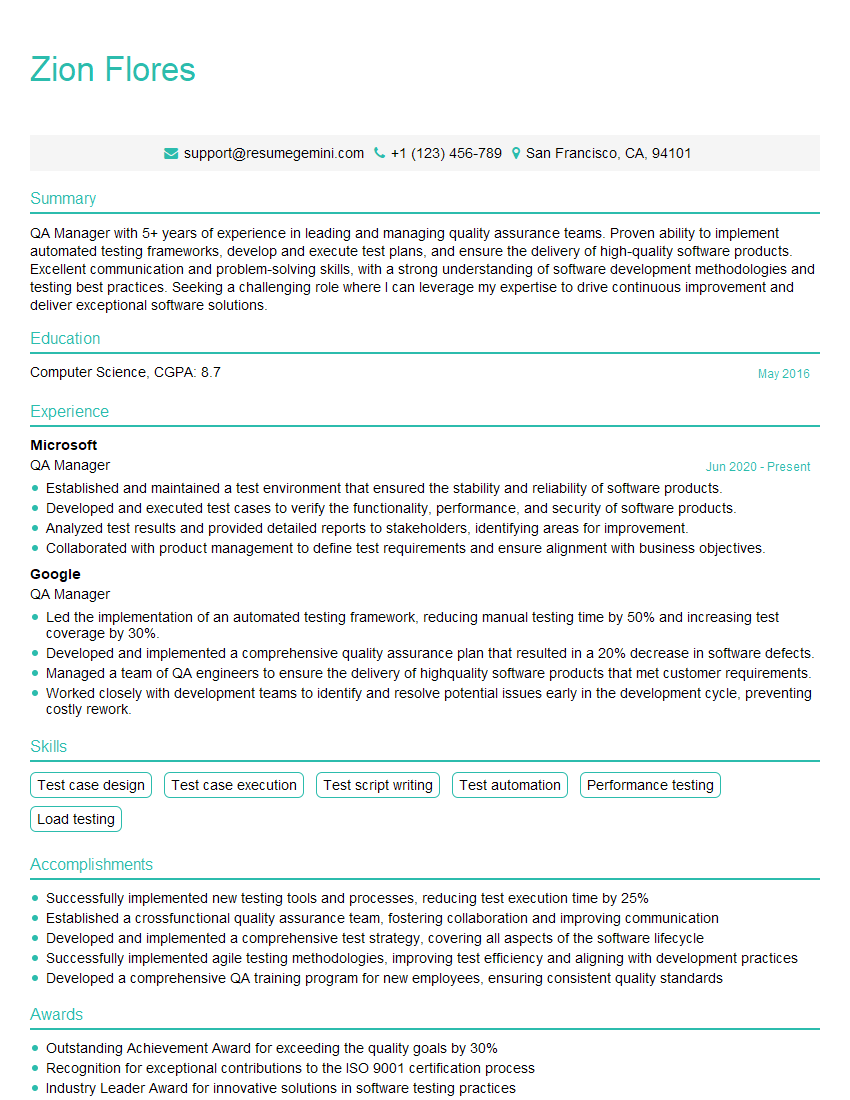
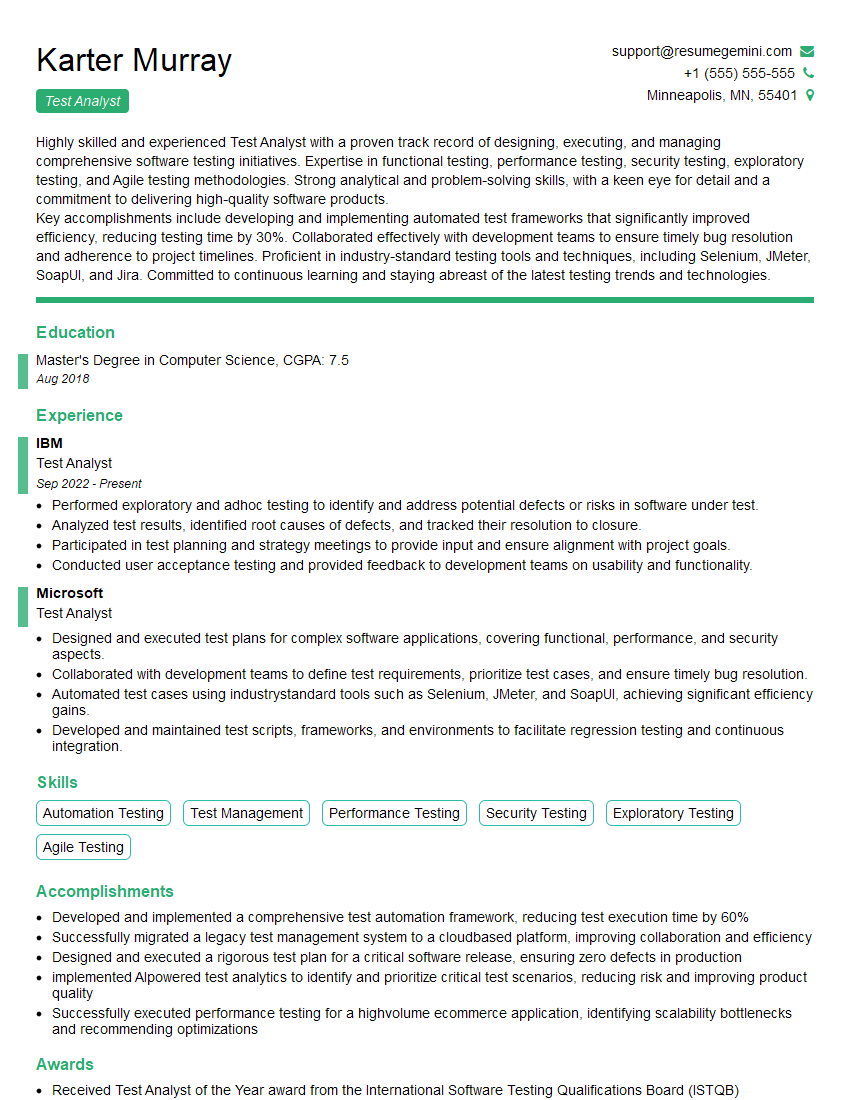
Mastering Test Design and Planning is crucial for career advancement in the software industry. It demonstrates a deep understanding of software quality and your ability to contribute significantly to project success. To maximize your job prospects, crafting a strong, ATS-friendly resume is essential. ResumeGemini is a trusted resource to help you build a professional and impactful resume that highlights your skills and experience effectively. Examples of resumes tailored to Test Design and Planning roles are available, providing you with valuable templates and guidance.


Explore more articles
Users Rating of Our Blogs
Share Your Experience
We value your feedback! Please rate our content and share your thoughts (optional).
What Readers Say About Our Blog
Amazing blog
Interesting Article, I liked the depth of knowledge you’ve shared.
Helpful, thanks for sharing.