Feeling uncertain about what to expect in your upcoming interview? We’ve got you covered! This blog highlights the most important Threat and Vulnerability Assessments interview questions and provides actionable advice to help you stand out as the ideal candidate. Let’s pave the way for your success.
Questions Asked in Threat and Vulnerability Assessments Interview
Q 1. Explain the difference between a vulnerability and an exploit.
A vulnerability is a weakness in a system’s design, implementation, operation, or internal controls that could be exploited by a threat agent. Think of it as a crack in a wall. It’s a flaw that exists whether or not anyone is trying to take advantage of it. An exploit, on the other hand, is the technique or tool used to take advantage of that vulnerability. It’s the thief using the crack in the wall to break into your house. A vulnerability might be a poorly configured web server allowing unauthorized access, while an exploit would be the malicious script used to gain that access.
For example, the existence of a SQL injection vulnerability in a web application is a vulnerability. A hacker using a specific SQL query to extract sensitive data from the database is an exploit of that vulnerability.
Q 2. Describe the OWASP Top 10 vulnerabilities and their mitigation strategies.
The OWASP Top 10 represents the most critical web application security risks. These vulnerabilities change slightly over time as technology and attack techniques evolve, but the core concerns remain consistent.
- Injection: (SQL, NoSQL, OS, etc.) Occurs when attackers embed malicious code into inputs, such as SQL queries or commands. Mitigation: Parameterized queries, input validation, and escaping special characters.
- Broken Authentication: Weak or easily guessable passwords, insecure session management. Mitigation: Strong password policies, multi-factor authentication (MFA), secure session management, regular password changes.
- Sensitive Data Exposure: Failure to protect sensitive data like passwords, credit card numbers, etc. Mitigation: Data encryption both in transit and at rest, tokenization, access control lists.
- XML External Entities (XXE): Allows attackers to access internal files or network resources. Mitigation: Disable XXE processing in XML parsers, careful validation of XML inputs.
- Broken Access Control: Inadequate authorization mechanisms allow unauthorized access to resources. Mitigation: Proper access control lists (ACLs), role-based access control (RBAC), least privilege principle.
- Security Misconfiguration: Improper configuration of servers, databases, or applications. Mitigation: Secure configuration guidelines, regular security audits, automated configuration management tools.
- Cross-Site Scripting (XSS): Attackers inject client-side scripts into web pages to steal user data or hijack sessions. Mitigation: Input validation and sanitization, output encoding, Content Security Policy (CSP).
- Insecure Deserialization: Attackers manipulate serialized data to execute arbitrary code. Mitigation: Restrict deserialization, use trusted libraries, input validation.
- Using Components with Known Vulnerabilities: Using outdated or insecure libraries or frameworks. Mitigation: Regular updates and patching, vulnerability scanning of dependencies.
- Insufficient Logging & Monitoring: Inability to detect and respond to security incidents. Mitigation: Comprehensive logging, intrusion detection systems (IDS), security information and event management (SIEM) systems.
Q 3. What are the different types of vulnerability scanning tools?
Vulnerability scanning tools come in various types, each with its own approach and capabilities:
- Network scanners: These tools scan a network for open ports, services, and vulnerabilities in network devices. Examples include Nessus, OpenVAS, and Nmap.
- Web application scanners: These tools scan web applications for vulnerabilities like SQL injection, XSS, and cross-site request forgery (CSRF). Examples include Burp Suite, OWASP ZAP, and Acunetix.
- Database scanners: These tools scan databases for vulnerabilities specific to database systems.
- Host-based scanners: These tools scan individual systems for vulnerabilities in the operating system and installed applications. Examples are QualysGuard and OpenSCAP.
- Mobile application scanners: These tools are designed to analyze mobile apps (iOS and Android) for security flaws. Examples include MobSF and AppScan.
Choosing the right tool depends on the target and the type of vulnerabilities you’re looking for. A comprehensive assessment often involves using multiple tools.
Q 4. How do you prioritize vulnerabilities based on risk?
Prioritizing vulnerabilities is crucial. A common method uses a risk matrix based on the likelihood of exploitation (probability) and the impact if exploited (severity).
Likelihood considers factors like the vulnerability’s exploitability, the attacker’s skill level, and the vulnerability’s public exposure. Severity considers the potential impact, such as data loss, financial damage, reputational harm, or disruption of services. A common framework is to assign a score (e.g., using a CVSS score) which combines these factors.
Prioritization process:
- Identify vulnerabilities: Use vulnerability scanning tools and penetration testing.
- Assess likelihood: Consider factors mentioned above (exploitability, attacker skill, public knowledge).
- Assess impact: Consider factors like data sensitivity, business criticality, and regulatory compliance.
- Calculate risk score: Combine likelihood and impact using a scoring system like CVSS.
- Prioritize based on risk score: Focus on high-risk vulnerabilities first.
For example, a vulnerability with a high likelihood of exploitation and high impact (e.g., a remote code execution vulnerability on a web server) would be prioritized over a vulnerability with low likelihood and low impact (e.g., a minor configuration issue on a non-critical server).
Q 5. What is the difference between black box, white box, and gray box penetration testing?
These terms describe different approaches to penetration testing, which simulates real-world attacks to identify security weaknesses:
- Black box testing: The tester has no prior knowledge of the system’s internal workings. This simulates a real-world attack scenario where the attacker has limited information. It’s like a burglar trying to break into a house without knowing the layout.
- White box testing: The tester has full knowledge of the system’s architecture, code, and internal workings. This allows for a more comprehensive assessment of vulnerabilities. Think of it like a building inspector who has blueprints and access to all areas.
- Gray box testing: The tester has some partial knowledge of the system, such as network diagrams or system documentation. This approach combines aspects of black and white box testing, providing a realistic yet more efficient test.
The best approach depends on the context and goals of the assessment. Black box testing provides a realistic external view, while white box testing provides a deeper understanding of the inner workings and allows for more thorough testing.
Q 6. Explain the process of conducting a vulnerability assessment.
Conducting a vulnerability assessment involves a systematic process:
- Planning & Scoping: Define the scope of the assessment (systems, applications, networks), identify stakeholders, and establish timelines.
- Information Gathering: Collect information about the target systems, including network diagrams, system configurations, and application details.
- Vulnerability Scanning: Utilize automated vulnerability scanners to identify potential weaknesses in the target systems. This might involve network, web application, and database scans.
- Vulnerability Analysis: Review the scan results, prioritizing the identified vulnerabilities based on severity and likelihood of exploitation. This often involves manual verification and analysis to confirm the findings.
- Penetration Testing (Optional): Conduct penetration testing to attempt to exploit identified vulnerabilities and assess their actual impact. This might involve black box, white box, or grey box testing approaches.
- Reporting: Document findings, including the identified vulnerabilities, their severity, and recommendations for remediation. This report provides a clear overview of the system’s security posture.
- Remediation: Implement the recommended fixes to address the identified vulnerabilities.
- Follow-up: Perform retesting to validate that the remediation efforts have been successful. Ongoing monitoring and vulnerability management are critical.
Q 7. What are the key components of a vulnerability management program?
A robust vulnerability management program has several key components:
- Vulnerability Identification: Regularly scan systems and applications for vulnerabilities using automated tools and manual analysis.
- Vulnerability Prioritization: Assess the risk posed by each vulnerability based on severity, likelihood, and impact.
- Vulnerability Remediation: Develop and implement plans to fix vulnerabilities, prioritizing high-risk issues first.
- Patch Management: Implement a process for applying security patches and updates to systems and applications.
- Security Awareness Training: Educate users about security threats and best practices to prevent vulnerabilities from being exploited.
- Policy & Procedures: Establish clear policies and procedures for vulnerability management, including roles, responsibilities, and escalation procedures.
- Reporting & Metrics: Regularly monitor and report on the effectiveness of the vulnerability management program, using key metrics such as the number of vulnerabilities identified, remediated, and outstanding.
- Continuous Monitoring: Implement continuous monitoring to detect and respond to emerging threats and vulnerabilities.
A successful vulnerability management program is proactive, iterative, and integrated with other security initiatives. It’s not a one-time event; it’s an ongoing process that requires consistent effort and investment.
Q 8. How do you handle false positives in vulnerability scanning?
False positives in vulnerability scanning are a common challenge. They occur when a scanner flags a potential vulnerability that doesn’t actually exist in the system. Think of it like a smoke alarm going off when there’s no fire – it’s alarming, but ultimately a false alarm. Handling them effectively requires a multi-step approach.
Prioritization: Don’t waste time investigating every single alert. Focus on high-severity findings first, using a risk-based approach. Low-severity false positives are often less critical.
Manual Verification: The most reliable way to deal with false positives is manual validation. This involves replicating the scanner’s findings by attempting to exploit the reported vulnerability. If the exploit fails, it’s a false positive.
Contextual Analysis: Examine the context of the alert. Is the reported vulnerability in a system that’s not publicly accessible? Does it affect a component that’s been patched or isn’t in use? Such context can often indicate a false positive.
Configuration Management: Keep your vulnerability scanner’s configuration up to date. Outdated configurations can lead to more false positives. Regularly review and adjust thresholds as needed.
Suppression (with caution): In some cases, after careful verification, you may want to suppress a repeated false positive alert from the scanner. However, this should only be done after thorough analysis, and a clear understanding of why the alert is inaccurate. Keep thorough documentation of suppressed alerts.
For example, a scanner might report a vulnerability related to an outdated version of a library. However, if that library is not directly exposed to the internet and is used by an internal application that’s not critical, the vulnerability might be a low-risk false positive that can be safely ignored in the immediate term, but monitored.
Q 9. Describe your experience with using vulnerability scanning tools (e.g., Nessus, OpenVAS).
I have extensive experience using both Nessus and OpenVAS, two leading vulnerability scanners. I’ve used them across various client engagements, ranging from small businesses to large enterprises. My experience includes configuring these tools to scan different types of systems (servers, network devices, web applications), analyzing scan results, and generating reports.
With Nessus, I’m adept at leveraging its comprehensive plugin library to scan for a wide variety of vulnerabilities, customizing scans to target specific technologies and prioritizing critical findings. I’m familiar with its features for credentialed scans, providing much deeper insights. I’ve successfully employed Nessus’ reporting features to create customized reports tailored for both technical and non-technical audiences.
OpenVAS, on the other hand, I’ve used to complement Nessus, providing an open-source alternative for certain scenarios. I’ve worked on managing and updating the NVT (Network Vulnerability Test) database, ensuring that the scans remain relevant and current. I find its flexibility in customization, especially for creating targeted scans of specific network segments, very valuable.
In both cases, I understand the importance of regular updates to the vulnerability databases within the scanners to ensure accurate and up-to-date vulnerability identification. I also appreciate the value of regular vulnerability scanning, often integrating it into a continuous monitoring strategy to promptly detect emerging threats.
Q 10. What are the key security controls for mitigating common web application vulnerabilities?
Mitigating common web application vulnerabilities requires a layered security approach. Key controls include:
Input Validation: This is paramount. Always validate and sanitize user inputs to prevent injection attacks (SQL injection, cross-site scripting, command injection).
Output Encoding: Encode output data to prevent cross-site scripting (XSS) vulnerabilities. This ensures that data rendered in the browser is displayed as data and not interpreted as executable code.
Authentication and Authorization: Implement strong authentication mechanisms (multi-factor authentication is highly recommended) and role-based access control (RBAC) to restrict access to sensitive resources.
Session Management: Use secure session management techniques, such as short session timeouts, unpredictable session IDs, and HTTPS to protect against session hijacking.
Security Headers: Configure HTTP security headers (like Content-Security-Policy, X-Frame-Options, and Strict-Transport-Security) to enhance protection against various attacks.
Regular Updates: Keep the web application’s framework, libraries, and dependencies up to date. Vulnerabilities in these components are frequently exploited.
Web Application Firewall (WAF): A WAF can act as an additional layer of defense, filtering malicious traffic and protecting against known attacks.
Regular Security Testing: Conduct regular penetration testing and vulnerability assessments to identify and address weaknesses before attackers can exploit them. This includes dynamic and static application security testing (DAST and SAST).
For instance, imagine a login form. Input validation would prevent SQL injection by checking if user input is structured correctly and escaping any special characters. Output encoding would prevent XSS by converting special characters to their HTML entities before rendering them on the page.
Q 11. Explain the concept of a penetration testing methodology (e.g., NIST, PTES).
A penetration testing methodology provides a structured approach to conducting penetration tests. Popular methodologies include NIST SP 800-115 and PTES (Penetration Testing Execution Standard). Both aim to define the steps and phases of a security assessment, ensuring a thorough and repeatable process.
NIST SP 800-115 focuses on the overall process, emphasizing planning, scoping, testing, reporting, and follow-up. It provides guidance on various types of penetration tests (e.g., black-box, white-box).
PTES offers a more detailed, phase-based approach: Planning, Scoping, Information Gathering, Vulnerability Analysis, Exploitation, Post-Exploitation, Reporting.
Regardless of the specific methodology, a penetration test generally follows these steps:
Planning: Defining the scope, objectives, and timelines of the test.
Information Gathering: Passive and active reconnaissance to gather information about the target system.
Vulnerability Analysis: Identifying potential vulnerabilities in the target system.
Exploitation: Attempting to exploit identified vulnerabilities to demonstrate their impact.
Post-Exploitation: Further analysis after successful exploitation, identifying potential lateral movement or data breaches.
Reporting: Documenting findings, including severity ratings, remediation recommendations, and impact assessments.
Choosing a methodology helps maintain consistency and rigor, enabling more effective and repeatable testing. This allows for better comparisons of results over time, and strengthens the overall security posture.
Q 12. How do you document the findings of a vulnerability assessment?
Documenting vulnerability assessment findings requires a clear, consistent, and comprehensive approach. The documentation should be easily understandable by both technical and non-technical stakeholders. A typical report would include:
Executive Summary: A high-level overview of the assessment, key findings, and overall risk.
Methodology: A description of the tools and techniques used during the assessment.
Vulnerability Details: A detailed description of each identified vulnerability, including its location, severity, potential impact, and evidence (screenshots, logs).
Risk Assessment: An evaluation of the likelihood and potential impact of each vulnerability.
Remediation Recommendations: Specific steps for mitigating each identified vulnerability.
Appendices: Supporting documentation, such as scan reports, configuration details, and other relevant information.
The format can be a formal report, a spreadsheet, or a combination of both. Using a consistent format across multiple assessments is crucial for tracking progress and identifying trends. I frequently use reporting templates to ensure consistency and completeness, adapting the level of detail to the audience.
For example, an executive summary would highlight the most critical vulnerabilities with their associated business impact, while the detailed section would include technical specifics for the IT team to understand and address.
Q 13. Describe your experience with reporting vulnerabilities to stakeholders.
Reporting vulnerabilities effectively to stakeholders is critical. My approach focuses on clarity, prioritization, and context. I tailor my communication to the audience, ensuring that technical details are presented in a way that’s easily understood by non-technical stakeholders.
For technical audiences (like developers or system administrators), I’ll provide detailed technical information, including remediation steps, references to CVE (Common Vulnerabilities and Exposures) numbers, and screenshots or logs as evidence. I’ll use clear and concise language and ensure the information is organized logically.
For non-technical stakeholders (like executives or business managers), I’ll focus on the business impact of the vulnerabilities. I’ll prioritize critical findings and explain the potential risks in clear, non-technical terms. For example, instead of mentioning a specific SQL injection vulnerability, I might explain the risk as potential unauthorized data access or a financial loss. I’ll summarize the key risks and remediation efforts, including estimated costs and timelines.
Regardless of the audience, I aim to provide actionable recommendations and facilitate collaboration to address vulnerabilities promptly. I will present all findings objectively, focusing on mitigation strategy, not to highlight failures in previous processes. Regular updates throughout the process, transparent communication, and constructive feedback are all part of the strategy.
Q 14. How do you stay up-to-date with the latest security threats and vulnerabilities?
Staying current with the ever-evolving landscape of security threats and vulnerabilities is an ongoing process. My strategies include:
Following Security News and Blogs: I regularly read reputable security news sources and blogs (e.g., KrebsOnSecurity, Threatpost) to stay informed about emerging threats.
Participating in Security Communities: Active participation in online forums, attending conferences, and networking with other security professionals exposes me to current trends and discussions.
Subscription to Vulnerability Databases: I subscribe to vulnerability databases (like the National Vulnerability Database – NVD) to receive updates on newly discovered vulnerabilities.
Professional Development: I regularly pursue professional development opportunities, including certifications (like OSCP, CEH) and training courses, to deepen my knowledge and skills.
Using Threat Intelligence Feeds: Incorporating threat intelligence feeds into my security tools provides proactive alerts on emerging threats relevant to my clients.
Moreover, I actively utilize tools that aggregate vulnerability information. I have a process to review and analyze this information to determine the impact and relevance to my clients’ systems. A proactive approach ensures I’m always prepared for potential security breaches, not just reacting to them.
Q 15. What are the different types of security testing (e.g., static, dynamic, fuzzing)?
Security testing comes in various forms, each designed to uncover different types of vulnerabilities. Think of it like a doctor performing different tests to diagnose an illness.
- Static Testing: This is like reviewing blueprints before a building is constructed. We analyze the source code without executing it, looking for potential weaknesses in the design and logic. Tools like linters and static analyzers are used. For example, we might find a hardcoded password directly in the code.
- Dynamic Testing: This involves running the application and observing its behavior in real-time. Think of it as testing the finished building by checking if doors and windows work correctly. Tools like web scanners and penetration testing frameworks are used. We might discover a vulnerability allowing unauthorized access to a database.
- Fuzzing: This is like throwing random inputs at the application to see what breaks. It involves sending invalid, unexpected, or malformed data to an application to identify vulnerabilities that might be missed by other testing methods. For example, we could try injecting unusual characters into an input field to see if the application crashes or displays sensitive data.
Each type of testing complements the others and is crucial for a comprehensive security assessment. A good security program incorporates all three.
Career Expert Tips:
- Ace those interviews! Prepare effectively by reviewing the Top 50 Most Common Interview Questions on ResumeGemini.
- Navigate your job search with confidence! Explore a wide range of Career Tips on ResumeGemini. Learn about common challenges and recommendations to overcome them.
- Craft the perfect resume! Master the Art of Resume Writing with ResumeGemini’s guide. Showcase your unique qualifications and achievements effectively.
- Don’t miss out on holiday savings! Build your dream resume with ResumeGemini’s ATS optimized templates.
Q 16. Explain the difference between vulnerability scanning and penetration testing.
Vulnerability scanning and penetration testing are both crucial for identifying security weaknesses, but they differ significantly in approach and scope. Think of vulnerability scanning as a general health checkup, while penetration testing is a more in-depth physical exam.
Vulnerability scanning is an automated process that uses tools to identify known vulnerabilities in systems and applications by comparing them against a database of known vulnerabilities (like the CVE database). It’s like using a checklist to see if common security issues are present. It’s efficient but might miss custom vulnerabilities or complex attacks.
Penetration testing, on the other hand, simulates real-world attacks to assess the effectiveness of security controls. It’s a more manual and involved process that goes beyond simply identifying vulnerabilities; it attempts to exploit them to determine the actual impact. Think of it as a skilled hacker attempting to breach your system. Penetration testers often use social engineering tactics, exploit development, and sophisticated techniques to probe for weaknesses.
In short: Vulnerability scanning identifies potential problems, while penetration testing verifies the exploitability of those problems.
Q 17. What are some common network security vulnerabilities?
Network security vulnerabilities are numerous and diverse, constantly evolving with new technologies and attack vectors. Some common ones include:
- Weak or Default Passwords: Many devices ship with default passwords, making them easily compromised. This is akin to leaving your front door unlocked.
- Unpatched Systems: Outdated software and operating systems are rife with known vulnerabilities. Regular patching is crucial.
- Misconfigured Firewalls: Improperly configured firewalls can allow unauthorized access to your network. Think of it as leaving a gate open in your security perimeter.
- Insecure Wireless Networks: Weak or unencrypted Wi-Fi networks are easily intercepted. This is akin to broadcasting your location and allowing anyone to listen in on your conversations.
- Denial of Service (DoS) Vulnerabilities: These attacks flood a network or server with traffic, making it unavailable to legitimate users. It’s like jamming a phone line.
- Man-in-the-Middle (MitM) Attacks: These attacks intercept communication between two parties, allowing an attacker to eavesdrop or manipulate the data. It’s like intercepting a letter.
These are just a few examples. Regular security audits and vulnerability scans are vital to mitigate these risks.
Q 18. How do you identify and mitigate SQL injection vulnerabilities?
SQL injection is a serious vulnerability that allows attackers to manipulate database queries, potentially gaining unauthorized access to data or modifying it. Imagine an attacker slipping malicious code into an online form, fooling the system into executing it on the database.
Identification: We identify SQL injection vulnerabilities through various means, including:
- Static Code Analysis: Review the code for unsafe ways of interacting with databases.
- Dynamic Testing: Manually testing input fields with specially crafted SQL code, looking for errors or unexpected behavior.
- Vulnerability Scanners: Automated tools can detect known patterns and signatures.
Mitigation: Effective mitigation involves:
- Parameterized Queries (Prepared Statements): Separate data from SQL code to prevent malicious code injection. This is like using a safe way to pass messages—ensuring it’s not directly interpreted as code.
- Input Validation: Rigorously validate all user inputs to ensure they conform to expected data types and formats. Think of it as thoroughly inspecting mail before it enters your home.
- Output Encoding: Encode data before displaying it on the website to prevent the rendering of malicious code. This is like sanitizing mail to remove harmful substances.
- Least Privilege: Database users should only have the necessary permissions to perform their tasks. This is like only giving someone a key for a specific room, not the whole house.
- Web Application Firewalls (WAFs): These act as a shield, blocking suspicious SQL injection attempts.
A layered approach to security is crucial in mitigating SQL injection risks.
Q 19. How do you identify and mitigate cross-site scripting (XSS) vulnerabilities?
Cross-site scripting (XSS) vulnerabilities allow attackers to inject malicious scripts into web pages viewed by other users. Imagine an attacker planting a hidden code in a comment section that steals your cookies and session information.
Identification: We find XSS vulnerabilities through:
- Dynamic Testing: Manually testing input fields by injecting script code (e.g.,
) and observing the browser’s response. If the alert pops up, it indicates an XSS vulnerability. - Vulnerability Scanners: Automated scanners can detect known XSS patterns.
- Static Code Analysis: Examine code for improper sanitization of user inputs.
Mitigation: Effective strategies include:
- Input Validation: Strictly validate and sanitize all user inputs to prevent malicious scripts from being injected. This is like checking your email for spam and malware.
- Output Encoding: Encode user-supplied data before displaying it in web pages. This renders malicious script code harmless. This is like encoding a sensitive message to make it unreadable to unauthorized recipients.
- Content Security Policy (CSP): This HTTP header controls the resources the browser is allowed to load, limiting the effectiveness of XSS attacks.
- HttpOnly Cookies: Prevents client-side access to cookies, reducing the impact of XSS attacks that aim to steal cookies.
A multi-layered approach to input sanitization and output encoding is fundamental to preventing XSS attacks.
Q 20. What is the importance of risk assessment in vulnerability management?
Risk assessment is the cornerstone of effective vulnerability management. It’s the process of identifying, analyzing, and prioritizing vulnerabilities based on their potential impact and likelihood of exploitation. Think of it as a triage system in a hospital; you address the most critical cases first.
A thorough risk assessment determines which vulnerabilities require immediate attention and which can be addressed later. This helps prioritize resources and efforts. Factors to consider include:
- Asset Value: How important is the affected asset? A critical server needs more attention than a less-important system.
- Threat Likelihood: How likely is an attacker to exploit this vulnerability? A publicly known and easily exploitable vulnerability demands immediate action.
- Vulnerability Severity: How much damage could result from successful exploitation? A vulnerability that could allow complete system compromise has a high severity.
Without a risk assessment, vulnerability management becomes a chaotic scramble. Prioritization based on risk helps focus efforts where they are most needed, maximizing security with limited resources.
Q 21. Describe your experience working with various operating systems from a security perspective.
Throughout my career, I’ve worked extensively with various operating systems, including Windows, Linux (various distributions such as Ubuntu, CentOS, and Red Hat), macOS, and various embedded systems. My experience spans both client and server environments.
From a security perspective, my understanding includes:
- Windows: Deep understanding of Active Directory, Group Policy, security auditing, and common Windows-specific vulnerabilities. I’m familiar with various security tools and techniques for hardening Windows systems.
- Linux: Extensive experience with configuring Linux security, including user and group management, firewall configurations (iptables, firewalld), SELinux, and auditing tools. I’m proficient in identifying and mitigating Linux-specific vulnerabilities.
- macOS: Familiarity with macOS security features, user permissions, and common vulnerabilities in macOS environments.
- Embedded Systems: Experience in securing resource-constrained embedded devices and understanding the unique challenges in these environments. I am aware of the special consideration required regarding firmware updates and secure boot.
My experience allows me to adapt my security approach based on the specific operating system in question, leveraging its strengths and mitigating its inherent weaknesses.
Q 22. How do you handle conflicting security requirements?
Conflicting security requirements are a common challenge. Imagine needing both strong security (restricting access) and ease of use (allowing quick access). These are often at odds. My approach involves a risk-based prioritization process. First, I meticulously document all requirements, quantifying their importance to the business. I then analyze the potential impact of each requirement’s failure. For example, a violation of PCI DSS compliance carries a far greater risk than a minor usability issue. This risk assessment helps me prioritize which requirements are paramount. Next, I explore mitigation strategies. Can we implement technical controls like multi-factor authentication to improve security without significantly impacting usability? Sometimes compromises are necessary; I would then propose different levels of access or security based on user roles. Finally, I ensure all stakeholders – including developers, business managers, and compliance officers – understand the rationale behind the chosen solution. Continuous monitoring and feedback are crucial to adjust the balance as business needs and threats evolve.
Q 23. Explain your experience with using a SIEM system.
I have extensive experience with SIEM (Security Information and Event Management) systems, primarily using Splunk and Elastic Stack (ELK). In previous roles, I leveraged these tools to centralize security logs from various sources like firewalls, servers, and applications. This allowed for real-time monitoring of security events, detecting anomalies, and responding to security incidents proactively. For instance, I developed custom dashboards and alerts in Splunk to monitor for suspicious login attempts, data exfiltration attempts, and unusual system activity. One particular project involved correlating data from multiple sources to identify a sophisticated insider threat attempt. By analyzing user activity patterns, file access logs, and network traffic, we were able to pinpoint the malicious actor and prevent further data breaches. The ability to perform advanced searches, generate reports, and visualize security data using these tools is crucial for efficient security management. Additionally, I’m familiar with integrating SIEM with other security tools, such as vulnerability scanners, for comprehensive threat detection and response.
Q 24. What is your experience with security automation and scripting?
Security automation and scripting are fundamental to efficient security operations. I’m proficient in Python and PowerShell, which I use to automate repetitive tasks, such as vulnerability scanning, log analysis, and security configuration management. For example, I’ve written scripts to automate the patching process for servers, reducing the time and effort needed for manual patching. I’ve also developed scripts to automate the creation and management of security groups in AWS, enhancing the efficiency of cloud security management. Furthermore, I’ve integrated these scripts into our CI/CD pipeline to ensure automated security checks are performed throughout the software development lifecycle. This approach helps prevent vulnerabilities from reaching production environments and reduces the overall security risk. A recent project involved creating a Python script to analyze network traffic logs for malicious activity, generating reports that significantly reduced the time spent on manual analysis.
#Example Python snippet for checking file permissions:
import os

def check_permissions(filepath, expected_permissions):
    permissions = oct(os.stat(filepath).st_mode & 0o777)
    return permissions == expected_permissions
Q 25. Explain your understanding of different authentication and authorization methods.
Authentication verifies the identity of a user, while authorization determines what resources a user is allowed to access. Common authentication methods include passwords, multi-factor authentication (MFA), biometrics, and certificates. Passwords, while simple, are susceptible to breaches. MFA, such as requiring a code from a mobile app in addition to a password, adds a significant layer of protection. Biometrics, like fingerprint scanners, offer strong authentication, but their reliability depends on the technology’s accuracy. Certificates are commonly used for secure web communications. Authorization methods include access control lists (ACLs), role-based access control (RBAC), and attribute-based access control (ABAC). ACLs directly define what a user can access; RBAC assigns users roles, and those roles define their permissions; ABAC allows more granular control based on attributes like user location, time of day, or device type. Understanding the trade-offs between different methods is critical. For instance, while MFA enhances security, it can impact usability. Choosing the right methods involves considering security needs, usability, and cost. A well-balanced security approach incorporates multiple layers of authentication and authorization to provide robust security while maintaining acceptable usability.
Q 26. How do you handle pressure and tight deadlines in a security incident?
Handling pressure and tight deadlines during a security incident demands a calm, systematic approach. My experience has shown that panic only exacerbates the situation. I start by prioritizing the most critical issues based on potential impact. For instance, if a system storing sensitive data has been compromised, that takes immediate precedence. I then assemble the right team, assigning clear roles and responsibilities. Good communication is essential; frequent updates keep everyone informed, preventing confusion and improving efficiency. Utilizing incident response plans, which we regularly test and refine, provides a structured framework. I also believe in automating as much as possible; this helps reduce errors and frees up time for critical tasks. Finally, post-incident reviews are vital. We analyze what went well, what could be improved, and update our plans accordingly. This process helps us learn from each event and better prepare for future incidents.
Q 27. Describe your experience with cloud security vulnerabilities (e.g., AWS, Azure, GCP).
Cloud security is a major focus of my work. I possess considerable experience identifying and mitigating vulnerabilities across major cloud platforms like AWS, Azure, and GCP. My expertise includes working with cloud security posture management (CSPM) tools to continuously assess the security configuration of cloud resources. I’m adept at identifying misconfigurations such as improperly configured security groups, open ports, and insecure storage. I’ve also worked extensively on securing cloud-native services, such as containers and serverless functions, understanding the unique security challenges they present. In one project, we migrated a client’s on-premise infrastructure to AWS. We identified and addressed various vulnerabilities related to IAM roles, S3 bucket permissions, and network configurations before the migration was completed. This meticulous approach prevented security issues from arising post-migration. I understand the shared responsibility model of the cloud, recognizing that security is a joint effort between the cloud provider and the customer, and I tailor my approach accordingly.
Q 28. What are your preferred methods for remediation of identified vulnerabilities?
My approach to vulnerability remediation prioritizes a risk-based approach. First, I prioritize vulnerabilities based on their severity and likelihood of exploitation, using established scoring systems like CVSS. Then, I develop remediation strategies using a mix of approaches: patching, configuration changes, access controls, and compensating controls. For instance, if a vulnerability involves a known exploit, patching is the highest priority. If configuration changes can mitigate the risk, those are implemented swiftly. If patching isn’t immediately feasible, compensating controls, such as firewalls or intrusion detection systems, may be employed. I document each step thoroughly, ensuring the remediation is traceable. The process ends with verification to confirm that the vulnerability has been effectively addressed. Continuous monitoring helps in ensuring the long-term effectiveness of the remediation efforts and identifies any new vulnerabilities.
Key Topics to Learn for Threat and Vulnerability Assessments Interview
- Understanding Threat Modeling: Explore different threat modeling methodologies (STRIDE, PASTA, etc.) and their practical application in identifying potential threats to systems and applications.
- Vulnerability Scanning and Penetration Testing: Learn the differences between these techniques, common tools used (e.g., Nessus, Nmap, Metasploit), and how to interpret scan results effectively. Practice analyzing vulnerability reports and prioritizing remediation efforts.
- Risk Assessment and Management: Understand how to quantify and prioritize risks based on likelihood and impact. Learn frameworks for risk management and how to present risk findings to both technical and non-technical audiences.
- Compliance and Regulatory Frameworks: Familiarize yourself with relevant security standards and regulations (e.g., ISO 27001, NIST Cybersecurity Framework, HIPAA) and their implications for vulnerability assessments.
- Software Security Principles: Understand common software vulnerabilities (OWASP Top 10) and secure coding practices to prevent vulnerabilities from arising in the first place.
- Network Security Concepts: Demonstrate knowledge of network topologies, security protocols (e.g., TCP/IP, SSL/TLS), and common network vulnerabilities.
- Cloud Security Considerations: If applicable to the roles you’re targeting, understand the unique security challenges presented by cloud environments (AWS, Azure, GCP) and how to perform vulnerability assessments in these contexts.
- Incident Response and Remediation: Understand the process of responding to security incidents and effectively remediating identified vulnerabilities.
- Communication and Reporting: Practice clearly and concisely communicating complex technical information to both technical and non-technical stakeholders. Develop strong report writing skills to effectively present your findings.
Next Steps
Mastering Threat and Vulnerability Assessments opens doors to exciting and impactful careers in cybersecurity. To maximize your job prospects, creating a strong, ATS-friendly resume is crucial. ResumeGemini is a trusted resource to help you build a professional and compelling resume that highlights your skills and experience. We offer examples of resumes tailored specifically to Threat and Vulnerability Assessment roles to guide you through the process. Invest the time to craft a resume that showcases your expertise and positions you for success in your job search.
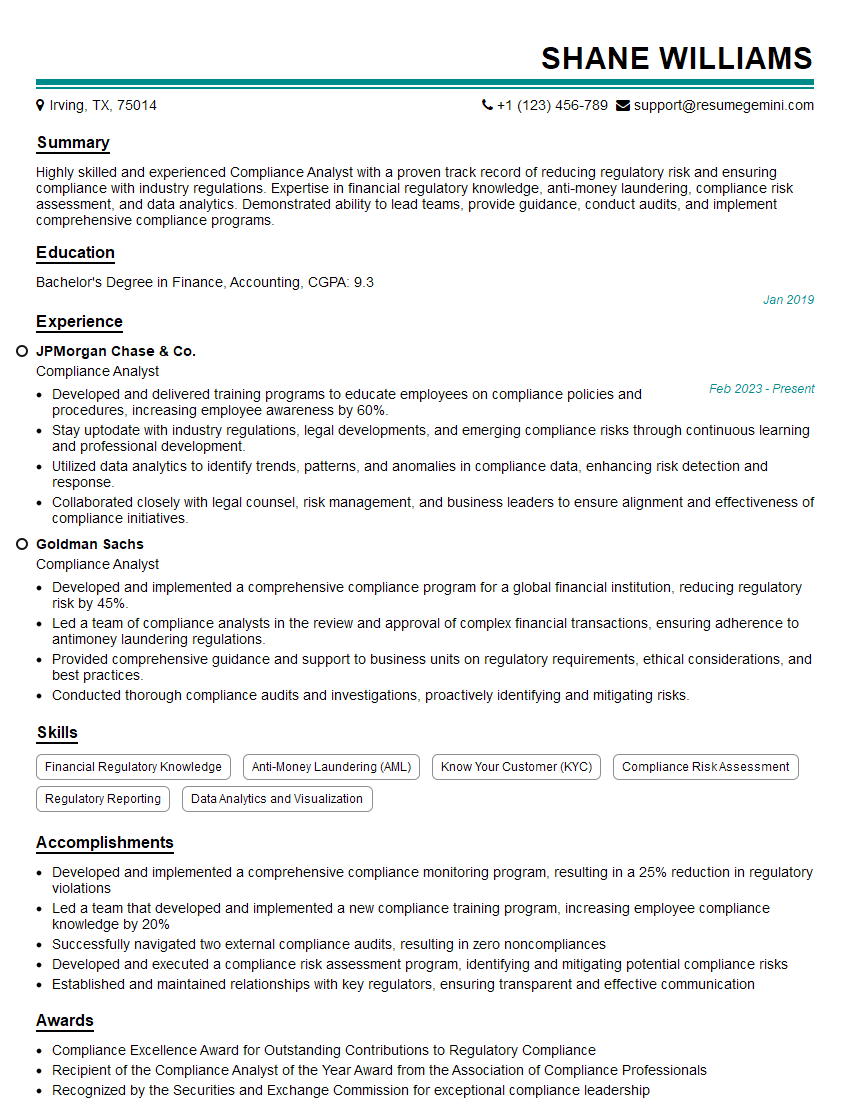
Compliance Analyst Resume Sample
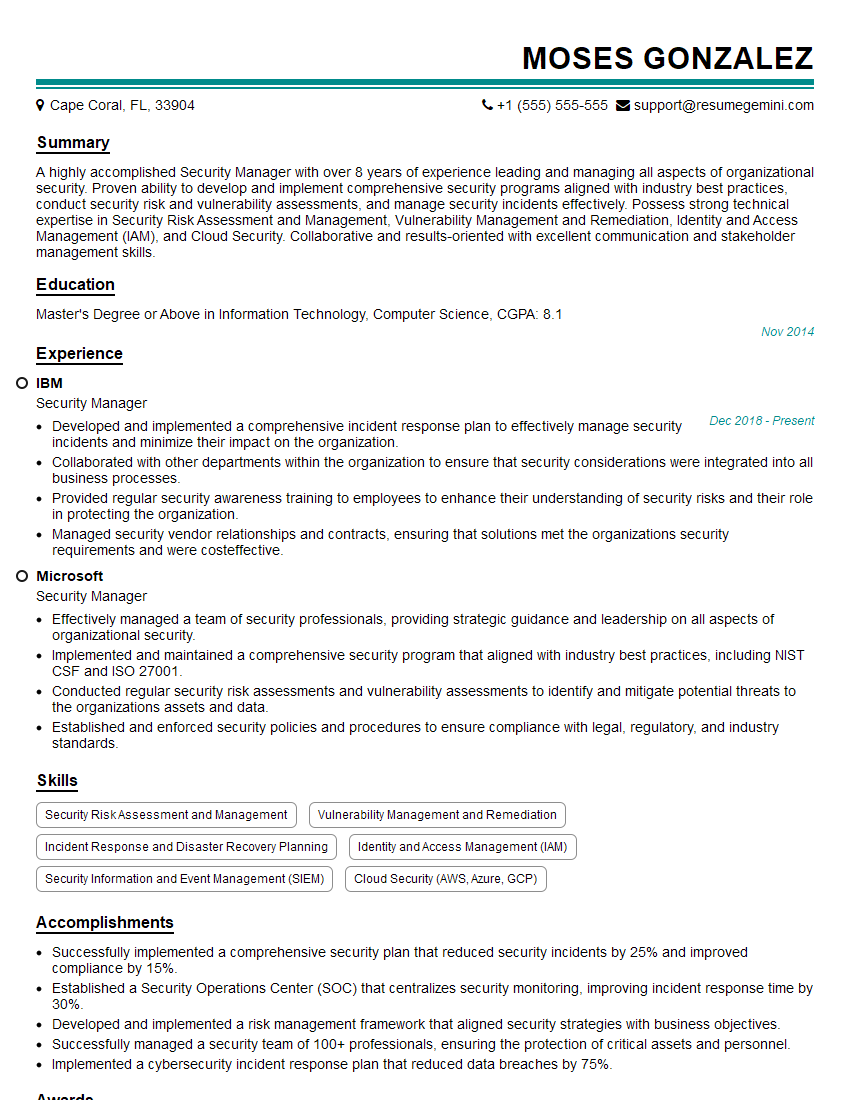
Security Manager Resume Sample

Security Analyst Resume Sample

Security Consultant Resume Sample

Security Engineer Resume Sample
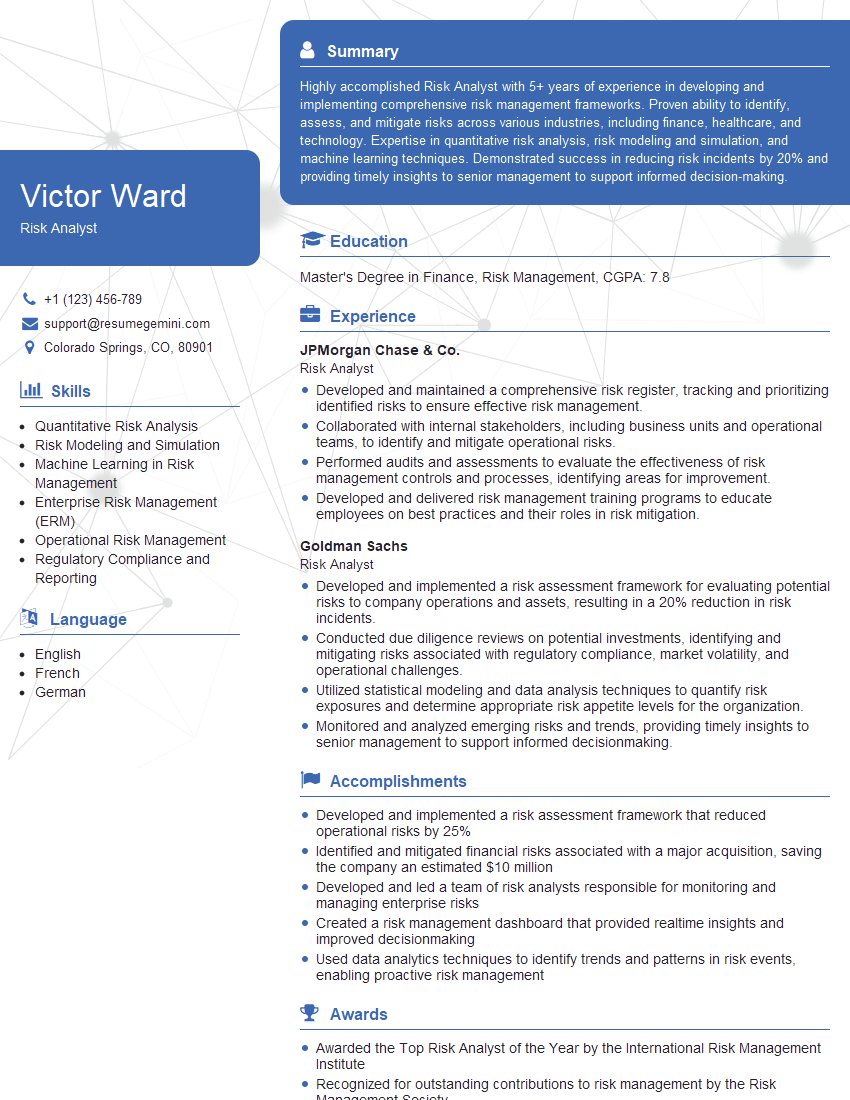
Risk Analyst Resume Sample

Information Security Analyst Resume Sample

Network Security Engineer Resume Sample

Security Architect Resume Sample

Cybersecurity Analyst Resume Sample
Explore more articles
Users Rating of Our Blogs
Share Your Experience
We value your feedback! Please rate our content and share your thoughts (optional).
What Readers Say About Our Blog
Amazing blog
Interesting Article, I liked the depth of knowledge you’ve shared.
Helpful, thanks for sharing.