Interviews are more than just a Q&A session—they’re a chance to prove your worth. This blog dives into essential Technology and Automation interview questions and expert tips to help you align your answers with what hiring managers are looking for. Start preparing to shine!
Questions Asked in Technology and Automation Interview
Q 1. Explain the difference between Robotic Process Automation (RPA) and Business Process Automation (BPA).
Robotic Process Automation (RPA) and Business Process Automation (BPA) are both aimed at improving efficiency, but they operate at different levels. Think of RPA as automating individual, repetitive tasks within a larger process, like filling out online forms or copying data. It mimics human actions on a computer interface. BPA, on the other hand, takes a more holistic approach, optimizing the entire business process itself. This might involve redesigning workflows, integrating different systems, or even changing organizational structures.
RPA focuses on the ‘what’ – automating specific tasks. It’s often implemented quickly, using software ‘robots’ to interact with applications. Imagine a robot automatically downloading invoices from an email, extracting key data, and updating accounting software. It’s rule-based and doesn’t require deep integration with the underlying systems.
BPA focuses on the ‘why’ and ‘how’ of a process. It’s a more strategic approach that considers factors beyond automation, such as cost reduction, improved customer satisfaction, and reduced errors. Implementing BPA may involve integrating different software systems, changing business rules, and even restructuring departments. For example, a BPA project might streamline the entire order fulfillment process from customer order to delivery, including inventory management, shipping, and invoicing, potentially involving RPA for some individual steps.
In essence, RPA can be a component within a larger BPA initiative, but they are distinct concepts. RPA automates tasks; BPA optimizes entire processes.
Q 2. Describe your experience with different automation frameworks (e.g., Selenium, Cucumber, Robot Framework).
I have extensive experience with several automation frameworks, each with its strengths and weaknesses. I’ve successfully utilized Selenium for web application testing, Cucumber for Behavior-Driven Development (BDD) which improved collaboration between developers and business stakeholders, and Robot Framework for a more robust and flexible approach to testing, especially for applications with complex interactions.
Selenium excels at browser automation, allowing me to simulate user actions like clicking buttons, filling forms, and navigating pages. For instance, I used Selenium to automate regression testing of an e-commerce website, ensuring that new features didn’t break existing functionality. A simple Selenium code snippet for finding an element by ID would look like this:driver.findElement(By.id("myElement"));
Cucumber‘s BDD approach facilitated clear communication with business analysts. We used Gherkin syntax to define test scenarios in plain language, making them understandable by everyone involved. This improved collaboration and minimized misunderstandings between technical and non-technical team members.
Robot Framework is a powerful framework suited for acceptance testing and robotic process automation. It’s highly flexible and allows for easy integration with various libraries and tools. I’ve used it extensively to create comprehensive automation suites for various business processes. For example, we used Robot Framework to automate data migration between legacy systems, significantly reducing manual effort and risk.
Q 3. How do you handle exceptions during automation testing?
Handling exceptions is crucial for robust automation testing. I employ a multi-layered approach, focusing on prevention, detection, and recovery.
Prevention: Proactive measures include thorough test planning and the use of techniques like data-driven testing to cater to various scenarios. This helps anticipate and prevent many exceptions before they occur.
Detection: I use try-except blocks (or equivalent constructs in other languages) to gracefully handle anticipated exceptions. This allows the test to continue executing even if an error occurs, providing valuable information without halting the entire process. For example, in Python: try: # Code that might raise an exception except Exception as e: # Handle the exception print(f"An error occurred: {e}")
Recovery: For more serious exceptions, I implement recovery strategies, such as retry mechanisms, to attempt the failing operation a few times before reporting failure. This approach can handle temporary network issues or system glitches.
Logging and Reporting: Comprehensive logging is essential. I ensure that detailed logs of exceptions, including timestamps, error messages, and relevant context are recorded. This information is crucial for debugging and identifying recurring issues. These logs are incorporated into comprehensive reports that highlight the root causes and frequency of different exceptions.
Q 4. What are the key performance indicators (KPIs) you use to measure the success of an automation project?
The key performance indicators (KPIs) I use to measure the success of an automation project depend on the specific project goals, but some common and crucial metrics include:
- Test execution time: A significant reduction in the time required to run tests indicates improved efficiency.
- Defect detection rate: This metric reflects the effectiveness of the automation in identifying bugs.
- Test coverage: It measures the percentage of the application or process covered by automated tests.
- Return on Investment (ROI): This crucial measure assesses the financial benefits of the automation project, considering the initial investment and ongoing maintenance costs.
- Cost savings: Automation should reduce manual effort and associated costs.
- Throughput: In cases of RPA, the number of transactions processed per unit of time is a critical indicator of automation efficiency.
- Error rate: This metric quantifies the number of failures or errors during automated processes.
By tracking these KPIs, I can monitor the progress of the automation project, identify areas for improvement, and demonstrate its overall value to the organization.
Q 5. Explain the concept of continuous integration and continuous delivery (CI/CD) in automation.
Continuous Integration and Continuous Delivery (CI/CD) is a core practice in modern software development, and it’s especially relevant to automation. CI/CD focuses on automating the build, test, and deployment processes. Think of it as a highly efficient assembly line for software.
Continuous Integration (CI): Developers integrate code changes into a shared repository frequently (ideally multiple times a day). Each integration is verified by an automated build and automated tests. This early and frequent detection of integration issues reduces the risk of larger problems later in the development lifecycle.
Continuous Delivery (CD): Extends CI by automating the release process. Code that passes all automated tests is automatically deployed to a staging environment, and potentially to production. This frequent delivery of working software allows for faster feedback loops and quicker iterations.
In the context of automation, CI/CD helps to ensure that automated tests are run as part of each code change, providing instant feedback on the impact of the changes. This allows for faster identification of regressions and quicker resolution of issues, leading to higher quality and more stable automation solutions. Automation itself plays a critical role in enabling CI/CD. It’s simply impossible to run frequent builds, tests, and deployments efficiently without automation.
Q 6. Describe your experience with cloud-based automation tools (e.g., AWS, Azure, GCP).
I have significant experience leveraging cloud-based automation tools from AWS, Azure, and GCP. These platforms offer scalability, flexibility, and cost-effectiveness advantages over on-premise solutions.
AWS: I’ve utilized AWS services like EC2 for hosting automation infrastructure, S3 for storing test data and artifacts, and CodePipeline for CI/CD pipeline orchestration. This allows for easily scaling up or down our testing infrastructure according to the demands of the project.
Azure: Azure DevOps has been instrumental in managing projects, tracking work items, and automating deployments. Azure VMs have provided a reliable and scalable platform for executing automated tests.
GCP: Google Cloud Functions and Compute Engine have facilitated serverless automation and efficient test execution. The scalability and cost efficiency of GCP were especially beneficial in handling large-scale testing.
Cloud-based tools provide several benefits, including reduced infrastructure costs, improved scalability, and increased availability. I often choose the cloud provider based on the specific project requirements and existing organizational infrastructure.
Q 7. What are the challenges you’ve faced in implementing automation, and how did you overcome them?
Implementing automation isn’t without its challenges. One major hurdle is dealing with application instability and unpredictable behavior. Flaky tests, caused by timing issues or external dependencies, can lead to false positives and a loss of confidence in the automation suite. I addressed this by employing techniques like explicit waits in Selenium, implementing robust error handling, and focusing on writing more stable and reliable tests.
Another challenge is maintaining and updating the automation scripts as the applications evolve. Changes in the application’s user interface or underlying systems can render automation scripts obsolete. I overcame this by adopting a modular design, using descriptive locators that are less sensitive to UI changes, and implementing a CI/CD process to streamline updates.
Data management can also be a challenge. Handling large datasets and ensuring data integrity are crucial, particularly when using data-driven testing. I utilize efficient data management strategies, including database integration and parameterized tests, to manage this effectively.
Finally, gaining buy-in from stakeholders is essential. Introducing automation requires organizational change, and sometimes resistance can be encountered. I address this by demonstrating the value of automation through clear ROI analysis, showcasing successful pilot projects, and providing continuous training and support to the team.
Q 8. How do you ensure the scalability and maintainability of your automation solutions?
Ensuring scalability and maintainability in automation solutions is paramount. It’s like building a house – you need a strong foundation and well-designed architecture to prevent it from crumbling under pressure or becoming difficult to renovate. This involves several key strategies:
- Modular Design: Break down the automation into smaller, independent modules. Think of Lego bricks – each performs a specific function, and you can combine them in different ways to achieve various goals. This makes changes and updates localized, reducing the risk of unintended consequences. For example, a payment processing module can be updated independently of the user registration module.
- Code Reusability: Write functions and scripts that can be reused across different parts of the automation. This reduces code duplication, improves consistency, and speeds up development. Consider creating a library of commonly used functions for tasks like data validation or API interaction.
- Configuration Management: Store configurable parameters (like database connection strings or API keys) externally, separating them from the core automation logic. This allows you to easily adapt the automation to different environments without modifying the code. Tools like environment variables or configuration files are helpful here.
- Version Control: Utilize a robust version control system like Git to track changes, manage different versions of the code, and enable collaboration. This is your safety net, allowing you to easily revert to previous working versions if something goes wrong.
- Comprehensive Documentation: Document your code thoroughly, explaining the purpose of each module, the logic behind the code, and how to use and maintain the system. Good documentation is crucial for future developers (or even your future self!) who might need to work on the automation.
- Automated Testing: Implement a comprehensive suite of automated tests to ensure the automation is functioning correctly and catches regressions early. This proactive approach can prevent issues from escalating and save significant time and effort during debugging.
By following these principles, you create robust, scalable, and maintainable automation solutions that can adapt to evolving needs and minimize the risk of technical debt.
Q 9. What are the different types of automation testing?
Automation testing encompasses various types, each serving a specific purpose. Think of it like a medical checkup – you need different tests to diagnose different issues:
- Unit Testing: This involves testing individual components or modules of the code in isolation. It’s like testing each engine part of a car separately to ensure it’s working correctly before assembling the entire engine.
- Integration Testing: This tests the interaction between different modules or components. It’s like testing how different parts of the car engine work together once assembled.
- System Testing: This tests the entire system as a whole, verifying that all components work together seamlessly to achieve the intended functionality. It’s like test-driving the whole car to ensure everything is functioning as expected.
- Regression Testing: This is done after code changes to ensure that new features haven’t introduced bugs or broken existing functionality. It’s like regularly checking the car for any issues after making repairs or modifications.
- UI Testing: This focuses on testing the user interface to ensure it is user-friendly, intuitive, and functions as expected. It’s like checking the car’s dashboard and controls to make sure they’re easy to understand and use.
- API Testing: This tests the application programming interfaces (APIs) to verify data exchange and functionality between different systems. It’s like testing the communication systems between different car parts.
The choice of testing types depends on the complexity and requirements of the automation project. Often, a combination of these approaches is used to ensure comprehensive testing.
Q 10. Explain your experience with scripting languages used in automation (e.g., Python, PowerShell, Bash).
I have extensive experience with several scripting languages commonly used in automation. Each has its strengths and weaknesses, making them suitable for different tasks:
- Python: Python’s versatility and extensive libraries (like
requestsfor API interaction,seleniumfor web automation, andpytestfor testing) make it a powerful choice for various automation needs. I’ve used Python extensively for building robust and scalable automation frameworks, automating data processing, and integrating with various APIs. For example, I built a Python script to automate the deployment of our cloud infrastructure. - PowerShell: PowerShell excels in automating Windows-based tasks. Its strong integration with the Windows operating system and Active Directory makes it ideal for managing systems, automating administrative tasks, and configuring applications. I’ve used PowerShell to automate user provisioning, software deployment, and system monitoring.
- Bash: Bash is a command-line interpreter primarily used on Linux and macOS systems. It’s powerful for scripting system administration tasks, automating deployments, and managing server infrastructure. I’ve used Bash extensively for automating server configurations, deployments, and log analysis. For example, I wrote a Bash script to automatically back up database servers every night.
My experience spans across these languages, enabling me to choose the most appropriate tool for a specific task, based on its strengths and the project’s requirements.
Q 11. How do you approach debugging and troubleshooting automation issues?
Debugging and troubleshooting automation issues requires a systematic approach. It’s like detective work – you need to gather clues, analyze the evidence, and pinpoint the root cause:
- Reproduce the Error: First, make sure you can consistently reproduce the error. This helps eliminate random occurrences and narrows down potential causes.
- Log Analysis: Thoroughly examine the logs generated by the automation system. Logs provide a wealth of information about the execution flow, errors encountered, and system events. I often use tools like logstash or Splunk for advanced log analysis and correlation.
- Debugging Tools: Utilize debugging tools built into your scripting language (like Python’s
pdbor PowerShell’s debugger) to step through the code line by line, inspect variables, and identify the point of failure. This allows for a detailed analysis of the program’s execution flow. - Breakpoints and Stepping: strategically place breakpoints in the code and step through the execution line by line, examining variable values at each point, to identify exactly where the error is occurring.
- Unit Tests: If the error is within a specific module, run unit tests on that module to isolate the problem and determine if the issue is related to the module’s logic or external dependencies.
- Remote Debugging (if applicable): For distributed or remote systems, use remote debugging capabilities to analyze the execution flow and identify the source of the error on the affected machine.
By following a structured debugging process, you can efficiently identify and resolve issues, ensuring the reliability of the automation system.
Q 12. What is your experience with Agile methodologies in an automation context?
Agile methodologies are fundamental to successful automation projects. The iterative and collaborative nature of Agile aligns perfectly with the needs of automation development. Here’s how I apply Agile principles:
- Sprint Planning: I participate in sprint planning to define achievable goals for each sprint (typically 2-4 weeks). This involves breaking down larger automation tasks into smaller, manageable units of work.
- Daily Stand-ups: I attend daily stand-up meetings to discuss progress, identify roadblocks, and coordinate with team members. This ensures smooth progress and facilitates quick resolution of any arising issues.
- Continuous Integration/Continuous Delivery (CI/CD): I implement CI/CD pipelines to automate the build, test, and deployment processes. This allows for faster releases, frequent feedback, and early detection of bugs.
- Test-Driven Development (TDD): I frequently employ TDD, writing automated tests before writing the automation code. This ensures the code meets the requirements and improves overall quality.
- Retrospectives: I actively participate in retrospectives to identify areas for improvement in the development process and enhance the automation system.
By embracing Agile principles, I help create automation solutions that are adaptable, responsive to changing requirements, and delivered in a timely and efficient manner. It’s about constantly improving and evolving – just like the technology itself.
Q 13. Describe your experience with version control systems like Git in an automation project.
Version control, particularly using Git, is essential for any automation project. It’s like having a detailed history of your project, enabling you to track changes, collaborate effectively, and manage different versions of your code. Here’s my experience:
- Branching Strategies: I utilize branching strategies (like Gitflow) to manage features, bug fixes, and releases independently. This helps to maintain a clean and organized codebase and minimizes the risk of conflicts.
- Pull Requests (PRs): I use pull requests to facilitate code reviews and ensure code quality. PRs allow team members to review code changes before they are merged into the main branch.
- Commit Messages: I write clear and concise commit messages to explain the purpose of each code change. This makes it easier for others (and myself in the future) to understand the evolution of the code.
- Code Collaboration: I leverage Git’s collaborative features to work effectively with team members, merging changes, resolving conflicts, and maintaining a shared understanding of the codebase. Features like Github or Gitlab are essential here for streamlined workflow and collaborative code review.
- Version Tagging: I use tags to mark significant milestones in the project, such as releases or specific versions of the automation system. This helps track different versions easily and rollback to previous versions if necessary.
Git, combined with a collaborative workflow, is instrumental in ensuring a well-managed, auditable, and robust automation project.
Q 14. How do you ensure data security in automated systems?
Data security is crucial in automated systems. It’s like protecting a valuable treasure. This requires a multi-layered approach:
- Secure Storage of Credentials: Avoid hardcoding sensitive information like API keys, passwords, and database connection strings directly into the code. Utilize secure methods like environment variables, secrets management tools (like HashiCorp Vault or AWS Secrets Manager), or dedicated configuration files stored securely outside the codebase.
- Data Encryption: Encrypt sensitive data both in transit (using HTTPS or TLS) and at rest (using encryption algorithms). This prevents unauthorized access even if a breach occurs.
- Access Control: Implement robust access control measures to restrict access to sensitive data and system components based on the principle of least privilege. Only authorized users should have access to specific parts of the system.
- Input Validation: Validate all user inputs to prevent SQL injection, cross-site scripting (XSS), and other attacks. This is a fundamental security practice for any system handling external input.
- Regular Security Audits: Conduct regular security audits and penetration testing to identify vulnerabilities and improve the overall security posture of the system.
- Monitoring and Logging: Implement comprehensive monitoring and logging to track system activity and detect suspicious behavior. This allows for proactive identification of security breaches or attempts.
Addressing data security is not a one-time task but an ongoing process that requires continuous monitoring, updates, and improvement. It’s important to stay updated with the latest security best practices and address vulnerabilities proactively.
Q 15. What is your familiarity with different AI/ML algorithms and their application in automation?
My familiarity with AI/ML algorithms is extensive. I’ve worked extensively with various algorithms, categorized broadly into supervised, unsupervised, and reinforcement learning. Supervised learning algorithms, like linear regression and support vector machines (SVMs), are crucial for predictive automation tasks such as forecasting demand or predicting customer churn. Unsupervised learning, using techniques like clustering (K-means) and dimensionality reduction (PCA), helps in identifying patterns and anomalies in data, automating tasks like fraud detection or customer segmentation. Reinforcement learning, on the other hand, is perfect for optimizing automated systems over time, such as robotics or resource allocation in cloud environments. For example, I used an LSTM (Long Short-Term Memory) network in a previous project to predict equipment failures in a manufacturing plant, leading to proactive maintenance and substantial cost savings. This proactive maintenance was automated, triggering alerts and maintenance schedules based on the predictive model’s output.
In automation, these algorithms power intelligent systems that can adapt and improve without explicit programming. For example, a chatbot leveraging natural language processing (NLP) techniques like recurrent neural networks (RNNs) can handle customer support inquiries with increasing accuracy over time, learning from past interactions. The application spans numerous areas – from robotic process automation (RPA) to self-driving cars.
Career Expert Tips:
- Ace those interviews! Prepare effectively by reviewing the Top 50 Most Common Interview Questions on ResumeGemini.
- Navigate your job search with confidence! Explore a wide range of Career Tips on ResumeGemini. Learn about common challenges and recommendations to overcome them.
- Craft the perfect resume! Master the Art of Resume Writing with ResumeGemini’s guide. Showcase your unique qualifications and achievements effectively.
- Don’t miss out on holiday savings! Build your dream resume with ResumeGemini’s ATS optimized templates.
Q 16. Explain your understanding of microservices architecture and its role in automation.
Microservices architecture is a software design approach where an application is structured as a collection of small, autonomous services. Each service focuses on a specific business function and communicates with others through lightweight mechanisms, typically APIs. Think of it as building with LEGOs – each brick is a microservice, and you can combine them to create complex structures. This approach is incredibly beneficial for automation because it enables independent scaling, deployment, and updates of individual services. If one service experiences an issue, it doesn’t necessarily bring down the entire system.
In the context of automation, this means that individual automated tasks can be modularized into separate microservices. For example, in an e-commerce system, order processing, inventory management, and payment processing could each be independent microservices. This allows for greater flexibility and scalability. If order volume increases dramatically, only the order processing microservice needs to be scaled, improving efficiency and resource utilization. The decoupled nature also simplifies the process of integrating new automation features or replacing outdated components.
Q 17. How would you design an automated system for [specific scenario, e.g., order processing, customer support]?
Let’s design an automated system for order processing. The system would leverage a microservices architecture for scalability and maintainability. Key components would include:
- Order Intake Service: This service would handle receiving orders through various channels (website, mobile app, API). It would validate order details and trigger subsequent services.
- Inventory Management Service: Checks real-time inventory levels to confirm order fulfillment. It would update inventory levels after successful order processing.
- Payment Processing Service: Integrates with payment gateways to handle secure transactions. It would confirm successful payment before proceeding to the next step.
- Shipping Service: Generates shipping labels, integrates with shipping carriers, and tracks shipments. It would notify customers of shipment status updates.
- Notification Service: Sends email or SMS notifications to customers regarding order status changes (e.g., order confirmation, shipment updates, delivery confirmation).
Each service would have its own database and be independently deployable. The system would use message queues (e.g., Kafka, RabbitMQ) for asynchronous communication between services, ensuring robustness and resilience. Error handling and logging mechanisms would be built-in for monitoring and debugging. Furthermore, this system could incorporate machine learning to predict demand, optimize inventory levels, and personalize customer experiences.
Q 18. What are the ethical considerations in developing and deploying automation technologies?
Ethical considerations in automation are paramount. We must carefully consider the potential impacts on jobs, privacy, bias, and accountability. Job displacement is a significant concern; automation should be implemented responsibly, with strategies for reskilling and upskilling affected employees. Algorithmic bias, where automated systems perpetuate existing societal biases, is another critical issue. We must use diverse and representative datasets to train AI models and regularly audit them for fairness. Data privacy must be protected, adhering to relevant regulations like GDPR. Finally, clear accountability mechanisms are needed; we must understand who is responsible when an automated system makes a mistake.
For example, an automated loan approval system must not discriminate against certain demographic groups. Thorough testing and monitoring are crucial to mitigate this risk. Responsible AI development involves continuous ethical review and the incorporation of fairness metrics into the model’s evaluation.
Q 19. Explain the concept of Infrastructure as Code (IaC) and your experience with it.
Infrastructure as Code (IaC) is the management of and provisioning of data centers through machine-readable definition files, rather than physical hardware configuration or interactive configuration tools. It’s like having a recipe for your infrastructure. Instead of manually configuring servers, networks, and other infrastructure components, you define them in code (e.g., using Terraform, Ansible, or CloudFormation). This code can be version-controlled, tested, and automatically deployed, ensuring consistency and repeatability.
My experience with IaC is extensive. I’ve used Terraform to manage cloud infrastructure, automating the deployment of virtual machines, databases, and networks across multiple cloud providers. This dramatically speeds up deployment, reduces human error, and improves consistency. For example, I used Terraform to automate the deployment of our development, testing, and production environments, ensuring that all environments are identical and easily reproducible. This also helps in managing infrastructure changes efficiently and reduces the chances of configuration drift. Ansible has been used extensively for configuration management, automating the installation and configuration of software on servers, while CloudFormation has been useful within the AWS ecosystem.
Q 20. How do you balance the cost and benefits of automation projects?
Balancing cost and benefits in automation projects requires a thorough cost-benefit analysis. Costs include initial investment in software, hardware, training, and consulting, as well as ongoing maintenance and support. Benefits include increased efficiency, reduced operational costs, improved quality, and faster time to market. A robust ROI (Return on Investment) calculation should be performed to determine if the project is economically viable.
A crucial aspect is identifying and quantifying the benefits accurately. For instance, reduced labor costs, improved customer satisfaction, and reduced error rates can be quantified using relevant metrics. We should also consider intangible benefits, such as increased employee morale or enhanced brand reputation. Prioritization is key; automation projects should be selected based on their potential for high impact and relatively low risk. A phased approach allows for iterative development and the opportunity to adjust the project based on early results. This way, a return on investment is more likely to be seen.
Q 21. What are the best practices for implementing automation in a legacy system?
Implementing automation in a legacy system requires a careful and phased approach. A big-bang approach is usually risky. Start by identifying low-hanging fruit – areas where automation can deliver quick wins with minimal disruption. This could involve automating repetitive tasks or integrating legacy systems with newer technologies using APIs. Prioritize processes that are critical to the business and have a high potential for improvement.
Incremental implementation is essential. Begin with small, manageable projects, demonstrating the value of automation before tackling larger, more complex systems. This reduces risk and allows for iterative learning and adjustments. Thorough testing and quality assurance are crucial to ensure the stability and reliability of the automated system. Consider using a hybrid approach, combining automation with manual processes where appropriate. This could allow you to automate a specific area within a larger legacy system. Comprehensive documentation of the system’s design, operation, and maintenance is important for long-term success.
Q 22. Explain your experience with different automation tools for specific tasks (e.g., network automation, database automation).
My experience with automation tools spans various domains. For network automation, I’ve extensively used Ansible for configuration management, automating tasks like deploying network devices, configuring routing protocols (OSPF, BGP), and implementing network security policies. Ansible’s YAML-based configuration is incredibly readable and manageable. For example, I used it to automate the deployment of 100+ Cisco switches across multiple data centers, significantly reducing deployment time from weeks to days. This involved creating playbooks to configure VLANs, access control lists (ACLs), and spanning tree protocol (STP).
In database automation, I’ve worked with tools like Liquibase and Flyway for database migrations. These tools help manage schema changes across different environments (development, testing, production) in a controlled and repeatable manner. This prevents common issues like data loss or downtime during database updates. For instance, I used Liquibase to manage database schema changes for a large e-commerce platform, ensuring seamless updates without affecting the live application. I’ve also leveraged Python scripting with database connectors (e.g., SQLAlchemy) to automate complex data manipulation and reporting tasks, reducing manual effort and increasing accuracy.
For general task automation, I’ve utilized Python with libraries like requests for API interactions and Selenium for web automation. This combination allows me to automate repetitive processes like data scraping, test case execution, and report generation, greatly improving efficiency.
Q 23. How do you measure the return on investment (ROI) for automation projects?
Measuring the ROI of automation projects requires a holistic approach. It’s not just about cost savings; it’s also about quantifying improvements in efficiency, quality, and risk reduction. I typically use a framework that considers several key metrics:
- Cost Savings: Calculate the reduction in labor costs by estimating the time saved through automation compared to manual processes. This might include salaries, overtime, and training costs.
- Increased Efficiency: Measure the improvements in throughput, such as the number of tasks completed per unit of time. This could involve tracking the time taken to deploy software or the frequency of database updates.
- Reduced Errors: Quantify the decrease in errors due to automation. This is difficult to precisely measure but can be estimated based on historical error rates and comparing them to the error rates after automation is implemented.
- Improved Quality: Automation often leads to higher quality outputs because it reduces human error. This can be measured through metrics like defect density or customer satisfaction.
- Risk Mitigation: Automation can reduce operational risks by ensuring consistency and preventing human errors. This is often difficult to quantify directly but is an essential consideration.
By comparing the total cost of automation (including software, hardware, and personnel costs) with the savings and benefits realized, we can determine the overall ROI. A simple calculation like this can be done: ROI = (Total Benefits - Total Costs) / Total Costs.
Q 24. What are your preferred methods for monitoring and managing automated systems?
Monitoring and managing automated systems requires a multi-layered approach. I use a combination of tools and strategies:
- Centralized Logging and Monitoring: Tools like ELK stack (Elasticsearch, Logstash, Kibana) or Splunk are crucial for aggregating logs from various automated systems. This provides a single pane of glass for monitoring system health, performance, and identifying potential issues.
- Real-time Dashboards: Dashboards that visualize key performance indicators (KPIs) are essential for quickly identifying anomalies and taking timely action. These dashboards should display metrics like task completion rates, error rates, and resource utilization.
- Automated Alerting: Setting up alerts based on predefined thresholds ensures proactive identification of problems. For instance, an alert could be triggered if a task fails repeatedly or if resource utilization exceeds a certain limit.
- Version Control and Configuration Management: Using version control systems (like Git) for automation scripts and configuration files is critical for maintaining consistency and allowing for easy rollback in case of issues. Tools like Ansible or Chef help manage configurations across multiple systems.
- Testing and Validation: Regular testing (unit, integration, and system testing) is essential to ensure the accuracy and reliability of automated systems. This includes creating automated tests that verify the expected outputs of automated processes.
This comprehensive approach ensures early detection and resolution of issues, reducing downtime and improving overall system reliability.
Q 25. Describe a time you had to adapt your automation strategy due to unexpected challenges.
During a project automating a large-scale data migration process, we encountered an unexpected challenge. The source database had significantly more data than initially estimated, causing the automation process to run significantly longer than predicted, impacting project deadlines.
To adapt, we first analyzed the bottleneck. Profiling revealed that the data transformation step was the most time-consuming. We implemented a parallel processing strategy, breaking down the data into smaller chunks and processing them concurrently using multiprocessing in Python. This significantly reduced the overall processing time. We also added robust logging and monitoring to track progress and identify any further bottlenecks.
Furthermore, we refined our data filtering process to exclude irrelevant data, reducing the overall data volume. Lastly, we improved communication with stakeholders, proactively updating them on progress and any potential delays. This proactive approach helped mitigate the impact of the unexpected challenge and ensure the project’s successful completion.
Q 26. How do you stay up-to-date with the latest advancements in technology and automation?
Staying updated in the rapidly evolving field of technology and automation requires a multi-faceted strategy:
- Industry Conferences and Webinars: Attending conferences like AWS re:Invent, Google Cloud Next, or specialized automation conferences provides exposure to the latest advancements and best practices.
- Online Courses and Tutorials: Platforms like Coursera, edX, Udemy, and A Cloud Guru offer valuable courses on various automation technologies and best practices.
- Technical Blogs and Publications: Following reputable blogs and publications like InfoQ, Ars Technica, and various vendor-specific blogs helps stay informed about new tools and techniques.
- Open-Source Contributions: Engaging with open-source projects allows learning from experienced developers and contributing to the community.
- Networking and Communities: Participating in online forums, meetups, and professional organizations provides opportunities to learn from peers and stay abreast of current trends.
This proactive approach keeps me up-to-date on the latest developments and allows me to leverage new technologies to improve automation strategies and project outcomes.
Q 27. What are some common pitfalls to avoid when implementing automation?
Several common pitfalls to avoid when implementing automation include:
- Over-automation: Automating everything isn’t always beneficial. Focus on automating repetitive and high-value tasks that offer significant ROI.
- Insufficient Planning and Design: Thorough planning and design, including defining clear goals, requirements, and metrics, is essential for successful automation projects. A poorly planned automation project can end up costing more and delivering less than expected.
- Ignoring Testing and Monitoring: Rigorous testing and continuous monitoring are vital to ensure the reliability and accuracy of automated systems. Untested automated systems can introduce errors or cause unexpected failures.
- Lack of Skill and Expertise: Implementing successful automation requires specialized skills and expertise. If your team doesn’t have the necessary knowledge, consider external help or training.
- Ignoring Security Concerns: Automated systems can be vulnerable to security risks. Ensure appropriate security measures are in place to protect sensitive data and prevent unauthorized access.
- Resistance to Change: Introducing automation can meet resistance from employees who are uncomfortable with changes to their roles. Address concerns proactively and provide training to ensure a smooth transition.
Careful planning, robust testing, and a well-trained team are essential to avoiding these pitfalls and achieving successful automation projects.
Q 28. How do you ensure the accuracy and reliability of automated data analysis?
Ensuring the accuracy and reliability of automated data analysis involves several key steps:
- Data Validation and Cleaning: Before any analysis, thoroughly validate and clean the data. This includes checking for inconsistencies, missing values, and outliers. Using tools for data profiling and quality checks is crucial.
- Robust Code and Algorithms: Develop and use well-tested code and algorithms. Use version control and follow best practices to ensure code maintainability and reduce errors.
- Unit and Integration Testing: Thorough testing at the unit and integration levels is vital to verify the correctness of individual components and the interaction between them. Test data should include edge cases and boundary conditions.
- Independent Verification: Have an independent team verify the results of the automated analysis. This provides an additional layer of quality control.
- Documentation and Traceability: Meticulous documentation of the data sources, processing steps, and analysis methods ensures traceability and allows others to understand and reproduce the results. This also helps in debugging and troubleshooting any issues.
- Regular Audits and Reviews: Regularly audit and review the automated data analysis process to identify potential improvements and address any emerging issues.
This multi-layered approach ensures that the automated data analysis is accurate, reliable, and produces trustworthy results. Think of it like building a house – a solid foundation of data quality and robust code is essential for a stable and reliable structure.
Key Topics to Learn for Technology and Automation Interview
- Automation Frameworks: Understand the principles behind popular automation frameworks like Selenium, Robot Framework, or UiPath. Explore their strengths and weaknesses for different applications.
- Software Development Methodologies (Agile/Waterfall): Know how these methodologies impact automation projects, from planning and execution to testing and deployment. Be prepared to discuss your experience within these frameworks.
- Testing and Quality Assurance in Automation: Discuss various testing methodologies (unit, integration, system, etc.) within the context of automated systems. Highlight your understanding of test-driven development (TDD) and best practices.
- Cloud Computing and Automation: Explore how cloud platforms (AWS, Azure, GCP) integrate with and enhance automation processes. Understand Infrastructure as Code (IaC) concepts.
- Data Analysis and Automation: Discuss how automation can be used to collect, process, and analyze large datasets. Mention relevant tools and techniques like scripting languages (Python) and data visualization.
- Cybersecurity in Automation: Understand the security implications of automated systems and how to build secure and resilient automated solutions. Discuss relevant security practices and protocols.
- Problem-Solving and Troubleshooting: Be ready to discuss your approach to debugging and resolving issues within automated systems. Illustrate your ability to identify root causes and implement effective solutions.
- Specific Technologies (depending on the job description): Research and understand the specific technologies mentioned in the job description. This could range from programming languages (Java, Python, C#) to specific tools and platforms relevant to the role.
Next Steps
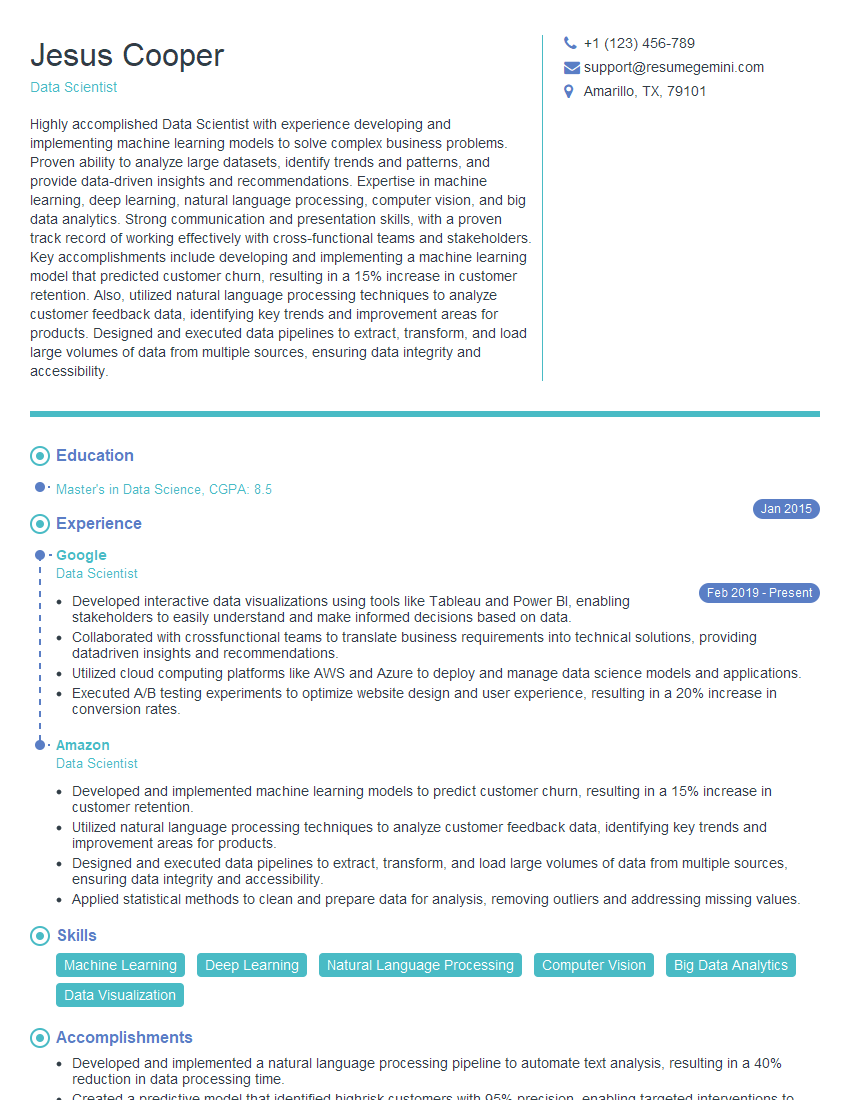
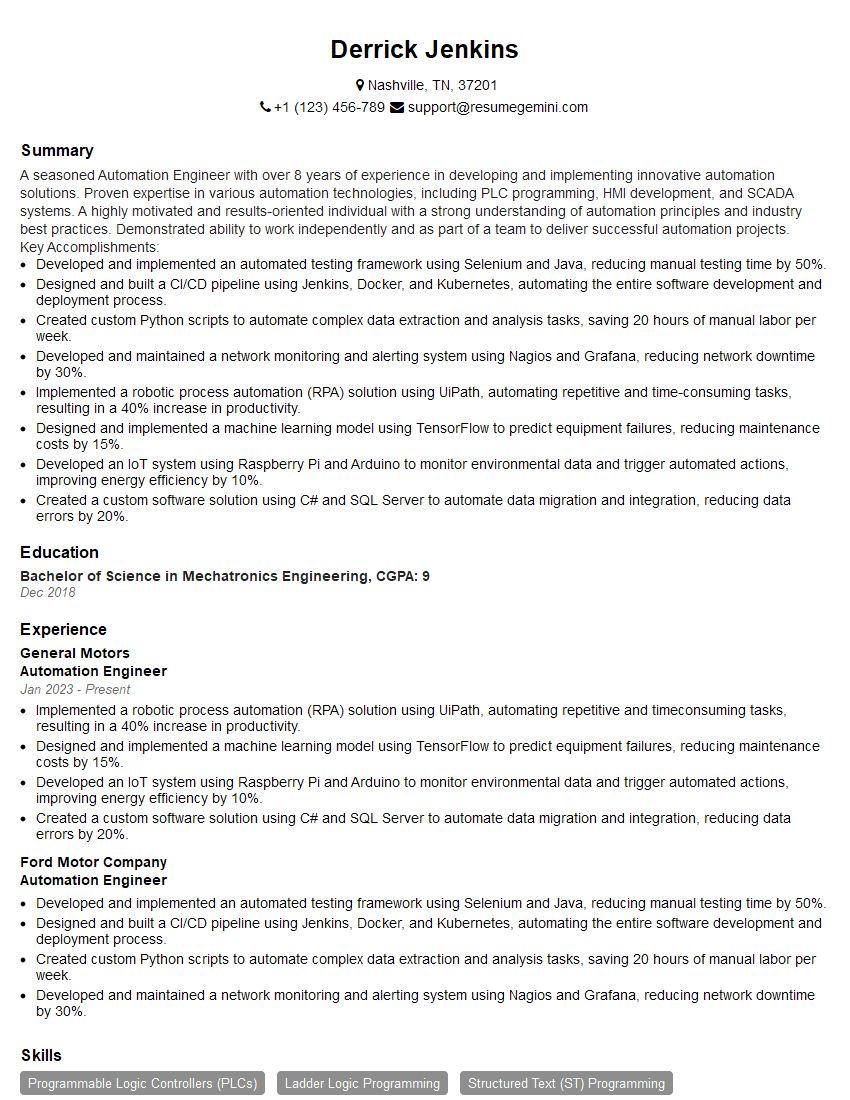
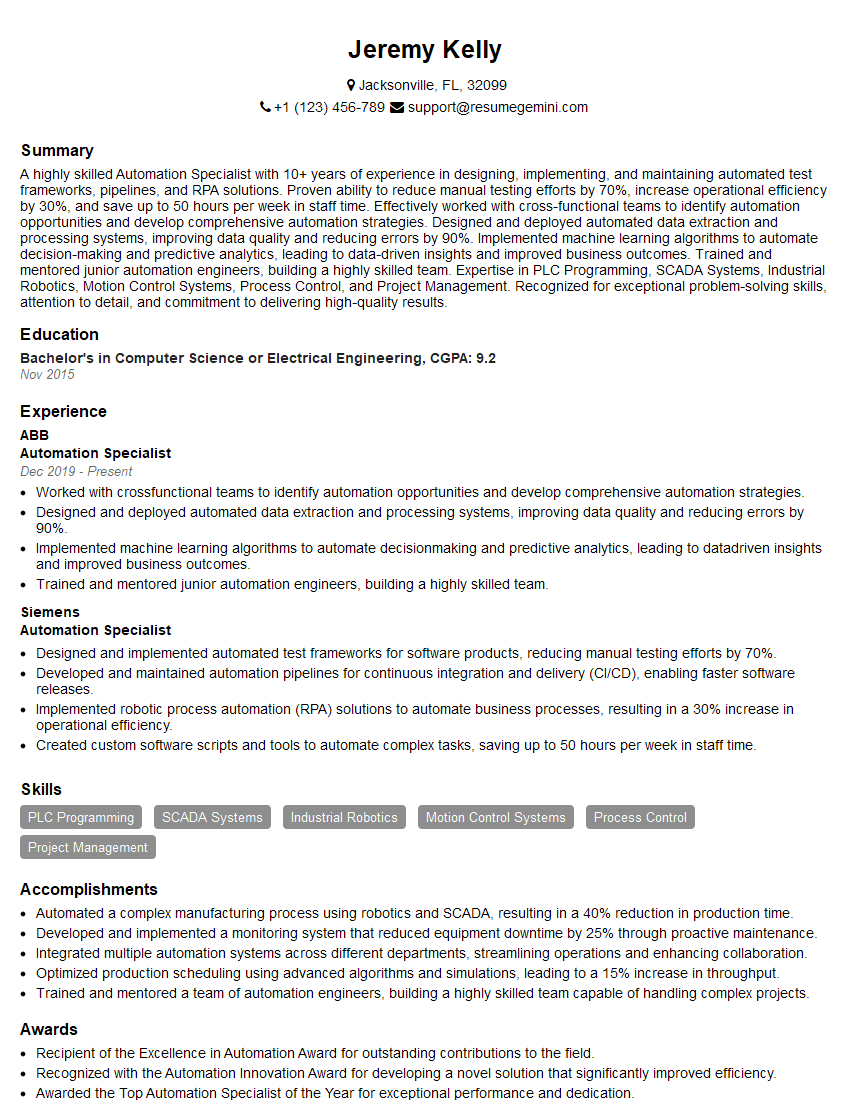
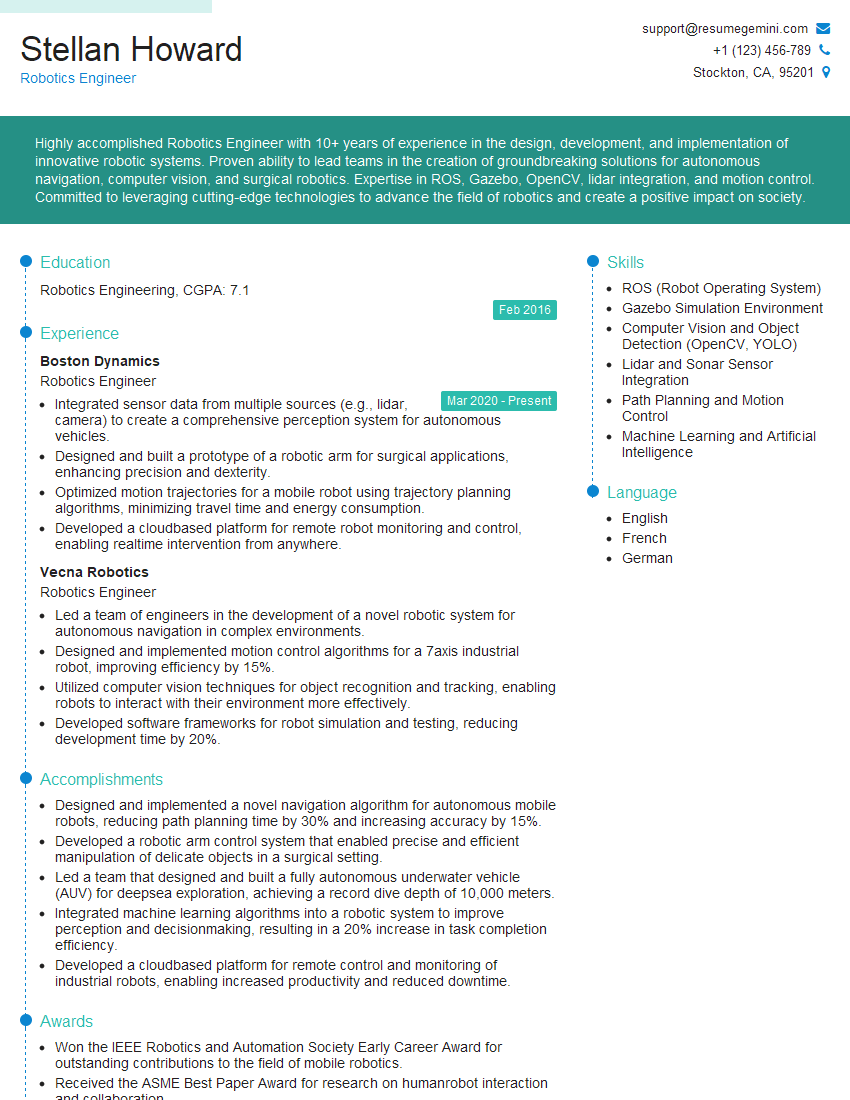
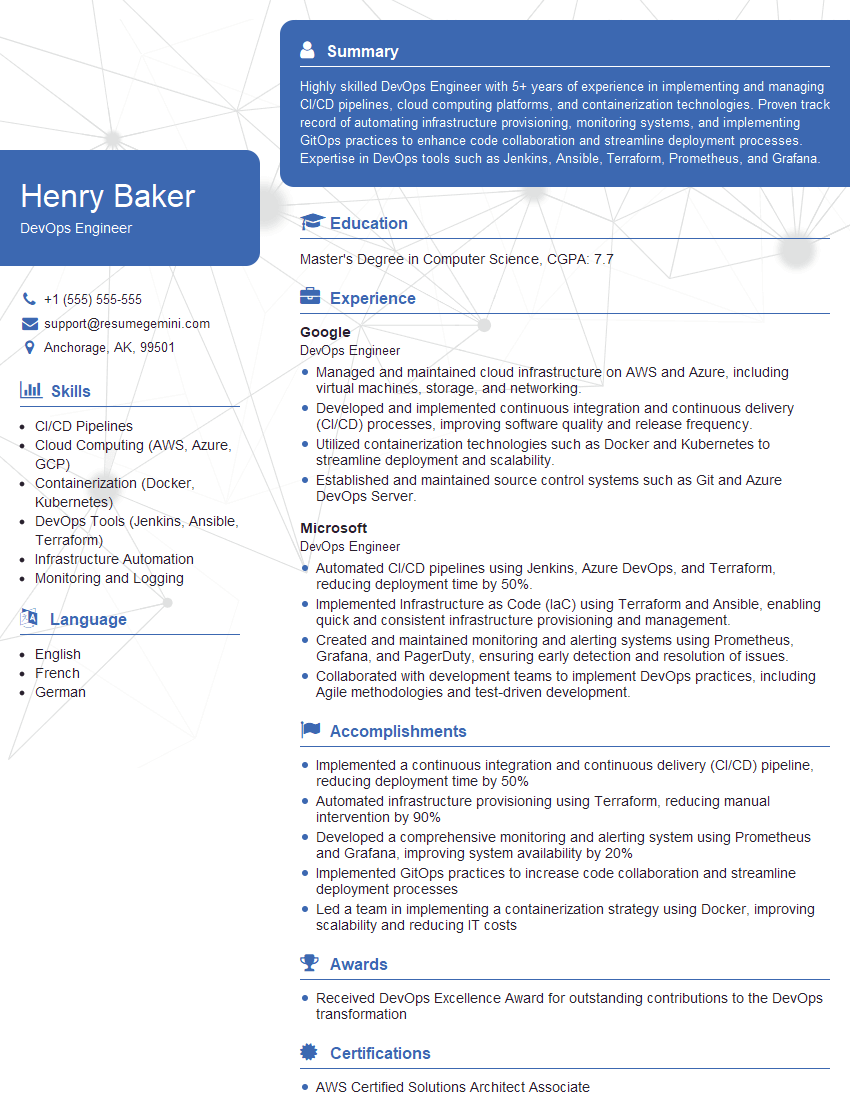
Mastering Technology and Automation is crucial for a thriving career in today’s dynamic job market. These skills are in high demand, offering excellent opportunities for growth and innovation. To significantly increase your chances of landing your dream role, invest time in crafting a compelling, ATS-friendly resume that showcases your expertise. ResumeGemini is a trusted resource that can help you build a professional and impactful resume, ensuring your qualifications stand out. We offer examples of resumes tailored to Technology and Automation to guide you in creating the perfect document for your job application.


Explore more articles
Users Rating of Our Blogs
Share Your Experience
We value your feedback! Please rate our content and share your thoughts (optional).
What Readers Say About Our Blog
Amazing blog
Interesting Article, I liked the depth of knowledge you’ve shared.
Helpful, thanks for sharing.